







Exciting upcoming Jump UI improvements!
Hello everyone! I'm working hard on the next release of Jump and for this one I'm trying to make everything nicer looking and easier to navigate. I've added so many features to Jump and sometimes it's not obvious where to find them or that they even exist. I keep getting feedback like "Wow, I didn't know Jump could do that!" or "It'd be cool if Jump could ...." and it already can! While that's really awesome to hear that a lot of user feedback is already implemented and I love seeing people's happiness to learn what Jump can do, it should be more obvious that it can do it! So I'm working a lot on refining the UI this week. It's turning out to be quite a large task so I'm aiming the next release for Monday or Tuesday of next week.
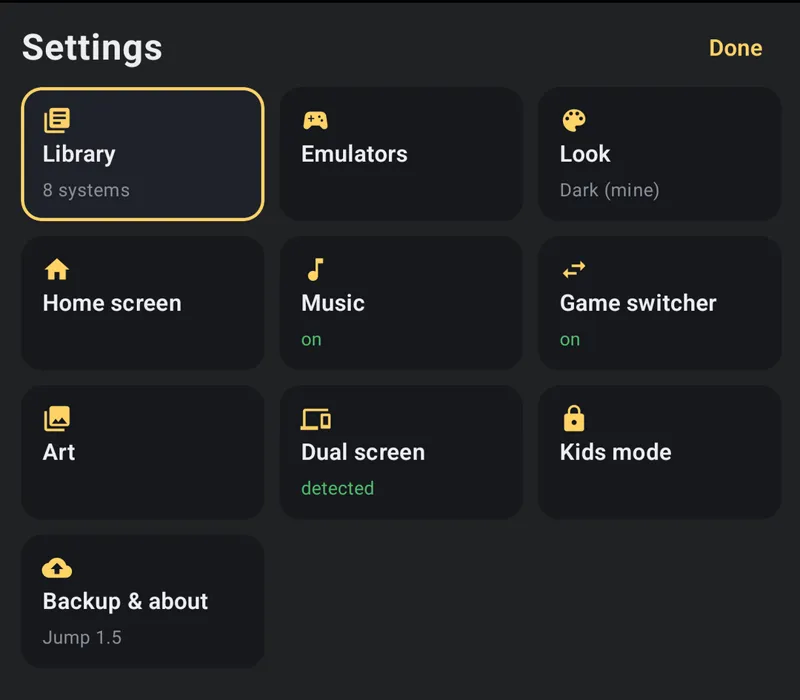
First of all, I'm making the Settings panel more visual. The theme editor, the general settings, they'll all have more icons, more pictures, and less like just an endless list of text.
It'll be far easier to just tap a setting, see visually exactly what it'll do and set things up exactly the way you want them to be.
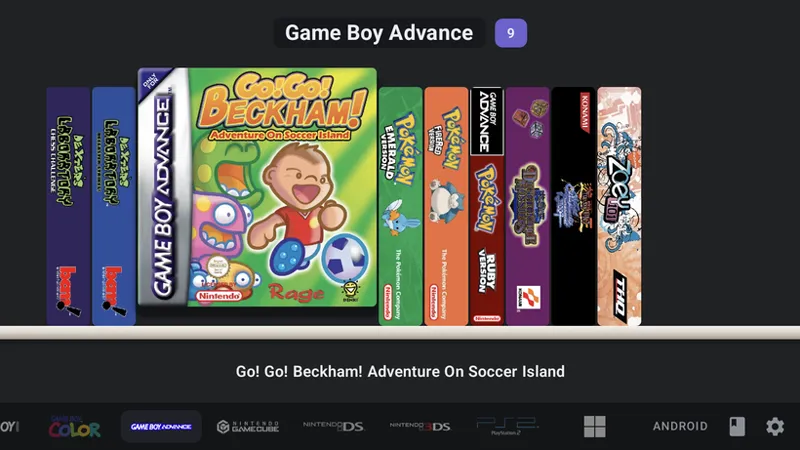
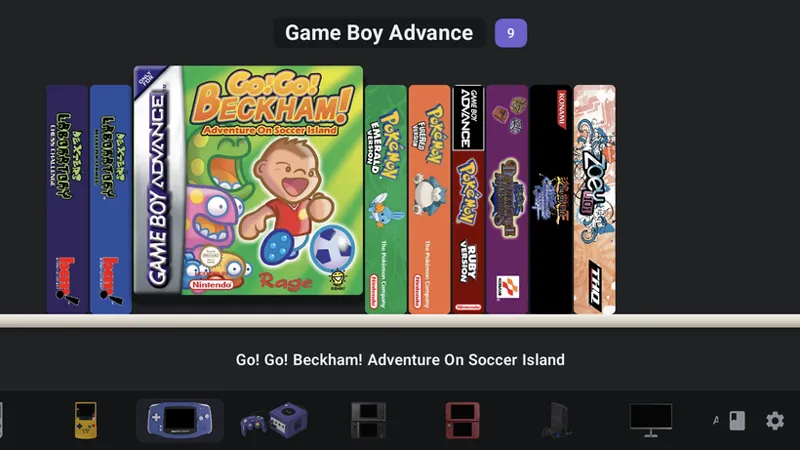
Probably the biggest change I've made, based on user feedback, is new system bar styling options! The original text-based names still remain but there are two new options:
Logos
This show's the device's logo on the system bar. Customisable of course.
Images
This shows an image of the device and is my personal favourite for quick navigation. These images were already part of Jump's Game Switcher so I've added them here too. You'll notice the screens are black but the screens can be customised with any image you want and so can the colours of the devices! (You can just also add a completely different image too if you'd like).
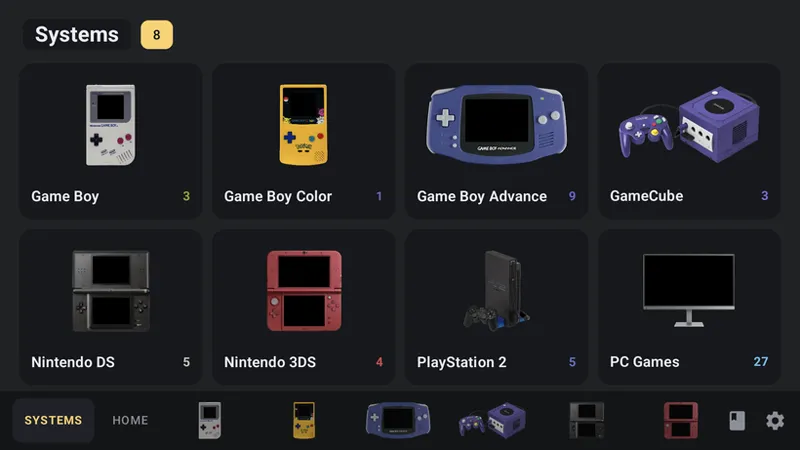
Systems View
There's also a new Systems panel which can be your replacement Home Screen or an addition to the current Home Screen.
This again uses the same images as the system bar and can be completely customised. If you customise the image in one place, it'll be updated in both for uniformity.
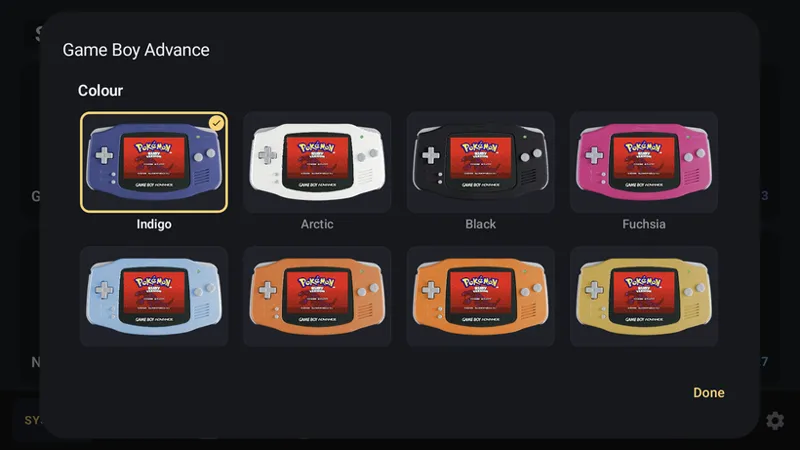
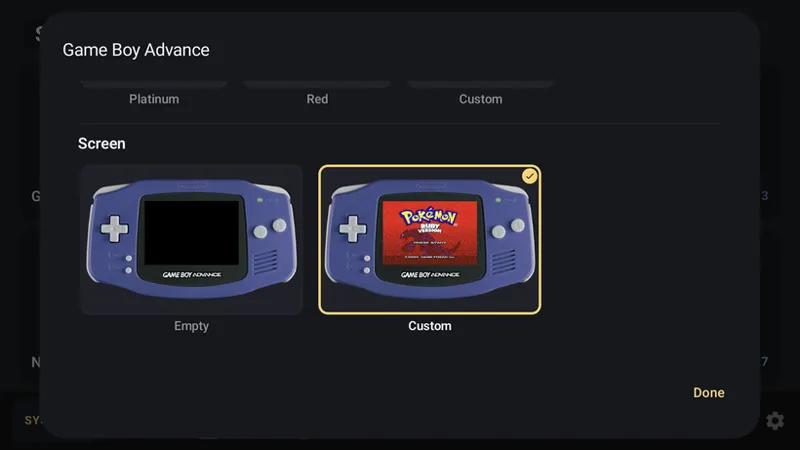
Customising the system images
You can add your own game image to the screen of any device to make it feel like home.
You can also choose from many different colours to make it just like the one you had.
As an example here, I chose the Platinum colour and added my Pokemon Ruby start screen image. It's now updated in both the Systems page and Systems bar!
So really I have two goals for this update: make Jump as easy as possible to navigate, and allow you to customise things exactly how you like to truly make Jump feel like home.
So that's what I'm working on and I hope you'll enjoy it! Just wanted to share 😊
Comments (21)
Yo man respectfully I love this frontend but I'm also having some issues. I can't tell if it's user error or it's simply not compatible at this time. But I cannot launch games for ps1 through duckstation emulator from the home screen or Dreamcast games via flycast on the home screen either. Also PS Vita emulator vita3k doesn't even show up on the home screen. Any assistance on how to possibly remedy this issue would be greatly appreciated!
I’m so fuckn stoked
Jump fuckn wins, over all mf else. The only niche you’re not fighting for is socket and slot and digibitplay and yknow what? I think you’re better for it… unless… yknow… you swamp them too. You’re full of tricks
I love this front end!
I honestly never thought I’d find a frontend better than ES-DE, but you’ve done it. Jump looks absolutely fantastic. Keep up the excellent and stylish work, Ryan. Bravo! 👏
I love that you’re keeping the core experience the same. I think you really nailed the “physical box/binder/shelf” aesthetic from the start and all of the updates feel like meaningful additions and not feature creep
Amazing
Ryan, I can't believe how awesome your launcher is. I have been using it since launch and in my opinion it's already the best-in-class. And then you keep making it better. We'll done!
Wow, hyped for the next update! Will there be any animation based features in the future?
Could there be an option in the settings to manually check for jump updates? I got a notification for the last update but then it disappeared and I wasn't able to bring it back up so I had to update manually via APK.
The best launcher Ive ever used ! Great work Ryan thank you
Options is never bad. But what attracted me to Jump was actually your simple original vision. It looks like all this is optional but please keep the “base”…well, basey :) it’s actually perfect for me but I’d still like to grab updates for other fixes.
That will still be the default :) I want Jump to be as simple as possible so all this more fancy stuff will be optional extras
Another awesome update incoming. Can't wait. Cheers for the update.
Looks great. Something I'd like to see, if it hasn't already been suggested, would be the option to have of a video of the gameplay which plays on the secondary screen after being on that game for a few seconds. Similar to what I have seen on NeoStation, and for the secondary screen to go black if the game doesn't require it.
Fantastic work so far. How about brief game action snippets as part of ui info page
This is turning in to wizardry. Looking forward to play around with this. Thanks again Ryan
Is there a way for the names of Neo Geo and arcade games to show the proper game name vs the file names?
I'm working on adding this into the new update! I've had a few reports about Arcade names not showing properly. Could you let me know a few examples of the incorrect names you're seeing in Jump?
Absolutely amazing improvements shown; I'm blown away and eagerly awaiting this next release!
Mind-blowing :)