
Translator++ Ver. 3.7.15 - TyranoBuilder & Context Translation
Hello everyone,
This is a quick update info for Translator++ Ver. 3.7.15
Ver. 3.7.15
Add : TyranoBuilder support
Update : Quota checker for DeepL Pro
Add : Selected line is marked now at searh function
Add : TyranoBuilder package extractor
Fix : Grid marker will be visible even when clicking outside of the grid.
Add : Placeholder for context by context translation
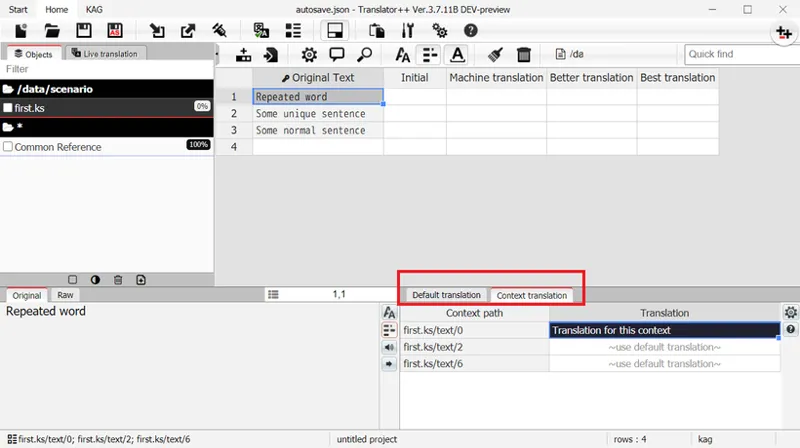
Add : Context translation system
Add : Context translation support for Renpy
Add : Context translation support for TyranoBuilder
Add : Context translation support for KAG
Add : Context translation support for XML based engine
Add : Context translation support for RM2k & RM2K3
Translation by Context
By default one translatable text will only appear once across an object (or even across a project in a certain engine). This makes it easier for translators to translate, because there is no need to translate the same text over and over again. This is also useful for maintaining consistency of translation.
But sometimes one word can be translated into several meanings depending on the context. So in some situations the translator needs to translate some of the same words into different words.
This is possible in Translator++ Version 3.7.15 or greater.
We have a new tab at the previously called “Current Cell Text” block that is dedicated to handle context translation.
You can read more about Translation by Context at the documentations: http://dreamsavior.net/docs/translator/getting-started/translation-by-context/
Not all engines are currently supports Context Translation.
Support for RPG Maker VX, VX Ace, XP, MV, & MZ are yet to be done.
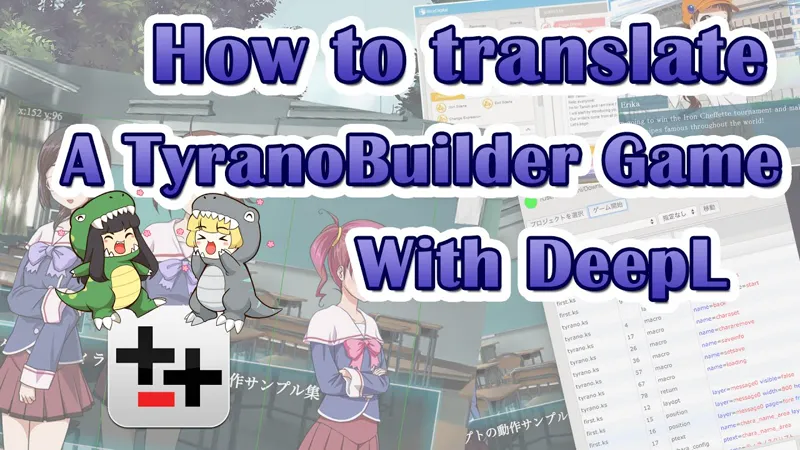
Support for TyranoBuilder has been added
I have created a video to demonstrate how to translate TyranoBuilder games. Please take a look.
You can receive this update by activating auto-update in your Tranlator++'s options.
Cheers,
Dreamsavior
Comments (3)
It does not creates an exe file in the folder were it extracts the game
Hi, every time I play with the translation and I make a save, I get "audio save error" which is removed only by restarting the game. Is there any permanent solution to this problem? I await an answer thanks for your attention.
heck yeah baby. can't wait for rpgmaker support for the feature