
Translator++ Ver. 2.4.16 – Apply translation into Wolf RPG Games
Hello fellow translators,
How are you guys? I hope all of you are healthy. In this lock down period I hope you guys are doing a lot of productive indoor activities. I think translating games is considered to be productive activities (maybe). Hopefully Translator++ helps you overcome boredom while being locked at home.
Translator++ Ver. 2.4.16
Fix : Current Text Editor background change
Fix : Current Text Editor guide line scroll fix
Add : Apply translation for Wolf RPG Game
Fix : Drag select bug when selecting object selector right at the border
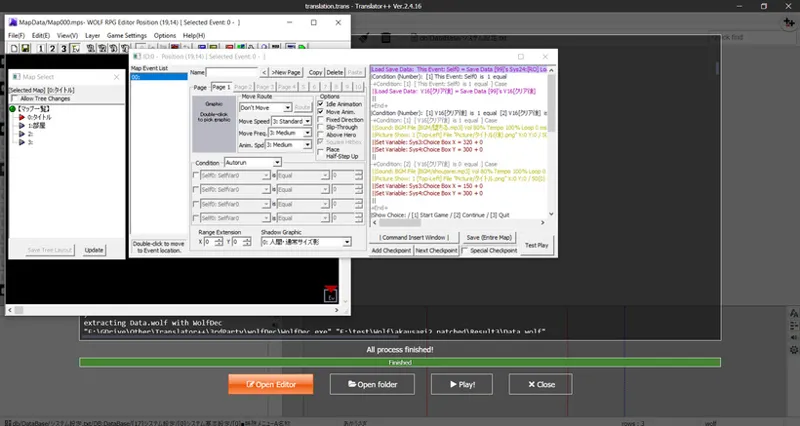
Add : Editor integration for Wolf RPG Editor games.
Add : Open Editor for Wolf RPG Editor games
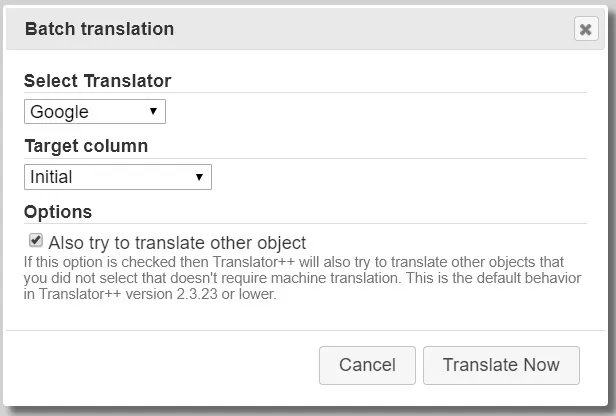
Add : Batch translation options
Add : Option to select object based by translation progress
Fix : When a sentence is exist multiple time in a cell, only the first one will be translated when perform batch translation.
Fix : Middle click sometimes will open new application window.
Add : Double click and midle click action on object selector pane
Fix : Translator engine : Kakao Talk unable to change language
Add : Win32 build
And more
Better Wolf RPG Editor Support
Like the video that you can see here. Now we can easily translate WRPGE just like we did for RPG Maker.
There are also improvements that eliminate a lot of problems in the process of making a new project or export project.
I also integrated WRPGE editor with Translator++. An editable WRPGE game will be generated for you, so you have the choice to translate directly using the WRPGE editor tool.
Windows 32 bit build
There are many who request the 32-bit version of Translator ++. So this is the answer to your request.
Starting from Ver. 2.4.16, we will release a 32 bit version of Translator++.
(But if you use 64bit OS. I strongly recommend you to use the 64bit version of Translator++.)
Batch Translation options
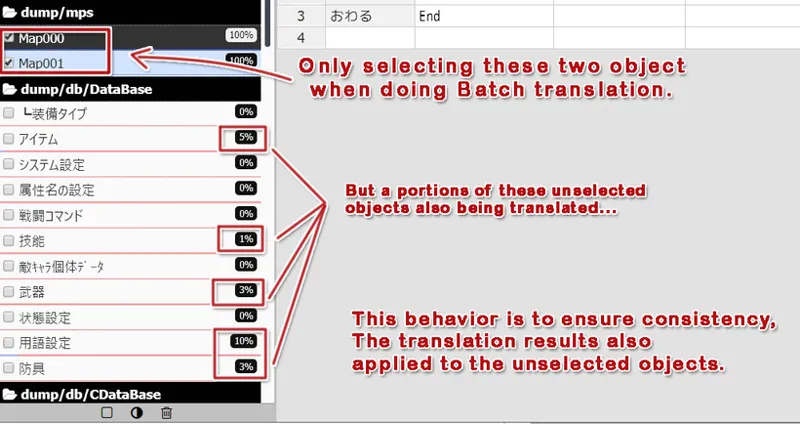
In the previous version of Translator++, when you commit batch translation… Translator++ will try to apply the translation results everywhere … including the unchecked objects. This will ensure the consistency of the translation along the game.
But, sometimes this behavior is unwanted.
Now you have the options to use or not to use this feature when doing batch translation.
Translator++ Ver. 2.4.16 is available to download no in the patron’s download section.
Enjoy, and stay healthy.
Comments (12)
there is a game called paranormal syndrome whose engine is rpg maker VX ace when i start a new project with this game it gives me the same error
i am talking about nobita resident evil 2 and can you also update the translator++ so that it can translate old rpg games because stories of those old rpg games are amazing and i seriously dont know which rpg maker was used for this game
i have downloaded the a version 2.2.20 and now when i try to execute the game it says Error! File list not found in init file please help man please i always wanted to play this game nobita biohazard 2 please reply
If I remember correctly, nobitas biohazard is created with RM 2000 which is not supported with Translator++. And, the game has already been translated in english.
help i really wanna play this game
hey man i have an rpg game called nobitas biohazard 2 and i try to make a project with it there is an errorFatal error: Uncaught Error: Call to undefined function getGameInfo() in E:\Games\Translator++\www\php\loadGameInfo.php:67 Stack trace: #0 {main} thrown in E:\Games\Translator++\www\php\loadGameInfo.php on line 67
Hi, when I'm opening a project from the Wolf game, in dump/map section, there are only few strings all containing text like this "\udb[29:0:0]" What can be done with that?
This is problem with WolfTrans, Please read this article : http://dreamsavior.net/remaking-wolftrans/
Hi, I bought a game on DLsite, and I tried to use your program to translated, but on the process I got the next message when is applying patch the game: " Error parsing Script アイテム詳細表示: String out of bounds: RubyParserState(string=..'\n'.., index=56522, ruleStack=['Base', 'Bracket', 'Square', 'Square']) # 1529:56443; leaving untranslated", I don't know what to do :(
Hi Ariel, Thank you for your support. Please check the FAQS here : http://dreamsavior.net/docs/translator/faq/can-not-export-inject-translation-from-wolf-rpg-editor-games/
Hello, there are a way to enable the romanji in the left side box like older versions? In the version couldnt see the romanji
Hello Matth, In the previous version Mecab is bundled with Translator++ distribution package. But the latest version of Translator++ doesn't includes Mecab. Please install Mecab. From Third party application installer.