
Translator++ 8.7.29 - AI Proofreader, a more secure NetCollab, and easier onboarding
Hello fellow translators,
In case it wasn’t obvious enough: I’m back from my trip! Since getting back, I’ve been heads-down building another batch of updates. This one is a bit special because one of these features has been on my mind for a while: an AI Proofreader built right into the translation workflow. Let me walk you through what’s new and, more importantly, why it matters for your day-to-day work.
AI Proofreader: A second pair of eyes on every line
Here’s the truth about translation, whether it’s done by a human, a machine, or an AI: the first pass is rarely the final pass. Typos slip in, a line break gets misplaced, a \N[1] or similar inline tag gets mangled, or a perfectly good translation just runs too long for the text box it needs to fit inside.
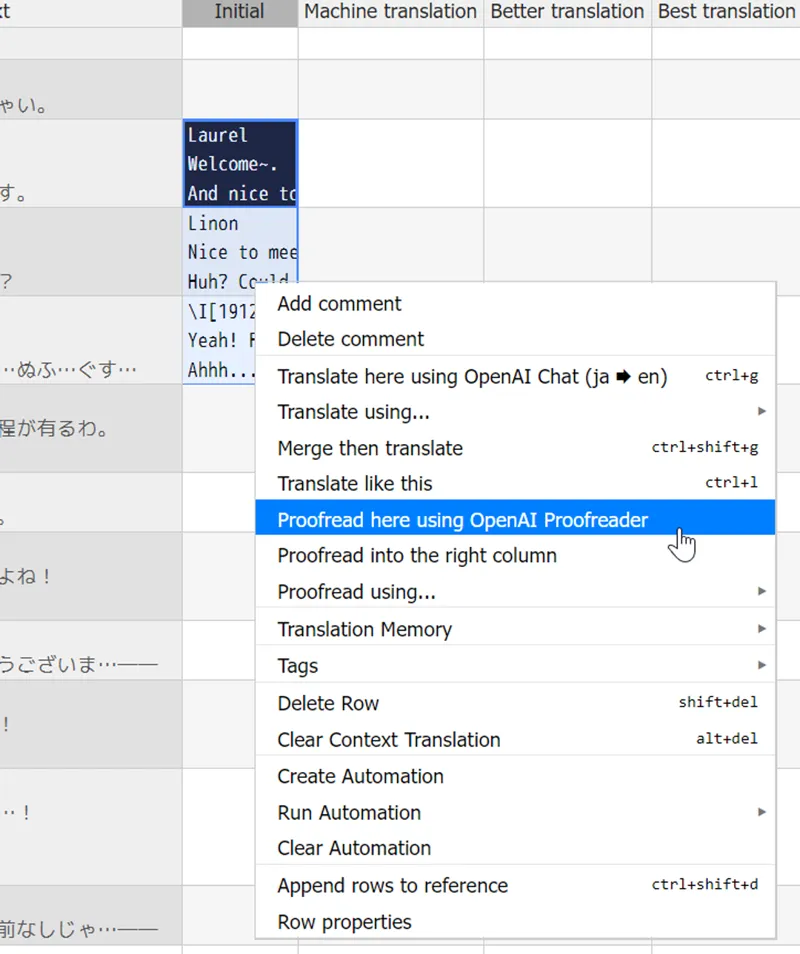
Up until now, catching those things meant manually re-reading your rows one by one. With this update, you can add a dedicated proofreading layer on top of your translations. Just right-click a cell (or a whole batch of them) and have it checked and corrected in place, or written into the next column so you can easily compare the before and after.
Right-click any cell (or a batch of them) to apply your custom AI Proofreader.
What makes this genuinely useful is that it doesn’t care where the original translation came from. Whether it was typed by a human or generated by an AI engine, the proofreader treats it the exact same way: here is the source, here is the current translation, make it better without breaking anything.
And because it’s built with the same flexibility as our translation engines, you aren’t locked into one specific use case. You can set it up for straightforward grammar and spelling corrections, but you can also point it at more complex jobs:
Fixing broken or misplaced inline codes/tags so your game doesn’t crash or display garbage text.
Cleaning up line breaks and formatting so dialogue reads naturally.
Squeezing an overly long translation down to fit a message box without losing the original meaning.
Doing a general quality-assurance pass before you ship a patch, catching the little things your first pass missed.
Think of it less as “just another AI feature” and more as a customizable safety net that you can shape around your project’s specific needs. This first release ships with a free addon for OpenAI-compatible proofreading engine, and it’s built so that more services can be added later—just like our translation engines work today.
NetCollab: Your project stays yours
If you use NetCollab to work with your team, this one’s for you. We’ve added a proper layer of security, and I want to be upfront about why this matters so much to me: your project should stay under your control, period.
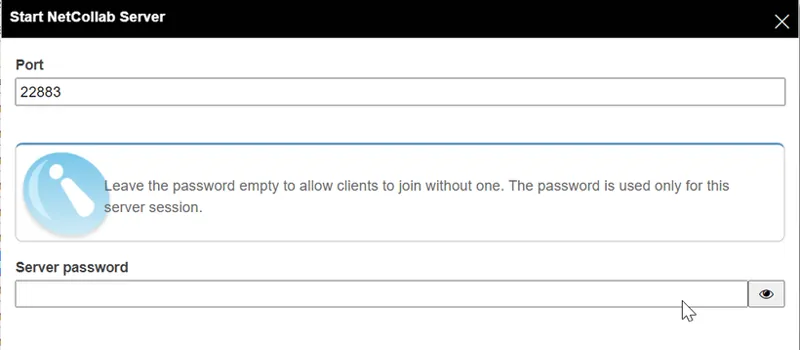
NetCollab is self-hosted by YOU in a single click. There is no middleman server of ours sitting between you and your team, and nothing proxying or relaying your project data through a third party you didn’t choose. The only people who can reach your collaboration session are the ones you’ve explicitly given the IP address and password to. You can also change the port it runs on, giving you another layer of control if you’re mindful about what’s exposed on your network.
Secure your NetCollab sessions with custom ports and server passwords.
I know translation projects are often unreleased, sometimes under NDA, and always personal work you've poured real hours into. You shouldn't have to trust a third-party server just to collaborate with your team. That opens you up to the risk of your translations being stolen, cached and then resold to others. Now, you don't have to take that risk!
A friendlier start for newcomers
Lastly—and this one is small, but I think it will save a lot of people real frustration—starting a new project no longer requires you to know what engine your game runs on.
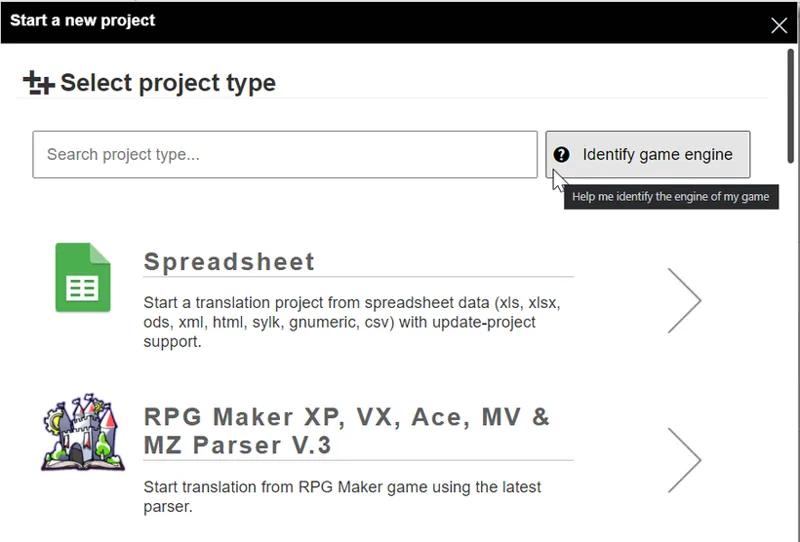
A lot of folks come to Translator++ with a game folder and no idea whether it’s RPG Maker, a specific visual novel engine, or something else entirely. That used to mean digging around, guessing, and trying parsers one at a time. Now, there is a guided flow that looks at your game files, figures out the engine for you, and routes you directly to the correct project setup wizard.
The new “Identify game engine” button takes the guesswork out of starting a project.
If you’ve ever recommended this tool to a friend and then had to walk them through “okay, first figure out what engine your game uses…” — that step is basically gone now.
You can update Translator++ ver 8.7.29 from your Translator++ or via update package.
That’s it for this month. As always, thank you for supporting the project. It genuinely makes a difference and keeps me motivated to build things like the Proofreader, which I’ve personally wanted to add for a long time. If you try any of these new features out, I’d love to hear how it goes!
Happy translating,
Dreamsavior