
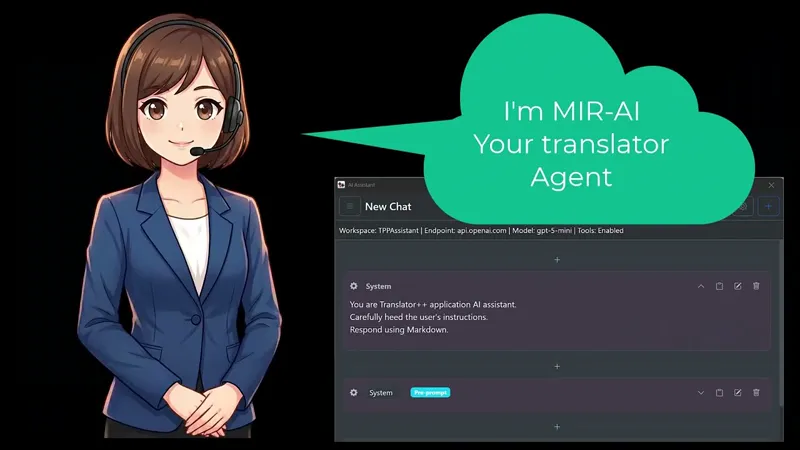

Control your Translator++ with any AI Agents
Any AI agent. Any model. Your language. Total control.
Hello fellow translators!
I’m excited to share a massive update that fundamentally changes how you interact with Translator++: You can now use ANY AI agent to control it.
Translator++ now exposes your project data, engines, and configurations to agents like Claude Code, Cline, and VS Code Copilot. Just tell the agent what you want in plain language, and it handles the rest.
I recorded a video demonstrating this with three different agents. Watch it below!
📺 Watch It in Action
What You Can Actually Do With This
Because agents now have full access to your translation project, anything you can do manually, an agent can do for you in seconds. Here are the game-changers:
🎭 Context-Aware Translation & Custom Styling
Don’t just translate blindly. Agents can pass speaker identities, scene context, and game metadata to the translation engine for hyper-coherent results. You can even dictate style rules:
“Translate dialogue casually for this character, but formally for that one.”
“Translate all skill names in ALL CAPS and keep them under 12 characters.”
🧹 Automate Proofreading & Tedious Tasks
Stop doing grunt work. You can ask your agent to verify line counts, ensure RPG Maker control codes (\V[n], \C[n]) survived intact, or flag suspiciously short translations. Need to bulk-edit? Just ask:
“Tag all rows containing RPG Maker script commands as red.”
“Rename this character across all 50 files.”
The agent will instantly generate and run the automation for you.
⚙️ Instant Q&A & Configuration Audits
Never dig through documentation again. Ask the agent how to use specific features, or have it audit your OpenAI/DeepL configuration. It will automatically adjust your batch delays, check for correctness, and add game-specific escape tags to your system prompt so the AI knows exactly what to preserve.
🧩 Build Custom Parsers & Engines
Need support for an obscure game engine or a new AI API? You don’t need to be a programmer. Just describe your game’s file format, and the agent will write a custom parser or translator engine for you.
These are just examples — the potential is limitless. Anything you can do manually in Translator++, an AI agent can do for you. If you can describe it, it can be done.
Why This Matters
Game translation involves a lot of bouncing between extracting, translating, fixing broken tags, and re-injecting. An agent handles all of that in one fluid workflow.
Because it’s completely open, you choose what fits your budget and workflow:
Want cheap bulk translation? Use DeepSeek via Claude Code.
Prefer a nice GUI? Use Cline in VS Code.
Already paying for GitHub Copilot? Use it right there.
Best of all? You can command the agent in English, Japanese, Indonesian, Portuguese, or any language you prefer.
Getting Started
Update to the latest Translator++ build.
Open your translation project.
Point your preferred AI agent at the Translator++ installation directory.
Start asking! The agent will automatically discover everything it needs.
All of these features are available in Translator++ ver. 8.6.17 and greater. So, please update your Translator++.
What’s Next?
I’m continuing to expand what agents can do behind the scenes. If you try this out, I would love to hear what agent/model combination you’re using in the comments.
Happy translating! 🎮✨
— Dreamsavior
Automate Game Translation with AI Agents (Claude Code, Cline, & Copilot) (YouTube)