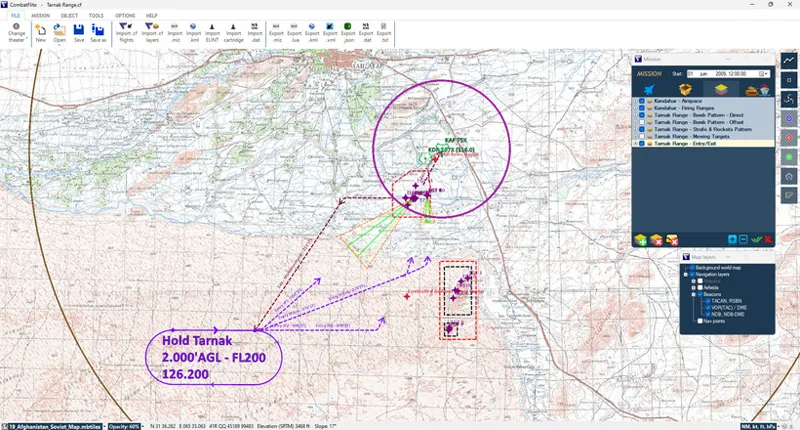
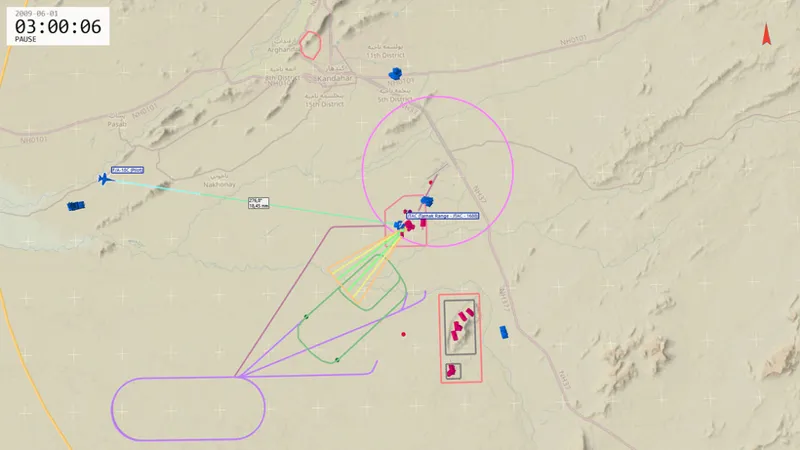
Both of the files above are available to all in DCS user files.
the. cf file with CombatFlite overlay with all necessary planning details (range boundaries, target positions, various patterns, etc...);
CombatFlite overlay for advanced mission planning.
several .xml files with various Tacview overlays. Use them to add range boundaries and desired patterns for detailed debriefing.
Example of Tacview overlay: Kandahar airspace, range boundaries, entry and exit patterns, and direct bombing pattern zones.
Important notes:
Open this mission as a multiplayer mission in order to be able to use dynamic slots and choose any aircraft at Kandahar, or manually add the aircraft of your choice in DCS Mission Editor.
This mission uses MOOSE scripts to provide real-time assessment.
Range script: due to a DCS bug, it is not possible to directly monitor when a player enters a plane. So in a mission with client slots, it is vital that a player first enters as spectator or hits ESC twice and after that jumps into the slot of his aircraft! If that is not done, the script is not started correctly. This can be checked by looking at the radio menus. If the mission was entered correctly, there should be an "On the Range" menu items in the "F10. Other..." menu.
MANPADs and AAA Threat: activate or deactivate via F10 MENU. FOX Missiles Trainer is active for missiles fired from within the range.
Targets: both fixed and moving targets are invulnerable