
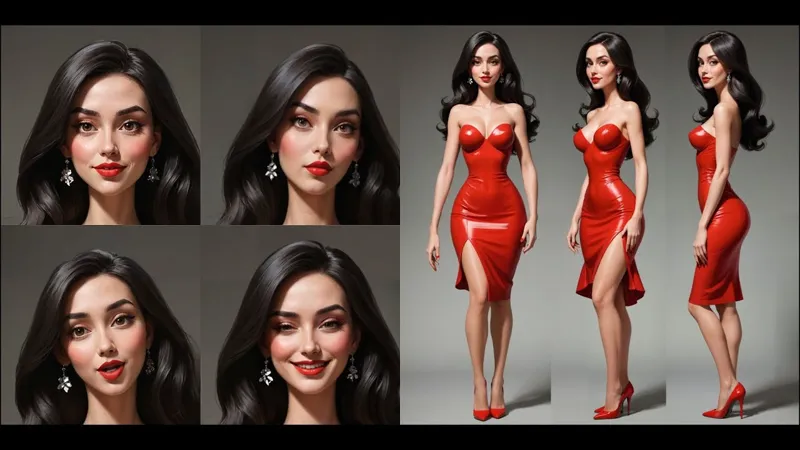
Create a Character with One Click. v41 Update Available.
What's New in the v41 Update - Patreon Exclusive
The v41 update brings exciting new features and improvements to the ComfyUI Workflow Pack. Here’s a rundown of the latest additions:
FACESWAP + BATCH Workflow
Automatically perform face swaps on multiple images in a folder with one click! This powerful workflow makes it easier than ever to batch-process images while maintaining high-quality results.1845 ARTIST Workflow
With 1845 artist styles to choose from, this workflow allows you to select any artist's style to apply to your images. Now, you have a massive collection of creative options at your fingertips.294 STYLES Workflow
Access a full library of styles from the Style Chooser in a single workflow. You can create images using all available styles in just one click, offering a streamlined experience for experimenting with different looks.Prompt Reader Node
Every workflow that uses styles now includes the Prompt Reader Node. With this, you can easily view and copy the prompts used for any image, making it simple to reuse or modify prompts for future projects.Improved Model Download Script
The updated "Download All Models" script ensures that only the missing models are downloaded, avoiding duplicate downloads and saving time.
Quick Installation and Update
The v41 update comes with an easy-to-use installation and update script. Just place the update in your main folder, run the script, and all your workflows, models, and prompts will be updated automatically.
Minimum Hardware requirements:
16GB RAM
NVIDIA RTX 2060 8GB or higher.
240GB SSD
Windows 10 or 11
Download: https://www.patreon.com/posts/comfyui-studio-111135526
Create a Character with 1 Click.| ComfyUI Studio v41 (YouTube)

Comments (9)
Is there a version if someone already has the character?
i am missing sdxl/emiruXL.safetensor for this work flow. I did a search and over 1000 showed up. Please give link for correct one. Thank you in advance
Turn it off. It's not necessary
Hello...how it works in MacOS ?
Hi. There are videos to install comfy UI on Mac. But laptop's can't handle the workload.
Seems i'm missing the 4x_foolhardy_Remacri.pth, could google one, but in what folder that needs to be placed?
Place it in the App\ComfyUI\models\upscale_models.
Im getting a single image instead of 3 and then that gets cut into 3 pieces. The rest I assume it does the face expressions on the empty areas above the character. What am I doing wrong?
Default settings woman in red? Or your prompt?