
How Watchpaintdry_minis drove one-third of his monthly revenue through Quips without creating new work
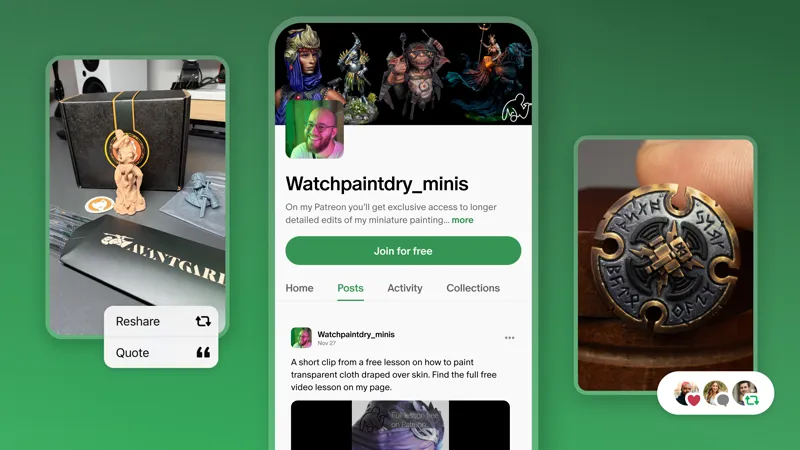
Meet Malte Dueholm, the creator behind watchpaintdry_minis, who teaches the art of miniature painting. He had one clear issue: he didn't have time to create new work, but wanted to reach new fans through Discovery on Patreon. Enter Quips—the short, public posts visible to anyone on Patreon, whether they're a member or not. Malte already had an archive of Instagram posts with high engagement. The question was: could they do double duty?
The answer was YES. Using mostly recycled posts, his Quips drove over one-third of his revenue in the last 30 days.
The work was already done
Instead of starting from scratch, Malte treated Quips as a place to reach a new audience for work he had already made and shared elsewhere. He posted Quips on Patreon 1–3 times per week by pulling from his Instagram archive asking two simple questions: does this post still reflect how I'd teach it today? Is the linked lesson still useful to someone new?
"The time investment is very minimal because I've already done the work for Instagram. I was initially worried Quips would be another feed requiring constant new posts — but I can effectively repurpose what already exists."
The same logic applies whatever your format. The archive you've already built is the perfect starting point.
What actually performs well
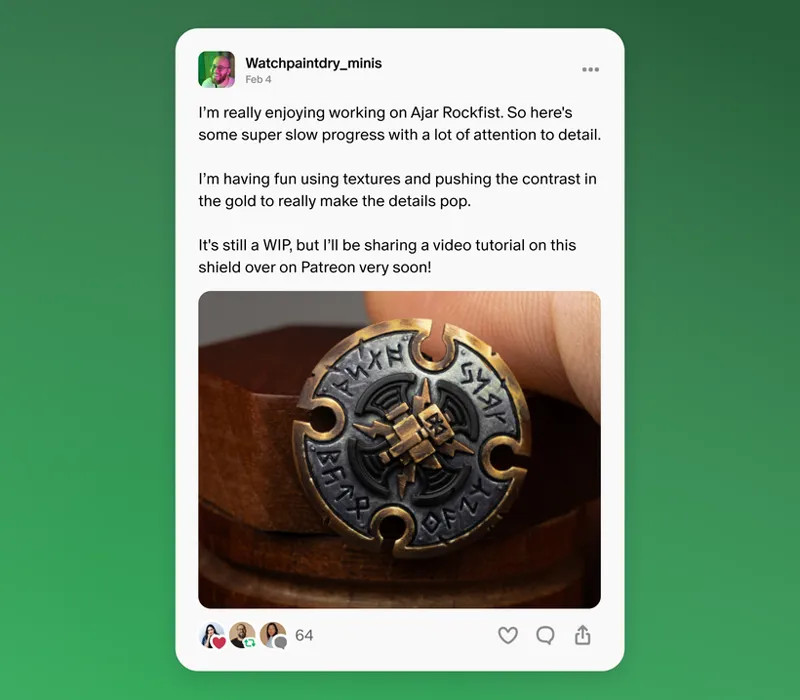
Not all posts translate equally. While other platforms tend to reward polish, Quips work for all levels of finesse. For Malte, a post showcasing in-progress work often outperformed a finished one. Viewers saw the unfinished piece and wanted to know how it turned out. For some, that curiosity turned into something bigger: how do I do that myself?
When digging through your archive, here are the formats worth looking for:
Works in progress. Work-in-progress posts illuminating the rougher parts of painting often outperform finished pieces because fans can see the gap and imagine closing it. A half-inked comic panel, a rough podcast edit, or an unfinished painting can all pull people in.
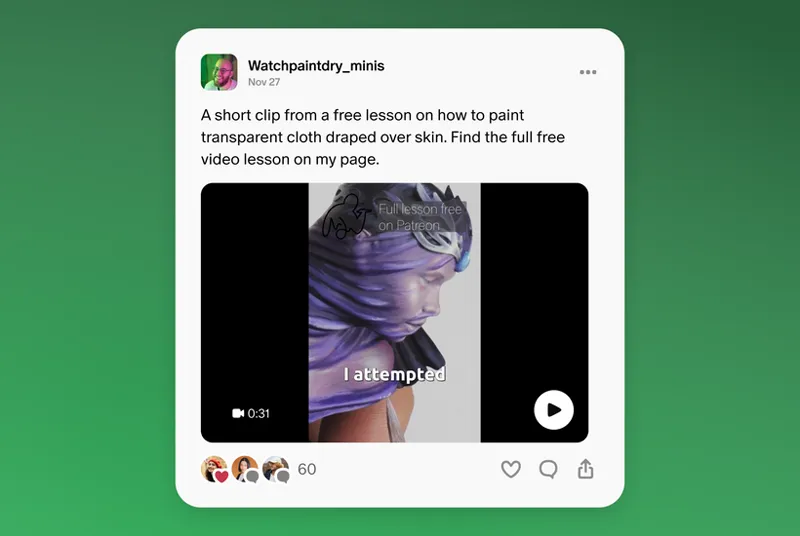
A specific challenge. The more precisely you name something your audience struggles with, the more a Quip feels like it was made for them. A post about painting transparent fabric draped over skin works because it speaks directly to a problem a miniature painter has likely faced and wondered how to solve.
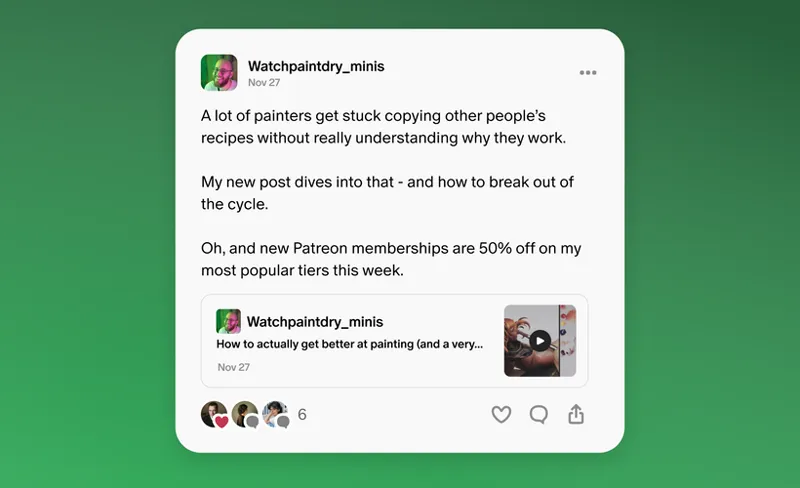
What doesn't work: text-only posts with a bare link. Whatever your format, the Quip itself has to deliver something worth stopping for. The visual, the clip, the sketch: it has to carry the weight. The Quip below's low performance inspired Malte to pivot away from text-only posts and toward posting the visual of the work itself.
"For me, the best-performing quips showed something impressive, addressed a specific problem, and left room for the viewer to wonder how to achieve the same result."
Sharing freely builds paid memberships, not the other way around
Malte makes older tutorials available to free members, lessons that paid members have likely already consumed. Fans who land on his page from Quips end up exploring and often find something else worth sticking around for.
"I've realized I don't need to gatekeep my paid lessons as much as I initially thought. Community is becoming more important than I expected, and I'm learning how to use it as a selling point."
Sharing freely didn't hurt his paid memberships. It grew them.
Your turn. Here's what to take away from Malte’s strategy:
Go through your existing posts on other platforms or in your archive and find ones that still hold up
Don’t shy away from in-progress and behind-the-scenes posts—they might outperform polished finished work
Always lead with a visual: text-only posts with links don't convert
Try posting without a direct link and let viewers find their way around your page
Unlock older work for free members and let it convert browsers into members
"I had the work. The audience just needed a way to find it."
📌 How helpful was this material? Click to let us know: 👍 | 👎
Comments (19)
This is great info! As a Medium and Astrologer, I've been using quips for a few months now to give lunar horoscopes. I used to do this on IG but have been trying to slowly move everything over on this platform. I have seen some new engagement but not as much as what these awesome creators are getting!
What a cool feature and strategy that's completely unavailable to 18+ creators like myself.
Hey there, Patreon video and Quips have started rolling out to 18+ creators too, it's just taking a little longer since there's more work to do on the Trust & Safety side, so we're taking the time to get it right. More on this here: https://www.patreon.com/jackconte/posts/new-patreon-167204499
Have you fixed the issue where people can download content via email links even if they are not a subscriber yet?
Appreciate all these tips! Just getting started but excited to try more features!
I spent half an hour clicking on the video about the free lesson - nothing...
Hey there, just to clarify, are you having trouble accessing videos on Watchpaintdry_minis' page? If so, we'd recommend reaching out to our Support team so they can take a closer look: https://support.patreon.com/hc/en-us/requests/new
Visual and sound over text any day.
So much of what we’re seeing on Quips is either visual art or tutorial based content. Would love some tips geared towards musicians. If videos make good Quips, what length is ideal? Otherwise, what are bite sized samples that could give people a real sense of the music?
I want to know too - or anything audio based like a podcast or similar. I think you'd still need to pair it with a visual like a Canvas (like they have on Spotify), just to give the viewer something to look at while listening. I asked a fellow musician on Quips where I can hear what he made with his synth because he posted a pic of his setup, but then he linked to outside of Patreon. I think that Quip would've performed better as a video with the sound of his synth, even if just paired with the original static image he shared. What kinda music do you make?
I love this!!
Definitely helpful to have that frame put on Quips.
Yessss keep cooking!
I’m looking forward to seeing how this works for the podcast
Can you clarify how Quips are promoted to other patrons and/or creators, in general?
Hi Emily. Our new Home feed is designed to help people discover creators and communities they’ll genuinely care about, instead of optimizing for attention. The main signals we use today include showing connected creators (who fans already support and interact with), new Quips and posts, creator interactions (when creators like, comment on, or reshare another creator’s Quip or public post, it can help that post reach more people), community engagement, and similar fandoms. We'll share more about this soon, but in the mean time, you can learn more about the new Home feed here in the post linked below: https://www.patreon.com/posts/153761938
This is so helpful! I just got access to Quips so I'm absolutely devouring all the advice and suggestions.
So cool! I love what yall are doing with the platform!
This completely changed how I see my content strategy. I’ve been focusing too much on creating new content, when I already have posts that performed well and can be reused. Using Quips to repurpose content feels like a smart, low-effort way to reach new people. What really stood out is that polished content isn’t always the best — in-progress and behind-the-scenes posts can perform even better because they create curiosity. Also, I’ve probably been overprotecting my content. Giving value upfront doesn’t hurt — it actually helps convert more people. "Work smarter with what I already have, not harder creating from scratch!"