

Quick Save Button | Live Mode
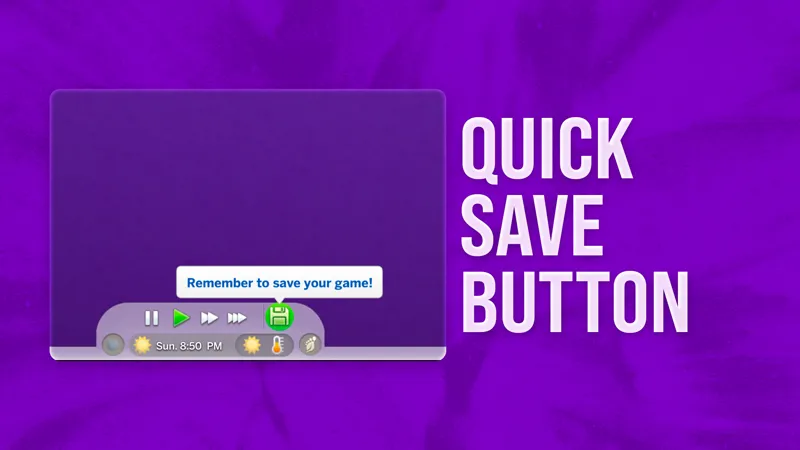
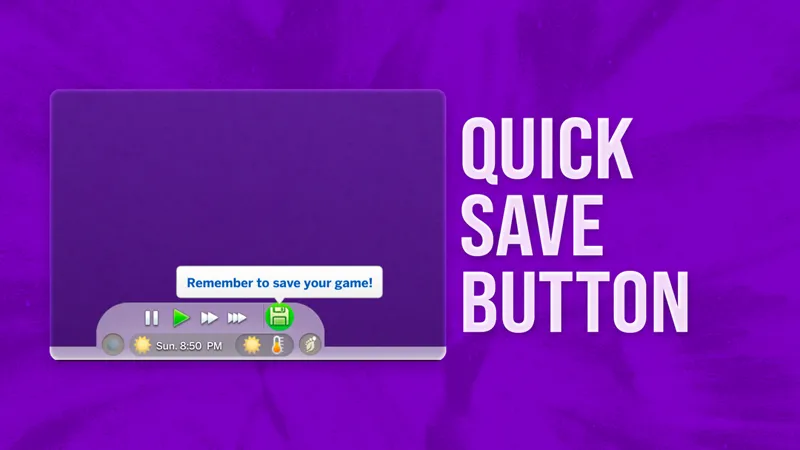
Quickly save your game with a new Quick Save button and get reminders to do so.
Available for free!
Consider supporting me on Patreon
to get early access and help fuel future projects!
New Version – March 4th 2026– What's New?
Easier Installation: Only two files to choose from — the default version and a specific version for players using the UI Cheats Extension.
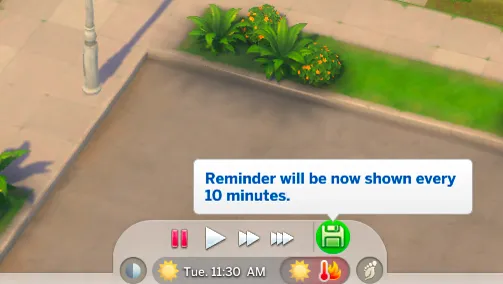
In-Game Save Reminders: You can now change how often you’re reminded to save directly in the game. Just right-click the Quick Save button to set the reminder for every 10, 20, 30, 40, 50, or 60 minutes — or turn it off entirely.
Save As Shortcut: Simply middle-click to "Save As."
⚠️ UI Cheats Extension:
You can use my mod with UI Cheats Extension, but my mod must load first.
💡 Can’t figure out mods loading order?
➡️ CLICK HERE TO LEARN HOW TO FULLY CONFIGURE YOUR MODS LOADING ORDER
Make sure to use the file designed for the UI Cheats Extension mod!
Do not use the UI Cheats–compatible version of this mod unless you also have UI Cheats Extension installed.
Credits to weerbesu for the base file from the UI Cheats Extension mod!
What about UI recolors?
Depends on the creator, but usually you can use both if my mod loads first.
Visual inconsistencies might happen depending on how intense the recolor is, but functionality should be fine. Just expect some possible visual quirks!
⚠️ Game Patch Compatibility
Not sure if my mods are updated?
Check out my Mods Compatibility Status page for a quick look at the current state of each of my mods.
Changelog
March 4th, 2026
version 1.1 | Public Release
October 21st, 2025
version 1.0 | added UI Cheats Extension support
October 15th, 2025
version 1.0 | Early Access
Comments (88)
You're a hero.
hi!! just a question, where does the camera option/gallery go?
I'm wondering the same thing :)
Hi! I have WW installed and that gives me reminders to save, so I was wondering if this mod would conflict with that? As I absolutely love the idea of having a quick save button in my game! Thank you 🫶🏼
Never mind, I believe I found the answer in the comments in reply to someone else 😃
This is not about the fail to launch issue, but this is defintily not working. The build save button one is working fine but, this one throws LE's about UI error and dashboard don't show in household.
I tested this mod after the recent update and I can confirm it's working. The issue has to be something else on your end.
Amazing mod! Immediately became one of my staple "cannot play without" mod, it's so simple yet makes it much easier for me to remember saving, and i cannot wait to try the build version too! Fyi for anyone is having issues with ui cheat being loaded first heres my set up: quick save button at the roots of my mod folder, with most of my scripts, and the two ui cheat files in their own folder. The sims reads your folders like so: single files first, then folders by alphabetical order.
90% of these comments are probably saying this but thank you so so soo much for this mod. After losing countless hours after forgetting to save this is like top 3-5 for me now, I'd pay the shit out of you if I wasn't poor.
absolutely goated, thank you
thank you so muchhhh omg its helping so much
The Save As feature is great. Thank you so much.
I’m getting really tired of comments claiming my mods don't work just because the person didn't bother to read the post from A to Z — which already contains the answers and clues to all those questions. There are also multiple comments below that have received specific answers, so I believe users can find everything they need by just reading. From now on, any comment saying "the mod doesn't show up in my game" or "it crashes my UI/I can't click on anything" will be removed. I don't want new members to be confused into thinking my mods are broken when they aren't. I'm keeping the comments on for my Patreon posts because I want members to be able to voice feedback, requests, and potential ideas for improving my mods.
Please don’t let those comments dim what you’ve built — your mods have genuinely elevated this community and so many of us truly appreciate the work and care you put into them 💛✨ The ones who read, respect, and value your work are grateful every single time we load up our game 🙌🏽🖥️
thank you for this mod, it makes saving my game so much more convenient ❤️❤️
this is amazing, thank you!!!!
Hi! I have an issue since the new update yesterday and isolated it to this mod. It didnt generate a BE about this mod as far as I can tell, just an "enum" BE. But the whole UI menu dissapers as soon as I load into a household, I cant click on anything but the game keeps playing, I cant pause or close the game either. I did take some pictures of how the issue looks if that would help.
Hi! Thanks for reaching out. I’ve verified that the mod is updated and working correctly, so this issue is likely due to an installation error on your end. Please double-check that you have downloaded the correct version for your needs (e.g., the basic version vs. the UI Cheats compatible version). This specific UI glitch usually happens when there is a version mismatch or an old file left in your folder. I'd recommend a clean reinstall and ensuring your other UI mods are also up to date.
Hi Matt! It's me again. I'm posting Better Exceptions results. I hope you can help me. https://hizliresim.com/29jhetb https://hizliresim.com/6lw9fdd https://hizliresim.com/7xp7vdb
Hey! Thanks, but that’s not quite what I’m looking for. If your game glitches while Better Exceptions is installed, it should automatically generate a report identifying the cause. You’ll need to wait for the issue to happen. You can then find this file in your The Sims 4 folder. Once you’ve located it, please send it to my email at simmattically@gmail.com.
Hi Matt! I hope you're doing pretty well. I think the mod is outdated. When I boot up my save, pause, fastforward menu disappear and i can't click anywhere. I also use your loading screen and main menu but they work flawless. Can you please test or update it? Thanks in advance <3
Hey! I’ve been playing with this mod and haven't encountered any issues. Could you let me know which game version you're on and if you're using any other mods? Also, if you have Better Exceptions installed, could you send over the report so I can take a look?
Hi im getting BE with the quick button mod , has it been updated recently?
You can find all the information in the post. If you still believe the BE was caused by my mod, you can send the report to my email at simmattically@gmail.com
Hey this is a very cool mod, is there a way you could make this so it's available in build mode? :)
Thank you! Yes, I could, the problem is compatibility with better build buy and tool from twisted mexi. A lot of people play with them and these mods would be conflicting with mine.
i love it
Is it outdated?
You can find all the answers in the post.
Happy Holidays! It's totally okay if you can't answer this right now. I'm a new subscriber and didn't see that you have a discord. I have Wicked Whims, and it automatically has a one hour save reminder wired into the file. This means I can't use yours to get sooner reminders, right? I already have you in a separate file to load first for some of your other mods, but I don't think that will help. :/
Hey! There should be no conflict with Wicked Whims, both mods use completely two different systems and methods!
Greetings. I love your quick save button. But, UI Cheats Extension was just updated to v1.51 and now your mod for UI Cheats Extension doesn't work. I tested it by removing UI Cheats Extension and loading your normal quick save button and the save button showed up. So, I'm guessing it has to do with the 1.51 update. I would love to use your button again soon. Thank you for all your terrific designs.
You can use my mod with UI Cheats Extension, but my mod must load first.
Thank you so much for this and all your work, you make my game better 💕
ich hab es rausgefunden warum das nicht funktioniert aber sobald der mod drin ist kann ich nicht reisen
Warum funktioniert die Mod nicht?
Hej! Czy mod nadpisuje obecny Save czy tworzy on nowy? 💕
Nadpisuje :)
OMG!!!! this is such a game changer... THANK YOU for creating this mod.
I am getting a UI exception from this and better world select :(
Hello! I love this and I installed it as soon as I saw it! But now I realize I have no way to open the screenshot manager. Is there any other way to open it that I don't know? T_T
Hey! Unfortunately no, it fully replaces the screenshot manager.
Olá, eu achei o mod incrível mas aconteceu uma situação que quando coloquei o mod na pasta, meus saves foram apagados, pq acontece isso?
danke
I love you oh my gosh this is amazing
thank you
woooow this is amazing thank you!!
The TALENT jumped out once again
OMG THANK YOU VERY MUCH
yayyy!! THANK YOU SM
The scream I scrumpt. THANK YOU
is this really convenient! thank you for this <3
Such a massive QoL change! Appreciate it! Is this feature possible to tie to a keybind?
Wow, thank you so much!
You done it again, applause applause applause!? 👏🏻💛👏🏻💛👏🏻
Hey, do you think you can add a quick save button to buy/build mode? I’ve been through a few streams where the game will crash or freeze when I’m figuring out a build.
Technically – yes! I’ll need to think carefully about where to add the button, since many players use Better Build Buy and it’s quite “invasive.” Because mods can’t override the same interface elements, that would cause a conflict, meaning only one of the mods could be used at a time. So I’ll have to study it a bit and figure out the best solution.
Thank you so much!!
hey y’all has anyone with the Sims 2 UI override by vyxated tried this save button in their game? :)
Let me know if auto-save is also a feature you would be interested in! 😅
ACTUAL GAME CHANGER HOLY SHIT THANK YOU
I def needed this thanks alot
Thank you
So...I absolutely love this mod. It's the entire reason I even found this Patreon site, because I searched for an auto-save mod after MCCC consistently failed to do it. This isn't autosave, but it's close enough. Anywho, I'm commenting to ask what may be a dumb question. But how do I open and view my screenshots in game when using the mod? I used to push the camera button to do it, but that's the button replaced by this mod.
Unfortunately, you can’t view screenshots in-game with this mod installed. I replaced the camera button with the save button since it’s more useful there, and most players rarely used the original camera button anyway.
I kinda need help idk how to set it up I put it in my mods folder and its not showing up in game.. do u have to like set it up in settings or should this mod be the first mod in ur mods folder for it to load in
In the game settings, you can open the mods list to view your current load order of mods and custom content. My mod needs to be listed before any other mod that affects the clock area (for example, UI Cheats or UI recolors). You can change the order by modifying the hierarchy of your Mods folder. It usually loads alphabetically, with files located deeper inside folders taking priority over others.
I love this mod, but I can't change weather or season with just right click in the middle panel. I tried a new folder inside my UI Cheats folder and another method, that your mod loads first. In both I can't change weather with UI cheats like usual. I checked it in game mod list and your mod load first. What did I wrong? EDIT: nvm I nevermind i figured it out. Great job!
it doesn't show in my game even though I created a folder in uiex folder and placed your mod inside. I also put only one file: no reminder with uiex ver. How do I fix this?
It needs to load before UI Cheats and any UI recolors. You can check the load order in the in-game mods list to see what’s preventing my mod from working.
UPDATE – October 21st: The mod is now compatible with UI Cheats Extension! The updated files are included in the .zip, so if you already have the mod and want UI Cheats to appear in the Time/Weather panel, just redownload it from my website. Use only ONE package file. Make sure my mod loads before UI Cheats Extension for everything to work correctly.
Cool thing! Thank you! My only issue is that it seems to not be compatible with UI Cheats. I can cheat everything no problem but I am unable to change the weather now ... which is annoying :(
Yes, as already said in the post.
I'm super excited about this mod! Question for you, and apologies if I missed it somewhere. If I use "No Reminder," does it automatically save or do I just get the save button in my toolbar? THANK YOU!!! 🙏🏼❤️
This mod doesn’t have an auto save feature. :) only a new button and a reminder!
I love this mod...thank you so much. I chose the "no reminder" and it works perfectly in my game. Thank you..its the mod I didn't know I needed. ♥
I’m glad! Thank you for reporting it’s working as intended now!
im also getting reminders with the no reminder version, just to back the other fella but also idk if i missed something? i did save using the button, got the lil save screen al that jazz but it doesn't seem to have loaded where it saved. i was using mccc to adjust some settings before saving, and used the resume button on the main menu to load back in
Thanks for letting me know. I’ll tweak the “No reminder” version further to fully ensure the reminder doesn’t show up. I will let you know about the update as soon as it’s available!
Love the mod (alongside all the other UI mods you've created)! I'm trying out the no reminder-version, but I still get reminders popping up every few minutes. I do use MCCC to hop in and out of CAS quite a lot, and I think it at least seems to be occurring shortly after I've returned into live mode. Could they somehow be clashing?
Let me check on it and come back to you!
You always make the coolest and most helpful mods!! This is something I never realized how much I needed haha!
awesome!! do you know how we ensure your mod loads before UI cheats mod?
I think the best way is to create a folder for my mod INSIDE the UI Cheats folder and place my mod there. It my testing, it makes it load first!
Just amazzing!
You are a lifesaver. This is great!!! Thank you!!!
This is so awesome!! Thank you. Quick question is the time reminders in game or real life time?
Real-life time 😄 I don’t think anyone would be saving their game every 10 in-game minutes. 😉