
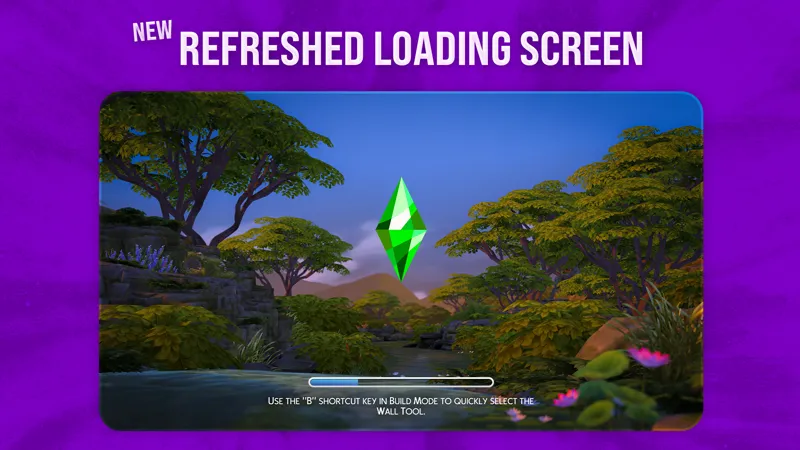

New Refreshed Loading Screen
The Sims 4 New Refreshed Loading Screen with a Real Progress Bar!
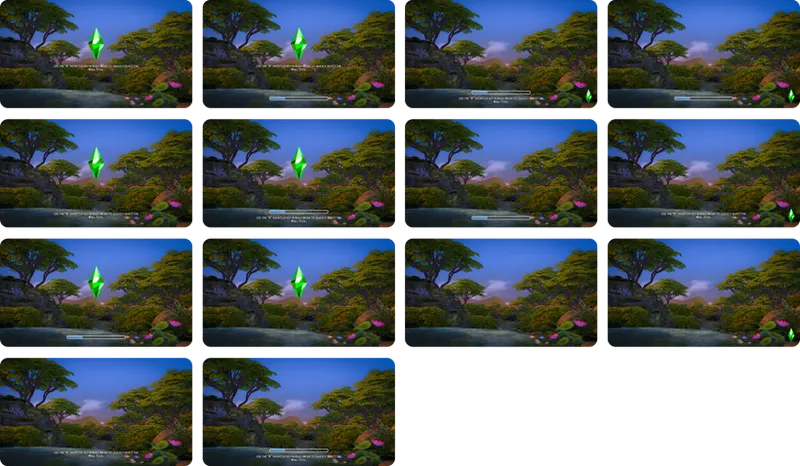
New Refreshed Loading Screen overhauls the boring blue screen, bringing a true loading progress bar, 14 customizable layouts, and the same unlimited custom backgrounds system from Refreshed Main Menu 3!
HOW TO INSTALL NEW REFRESHED LOADING SCREEN:
Put the SimMattically_NewRefreshedLoadingScreen.package file in your Mods folder.
⚠️ This file is required for the mod to work! ⚠️
Choose your backgrounds.
This mod is designed to work seamlessly with the background files from Refreshed Main Menu 3. You can decide which backgrounds appear on the loading screen by renaming the files manually or by reassigning them via Background Pack Generator tool.
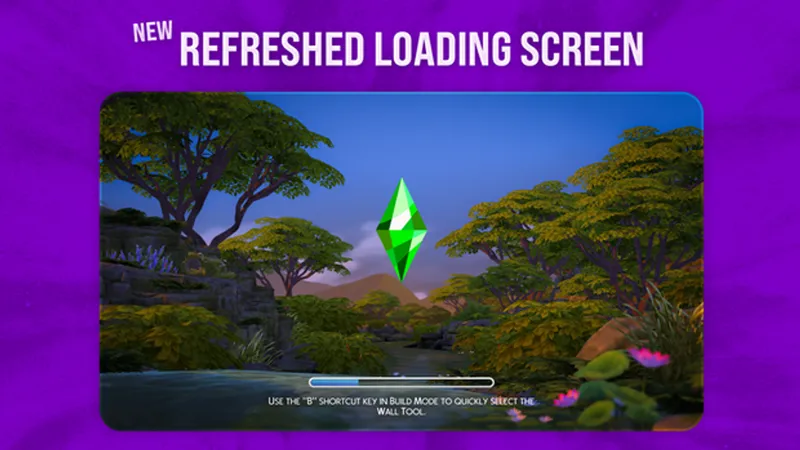
It also comes with a default background file, as seen in the preview above! You can keep or delete the attached file.
HOW TO MAKE MAIN MENU BACKGROUNDS TO APPEAR
⭐ YOU CAN USE THE BACKGROUND PACK GENERATOR TO QUICKLY BATCH REASSIGN BACKGROUNDS TO THE LOADING SCREEN.
TO DO IT MANUALLY:
To make a Refreshed Main Menu 3 background compatible with New Refreshed Loading Screen, simply change the marker before the hash in the background filename:
Use ##: Change a single # to ##. This will make the background appear in both the Main Menu and the Loading Screen.
Example: Name_Pack_CustomBackground_##00000000000000.package
Use #$ at the end: This will make the background appear only on the Loading Screen, and not in the Main Menu. This is perfect for backgrounds that look great while loading but might not fit your menu aesthetic.
Example: Name_Pack_CustomBackground_#$00000000000000.package
⚪ BACKGROUNDS FROM OTHERS
You can continue to build your collection by downloading backgrounds from other creators or by making your own using the Background Pack Generator tool.
Just remember to reassign the files as shown above to enable them for the loading screen!
⚠️ This mod is not compatible with other custom loading screen mods.
⚪ ADDITIONAL INFORMATION
If no backgrounds are installed or configured for the loading screen, it will default to the game's original plain blue background.
HOW TO CUSTOMIZE THE LAYOUT:
You can customize the layout on the fly using your keyboard:
P key - Cycles the Plumbob position (Middle, Bottom Right, Hidden).
T key - Cycles the Game Tips position (Middle, Bottom, Hidden).
L key - Toggles the visibility of the loading bar.
Z key - Toggles the zoom animation for the background.
⚠️ The mod automatically adjusts certain elements for a better look! For example, if you move the Plumbob to the bottom right, the Game Tips will automatically move to the bottom for a better look.
BACKGROUND PACK GENERATOR TOOL:
To create your own custom backgrounds for this mod and Refreshed Main Menu 3, you can use the Background Pack Generator tool. It guides you step by step, lets you name and preview your backgrounds in-game, and generates ready-to-use package files!
The Background Pack Generator tool is available only to supporting Patrons.
CHANGELOG:
October 1st, 2025
New Refreshed Loading Screen | Early Access
COMPATIBILITY:
Not sure if my mods are updated?
Check out my new Mods Compatibility Status page for a quick look at the current state of each of my mods.
.
Comments (59)
the background generator no longer works
it works just fine ... but you have to be a member
Hey is anyone having a issue with there loading bar being missing and no longer being able to move the plum bob I need to know it a mod is the issue or if it's broken!
Hey, is anyone having issues with not being able to see the loading bar nor be able to move the plumbob
Hey - is this Mod up to date? Does anyone know this? Because the Loading Bar doesn't move for me
Hi, is this mod compatible with your other loading screen mods? I LOVE this one but the backgrounds from the older ones are SO incredibly cute, creative and way better an experience than the default loading screen. I kinda wanna use all of them and cycle through them when im bored by the wait LOL thanks for the awesome work!
If I may ask, what resolution is supported for the background generator tool? Thank you
1920x1080 and 2560x1080
i upgraded my membership but im unable to access the background generator its giving me a error when i try to log into my patreon on your site. how do i fix it?
Can you tell me more about the error? What does it say?
Hey, love your mods. I just installed this alongside your main menu mod and renamed all the background files with the ##, but now there's one showing up on the main menu as a gray screen and a small textured area that looks like a beaded curtain. With 37 backgrounds, I have no idea which one that is. Any idea on how to narrow it down aside from doing 50/50 on that folder? Any idea why one broke? I checked all the files, and I didn't mess any up.
Is it correct that anytime I want to change my background I will have to purchase Patreon in order to use the generator? If so that's fine I guess but I'm just wondering :)
Hey! Not quite—the mod originally launched with 37 custom backgrounds made by me, which are free from the get-go. Additionally, Patreon members can access a generator to easily create their own backgrounds! You can generate as many as you want, so you can go ahead and make plenty of backgrounds ahead of time, too. :)
do i have to use refreshed main menu 3 for a nice background ? ?
hey! i love love love this mod but i noticed it is showing the loading screen before the main menu, is that normal? i also have a no intro mod and cant remember if i had a loading screen before the main menu before this one lol
o meu também carrega antes, acho que é normal :)
hey, when i opened the game, it gave me a BE error and said the broken UI mod was the refreshed loading screen. has anyone reported anything about it?
i'm sure you've figured it out by now but BE doesnt tell you what UI mods are broken, if you look at the top it says "Detection: ALL UI mods"
Have tried to make this work with custom plumbob overrides but no luck. Is it possible to make a version without the default plumbob that way other creator plumbobs can be used in conjunction with this mod?
Unfortunately it doesn’t work like that.
Can you please make homey christmas main menu free? It's all i want for my main menu right now
I'm not sure why but the custom background generator keeps cancelling every time I use it can you please provide me a solution?
Hey! I’m not sure why this is happening, especially since the tool seems to work fine for others, but please give me a bit more info: 1. At what point in the process does the tool stop the generation? 2. Did you try running it without any browser plugins that might interfere with scripts? 3. Did you try a different browser and/or device?
hello. im experiencing an issue here where the game decides not to load into a household. i swear it finished loading. i heard the lot intro sound and the loading bar is complete, im still stuck in the loading screen. to make this even weirder, the loading screen also zooms out and zooms in again as an effect, as the loading screen zooms out, i already see the game is already loaded it's already in live mode, just a infinite loading screen stacked upon it.
Wowsome!! Thank you!!!! I didn't saw this post yet, because it just took me so long to update all of my mods! ;_;
Are we able to keep our plumbob recolors for the loading screen? Or a way to swap them in file?
Depends on how the recolor was made, but texture replacements should work fine. If it edits the .gfx file, it won’t work. The best way is just to install both and see what happens.
What is the resolution
is there a way the progress bar aspect can be used with the dynamic clouds loading screen or do i have to choose between them?
I would personally also love a version of the dynamic clouds loading screen with the bar!!
I use a ton of mods, but this is hands down my favorite one. I change lots frequently. VERY frequently, and having a loading screen that I can customize and which also will shuffle between different images makes that so much less tedious.
Could the charging bar be changed colors? or at least show us how to change it ourselves?
Hi there! I'm currently testing out your generator tool, and I love it! Thank you so much for all of your hard work! What I noticed, however, is that images under 4 MB still struggle to get through. They're about 3.8 MB and they don't work? Or are there other reasons why they might not work? They're all 1920x1080 and PNG
Hey! That’s weird! Could you possibly send me these files by email so I can check the issue myself and see what exactly doesn’t work? I would appreciate that! My email is simmattically@gmail.com
What's the max resolution for the background generator tool? I can't find it on this post and none of my pictures are able to go through
They have to be either 1920x1080 or 2560x1080.
Bonjour, Peut-on mettre plusieurs arrière plan pour l'écran de chargement ? Merci
yo solo lo quiero con el fondo azul de siempre
Can you use the cuteness loading screen with this?
i had no idea how bad i wanted a progress bar for my loading screens until now. TYSM!!
This is brilliant! The stuff you come up with is top tier and so useful
Love it...I was hoping maybe you can make a Halloween inspired screensaver?
Check out my Loading Screens collection on Patreon for Halloween-themed loading screens. :)
hey, first off i wanna say you make awesome mods and I love your content <3 i have a question regarding this mod and the refreshed main menu 3.0: i've recently installed your homeview main menu and i just love it so much! is there a way to make that compatible with the refreshed loading screen and/or the 3.0 version? (i'm sorry if this has been clarified in either posts, i've been reading them thoroughly but didn't really find anything related to this matter)
You can use custom loading screens independently from custom main menus, there is no correlation between them. :)
Do these loading screens work with custom recolored plumbobs?
They should, yes!
It took me a min but omg I love a loading bar again. Plus it proves holding the enter and space bar speeds it up. Thank you and bless you! 😅🙏🏾🫶🏾
This right here puts my brain at ease. My tism thanks you! 😘 Just being able to SEE it loading takes a lot off my mind. 🥲🥰🫂
hi, my bar is not loading, it just stays there. Any advices?
Hey! Do you mean it stays empty and there is no progress in it?
Greetings! Are there plans to add a loading bar to the Dynamic Clouds loading screen?
Hey! No, the old mods will stay the way they are.
Love this! ♥
My kingdom for this loading screen
This is exactly what I’ve wanted for a loading screen mod! Each time there’s a loading screen I smile ☺️
Huh! I am replacing the 'time of day clouds' one with this one. Are you planning on including more backgrounds in the package with future releases? That would be very cool. Thanks a lot.
I might take some new shots, but it's not my priority. Remember that there are like 37 backgrounds from Refreshed Main Menu 3 that can be used with this mod! :D
Will you be incorporating the bar when you refresh the cars loading screen? That was one of my favorites.