
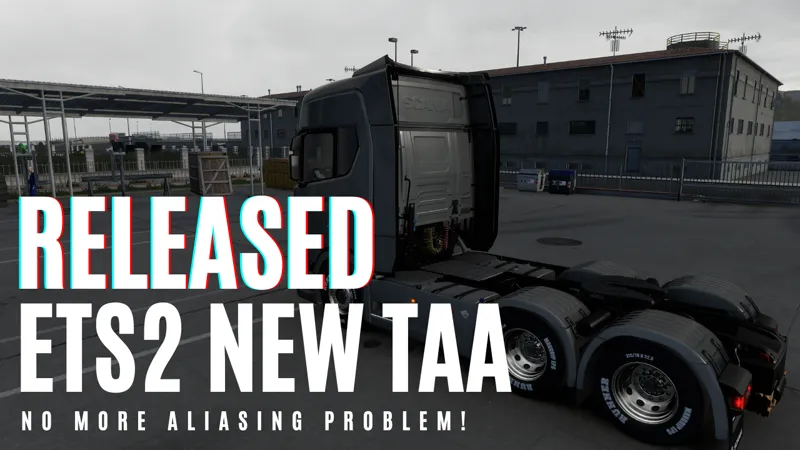
ETS2/ATS TAA v10 + Motion Blur
1.59 AND NEWER GAME VERSIONS: https://www.patreon.com/posts/state-of-ets2-157812629
IMPORTANT: If its crashing, delete "snowymoon...cfg" files from "/bin/win_x64/" folder. If you have "NVIDIA Smooth Motion" enabled, disable it.
Added Per Object Motion Blur
Full motion blur applied in interior camera but intensity used as 0 with other cameras, motion blur is going to affect less outside of interior camera
(Wheels require radial motion blur system but its a little bit hard to filter them so they are not going to look perfect)
Download v10.2.32 : https://cdn.snowymoondl.net/v10/taa_v10_2_32_snowymoon.io.zip
Download v10.2.31 : https://cdn.snowymoondl.net/v10/taa_v10_2_31_snowymoon.io.zip
If you are from China, put "snowymoon_korea.txt" to same folder as dxgi.dll to solve connection problem
Download DLSS .dll : https://cdn.snowymoondl.net/dlss_3_7_snowymoon.io.zip
Installation :
Disable ingame Anti Aliasing. Disable HDR if you are using.
Put dxgi.dll, dinput8.dll and nvngx_dlss.dll (if you want to use DLSS) to "GAME\bin\win_x64\" folder.
Use "END" or "CTRL+P" to open TAA menu.
Using with ReShade :
You can also use this method with any other mod/plugin uses dxgi.dll.
Create a folder named "reshade" in "bin\win_x64\" folder.
Put all ReShade (or any other mod/plugin) files to "bin\win_x64\reshade\" folder or select "bin\win_x64\reshade\" folder from ReShade installer.
Updates :
07/11/2025 - v10.2.32 - Updated for game version 1.57. Added NVIDIA Smooth Motion support.
01/08/2025 - v10.2.31 - Fixed crash problems (including crash after starting the game and after opening/closing the menu)
31/07/2025 - v10.2.23 - Fixed VR right eye rendering issue
14/07/2025 - v10.2.19 - Fixed some issues on Multimonitor and VR
09/03/2025 - v10.2.17 - Updated for game version 1.54 new changes
28/02/2025 - v10.2.16 - Updated for game version 1.54
12/12/2024 - v10.2.15 - DLSS/DLAA improvements
30/11/2024 - v10.2.13 - Fixed VR - Multimonitor for game version 1.53
29/08/2024 - v10.2.10 - Motion Blur improvements (fixed ghosting)
27/08/2024 - v10.2.9.7 - Added per object motion blur
09/08/2024 - v10.2.9.6 - Fixed 1.51 crash issue
21/07/2024 - v10.2.9.4 - CPU performance improvements
20/07/2024 - v10.2.9.2 - Fixed possible crash problem when settings file is corrupted
20/07/2024 - v10.2.9.1 - CPU performance improvements
09/07/2024 - v10.2.8 - Added FXAA to solve leftover aliasing after TAA
17/06/2024 - v10.2.5 - Fixed a crash problem
16/06/2024 - v10.2.4 - Fixed shaking plates
14/06/2024 - v10.2.3 - Multimonitor support added
11/06/2024 - v10.2.1 - Fixed shaking sky problem
11/06/2024 - v10.2.0 - Released
Comments (505)
Hello. I have been using the application for a very long time. In the early versions, I used to get a near-flawless image, but with these recent versions—especially game version 1.61—it feels like the application isn't doing anything at all. It causes a lot of flickering, similar to the game's native TAA system. Vehicle license plates are blurry and unreadable. I am on the verge of quitting the game. I look forward to your support; please help me out. *HDR is off. *Nvidia drivers are up to date.
Queria fazer um apelo pela versão FREE do Snowymoon. A gente sabe que você está trabalhando nas versões novas, mas será que não teria como dar uma atenção também pra versão gratuita? v10
TEM QUE ATUALIZAR O snowmoon PRA VERSAO 1,61
ETS2
O snowymoon V10 TA CRASHANDO QUANDO VAI VOLTA PRA DIRIGIR NO JOGO AII O JOGO SAI , EU TAMBEM FIZ O TESTE SEM O snowymoon E DEU CERTO O JOGO NÃO FECHOU ENTAO O ERRO ESTA NO snowymoon
Provavelmente ele não irar atualizar esse projeto grátis, parou de atualizar desde da versão 1.57 do ets2.
Reporting issues with OpenXR version 1.61; it has strange artifacts.
i can barely play it everytime when i open the game it told me connection error how to fix it!!
i can't find any solution only sometime it worked
dont working 1.51
1.60. Previsão ?
ats de actığımda eror yazısı cıkıyor
Hello, I have a problem with weird flashing pedestrains, cars tires and cars. Is it connected with PNG or snowy moon? And do you plan relase FSR maybe?
không nhập được key và không hiện ra key
TA CRASHANDO NA VERSAO 1.59
https://log.pro/ you have to download this
MEU ETS2 TA CRASHANDO
error crashing on 1.53, when in menu i pressed CTRL + P and just crash.
ets 1.56 when in menu i press ctrl + p and its crashing
When I add Snowymoon to the game, it will start, but when I open the menu and want to exit, the game crashes. The only thing that helps is to remove the mod, please help.
I'm playing on version 1.59 and it keeps crashing. The error message says "Failed to create RT color texture"
When will it get better? How many more days will we have to wait?
"failed to create RT color texture" (40:4117)
no Reshade, no Mods, only SnowyMoon, 1.5.9 game version
How can I fix the issue where the rain effect doesn't work on the car windows?
I am sorry, layer 1 is taking longer than expected because I am trying to make it everything perfect. New system for calculating motion vectors/velocity (describes how far each pixel has moved from the previous frame to the current frame) is going to be perfect. Previous TAA plugin and lighting improvements v2 couldn't handle skinned objects (wiper, people etc) and plates. I had to use filters for TAA/Motion Blur/Rain Reflections and it was bad for performance. Because of that rain reflections couldn't reflect some objects/building and headlights etc. Now almost everything is calculated perfectly so we can get better result/performance with TAA/Motion Blur/Rain Reflections. Each layer must be perfect as possible before release and must be fixed/improved after release only if needed. That's why it is taking a little bit longer <3
anytime when i use this plug, i always get this error (0x887a0005), according to google, some type of dx11 shader error. if i remove it, it'll be fine. idk if it's just me but yea
https://www.patreon.com/posts/state-of-ets2-157812629
I have a problem with Reshade on the game version v1.57. I moved all the reshade files to the "reshade" folder I created, as instructed. Temporal Anti Aliasing v10 works in the game, but reshade doesn't. Pressing the Home button does nothing. I'm using Reshade 6.7.3.
yesterday ive updated my game for truckers mp and i noticed that, after a moment, for no apparent reason, the game freezes and shuts down. This morning I tried to uninstall Snowymoon, and so far it seems to be working.
Just wanted to report, thanks for all the hard work - I recently moved to v1.59 on ATS and the TAA v10 keeps crashing my game.
it crashes to desktop in 1.59 i can't use TAA v10 anymore somebody told me to delete dgxi.dll and after that i have no crashes anymore
After 1.59 game crashes with temporal antialiasing v10
Hello i cant download the latest version 2.5.6 for ETS and ATS, it gives connection error
Where do you live? Also if you have antivirus maybe its blocking the connection? Can you access this page https://api.snowymoon.net ?
After update 1.59 ETS2 with your app is crashing due to error "Failed to create RT color texture". Where multiple errors follow which look like (40:4117) and then the go for a few more times. Can you look into it? Problem is the entire game crashes due that error.
TAA v10 is not going to be updated for 1.59, everything will be included single app called LoG (Layers of Graphics), for more information https://www.patreon.com/posts/157527201 (you can use only TAA + Motion Blur with Layer 1)
Will this be update for 1.59?
+++
TAA v10 is not going to be updated for 1.59, everything will be included single app called LoG (Layers of Graphics), for more information https://www.patreon.com/posts/157527201 (you can use only TAA + Motion Blur with Layer 1)
Ok. I can't wait to try out all the new features with app log.
Antialiasing crashes on 1.59
https://www.patreon.com/posts/157527201
Fixed website and APIs
Thank you, now it works fine :)
Its crashing when the game is loaded to the garage screen. Im using reshade aswell. (1.58)
v10.2.32 it say connection error ?
Now with the new update 1.59 on ETS, the temporal antialiasing v10 gives me Connection Error too. It worked great with 1.58.
Good morning, temporal antialiasing v10 gives me Connection Error v10. How can I fix it? Thanks.
Can you please fix temporal antialiasing v10, not working
Getting crashes on 1.59, just wanted to report. Thank you for your hard work!
yes no update adaptive 1.59
crashing on 1.59. getting the following error: Failed to create RT colour texture (40:4117)
Getting generally the same, although with more variation (40:4117, 40:4118, 40:4119 and 40:4120). It works for a short couple of minutes, then CTD and error message dialog window.
v10.2.32 It doesn't work with 1.59. Thanks in advance
My game crashes as soon as I click the access shortcut. I've already disabled HDR and uninstalled Reshade, but the problem persists.
When you updated on v10? That DLAA is pretty good on ATS
I need your help with that, please.
I've had this problem for over a month.
and I have a one-year subscription
The connection error problem persists even after updating to version 1.59.
Fixed connection error, there was a problem with cloudflare
Awesome! Thank you!!
Today a few hours ago temporal antialising v10 started givng me connection errors, and up to this point nothing chnaged. i tried to re-install it many times and validated my game files etc. Nothing helps. I hope this gets fixed soon!
I'm having the same problem
Good morning, temporal antialiasing v10 gives me Connection Error v10. How can I fix it? Thanks.
Hey! I had this problem too. I tried a lot of things but nothing help.
Snowymoon, do you plan to update the TAA for ETS2 1.59 anytime soon? Thanks for your great work!
Surely we must wait the end of the beta for an update! Thanks snowymoon for your work, really a must have for Ets2;)
v10.2.32 It doesn't work with 1.59. Please update.
Confirm, it crashes
Game crashing after last beta changes 1.59
everything is fixed and works taa ets ats 1.59 beta
I have the same problem with TAA game crashes
1.59 ?
taa ats ets 1.59 beta...doesn't work... the game crashes...
Hello, your TAA mod cause memory leaks in 1.59 beta. Original TAA in the game is still much worse than yours, thank you!
any idea why DLAA and DLSS optiosn are graed out and saying "...is not supported"?
1. Your graphics card not supported DLAA 2. You don't moved nvngx_dlss.dll to folder where is eurotrucks2.exe and dxgi.dll
Please open source it, so we can contribute to it
One question.. with HDR disabled I get grey washed out interior texture... the black color has too much bloom ... with hdr & ets 2 TAA its working good...
Hey Snowy..... as always your work to ATS is game changing. Question tho, as of yesterday Taa has been causing my game to crash and was wondering if u had anything in the works for an update to that. I run triple monitors and it started with only one monitor working then i would have to disable the program all together in order for ATS to work but now if I so much as attempt to turn Taa on its an instant crash.
Dear Author, please add preset L and M and official 1.58 version support. I really want to use latest dlss 4.5 L on this please.
Does 10.2.32 DLSS plugin work with ETS2 and ATS 1.58 please ? Thnx
wenn ich end drücke heißt es connection error woran kann das liegen?
is this paid snowymoon? im new here because i just paid the £1 subscription to be a member to get your mod
(Solved) I recently changed monitor to Samsung G9. Resolution 5120x1440. v10.2.32 crashes when selecting the DLSS options.
I fixed the problem. For people whos having same issue: Delete ets2's cfg file. Also change scaling from 400% to 300% or below. 5120x1440 @ 400% scaling makes the DLSS crash. So if you have triple monitor or ultrawide, Im guessing you also have play with the scaling a bit.
I've tried this in VR and while the TAA implementation is nice, it introduces a slight shaking of the image in all AA modes. I cannot notice it in monitor mode, it seems to only happen in VR.
Having the same issue mentioned below. Game crashes as soon as I try to open the menu.
not work anymore.. crash "failed to create RT depth-stencil (40:1207) "
When I try to open the TAA v10 menu by pressing the End key or Ctrl+P, my game crashes. What could be the problem? I've already reinstalled it and followed the procedures to open the menu correctly, but it still crashes. Snowy Moon
Resolveu? o meu também :/
I am using V1 because my hardware dont support V2. I tried use with reshade, like instructions, but reshade dont initialize, dont work
Will the update be available at 1.58?
It should be already working fine for 1.58, it doesn't work?
Had to stop using it as I got a HDR monitor and can now also use smooth motion to get 120fps.
I click the download link, but it is not work.
When I try to download the TAA again, the website did not download.
TAA v10 was the savior when Lighting Improvements v2 lowered performance quite a bit. I had to lower image scaling to 150% and still the game was lagging a bit too often. So I installed v10 instead and run with 200% scaling and the game lags quite rarely now. The graphics are really good with the combo JBX3 and PNG and a little adjustment with a filter with the nvidia app. I miss version 2's nice light at dawn and dusk, but I fixed a second filter that I activate when needed. It will be exciting to see what Snowy's development of v3 gives for results.
How to use the dlss 310.5 M preset? I can only see the preset F using the on-screen indicator
Bonjour, est ce normal que je trouve le jeu plus beau en désactivant l aliasing??en faisant ca, quand je bouge les curseurs, rien ne change rendu graphique..Guillaume
Snowy estuve con mucho trabajo y hace tiempo no jugaba a ETS2 y ATS y ademas migre a Linux. Estimo que lo sabes pero el complemento funciona en Linux de maravilla! tanto el TAA como el DLAA! Incluso he podido actualizar a la ultima version de DLSS y Forzar el preset K y va realmente excelente!
Bonjour j ai un soucis . je suis abonner a 2 euro par mois j installe les fichier mais la fenetre pour les reglages ne s ouvre pas
black screen when I use triple monitor. wondering when could be fixed.
I'm getting the following error: snowymoon.io Failed to create RT depth stencil texture (40:1279) (0:0:20), every time I try to create a convoy with friends. Can someone help?
Can I add TAA to the rearview mirror?
No. Unfortunately the 3D mirrors are bad ETS is worse than ATS Only the 2D mirror popups work well. It's not Snowy's problem... it's the ancient game engine.
What's the difference with taa level 1 and level 2
şşifre istiyor
Will the Temporal Anti Aliasing v10 work with HDR any time soon? Now that SCS added HDR support to the game, i'm getting flickering and jagged edges because this mod doesn't support HDR
Switch off in-game HDR as it's fake anyway. Instead... use nVidia App RTX HDR filter if you have an RTX card... and activate it in Windows. It works great and the HDR is not too bad at all !
Hey man, the method to install with Reshade does not work on new 1.57
I have same trouble.
It doesn't crash the game anymore but im having an issue when using triple screen. The left screen blinks black and sometimes it just stays black. If i delete the snowymoon cfg, it fixes it for a little while until it starts happening again.
SCS made some changes with latest updates causing this issue because the plugin cannot match depth/rtvs with the current target (which monitor). I am trying to solve it but I might have to change the way plugin handles targets
On ETS2 v1.57 with the latest version of DLSS mod (v10), any AA selection other than TAA makes the screen fully black.
Be sure HDR disabled
bonjour de mon coté la touche fin ou les touches ctrl p me bloque l image j ai une image fixe obligeais de me servir de gestionnaire des taches pour éteindre le jeux merci
I can confirm with the most recent 1.57 update both ETS & ATS dont work. The end key menu is fine, and if you switch it off and back on you can see a 'slight' change but its not fully kicking in and jaggy'z no matter what setting you try.
TAA doesn't seem to be working anymore with the 1.57 patch from SCS😥. Uninstalled and reinstalled all files and the old flicker is back in the fences, diagonal lines are stairstepping like crazy and a weird grey-ish dusty layer covering the clouds. So far I only have this issue on ETS2, because once I seen the current state of ETS2 with TAA on 1.57, I didn't want to update ATS.
Same here. They added HDR and this doesnt support that
i have a problem with 1.57, i installed it and installed v10.2.3, when i enable it ingame, my game becomes grayish, the skybox is covered with the gray stuff and the game looks like exposure is set to 100%, please help?
icant click the taa menu how can i fix that
I know you will be adding game HDR support to the lighting plugin, will this TAA plugin get HDR support?
07/11/2025 - v10.2.32 - Updated for game version 1.57. Added NVIDIA Smooth Motion support.
Vers]ao 1.57 do game esta dando conflito com o plugin.
Update 1.57 bro please
I am going to check it tomorrow, I already updated for lighting improvements v2 but I need to make different changes for TAA plugin and I have headache right now
hello brother is the newer version of reshade dont work with ver 10.2.31 because when i put both the game crashing ... is there is any fix for this ?
Reshade new version 6.6.2 don't work with ETS2/ATS TAA v10.
Hi Snowymoon. In ETS2 version 1.56, it doesn't work with ReShade. I did everything correctly as always, but when I updated the game to the latest version, it simply wouldn't start. Without ReShade, the game starts and works, but with ReShade it doesn't work. Is there a way to fix this? I really care about your mod.
bonjour, je suis sur ets 2 en promod avec la version payante et je rencontre a quelque endroit sur la carte des bugs du mode snowy moon v2 obliger de désactiver le mod passer la zone sur la carte avec le problème et mettre le jeux a 125% et puis a nouveau a 100%. ma config rtx 4080 super amd 7800x3d 32 go ram. le tous sur 3 écrans dalle tn 22 pouces pour le moments. Les endroit ou j ai rencontrer le problème sortie de paris direction bordeaux a Bruxelles et une ville en Grèce. a t il une solution ou faut il attendre des mise a jours ? .j ai tester sur ats aucun soucis visuelle pour le moments Mr snowy pouvez si vous le pouvez me dire c quoi le problème voici un liens pour aller voir ce que ca donne en jeux : https://ibb.co/21v06r4D une autre image: https://ibb.co/C3bQvns8
https://ibb.co/NdmkcQD0 https://ibb.co/N6Wb9Hy0 voici ce que ca donne a coter Göteborg
rain road reflections sometimes flicker with this mod enabled
I put this comment in the wrong post but i am using this with 3 monitors and the issue is my left monitor is black and flashing but when i turn the plugin off everything works fine. Is there any workaround to this issue ?
I have a similair issue, I use 2 screens and left screen is all blacked out. only the nav is appearing. Did you found a work around?
Hi, I noticed the plugin requires disabling Windows HDR. Could you explain what issues occur if HDR is enabled? I tried toggling HDR on and off, but I don’t see any difference in the picture.
o meu n ta funcionando de jeito nenhum, eu n tenho uma rtx e sim uma gtx ai eu n baixo a dlls so o taa e msm assim n funciona no jogo, quando eu vou entrar ele n abre fica tela preta
Is there planned support for NVIDIA Smooth Motion?
cuando activo el snowy moon la carretera desaparece en el juego
Firstly- Thanks a lot for making this- by far the best AA for ATS and ETS2! :-). I've been using DLAA on both ATS and ETS2 using triples. I'm noticing that sometimes my right monitor on ETS2 goes blank but then I can move my mouse to look around the cabin and it turns back on. Also if I return to normal cabin view "1- on keyboard" the monitor goes blank again until I drive a bit more or move my mouse to look around the cabin. I did some digging and turned AA off in snowy moon menu on screen and the blank monitor then turns back to showing the image. This issue is more prevalent in ETS2 than ATS. It is also similar in TAA clarity mode. I use sharpening between 5-8. Just wanted to share this with you but again I'm loving this for multiple monitors in ATS especially. Also using JBX3 for both ATS and ETS2 (reshade from JBX3 not enabled on both).
I use jbx 3, png, and when I add the paid snoowy version, the truck mirrors appear multiplied? What settings I need to adjust?
I could activate it but on the panel I can't see the part of Lighting Improvements, What can I do?
I can't seem to get TAA v10 to work with ETS 1.52. When I try to launch the game with the dxgi.dll file in the win_64 folder, the game window doesn't ever open (although Steam says the game is "running"). If I remove dxgi.dll the game launches fine again.
i have the same problem
Hello, does anyone know if ATS 1.56 WORKS? My screen is black, but when I remove the files, everything is normal.
It is working, make sure you disable Windows HDR and also anti aliasing from game settings
My game crashes when clicking on drive in the menu. I have v10.2.31 und ETS2 v1.55.1.5s
If you disable the plugin does it still happen?
Bitdefender flags both the website https://snowymoon.io/ and the mod zip archives as suspicious/potentially malicious all of a sudden. It did not until recently. I'm not saying they actually are malicious but this might turn off potential buyers. Not sure what caused this all of a sudden, I'm just reporting it.
May I ask if version 1.56 is supported now?
heyy man i just bought it and my money is gone too i did it for 1 year and it didn't gived me the code or subscription can u help me?
I tried by curiosity to put DLSS 3.10 with DLSS Swapper and cant launch the game. reinstalled and its perfect, as new. File implementation isnt compatible with swap ?
Hey, can someone tell me what every option changes? I don't know which one to choose after clicking End
Hello... the update will come at 1.56 ats ets 2 ???
Its working fine on 1.56
I'm keep getting the connection error message.
it dosent work...
Is the mod not working properly for you too? I downloaded the latest version of the mod yesterday, but not all the features are available.
The new update does not include the assets folder. Could you please share the assets folder?
Is there no AA on the rearview mirror?
Processor AMD Ryzen 5 5600X 6-Core Processor (3.70 GHz) RAM 32.0 GB System type 64-bit operating system, x64 processor Video card: AMD RX 7600
I have three 24-inch monitors. When I install the mod, the left monitor turns off. However, if I look to the left or right, the image reappears. When the camera returns to the center, the image on the left monitor disappears. I tried switching the monitors in WINDOWS (left to right). The image starts to disappear on the right monitor. In other words, it is actually the image from the left monitor, just switched around. Therefore, the problem is with the left monitor. When I delete the files from the folder, everything works correctly and the image does not disappear.
Hello, are you using the free v10 version or the paid v2 version? I have the same problem with the free v10 version. A friend is testing it with the paid v2 version. I'll see what happens. I'll let you know.
Hey, whenever I turn on any TAA option the camera stars to like vibrate and it looks really weird. And when I turn it off everythig is fine again
Hi Snowy, i found a glitch/flashing screen in your TAA plugin in multimonitor mode which can be reproduced. I made a detailed bug report, so please check out following links: Bug report: https://pastebin.com/AmrTSgdr Video: https://www.youtube.com/watch?v=ElCjPYBfPdQ Location on Map: (sec+0005-0003);22781.1;-0.604241;-9347.77;0.548628;0.000978495
i put all correct files for lighting on ats and it wont even start the game. but when i remove dinput8.dll & dxgi.dll it goes back to normal works on ETS2 ffine
o meu n funciona de jeito nenhum quando entra no jogo ele fecha e a tecla end n funciona e nem a ctrl com o P, eu n coloco a dls pq minha placa de video e uma gtx 1660 e n tenho suporte de hdr ja n sei oq fazer pra funcionar
New Transformer 310.3.0.0 Preset K model is not working correctly, objects jittery
I followed the installation method, but when I press the "END" key in the game, "Connection error" is displayed. What is the reason? "
When I put those files in win_x64 folder, the game does not works. When I start the game, it turned off automatically. If I remove those files, it works correctly. How can I fix this problem? ETS2 version is 1.55 Also, there is no snowymoon.cfg files in that folder.
Mod doesn't work anymore with multimonitor. As soon as I enable the mod my triple monitor setup doesn't work. It only shows the game on my side monitor.
Are you sure, can you set r_multimon_mode to 4 and remove multimon_config.sii
Working with AMD video card? FSR?
Its working fine on AMD but FSR is not supported, TAA should be good enough
Another crash issue : If you have "NVIDIA Smooth Motion" enabled, disable it
Is this because SM is new ? PSA: It works fine on 1.54, on one monitor, with nVidia App HDR filter (if enabled in Windows) and G Sync/VRR on an nVidia RTX card. (Haven't tried 1.55 or multiple monitors / Virtul Reality)
Game really looks great with this! I’ll try out the update tomorrow as the crash closing the menu happened to me.
<3
01/08/2025 - v10.2.31 - Fixed crash problems (including crash after starting the game and opening/after closing the menu)
Trop bien merci
<3
crashing crashing crashing
Can you try with this https://cdn.snowymoon.io/v10/taa_v10_2_25_snowymoon.io.zip and after crash can you send me the data inside bin\win_x64\snowymoon_logs.txt
as soon as i remove dinput8.dll and dxgi.dll and nvngx_dlss.dll then the game loads up with them in the game does not load they are in right place in my win_x64 folder of both ETS2 and ATS
ive followed the instructions and now the game doesnt boot from steam just goes back to play button on both ETS2 on 1,54 and ATS 1.55
Can you try with this https://cdn.snowymoon.io/v10/taa_v10_2_25_snowymoon.io.zip and after crash can you send me the data inside bin\win_x64\snowymoon_logs.txt
Have deleted that on multiple occasions. ATS crashes upon closing the menu. Sometimes it doesn’t even generate a config file. Works like a charm in ETS2. Others that use triple screens are having the same problem.
Can you try with this https://cdn.snowymoon.io/v10/taa_v10_2_25_snowymoon.io.zip and after crash can you send me the data inside bin\win_x64\snowymoon_logs.txt
Does it work for version 1.55?
Yes
Snowy fix the date on your post please so others will not be confused it's posted as 07-21-24
Oh I didn't notice :D Fixed <3
Does Lightning improvements do not work in this version?
I'm going to release the test version of lighting improvements v2 in a few days
Thank you for finally fixing the VR right eye issue. Enjoy my continued support for your work
❤️
31/07/2025 - v10.2.23 - Fixed VR right eye rendering issue (finally found the issue while working on lighting improvements)
Fix the data, please. Thanks for the update!
Triple monitor setup doesn't seem to work in ATS. Works fine in ETS2 with triples.
Try to delete multimon_config.sii from documents\ats folder
Before I buy. Do I understand right It doesn't work for triple screen ? might as well stay on ingame AA then.
Pressing Ctrl P or End doesn't open the menu, anything I might have missed?
The update doesn't work for me on 1.55 with triple monitors (Haven't tested with single monitor). The game works fine until i try to open the TAA Menu. The game freezes and then crashes after a few seconds. It doesn't even manage to generate the snowymoon.cfg file. Tested it on ETS2 1.54 and it works fine there, just can't get it to work for ATS 1.55. Crashes instantly when opening the TAA Menu.
Unfortunately my game will no longer start with 1.55 with your files. Once I delte them the agem starts fine again ... any ideas?
Solved disabling smooth motion
FYi... I have download the latest (v10) . dll files and am pleased to report that TAA and DLAA are both working well. DLAA is deffo better. I have RTX 4080 so run at 4K with 200% rez in-game. Also with HDR 'enabled' in Win 11 and using the "nVidia app" ... HDR plugin also works just fine ! (In the game .cfg files though, HDR is not enabled.) This is with 1.54 for both ETS2 and ATS. 🤟😁
i dont know why but every time i put the files in the folder and try to open the game, the game doesn't open. any way to solve this? it works for ets2 tho
Solved disabling smooth motion
Has TAA been abandoned ? I don't think many care about lighting... given how many graphics mods are out there. So do we all stop subscribing now ? After all, we all joined for TAA and DLSS mods. You seem to have lost interest. Please let us know so we can tell the World.
If I was 100% sure the AA kept working even if he lost interest and stopped developing, I would be all in. Right now I'm not sure it will keep working if he abandons it.
Is this a new update?
Does this v10.2.19 work with ETS2 v1.55?
Yes.
Hello, so I installed the TAA, deleted the CFG and still my game crashes!
Hello. First of all, thank you. I have a problem. When I run the mod, DLAA and DLSS don't work. My graphics card is an AMD 7700 XT.
DLAA and DLSS are for Nvidia cards only.
Ma questa è la grafica oppure è solo un pezzo?
han açtualizado el ets2 y el antiliasimg no funciona
Hi there! Is there anyone here who has it working in ETS2? I would really appreciate it if someone could let me know if it works for them and maybe help me out a bit. I followed the instructions and used the files from version 1 based on the video, but it's not working for me. Thanks in advance!
Is there any way we can help you reproduce the problem with VR wobbling ? All I can say is that it is not runtime specific – the problem is present for me via Meta Link, Steam Link, VD. That is, for OculusXR, SteamVR OpenXR and VDXR. Pimax users with their PimaxXR have the same problem. That is, it is not a problem with the headset, its firmware, etc., since the problem appeared exactly after the 1.54 game update. And the in game TAA works fine. The problem is somewhere in mod and in the changes that came with 1.54. Please let us know how we can help!! I hope everything works out
Can you try with this https://cdn.snowymoon.io/v10/taa_v10_2_21_snowymoon.io.zip
Damn I saw your mail and thought you released the lighting mod. Too bad
:( <3
I installed the new v19, but as soon as I try and open it, it will crash. I did remove the config file, but that doesn't seem to help. I'm on ATS v1.55, and single monitor. I can't even change anything, it crashes within 2 seconds. In the old v17, I could change things, and they saved in the config file, but as soon as I tried to exit the config, it crashed. But at least I could change things, crash and restart. Now in v19 I can't even change things.
Can you try with this, I made some changes but I'm not sure https://cdn.snowymoon.io/v10/taa_v10_2_20_snowymoon.io.zip
Sorry Bro the right eye “wobble’ is still present in Quest 3
I cannot reproduce the issue but I will try again
*I have ATS 1.55 install. *Triple monitors. * installed v10.2.19 as per instructions (Disabled HDR on Windows 11) . *Started ATS and disabled Anti Aliasing. Pressed the END key and selected the options, but when I pressed the END key to exit, the game crashed. The same issue happened with ATS 1.54. Regards,
Can you try with this, I made some changes but I'm not sure https://cdn.snowymoon.io/v10/taa_v10_2_20_snowymoon.io.zip
isn't there a mistake in the choice of dlss? I get more fps in quality than in performance.
You need to lower ingame resolution scaling from game settings. Performance option is for rendering game in half resolution and upscaling to current resolution, thats why you get worse performance with "performance" option because its trying to upscale native resolution to 2x
I just tried the new version v10.2.19 on ETS 2 1.54 and ATS 1.55, both in VR, and with uset o_openxr_force_symmetrical_fov "0", I still get the wobble on objects across the sky in the right eye. It's same behavior as v10.2.17.
I cannot reproduce the issue but I will try again
V2 got released or V1 got updated to 1,55?
This is anti aliasing mod, I didn't release lighting improvements v2 yet
14/07/2025 - v10.2.19 - Fixed some issues on Multimonitor and VR
Будет ли работать на версии 1.55?
ATS 1.55 is out. Do TAA and DLAA need updating or are they working? Edit: Since no one is answering ATS 1.55 test, there is no need to update TAA and DLAA
Please update the version for triple monitors. I use DLAA ATS version and it behaves very strangely, if you put the SSAO on medium, it works more or less for some time, but is very glitchy. Sometimes the middle screen remains normal, the left screen becomes black and the right screen shows what should be shown on the left screen. And it jumps unpredictably at different moments. If i use zoom the picture becomes normal.
Glad I'm not the only one having this issue. Thought I was going crazy. Hopefully this gets fixed.
Is anyone interested in TAA any more ? Why are the mirrors so bad compared to 1.49 ? They are awful with or without this mod.
Hello Peeps. Should I use TAA or DLSS for ETS2/ATS 1.53 at 4K native to minimise jaggies on overhead canles / fences etc. ? Thnx ... !
Even with the small .18 update there is still bad flickering/wobbling in the right eye in VR in 1.54 I’m playing ETS in 1.53 because the issue isn’t present and enduring it ATS 1.54 so I can drive Missouri. I happily pay my monthly sub whether it’s free or not just for this mod the in game TAA is terrible compared to your TAA mod in VR
Even triple screen is not working properly in 1.54. On left and center screen TAA is not working and a ghosting image is visible (this was the same in previous game versions until Snowy updated TAA mod, which fixed multimonitor output). It seems VR and multimonitor always need some extra tweaks. https://imgur.com/PKoAmHO
Hi Snowy, since I upgraded from v10.2.15 to v10.2.17 I have a lot of micro-stuttering problems.My system is i7 14700k 32gb ram and rtx 4070 ti super.With your DLAA I have micro-stutters every write that scs does in the game log. Saves, errors, etc....I delete your plug in use the crap of TAA of scs and I have few micro shots.I install and use your plug in with the DLAA, I activate Rivatuner statistics server to see the FPS and magically I have few micro-stutters like with TAA of scs.Without Rivatuner I have really a lot of annoying micro-clicks that I didn't have with V 10.2.15. I would like to use your plug-in as before from version v 8 without Rivatuner.I have this problem on both ETS and ATS
Since version 1.54 I have a triple screen transparency effect, when will the update be available to support them?
for what is the transparency effect broo ?
Any idea why I'm getting a "Connection Error!" I couldn't find any logs to look at. Game was working fine yesterday.
it seems will make the truck "slower" even me and my friend drive at the same speed TAA v10.2.17 ETS2 1.54.1.0 i tried DLAA( https://youtu.be/8ywpkl2KO7c ) and TAA( https://youtu.be/BykHS0X0Jp8 ) When i enable it,i will slower than my friend. And then i disable it,i can drive same faster with my friend.
@Snowy v10.2.17 works in VR in 1.54, but there's unfortunately again kind of the "shaking sky" bug, reminded me also of the shaking number plates, but this time skybox vs. objects (e.g. trees). Are you planning to fix this in VR? Would be fantastic. Otherwise, can't wait to see your lighting mod in VR, whatever works quicker! ;-) <3
hi....when update for triple monitors?
Hi today I updated ATS to 1.54 and your DLAA and TAA does not work it is as if it is not active
Solved...I deleted the files I was using in 1.53 the version 10.2.15 I put the 10.2.17 files and now in 1.54 it works.
Hey! On VR I'm getting AA on the left lens, but not the right lens. Anyone having the same problem? I'm using Oculus Rift S, running on "-oculus"
Need the update, brother. VR is unplayable without your TAA
*** Update *** I went back to ATS 1.53 and using your TAA ver 17 and its once again perfect. ATS v1.54 is causing many issues. I was using snowymoon taa v10.2.15 with game v1.53 with a multi-monitor setup and it was perfect. When I updated the game to 1.54 it crashed my game immediately. So I tested the taa again from ver 10.2.15 to 17 on the multi monitor setup and the monitors are pulsating/flashing on all settings and, when I exit from the snowymoon taa menu it crashes the game. I also deleted the config file but to no effect.
me too
update 1.54 ats....when will this mod be updated?
Do you know when you update taa so I can use multimon again?
Any chance for support for triple monitors? I was bummed when i found out i couldn't use it
Hello, I installed the Snowymoon beta and I have a problem with the light when I turn on the ignition and I don't have any headlights on. Could you help me please?
Bro when I install the TAA GTA V mod I get a drop frame and low gpu usage
Keeps crashing for me everytime i open the menu. Im on game version 1.53.2.5S. TAA version V10.2.17
Can you delete snowymoon...cfg files from bin/win_x64 folder then start the game
Hello. It is still not working in 1.53.2 for me. Is it just me ? EDIT. So in 1.53 only 2 levels of TAA are available, with no shadows settings... versus 3 levels and "Shadows", in 1.49. In 1.53, the outside etc. is fine, but the mirrors are NOT working at all. ... Both Fixed and Virtual mirrors have "zero" antialiasing. Any reason for the this ? Thnx.
thank you so much
How I can use this on 1.53
It should work fine on 1.53
09/03/2025 - v10.2.17 - Updated for game version 1.54 new changes
I will try to check today for new 1.54 update
Not work on 1.54.0.23
Parou de funcionar na nova atualização do ETS2/ATS!
28/02/2025 - v10.2.16 - Updated for game version 1.54
Tôi không thể vào game được . Tôi xoá dxgi.dll, dinput8.dll và nvngx_dlss.dll thì vào game được. Thank.
Aguardando, ansioso, para comprar a nova versão.
and game still crashes after opening and closing the menu even after deleting the file i was told to
I have same now, is this sm problem or anything else? ATS works but ETS2 not, even crashes when hit end key in menu ATS 1.53.2.1s ETS 1.53.3.19s
anyone else experiencing mass fps drop when turning truck light on and flashing lights??
I updated gpu to 4070 super, not noticeable fps gain but gpu usage drops to 30-50% with dlaa and 100% scaling
Because the game is CPU bound
My ETS won't run in VR. I'm using Hp reverb G2, openxr toolkit, and openxr version for vr. The game only displays in 2D. It only works in VR when I switch the game version to openvr, but then the performance is very poor and that's not an option for me.
new dlss 310.1.0.0 give to me better graphics and more fps 3060ti dlaa
I use dlss swapper
Great mod, will you add support for DLSS4 (Preset J)?
just try to replace the nvngx_dlss.dll of DLSS4. backup before or rename it.
Hey! Still can't get it to work... Already tried to reinstal. Tried many different thing to make it work, but nothing happes. The TAA menu do not open and the game crashes when loading to drive. I can only get into the menu. Anyone else are getting the same issue?
Hi! I have lower fps on DLSS Performance than DLAA. What could be wrong? I have 8 GB VRAM but it not bottom out. And I have 110 fps and 35 fps 1% low with DLAA. FXAA enabled and 1440p 200% scaled. 110 fps DLAA 90 fps DLSS Quality Rev. 2 80 fps DLSS Balanced Rev. 2 75 fps DLSS Performance Rev. 2
Try disabling Scaling in game. Not sure you should use both.
Anyone have thoughts on TAA vs DLAA if you're running at 4K and 300 scaling ? I'm also locking Vert Sync to 60. DLSS (Quality) has horrific affect on my GPU usage: pushes it from 60 % to 90 % at 60 fps locked... but looks no better than TAA. Whichever I use though, still seems to have no AA effect in the mirrors. I'm wondering if I really need to delete all my. cfg files and reset everything, having updated from 1.49 to 1.53 ?
Not working in 1.53.2 for me. EDIT. So in 1.53 only 2 levels of TAA are available, with no shadows settings... versus 3 levels and "Shadows", in 1.49. In 1.53, the outside etc. is fine, but the mirrors are NOT working at all. ... Both Fixed and Virtual mirrors have "zero" antialiasing. Any reason for the this ? Thnx.
I'm not able to play ets2 in VR today. It ends up crashing. On the monitor I can play normally with the mod.
this is amazing thank you so much
Si mette nella cartella BIN
Hey Snowy!! First, thanks a lot for your TAA/DLAA mod, I use it since the beginning and its amazing! I would like to talk about something that maybe someone will like, but I want to see if you can help with something about it... As you(and many others) noticed, since game's v1.50, Exclusive Fullscreen stopped working....I found out that changing "uset r_fullscreen_borderless "-1"" to "uset r_fullscreen_borderless "0"", (while keeping uset r_fullscreen "1" of course) in the game's config.cfg, brings back Exclusive fullscreen, BUT..... Brightness slider still doesn't do anything, AND, your mod doesn't work/load, reshade from reshade's folder still loads, but your mod's UI doesn't work, nor the AA of the mod... You think you could please help with that? Or in the last case, do a version of the mod that works with exclusive fullscreen? Thanks in advance!!!
Hi, thank you <3 I wish I could solve every little problem for everyone but I don't have that much time :( I might do it later but I'm not sure because I need focus on other improvements first currently <3
First place congratulations on your work Snowymoon. Can I use the TAA V8/V9 mods in the respective ets2 versions? I ask because I no longer want to update my ets2. I intend to stay on 1.53 and would like to continue using your plugin in the future for this mentioned version. Will it work master?
Hello, I am a friend from China. Why does it display 'Unable to create RT color texture' after entering the game
weird question. would it be possible to make this compatible with something like optiscaler for their fsr frame generation? or maybe integrate fsr frame gen into your project?
what a taa work in ets 1.39 ?
Does the TAA mod work with PNG (Project Next-gen)? It‘s my Favorite mod
I have problems in ETS (with PNG) while it works fine in ATS (no PNG). Will try tomorrow if PNG causes the problems
Is it working 1.53?
Yes
Hello all. Been a while. What is situation now with TAA/DLSS in ETS2/ATS 1.53 ? Is it still better tge SCS's stick implementation and can either TAA or DLSS be used with nVidia RTX HDR ? Thnx.
Its working fine, same as before but HDR is not usable :(
Olá snowmoon sou do Brasil existe alguma maneira de desativar completamente motion blur
hi, i can confirm the mods broken at the moment after the newest update, any help is appreciated thanks snowy!
Hello snowymoon , your plugin is a masterpiece. However, I can not use it , the consoe do not open and the game crashes when loading into the game. I get no cfg files in win_x64 folder. When I use it in ats , it does work , I dont know what is happening.
same case for me!
After some time, i feel like a moron.. (Prob because i am) For people that has issue with using Reshade with this mod. Make sure to delete this mod, install Reshade onto the "eurotrucks2.exe" inside "win_x64". DO NOT drag a reshade dxgi.dll you already have on your pc. After installing reshade, create a folder in the "win_x64" folder named "reshade" (Without the " ") and drag all the reshade files "dxgi.dll, reshade.ini, reshade-shaders etc" into the "reshade" folder. THEN install this mod. I felt like i had to be spoon feed this until it worked xD
easier! 1) install reshade, 2) in the win x64 folder, replace the name dxgi.dll reshade ,with d3d11.dll 3) then install TAA 10.2.15 4) will look like this: d3d11.dll is a renamed file from reshade dxgi.dll. 5) file from TAA remain the original. 6) play!!!!.
Replaced the old 10.2.14 with 10.2.15 in the folder, everything works fine. Reshade works too, no problems. as before.
Hey, this mod still does not work. I got now .CFG file in my game folder. Tried many different thing to make it work, but nothing happes. The TAA menu do not open and the game crashes when loading. Anyone else are getting the same issue?
Delete game config.cfg and win_x64 folder, then reinstall the TAA
Does this still work?
why is this plugin crashing with my ets2 but not ats
Hello, is there a way to get your taa and DXVK running together?
1.53 don"t work..
doesnt work in 1.53 reshade does work
me too,doesn't work in 1.53
Hello Snowy.. this is not in context with what is already posted but since the new update to ATS that has the sliding tandems and what not my graphics have turned very bad and i had to tweak ur graphics mod in a way I have never had to in order to get the amazing effects that only u could bring to the world of ATS. But to just give an example... i run the triple 32 inch 165hz monitors which i have had set to 60hz max and since the update now i have a lot of ghosting when moving on the screens as well as driving and i am getting multiple faint reflections of my truck and what is on the screen as a type of overlay that i have never seen before. And when inside the truck there seems to be a transparent box about the size of the dash gauges that should not be there but is fine until i start driving and then seems to start vibrating the faster i drive untill it blurs out the speedometer and rpm gauges that are behind it. Im not sure if the update has caused a glitch in use with your graphics mod or what but when i delete the mod i am left with the usual ATS dull display. I would greatly appreciate any feedback if u have heard of anyone else having any of these issues. Thank You.
Hello, I followed all the instructions to use it with Reshade, but it is no longer charging. Can you help me?
Por favor ,atualize sem precisar usar o VR e 3 monitores,desde já obrigado.
Infelizmente o meu esta crashando...
Hello SnowyMoon... My problem still persists. I made a short video showing what happens. With TAA on and off. The video quality is low but you can see the inconsistencies on the screens. If necessary, I can make another video with better quality.
https://www.youtube.com/live/0rrSn_AeRMA
Você é demais!! Simplesmente tornou o ETS2 jogável para mim!! Um jogo que amo muito, mas que era impossível de jogar com todo aquele serrilhado!! Te amo muito por isso!!! Muito obrigado!! Espero que você esteja bem!! Que Deus sempre esteja com você!! Um grande abraço!!! :)
Big hug <3
Thank You Snowy Moon brother for the quick update. Eternally grateful. Without Your mod the game in VR is bleagh. I tested on VR 1.53 and no issues. Happy trucking everyone!
<3
Brother, VR isn't working on 1.53. I'm seeing double...
I think it's the same problem I have with 3 screens. I see the same image on all of them.
Anyone else having issues with triple monitors in 1.53? My game displays the same image on all 3 screens when the plugin is enabled.
Help us VR players SnowyMoon God! v 1.53 broke the mod i am seeing double with DLAA and I am NOT drunk I promise!
Well, I'm a bit drunk, but I am too seeing double on VR...
The reflections are weird in 1.53 VR mode, something is broken. Other people have it too, see SCS forum.
Does anyone know why ATS won't open in VR after installing this? I am using the -openxr launch parameter and have selected the Oculus beta. When I remove the dxgi.dll and dinput8.dll files the game opens just in in VR, but when I add them I am brought into 2D ATS and the headset doesn't show the game. I am using the OpenXR toolkit with the Reverb G2.
Did you solve the problem, I have the same one, it won't switch to HMD.
Hi Snowymoon, Do you think is it possible to have youre taa for linux version of ets2 ? I'm lazy of windows bug. And I succeded to launch ets2 on linux, but the smaa taa integreted in game are not so good compared your. I missed it.
The plugin works perfectly on Linux. You just have to enable Proton compatibility for the game and copy only dxgi.dll (not the dinput8.dll) to Steam/steamapps/common/Euro Truck Simulator 2/bin/win_x64 folder.
Hi dear Snowy! Can you please make a TAA for DX11 version of witcher3 ? I really need that. Thank you
I would like to make one for every game but it takes a lot of time to make one :(
Hello everyone, I’ve been experimenting extensively with OpenXR Toolkit features like FSR, NIS upscaling, and CAS sharpening, as well as Snowymoon’s DLAA, TAA, and DLSS options. I have a question regarding the in-game resolution scale, which we know corresponds to the x_scale, y_scale, and stereo_buffer_scale settings in the config.cfg file. • The first (x_scale and y_scale) can be adjusted dynamically via the game options. • The second (stereo_buffer_scale) must be set before launching the game. From my understanding, the in-game resolution scale (adjustable via the game options) might apply as a post-processing step, i.e., after the Dynamic Foveated Rendering (DFR) from the Pimax implementation. Is this correct? Also, does Snowymoon’s DLSS implementation impact the rendered resolution (set via game options) after the DFR process, or does it occur earlier? Here are the settings that currently give me the best results: • Pimax Play set to 2.0 • Disable Quad Views • Enable Pimax Foveated Rendering at Performance level • stereo_buffer_scale set to 1.0 • In-game resolution set to 50% • Snowymoon DLSS set to Quality • OpenXR Toolkit CAS at 80%, with resolution override to 3840x* My main concern is understanding how Snowymoon DLSS calculations interact with Pimax DFR. Specifically, does the DLSS upscaling process occur before or after the DFR? If it happens afterward, wouldn’t that make the DFR implementation ineffective since the GPU would still be rendering unnecessary details? While these settings provide the sharpest image I’ve achieved so far (albeit with some ghosting), the overall performance is much smoother than other configurations I’ve tested—and I’ve tried a lot! If anyone has insights into how to accurately calculate or optimize Snowymoon DLSS settings in relation to DFR, I’d love to hear your thoughts.
I use version 1.52 / DLSS.not working. Anyone know how to fix it? . I was Put dxgi.dll, dinput8.dll and nvngx_dlss.dll to "GAME\bin\win_x64\" folder.
Absolutely love using this plugin! Not sure what happened but a restart shows this now working. Please disregard about this not working in 1.53. Post edited.
Hi, I keep getting 'Connection error' no matter what I tried. I even tried the China fix, despite living in the Netherlands. My Firewall is disabled, and I don't have any anti-virus software. How can I fix this or diagnose it further? Thanks!
please make for Arkham knight , that game really needs you !
Your anti-aliasing solution is truly impressive compared to SCS. However, I’m experiencing significant CPU bottlenecks when using your TAA in VR. Is your solution CPU-bound? I’m running VR on a Pimax Crystal with OpenXR, bypassing SteamVR through OpenComposite, and targeting 72 FPS. My CPU frametimes range from 10 to over 20 ms, while without the mod, they’re around 8 to 12 ms, with the RTX 4090 at about 13 ms. Do you have any suggestions to help optimize performance? My CPU is a Ryzen 7 7800X3D.
Une Mise à jour pour la 1.52 est-elle prévue ? sur la dernière version du 10.2 le dlss n'est plus supportée ..
SnowyMoon still in Business?
Have you abandoned Volumetic Clouds feature that you showcased in your youtube channel?
Anyone using the TAA filter with nVidia App HDR filter ? I'm still on v1.49 but could've sworn it "used" to work. The HDR filter seems to have stopped working. The other filters like color or sharpness or bloom ... all work OK.
Chinese users have encountered link errors again, even if they put in the snowymoun-korea.txt file, and even if they turn on the game accelerator or VPN, they cannot connect
does the snowymoony affect fps in ets2?
It should be drop between 5-15% depends on the resolution
can you explain what you do differently from the official taa in these games so i can make similar adjustments for the game im developing (in ue5)
This is the way I do: Half size jittering. Enough to solve temporal aliasing/flickering but helps a lot to reduce blur. Because of half size jittering there are some leftover aliasing, it doesn't flicker so you can just solve it by using another anti aliasing like FXAA etc with high threshold to make sure it doesn't blur the image. TAA Clarity option detects edges by giving each object an ID and render to a render target. Then use IDs to detect edges and apply full amount of TAA to those pixels and lower amount for other pixels (https://i.imgur.com/oWuPKBV.jpeg red pixels). Also you can use IDs to do some custom filtering. You can also move pixels to negative direction of jitter for UVs but only opaque objects without alpha mask. I didn't do that because my mod is editing shaders in runtime by disassembling shader binary and editing them in game so it was a little bit hard to do it. Calculating current and previous frame clip space position in vertex shaders then calculating velocity/motion vector in pixel shader helps a lot to improve velocity/motion vector precision. And it should be calculated for every object even if they are static objects, this is going to be a little bit more gpu usage but its important to keep precision maximum.
Hi Snowy, i just tested ETS2 1.53 open beta and i noticed a ghosting image on the left and center screen of my triple screen setup.
I have the same problem and it appears after changes in the lines - normalized_x, normalized_y, normalized_width, normalized_height in the configuration multimon_mode "4".
I love this plugin so much, but I cant use it since 1.50. It will conflict with game when I press the drive button and I cant open the console also.
I cant find files called snowymoon cfg also
Hello :) Again thanks for an amazing mod! I do have an issue tho, when using the TAA mod + DLSS. If i install reshade the game crashes as soon as i hit launch on steam. (Yes ive moved the dxgi.dll and other files to a new folder named "reshade") Ive also tried renaming the reshade dxgi.dll to d3d11.dll. The game then launches but without reshade loading. (Ive tried the d3d11.dll in both the main folder and reshade folder with the same result) Any ideas? :) Edit: I got a RTX 2080, And the TAA+DLSS mod is working fine without reshade installed.
After installing Reshade to the normal x64 folder rename your reshade dxgi.dll file to "d3d11.dll". Then install your SnowyMoon files and all will be good. This is where Reshade and Snowymoon files go C:\Program Files (x86)\Steam\steamapps\common\ats or ets2 Truck Simulator\bin\win_x64
I play in VR. This looks amazing and is the only thing I've found that removes the shimmer of fences etc! There is weird performance impact though. When big buildings are around there is just nothing I can do to get stable 90fps even with only TAA and scaling set to 25%. Is that just a limitation of the mod? (just for reference, have a 4080s with ingame TAA I can do 200% scaling,push gpu utilization up to 99% and still hit 90fps in the same areas)
Do you have lower gpu usage when this happens?
I think we need a new update for 1.52 :)
Nope ... its working fine for me
@pope brigado vou fazer dessa forma ..vlw vou tentar
I can't get to work... Menu is not oppening and I the game is crashing... I don't have any files named like snowymoon...cfg
This should help: https://www.youtube.com/watch?v=Wswhg4_UIhk The .cfg file should be in C:\Program Files (x86)\Steam\steamapps\common\American Truck Simulator\bin\win_x64 folder
Pra me consigo usar porém não consigo usar junto com o reshade.mesmo criando a pasta e seguindo o passo a passo certinho o jogo não abri...
What works for me was to rename the Reshade dxgi.dll file to d3d11.dll after installing Reshade. Then install Snowymoon files + DLSS.dll if you're going to use it.
arkham knight plzz !!
NAO ESTA FUNCIONANDO NA VERSAO 1.51 PORQUE ESTOU CRIANDO A PASTA RESHADE DENTRO DA PASTA BIN 64 PARA APLICA MEUS RESHADES MAIS AO APLICA O PLUGI O JOGO NAO ABRI
Olá, estou usando o Reshade e esse plugin na última versão do jogo e funciona perfeitamente, para instalar o Rehsade vi um tutorial no YouTube, procure por esse nome textual: How to Install Snowymoon & Reshade for American Truck Simulator
Since the last nvidia update its like nothing change on the game. full of edges :(
Why does HDR need to be disabled?
Does snowymoon improve fps?
Hello, I'm going to leave some feedback here. Since version 1.51 of the game, the plugin has been experiencing a conflict in the game, where the names of other players, in multiplayer sessions, do not appear above the truck while the plugin is being used, even with the option enabled to appear.
Do you mean with convoy or truckersmp?
It seems to be ineffective············
Did you disable ingame anti aliasing?
Hello, I installed the newest update above - and deleted the .cfg files as you said, however after I open it in game,I can make changes to settings, but as soon as I try to close snowymoon interface - game crashes to desktop, everytime?
Hi Snowy! 10.2.12 give me "Connection error" and no works. I've gone back to 10.2.11 and it's ok. Any thoughts about this? Greetings!
Probably it was a temporary problem, both should work fine
Im trying to adjust it to look good and perform good but idk what looks to sharp and what doesnt....
is anyone using this on a 4070 or better with jbx and or png graghics and wanna tell me what runs better for u iv tried dlaa and taa clarity and iv tried adjusting the settings but i just am not able to get it to look like what i want or it makes the game skip a little but doesnt really do much to my fps
On ETS i didnt see any change from the Mod to SCS apart from more flicker on Snowys and ATS this mod just crashes to desktop when i open the menu.
Hey man please help me, any form of taa has no effect on my game wheter it be scs or yours.. There is no difference between taa on and off
Thats weird, I think both should work fine. Can you reinstall the game and also reset your NVIDIA/AMD control panel settings?
have this issue in game like in night when headlights are off i can see interior of truck clearly but when i switch on headlights and at high beam if there is wall in front of it everything in interior and sides are dim soo dark
Does it happen when you disable TAA from settings?
Hello SnowyMoon Thank you for the mod this helps me a lot! But I have a question about DLSS. If I put ( dinput8.dll , dxgi.dll ) into the ( bin folder ), it can be opened normally. But if I put ( nvngx_dlss.dll ), it cannot be opened normally. < Is no response when starting the game > I have turned off ( HDR , anti-virus software ) English is not my native language , please forgive me.
https://cdn.snowymoon.io/dlss_3_7_snowymoon.io.zip can you try with this one, I think I forgot to replace dlss dll with latest version
For some reason, Everytime I open the menu ingame and close it, my game crashes. I deleted the cfg file and it's still happening
Was it working fine before?
Thanks for maintaining this project! A problem with VR: DLSS seems making no difference on FPS when playing with VR (while TAA works well). My setup is: Meta Quest 3, using Quest Link (wired mode); use -oculus and oculus+OpenVR+OpenXR 1.51 in Steam settings.
Thank you <3 For DLSS you need lower resolution scaling
I found an interesting thing, when linking Oculus +Openexr (openexr toolkit) or only one Oculus, the game crashes with your files, if we switch to virtual desktop+openxr then the game works fine, nothing crashes. But! In virtual desktop, there is no FOV trimming, which would slightly cut off, increasing performance greatly and it is very convenient to use Oculus or Oculus + OpenXR (openxr toolkit), maybe write some logs, because almost everything works as it should?
I tried it before but currently its not going to work like that, sorry :(
I found an issue! I tried to contact you on youtube but my comment is keep disappearing! TLAA and DLAA did not make any visual difference and finally after 1 hour of tinkering I realized something else needs to be off; in Content manager. Under Small Tweaks the Pass Texture data to OBS directly NEEDS TO BE OFF!!
Are you talking about the content manager for assetto corsa? If so you are posting on the wrong thread ... there's a separate one for assetto corsa
Thank you very much incredible work , btw is there any early access to get the new lighting system in ets2? if paid i am ready to pay it
I canceled that project because most of the textures/models are so bad to use with new lighting system, some objects look worse than the original lighting :/
I have noticed a lot of flicker on signs and windows and other things. Dunno if this just the crap game engine or something on this is making it do it. Not seen it on SCS TAA though
Try the DLAA version. For me using a 3080TI laptop GPU at 100 percent in-game scaling, the only annoying flicker is on the overhead lines. Otherwise antialiasing is much better that using TAA even if I have scaling at 300 percent for TAA. And my CPU/GPU are barely getting warm.
Estou tendo problema na versão 1.51 do ets2 o jogo está fechando
Remove "snowymoon...cfg" files from /bin/win_x64/ folder and download latest version of TAA
I'm having a crash problem in version 1.51. I deleted cfg files and my game worked, will there be an update for 1.51?
Remove "snowymoon...cfg" files from /bin/win_x64/ folder and download latest version of TAA
Hi ! Would it be possible to add a gamma slider into your plugin for ETS2/ATS ? Because the gamma sliders in both games are not working.
Thats not my point. I know the nvidia filters. I dont need any suggestions...ty.
Hello Snowy were you aware that we lose name tags in convoy with this new version on ATS? Is there possibility a fix for that?
Hello, something with the new version of ReShade 6.3 does not allow me to collect everything in one folder and put your files in the main one, how can I fix this thing? :)
Rename the Reshade "dxgi.dll" file to "d3d11.dll" then add the Snowymoon files.
Heyy, does it support VDXR or only SteamVR?
hello is there away to stop the motion blur mine keeps coming on and off well thats what it looks like. 1 min everything is smooth and the next things blur and then it goes back to normal
If it still happens when you disable motion blur, its not motion blur but probably broken motion vectors causing TAA problem, does it happen when motion blur disabled?
I found this error using montion blur, the flower beds is completely blur even if i don't move the truck. https://imgur.com/a/bPqgcWP
Looks like it cannot calculate the movement of object correctly, so it doesn't know where was that object on screen previous frame which is causing extreme blur :/
1.51 Esta funcionando normal. Tirem a pasta BIN e coloquem uma nova, coloquem o TAA novamente na pasta e pronto.
Thank you for the info <3 Probably they just need to delete "snowymoon.cfg" files
tá crashando ets2 1.51
Try to delete "snowymoon...cfg" files from "bin\win_x64\" folder and start the game
Boa noite, depois q atualizou em comboio o nome do player nao aparece em cima do caminhão, alguem com mesmo problema?
First time hearing this.
Does the latest version work with version 1.50?
Yes
No open in ATS 1.51
It opens as intended. . . Disable ingame Anti Aliasing. Disable HDR if you are using. Put dxgi.dll, dinput8.dll and nvngx_dlss.dll (if you want to use DLSS) to "GAME\bin\win_x64\" folder. Use "END" or "CTRL+P" to open TAA menu
Hello, Snowy Moon. I come from China, so my English may not be very good. Please forgive me. The TAA anti aliasing of ETS2 you made is very good, and I can hardly see any aliasing on my 2K monitor. But recently when I was playing Forza Horizon 4, its anti aliasing is very poor, and the shadows are not updated in real time. May I ask if you can create a TAA anti aliasing plugin for FH4? Thank you
agree fh4 must have this mod !
Crash ets 2 na versão 1.51
Try to delete "snowymoon...cfg" files from "bin\win_x64\" folder and start the game
Running fine on ETS2 but crashing on ATS , I'm on v 10_2_12 . can get in ATS and drive around but a soon as i CTRL P and snowy moon box pops up game will freeze and crash . .
ATS 1.51 runs great!
Dear friend, you're genius ! It works very well with 1.51 ! Thanks a lot
<3
ETS2 still crash. ATS working very well...
Are you using latest TAA version? Because its working fine on ETS2 1.51
Crash ets 2 in version 1.51
Are you using latest TAA version? Because its working fine on ETS2 1.51
Thank you so much Snowy Moon! My ETS2 looks much better in VR now! No eye hurting aliasing anymore! I subscribed you, thanks for your work.
<3
I put all three files into win x64 but the game closes and crashes when starting
Are you using another .dll mod?
Great Update!! Never thought I'd see the day when Per Object Motion Blur would be in ATS! What's next, Volumetric Clouds?!?...
Next is my own game :D
I started to crash ETS2 with this version, it crashes immediately at startup, I use VR, if not VR, then everything works, I put the first version to 1.50, everything works, tell me where the log is written, throw it to you, so that you can see why it crashes in VR almost immediately?
I have same problem without using VR. Will be fixed soon i think
Thank you very much for the add motion blur, make the sense of speed so much better. Don't be discouraged by what people say in some foruns, keep the good work.
People in forums suck. A bunch of fangirl loyalist who swear their god scs is so perfect lol.
I did the process and i put the documents on my winx64 It doesn’t appear on the game , i have a intel graphics card Arc A750
If you are not in China open the zip file with winrar, 7zip or whatever. Navigate to and open x64 folder. Highlight dinput8.dll and dxgi.dll files. Drag both .dll file into x64 folder. Run game. Press "END" to bring up TAA settings UI. If you plan to use DLSS install nvngx_dlss.dll file the process is the same.
i'm trying to figure out how to use reshade idk what im doing wrong :(
Delete TAA Install reshade Create a folder named "reshade" inside /bin/win_x64/ folder Move all the files installed by reshade inside /bin/win_x64/ folder to /bin/win_x64/reshade/ folder including reshade dxgi.dll Install TAA
hi,, I have a new pc and a loosed all my documents do i need to download your license again? if yes where i can get it
Hi, you don't need to do that. Its currently free, you can use for free, just download it from website. Also even I switch to paid again you can just go to website, login your account and download .dll files, you don't need license files, license is included inside .dll files
While playing in VR, the sky would shake only in the right eye view I found that motion blur is not a suitable feature for VR😅
I think motion blur might not be good idea in VR :D
please make it for Batman Arkham knight. I have been looking for a solution for years but can't solve the anti aliasing problem
I also want to make TAA mod for every game but it takes a lot of time to make one and most people do not care about it at all :/
Good afternoon, Is it real to add smoothing to the reflections in the rearview mirror? Excuse my English, I'm using a translator
It shouldn't affect the reflections on mirrors
When I lower the side window and drive, the front edge of the glass is blurred
Can you take a screenshot and show me how blurry its
I'm still using v10.2.9.6, I must be the only weird one who doesn't like motion blur hahahahaha, as for the rest of the article, is there any improvement apart from motion blur or just that? I remain subscribed, collaborating as long as I can, keep it up snowy sorry for my english I use the translator
Thank you <3 Only motion blur added, nothing else changed. I like the motion blur, I think it helps a lot to improve realism while driving :D I don't like blurry graphics but purpose of motion blur is representing motion each frame and feeling it, even with 120 fps its not possible to get closer feeling without motion blur :/
i have 43'' ultrawide screen. when i enable motion blur the screen shrinks from fullscreen to around 1/4 of the screen. disabling motion blur returns to fullscreen. Any thoughts?
Did you download latest version? Probably happens when you use DLSS with first version of motion blur but I fixed it later with new updates
I did not disable HDR from window to use your patch. It works fine. So any different if I disable HDR of ets2 graphic?
Are you using windows 10 or 11?
Anyone have a comparison video of the motion blur effect?
I'm lazy to record a video :D https://imgsli.com/MjkyMjQ3 it helps a lot to improve sense of speed and realism, also its smoother
Feedback: I returned to your plugin because it makes a massive difference in terms of edge flicker. Now suddenly there is motion blur! Incredibly good work. I immediately signed up for a year of Patreon membership Constructive criticism: in ETS/ATS, the edges of exterior mirrors or lowered windows blur when driving fast. Also the tires of the other vehicles sometimes look a bit strange, almost transparent. But that's complaining on a high level. This is the first Motion Blur version. I assume that it will only get better. It already makes a huge difference and makes the game much more realistic. Thanks for the good work! edit: the info about the FPS wasnt there when i downloaded it yesterday.
Thank you a lot for the feedback <3 It happens because background (road) is faster than mirror, so its using pixels belong to mirror for calculation of road motion blur. I have an idea, I'm not sure if its going to work well but I will try after I eat my food and update if its working fine. Tires are a little bit problem https://i.imgur.com/xS6JCPg.png we have green and red dots, which are current screen position and last screen position of same pixel. So its blurring by using blue straight line because thats the all data we have. But tires are rotating faster than moving on screen, so it should do it like 2nd tire. But we cannot do it from post process, it must be done while rendering tire itself. I tried to do that but I couldn't find a way to detect tire objects :/ Its my bad, I should change target fps to motion blur amount between 0-10 values, it will be easier to understand for everyone :D
Can you release better install instructions for ATS, Cannot for the life of me figure it out. Can you not have reshade and snowy moon installed at the same time?
All I get when I install snowy moon is an ugly purple/magenta sky
what new in updates?
"Added Per Object Motion Blur"
Thx bro and Hello From Ukraine <3
<3
Thanks for the answer
<3
dude this is awesome! thank you!
<3
Any updates on your game? 🌚
Working on physics, I want to make sure its realistic as possible
Snowy, can you help me with my black screen please? What am I doing wrong?
Disable TAA from game settings and disable HDR from windows settings
Thanks a lot
<3
Thanks!
<3
Did anybody notice that after 1.50, the game started little bit fps dropping and if somebody knows how to resolve this, I'll be very appreciated. I'm on AMD Rayzen 9 rtx 3050ti 8Gb.
Same for me but I don't know how to solve it, you should check SCS forum, probably there are some discussions about it
Hello guys!
the TV screen becomes small with the blur motif activated
Sorry, I'm stupid I forgot to do it for DLSS, probably you are using DLSS, I will fix it now
When will you do Elite Dangerous?
Not sure, I spent a lot of time for TAA mods but it doesn't attract people even its pretty good for the players, so I'm focusing on making my game mostly :(
Going to update my game, thanks! And hello from Russia <3
<3