
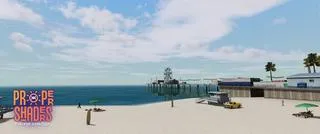
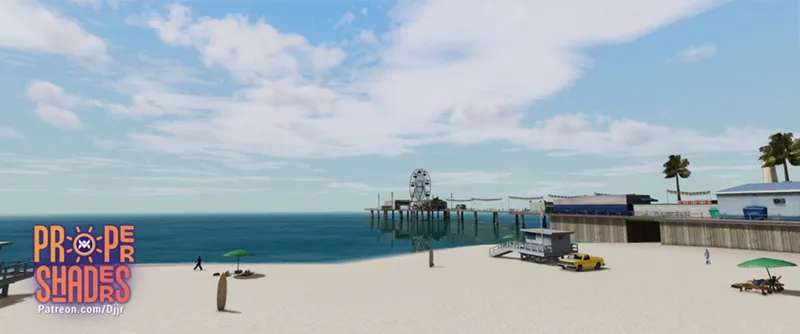

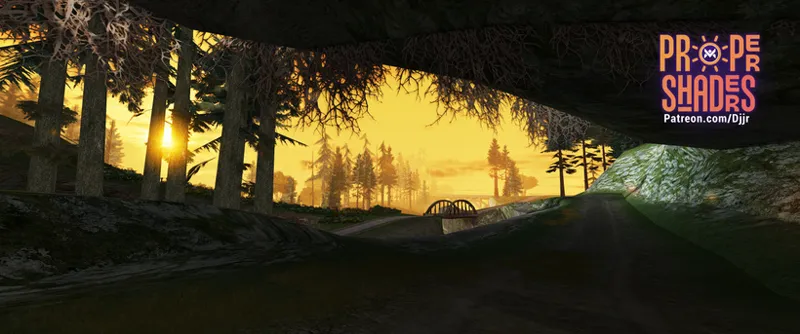
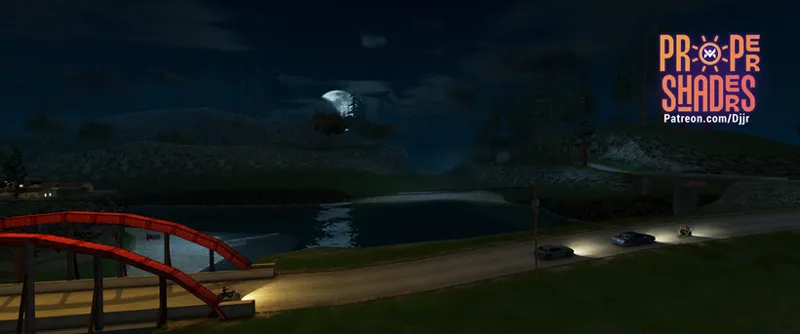

Proper Shaders 06-26 (public access)
(old version from June, much has been improved since then)
If you don't know what Proper Shaders is, check other posts or official MixMods post: https://www.mixmods.com.br/2026/05/sa-proper-shaders/
(other updates/hotfixes for this month are logged on comments, updated on this same post)
I highly recommend to use with newer Proper Fixes version, that improved mesh normals for better lighting: https://www.mixmods.com.br/2026/06/sa-proper-fixes/
Update:
Added clouds from Cloudworks by Brian Tu; added our own water shader (we still plan to improve and optimize it) with water caustics, underwater screen effects etc.
Also added AMD Contrast Adaptive Sharpening, LUT (useful for color grading your game), Adaptive Depth Of Field (useful for screenshots), per-pixel lights for gun shots and explosions and lots of bug fixes and improvements for the mod in general.
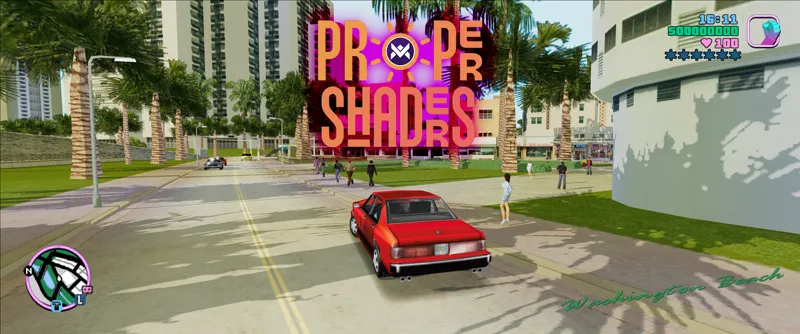
Jéssica Natália also helped a lot with this update, and she released Proper Shaders port for GTA Vice City too, check it out!
New video: https://www.youtube.com/watch?v=iY71eFh8plE
Note: Due to CC N-C license, Cloudworks is also added to beta and public versions too, from author permission.
Current progress
Full deferred rendering technique (like modern games)
Per-pixel lighting (hundreds of optimized dynamic lights)
Volumetric lights beams
Dynamic 4 cascaded per-pixel shadows (NVIDIA's PCSS)
Soft shadow mask technique with gaussian blur
Volumetric clouds
Water surface
Water caustics
Underwater
Ambient occlusion (SSAO, HBAO)
HDR simulation with tonemapping (ACES or Timoty)
LUT
Auto exposure
Bloom
Sun rays
SMAA
AMD Contrast Adaptive Sharpening
Adaptive Depth Of Field
Simple dithered sky shader
New horizon fog
Improved z-fighting
Soft particles
Player mipmapping (automatic)
Shaders lit by directional light
Stochastic procedural texturing
Animated wind shader
Support for unlimited TXDPs (TXD parents) files in .ide files, which helps this (shadermaps) and other texture mods (disabled for now).
All 11+ thousand game textures are already configured with proper values for roughness, stochastic and shadows casting.
In progress
PBR sky shader with sky blend
Shadermaps (normal map, roughness map etc).
Cel/anime shading.
GPU instancing grass system.
Decals projector (replacing the vanilla decals system, from CPU to GPU)
Screen space reflections
Screen space shadows
World rain surface
Planned
Lens flare
Volumetric height fog
Screen space global illumination
Vehicle rain surface
Parallax occlusion mapping
Specular anisotropic hair
Subsurface scattering
Advanced car paint and dirt
Temporal anti-aliasing
Improve wind/vegetation shader
Terrain splat maps shader
Download version 06-26. For beta supporters on 01.07.26 (DD.MM.YY) and 01.08.26 for the public. Possible bug fixes will be updated in the same post (check comments and Discord).
Sharing is prohibited until specific dates.
Comments (48)
I have an unknown error that couldn't be documented.. Is there a way I could fix this? https://drive.google.com/file/d/1fC-rJXFIht0rW_FRXs9cOYgWJMIROdhq/view?usp=sharing
I'm not gonna lie to U bro I want to support you with no matter how much money U want but our country in Africa doesn't have these payment methods but I want to help ya
i tried to download but it contains virus
This mod is absolutely amazing, thank you! I use the VehDeform damage mod, unfortunately with the DepthPrePass function removed, these mods are now incompatible, as VehDeform creates multiple instances of a vehicle for unique model damage. With a bit of tinkering is there a way I'd be able disable DepthPrePass in the latest update?
Puma need to update his mod with me, or alone (maybe hooking SetEditableMaterials as event) to make both compatible, because Proper Shaders need to render vehicles, peds, map multiple times (shadows, reflections, opaque, transparent) so he need to make it compatible with multiple rendering passes.
Hey, I'm combining this Proper Shader with SkyFX PS2 and it's awesome! However, I'd like to report two issues. The gang tags in Los Santos are all already tagged over them from the very beginning of the game. And the Bullet Hole mod is hidden by Proper Shaders. That's all :)
Tested here and is all fine. Only with SkyGfx installed? I tested using SkyGfx Extended, and also without it installed.
This mod is i ever wanted i really appericate your work but i have only one small problem There's a problem like this in some areas of the game map, and I'm not sure how to fix it. https://imgur.com/a/anMQEDH
Like explained on readme is because the game isn't supposed to receive this lighting, need to work on the mesh normals, and I already shared a Proper Fixes update that fixes all this on Discord and I'll release the new Proper Fixes very soon.
Playing samp well but when pause the game and I go to desktop; as soon as I open the game again the screen goes black
Updated: Fixed more issues with transparency not rendering (now very stable); fixed issues with interior mirrors; improved flickering reflections caused by moving the camera beneath objects like poles; added more information to help troubleshoot shader compilation issues.
Some videos to demonstrate the problem, see flickering in bottom right and sphere map in top left https://gyazo.com/985661a548083b8963f84c37c6d5a64b https://gyazo.com/8fed64336f091f957a1babc2f9452963
There's something wrong with the Deferred Rendering. It looks very flickery, like when moving the camera slightly you can see the lighting changing brightness and it's really distracting. For example in CJ's house, standing downstairs next to the stairs, moving the camera slightly you can see dark shadows on the stairs getting slightly brighter or darker based on camera position, kinda how screen space reflections change appearance based on camera position. Also as you walk out of the house, the walls flicker too. Same issue persists outside, buildings in the distance changing brightness as you're driving, etc. This doesn't happen in the public version from April. I tested on a fresh install only using essentials, OLA and Proper Shaders. The weird flickering goes away when setting DeferredRendered Enabled to 0, but obviously the game looks worse then. Unfortunately I prefer the version from April because of this :/
After further testing, this seems to be caused by GlobalReflections, disabling it gets rid of the flickering. The flickering also gets worse at lower reflection resolution, for example 256 looks horrible and everything flickers with the slightest camera movement, but no matter how high the resolution is set, it still happens and is really distracting. It's mostly visible in car reflections, they disappear and reappear constantly even with the slightest movement. This doesn't happen in the April version, the reflections look fine in that version and do not cause any issues. Must be the new deferred rendering messing it up?
Updated: Fixed texture detection issues with alpha channel in certain problematic .txd files (previously resolved by resaving the .txd file using MagicTXD, but now seems to work without needing to resave the file to fix it).
In future updates, will the intensity of specular reflections and highlights on vehicles be determined by the material settings in the vehicle model (.dff) file? (Like in SkyGfx.) This is necessary to accurately render vehicle mirrors and chrome parts.
Is there a way for me to modify the clouds speed? I've just tried the mod on a fresh install and the issue still persists - leading me to believe it's not a mod conflict but something else.
I removed all my mod folders in ModLoader, keeping only Essentials Pack, Open Limit Adjuster and Proper Shaders, and there is no issue, you need to find what is causing this on your game.
My clouds in the sky are moving in a very fast motion. As if the simulation is speed up by 10x. This issue has been present with every version since the new Sky shader has been introduced. I don't have any Sky mods or time altering mods, except 24h timecyc. Any ideas?
Find which mod is causing the issue and tell here.
Amazing work as always Junior. I'm reporting a few issues I noticed so far in the latest version (latest 26/06/10 build): 1. Transparency issues on certain cars: https://imgur.com/a/rW5YOkN https://imgur.com/a/SXwYxVC Happens on most cars (though not visible on airplanes I think). Granted, they are all modded vehicles, but quite subtly, and the issue wasn't present with the same models before the last two Proper Shaders updates. !!! UPDATE !!! issue goes away while testing only with Essentials Pack, OLA, and Proper Shaders. A potential conflict with one of my other mods. Will update this once I find out more. 2. Strange stuff with the clouds. Everything looks solid at daylight. But in the evening & night, the clouds are way too visible and dark. This is especially noticeable at around 9 PM, when the clouds look almost pitch-black. It stays like that until about 00.00 AM, when they stabilize and seem less visible, more natural. I tried playing around with both day & night cloud brightness settings, and strangely, neither of the options seems to have any effect on my game (or it is so small that I am not noticing it). Tried setting both to 0.1, 0, nothing. 9 PM: https://imgur.com/a/rd1YPAR ~11 PM: https://imgur.com/a/aoLyXiW My full ProperShaders.ini just in case: https://pastebin.com/ET5uBNgM Modloader mod list: https://imgur.com/a/KoXc6Fx Cleo folder mod list: https://imgur.com/a/IQnMYJD Note: both issues started happening since the previous update (6 days ago), and the latest update (18 hours ago) didn't fix it. Cleared modloader & ReShade cache. Removed GrinchTrainer, kept only Essentials Pack, OLA, and Proper Shaders - didn't help. UPDATE: the clouds start moving too fast only when the game clock reaches its next rounded hour. So if you load a save which spawns the player at 7.30 AM, everything will be normal UNTIL it reacheds 8 AM.
!!! UPDATE !!! the vehicle transperancy issue goes away for me while testing only with Essentials Pack, OLA, and Proper Shaders. A potential conflict with one of my other mods. Will update this once I find out more. !!! UPDATE #2 !!!: the clouds start moving too fast only when the game clock reaches its next rounded hour. So for example, if you load a save which spawns the player at 7.30 AM, everything will be normal UNTIL it reaches 8 AM. Running the game only with Essentials Pack, OLA, and Proper Shaders did not solve either of the cloud issues for me.
I keep having an issue with this mod where the rendering is done in a really low resolution, and only 2DFX is rendered in the right resolution https://imgur.com/a/gqoLRKh Here is an image, I would like to know how to fix this. This happens right after restarting the game where it did not happen Also, savanna interior has some alpha issues.
You're the first person to report this, find out which mod is causing the conflict and tell here.
Updated: Added options to the .ini file to disable compatibility changes and warnings (such as SAMP); Added some more stability checks to avoid rendering bugs in deferred mode; The lighting has been slightly adjusted.
Hi! The first-person vehicle transparency issue is still present. In cockpit view, the vehicle body and interior materials become invisible; only the steering wheel outline, glass/transparent parts, and lights are visible. Here is a screenshot showing the issue: https://imgur.com/a/9U8eetN
What do you think about adding some optimizations, like not rendering cars behind walls or not rendering objects that you can't actually see, dont render shadows behind the character? I'm not very knowledgeable about this, so please don't be too hard on me
This is occlusion culling, the game already does this. I don't know if in a complete way, but it does.
I have the same problem. I no longer use SkyGFX, I already installed all in runtime, and my game isn't close to running out of RAM. I don't know what else to do. I already removed some mods, and the problem persists. Propershaders.log: https://pastebin.com/20sLQHqd
Updated: Fixed instances of reflection on the ground (like CJ's house from Ezekiel; the entire solution is not yet fully functional); Fixed yellow and red markers rendering incorrectly (other transparency rendering issues should have been fixed as well).
just installed the mod but everything is invisible :(, i only see floating lights and the contour of the trees leaves, nothing else. Any idea how to fix?
Find which mod is causing conflict and tell here.
I also use a mod for RGB car color (I made it myself), but sometimes the car takes on my color. Other times, the entire car restores its original color, but some parts take on my RGB color. I go through all the car parts in the code and recolor them to the desired color during rendering, but it seems ProperShader uses the actual color from the game's list for rendering shaders. Can this be fixed? https://i.imgur.com/1ZiLroX.png
That depends on how the mod implemented that functionality. Proper Shader is more sensitive to incorrect implementations because the render loop in deferred rendering is much more complex. It's possible the mod implemented it in the car's rendering loop, instead, the correct way is to implement it as an event of `CVehicleModelInfo::SetEditableMaterialsCB`, the function the game calls to set the colors etc.
Hi. I'm very impressed with this mod. Will there be an API in the future, or does it already exist, that would allow me to add lighting with third-party plugins? For example, I use AWS and want to add per-pixel lighting support for the sirens created by the AWS mod.
Yes I'll add soon, but for point lights (not spot lights) is already compatible, since the mod uses native point lights.
Updated: Improved cloud color (less influence from the Sun's color); Fixed mirrors; Reverse depth buffer and game mirrors are now disabled in SAMP due to bugs.
Updated: Fixed some materials still rendering incorrectly in car mods; increased cloud movement speed; minor optimization and improvement of per-pixel light falloff.
the mod isnt taking any effect even after installing the All In One Runtime do you know a solution for this?
Check modloader.log if it is really loading. Check ProperShaders.log too.
Updated: The rendering logic for transparent materials in deferred rendering has been rewritten. I expect all bugs (at least for vehicles), such as headlights and windows, to be fixed now. The logic for the map and skins has also been changed.
WOW This mod + colorFilter=PS2 looks awesome!! Works out of the box with linux+steam.
Updated: Improved water reflections (some settings were also added and changed in the .ini file), fixed some plants.dat files that were displaying the wrong grass color, fixed the delayed shadow on motorcycles and bicycles in NPCs, and made a minor improvement to cloud fade.
Issue feedback: CJ using the camera to take photos causes the game to crash.
can confirm this: its a hard crash too, none of the logging tools i used caught it. edit: used a "clean copy" and it doesnt crash there. edit 2: crashes after adding mixsets to the clean copy, so theres probably a conflict between those two. EDIT 3: *found a fix*, set CameraPhotoQuality = -1 in mixsets.
Mod is updated with lots of hotfixes, I highly recommend to download again.
Fantastic updates! Super excited to try the new version when I have time. A few questions, if you don't mind: 1. For [MuzzleFlashLights] and [ExplosionLights], should we disable any muzzle flash/explosion effect mods for it to work properly? Mods like NextGen and Combat FX Plus, and gunflash/explosion related effects in models >> effects? What about fire effects? 2. Do you think there's any benefit (like performance or stability) to enabling your Proper Shaders implementation of LUT, instead of using LUT through ReShade? Same question for CAS. I am using both techniques with ReShade and wonder which method is "technically" the best Thanks!
1- Well, obviously not, this has nothing to do with the particle effects. 2- In general, if you have ReShade on your game, you are adding another graphics processing layer. Prefer to keep things simple, use less layers, but anyway, LUT isn't expensive. 3- Maybe it will look the same.