














SwarmUI to ComfyUI in 1-Click: Use 40+ AI Presets (FLUX, Wan 2.2, Z Image Turbo, FLUX 2, SDXL, Qwen and many more) + Unify Model Paths to Save Massive Disk Space [Tutorial]
Full tutorial link > https://www.youtube.com/watch?v=EqFilBM3i7s
Info
Generating workflow inside SwarmUI and using in ComfyUI is literally 1-click. In this tutorial I will show you how to use our 40+ amazing generative AI presets made for SwarmUI in ComfyUI with most easy way. You will be able to get very best outcomes of all AI models such as SDXL, FLUX, Z Image Turbo, Wan 2.1, Wan 2.2, FLUX 2, Qwen Image, Qwen Image Edit, FLUX Kontext, Image Outpainting, Image Inpainting and many more. Moreover, I will show how to use custom model paths in ComfyUI and SwarmUI to unify your models in same folder and avoid model duplication and save massive amount of disk space.
📂 Resources & Links:
ComfyUI Installer: [ https://www.patreon.com/posts/ComfyUI-Installers-105023709 ]
SwarmUI Installer, Model Auto Downloader and Presets: [ https://www.patreon.com/posts/SwarmUI-Install-Download-Models-Presets-114517862 ]
SwarmUI & ComfyUI Setup Guide for Windows: [ https://youtu.be/c3gEoAyL2IE ]
SwarmUI & ComfyUI Setup Guide for RunPod & Massed Compute: [ https://youtu.be/bBxgtVD3ek4 ]
Qwen Image Models Training Tutorial: [ https://youtu.be/DPX3eBTuO_Y ]
Wan 2.2 Model Training Tutorial: [ https://youtu.be/ocEkhAsPOs4 ]
Z Image Turbo Model Training Tutorial: [ https://youtu.be/ezD6QO14kRc ]
FLUX Models Fine Tuning / DreamBooth Training Tutorial: [ https://youtu.be/FvpWy1x5etM ]
FLUX Models LoRA Training Tutorial: [ https://youtu.be/nySGu12Y05k ]
Upload / Download Big Files Guide for RunPod & Massed Compute: [ https://youtu.be/X5WVZ0NMaTg ]
⏱️ Video Chapters:
00:00:00 Introduction to SwarmUI Presets in ComfyUI & Z Image Turbo Showcase
00:00:50 How to Update ComfyUI to the Latest Version Manually
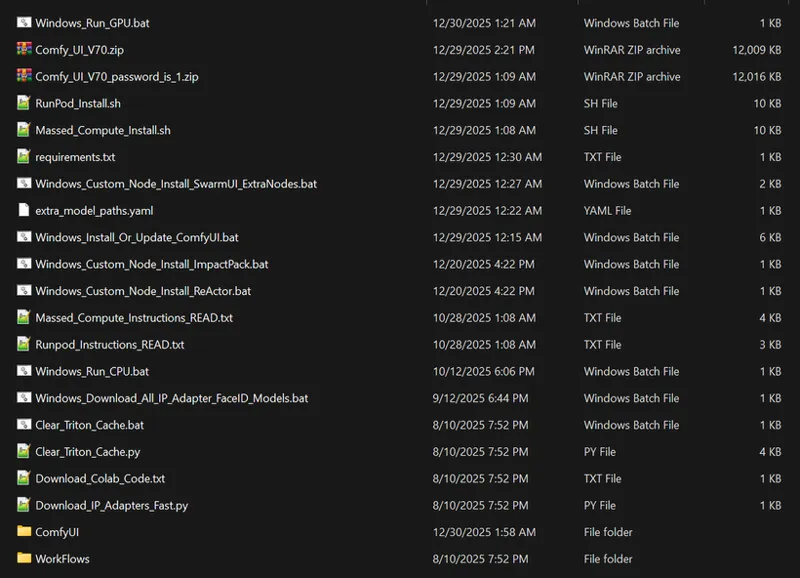
00:01:24 Running the Windows Install or Update ComfyUI Script
00:01:45 Installing SwarmUI Extra Nodes for ComfyUI Compatibility
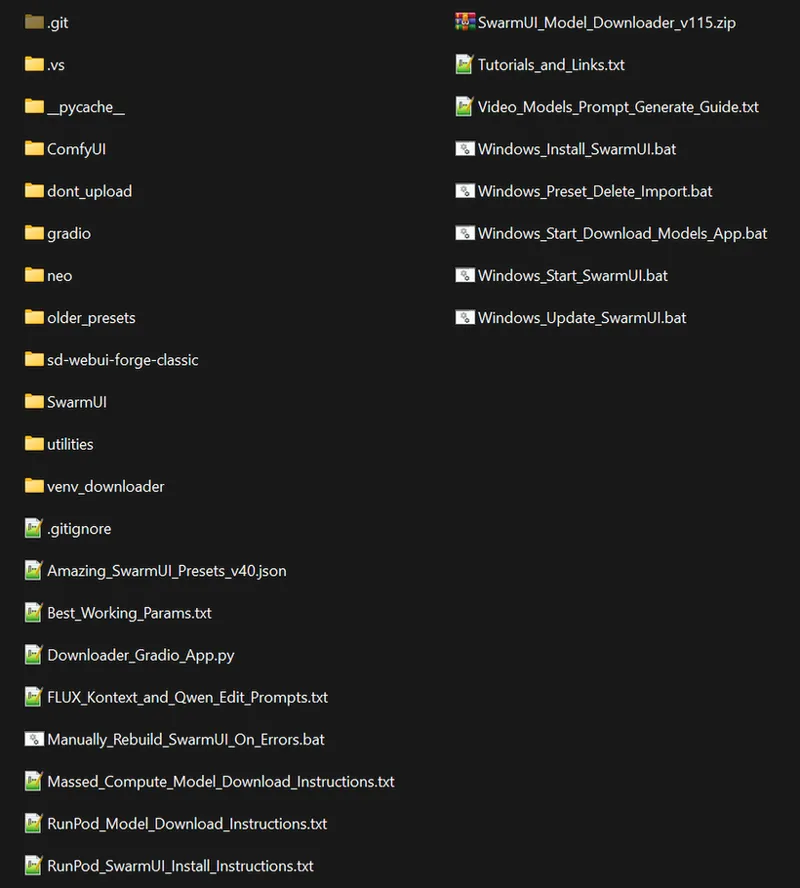
00:02:06 How to Update SwarmUI to the Latest Version
00:02:38 Importing the Newest SwarmUI Presets & Clearing History
00:03:00 Downloading Z Image Turbo Models & ControlNet Union via Script
00:03:40 Configuring Z Image Turbo Workflow with ControlNet in SwarmUI
00:04:11 Setting ControlNet Preprocessor, Aspect Ratio & Preview
00:04:43 Exporting the SwarmUI Workflow to ComfyUI JSON Format
00:05:16 Configuring extra_model_paths.yaml to Share SwarmUI Models
00:05:46 Editing the YAML File to Point to SwarmUI Directories
00:06:01 Understanding YAML Keys, Relative Paths & Checkpoint Folders
00:06:30 Loading the Exported SwarmUI Preset into ComfyUI
00:06:50 Replacing SwarmUI Load Image Node with ComfyUI Node
00:07:33 Adding ComfyUI Save Image Node for Output Storage
00:07:55 Running the Z Image Turbo Workflow & Performance Check
00:08:37 Reviewing the Generated Image & Z Image Turbo Training Tutorials
00:09:23 Preparing Wan 2.2 Image to Video Workflow in SwarmUI
00:09:52 Exporting the Video Generation Workflow to ComfyUI
00:10:17 Adjusting Load Image & Upscale Nodes for Video Workflow
00:10:40 Adding Create Video & Save Video Nodes for Output
00:10:54 Setting FPS & Connecting Video Save Sequence with RIFE
00:11:18 Executing the Video Workflow & VRAM Optimization Info
00:12:17 High/Low Noise Generation & RIFE Frame Interpolation Process
00:13:02 Using SwarmUI & ComfyUI on Cloud GPUs (RunPod & Massed Compute)
00:13:33 How to Use ComfyUI Models Inside SwarmUI (Reverse Setup)
00:14:02 Adjusting Folder Names (LoRAs) in Server Configuration
00:14:23 Upcoming Trellis 2 Premium 3D Generation Application
00:15:33 Upcoming Ultimate Video & Image Upscaler Application
Some Artworks
More Info
In this comprehensive tutorial, I demonstrate how to seamlessly use high-quality SwarmUI generated workflows and presets directly inside ComfyUI. If you love the ease of SwarmUI's presets but need the flexibility of ComfyUI, this guide covers the entire process from start to finish.
I showcase complex workflows, including Z Image Turbo with ControlNet Union and the new Wan 2.2 Image to Video generation (4 steps). You will learn how to export these presets as JSON files and properly configure the necessary custom nodes to get them running perfectly in ComfyUI.
Key Topics Covered:
Workflow Migration: Step-by-step guide on exporting SwarmUI presets and importing them into ComfyUI, including fixing "Load Image" and "Save Video" nodes.
Model Unification: A crucial guide on using the extra_model_paths.yaml file. I explain how to point ComfyUI to your SwarmUI model folders (and vice versa) so you never have to duplicate massive checkpoint or LoRA files again, saving huge amounts of disk space.
Installation & Updates: How to manually update both ComfyUI and SwarmUI to the latest versions and install the required "SwarmUI Extra Nodes."
Cloud Usage: Tips for running these workflows on cloud GPU services like Massed Compute and RunPod.
Featured Workflows:
Z Image Turbo: High-quality image generation with ControlNet integration.
Wan 2.2: Image-to-Video generation with RIFE frame interpolation for smooth results.
Upcoming Tools Teased:
Trellis 2 Premium: An insane 3D generation app for high-quality meshes and textures.
Ultimate Upscaler: A new application for image and video upscaling supporting SeedVR 2 and Flash VSR.
Comments (22)
With ComfyUI, one day is not like the next. After weeks without any problems, errors appear and then disappear without any explanation. After a fresh installation with ComfyUI v85, the latest error is "unhashable type: 'slice'". ComfyUI is a real pain! Since this error it s impossible for me to use SwarmUI.
yes it is because comfyui constantly getting updated. so sometimes they introduce errors and then they fix like next day or so
Hi, I tested Wan2.2 Remix i2v_14b_hight_lighting_fp8... and, honestly, compared to Wan2.2-i2v-A14B-Moe-Distill.., the quality and realism are clearly superior, at least on my configuration: rtx5090 32go, 120go vram.
nice info
With I2V, how can I get an output video that respects the resolution encoded in the resolution parameter? For example, if I set a resolution of 1792x896, the output video is 1344x704.
it obeys it . look all parameters. probably you changed resolution of text to video
I'm using last verions comfyUI (71) and swarmUI (119). I’m getting a double warning/error from ComfyUI-TeaCache immediately after starting swarmUI.. It’s loaded twice (custom_nodes + DLNodes) and throws: ImportError: cannot import name 'precompute_freqs_cis' from comfy.ldm.lightricks.model SwarmUI still starts and I can use it, but this warning appears every time and could potentially cause issues. In which preset is TeaCache actually meant to be used?
your zip files are not latest. why dont you read the news?
Hi, What's the status of fixing yesterday's bug?
I'm still getting the same error as yesterday, "No backend can handle dequantize_per_tensor_fp8".
How on earth did you generate all that beautiful text?!?
i used nano banana but closest are qwen 2512 and flux 2 dev
Hi, recently I have had this error: "ComfyUI execution error: Sizes of tensors must match except in dimension 1. Expected size 1 but got size 53 for tensor number 1 in the list". Do you know what is it, and how to resolved it.
nope. so many things can cause it. how did you get it doing when what?
Hallo, at 24.12. last week you wrote about insightface is in the SwarmUI Installation. Is this in the Version from Yesterday too (is it an update only)? Or an another different version so I have to install both versions? Sorry about my english. I wish you a good new year and stay healthy. Thanks for all.
insightface installed with our comfyui installer and working : https://www.patreon.com/posts/ComfyUI-Installers-105023709
Hey mate, there is one thing I'm wondering if you can help with. Is there a way to protect all the dependencies in ComfyUI from being screwed by updating a node? So far all I have is backing up the comfyUI repo before I make a change each time and then eventually getting carried away and having everything break again. Plus zipping and unzipping takes ages, but just wondering what your way around this is?
sadly no way since node changes your venv installed libraries. you can manually activate venv get pip freeze save and later you can reinstall that pip freeze with pip install -r saved.txt
OK, so out of the box there is a typical mis-match, and it's very frustrating to hassle with each time: you set the Models Downloader so that it will recognize ComfyUI Folder structure (loras). However, swarm ignores this and just uses LORA. And so now I'm digging around and trying to figure out how to connect it up.
i literally mentioned this in tutorial so please dont skip
you jump into showing z-image, but skipped setting up the v70 server, as it's installed separately. is extra args set: --windows-standalone-build --use-sage-attention
you should watch install tutorials : https://youtu.be/c3gEoAyL2IE