






















Qwen Image Edit 2511 Free and Open Source Crushes Qwen Image Edit 2509 and Challenges Nano Banana Pro
Full tutorial link > https://www.youtube.com/watch?v=YfuQuOk2sB0
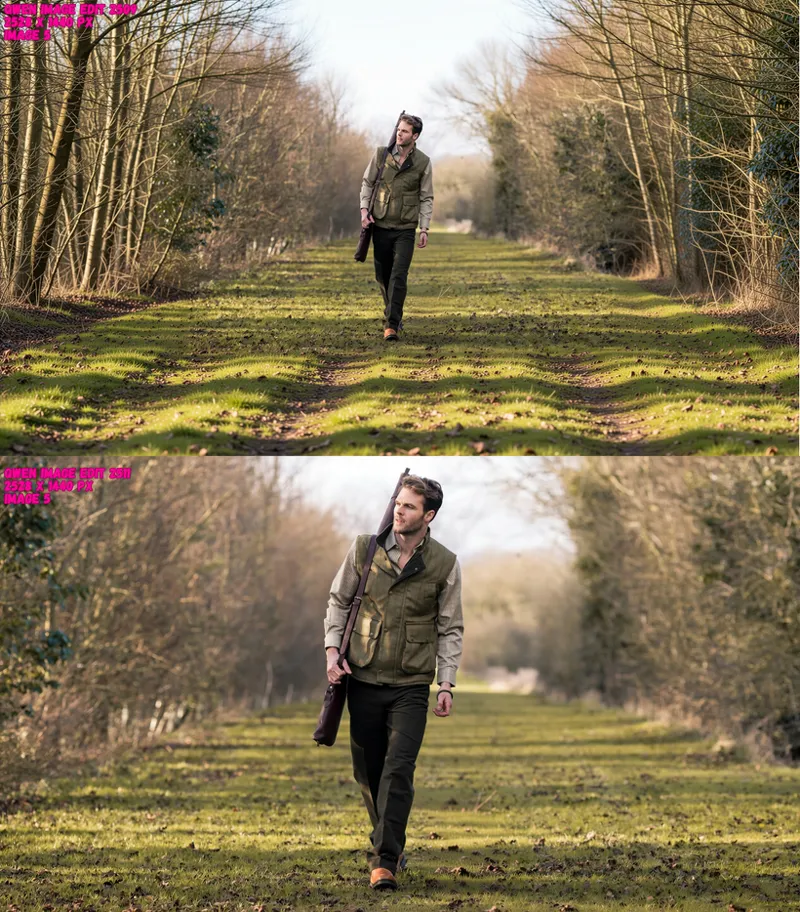
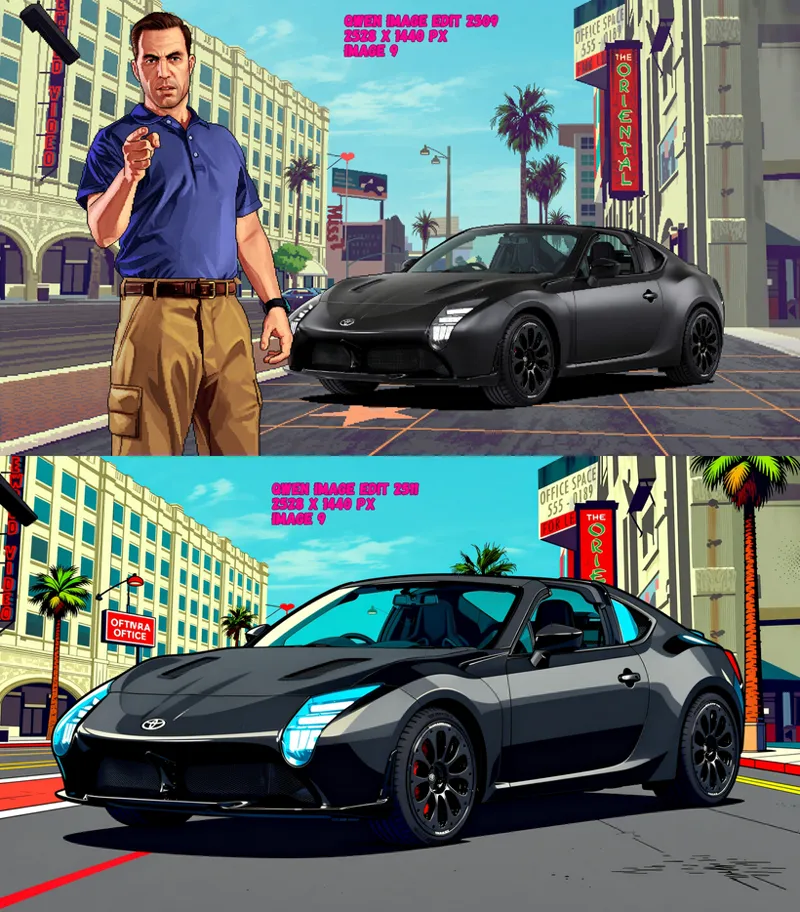
Qwen Image Edit 2511 model just published and it is literally competing against Nano Banana Pro at image editing tasks. With native whopping 2560x2560 pixels image output capability and with only 12 steps it is next level. With our installers and specially made Quant FP8 Scaled model, you can run this amazing beast even as low as 6 GB GPUs. In this tutorial, I have compared Qwen Image Edit 2511 with previous successor model Qwen Image 2509 with 12 different unique and hard prompts and cases. Everything is step by step explained and provided.
📂 Resources & Links:
SwarmUI Installer, Model Auto Downloader and Presets: [ https://www.patreon.com/posts/SwarmUI-Install-Download-Models-Presets-114517862 ]
SwarmUI & ComfyUI Setup Guide for Windows: [ https://youtu.be/c3gEoAyL2IE ]
ComfyUI Installer: [ https://www.patreon.com/posts/ComfyUI-Installers-105023709 ]
Image and Video Comparison Slider App: [ https://www.patreon.com/posts/Compare-Images-Videos-Slider-App-133935178 ]
Wan 2.2 Model Training Tutorial: [ https://youtu.be/ocEkhAsPOs4 ]
SwarmUI & ComfyUI Setup Guide for RunPod & Massed Compute: [ https://youtu.be/bBxgtVD3ek4 ]
Upload / Download Big Files Guide for RunPod & Massed Compute: [ https://youtu.be/X5WVZ0NMaTg ]
Video Chapters:
00:00:00 Intro to Qwen Image Edit 2511: Replacing a Hat with a Sports Cap Demo
00:00:47 Tutorial Roadmap: SwarmUI, One-Click Installer, FP8 Model, and Hardware Requirements
00:01:43 Case 1 Comparison: Photo Restoration and Colorization (2509 vs 2511)
00:02:36 Resource Info: How to Access the Zip File with All Case Prompts and Images
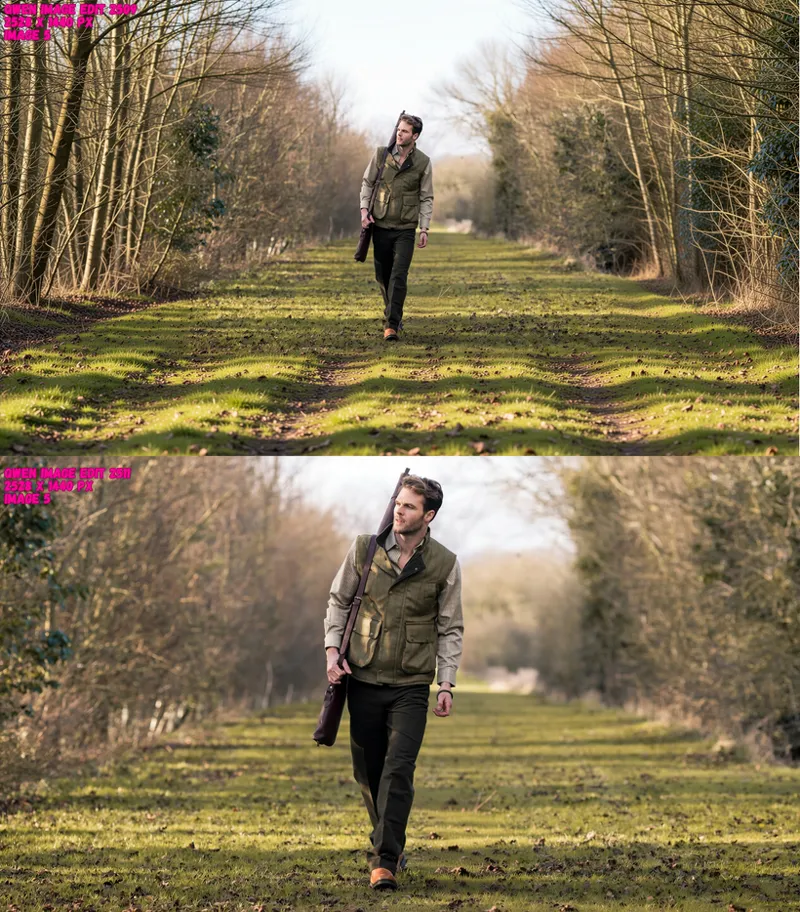
00:03:05 Case 2 Comparison: Adding a Beard While Maintaining Facial Identity and Realism
00:03:56 Case 3 Comparison: Converting a Real Person into Retro Style Pixel Art
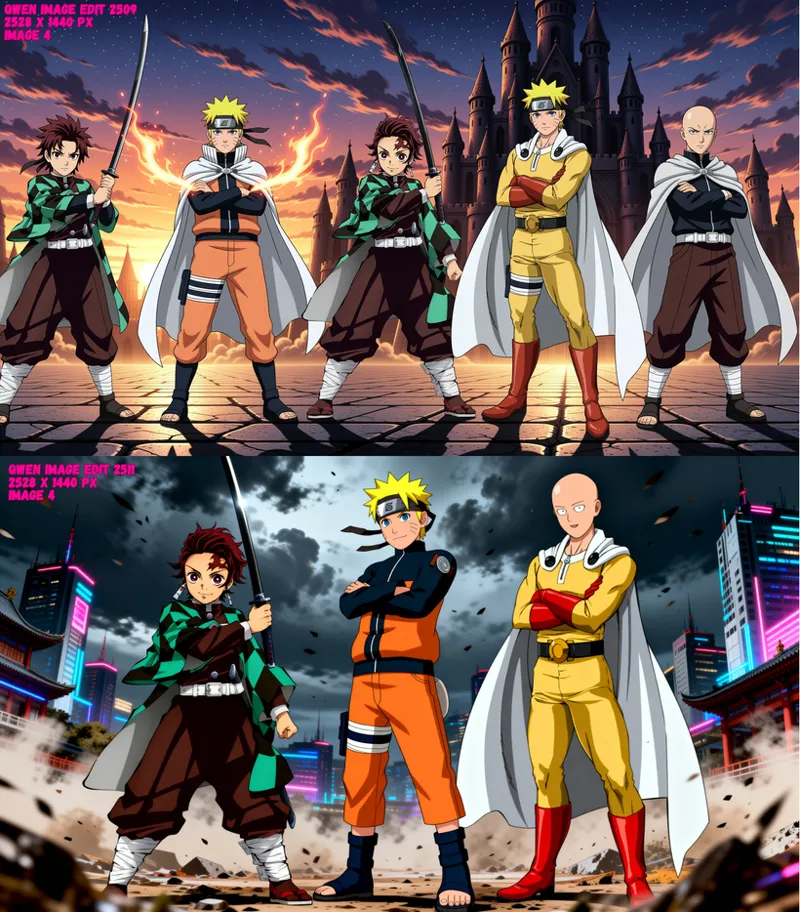
00:04:24 Case 4 Comparison: Combining Three Different Anime Heroes into One Epic Scene
00:05:13 Case 5 Comparison: Removing an Object (Dog) While Preserving Background Details
00:06:00 Case 6 Comparison: Transforming Day Lighting to Realistic Night Time
00:06:38 Case 7 Comparison: Changing Specific Object Color (Rabbit) to Purple
00:07:14 Case 8 Comparison: Changing Clothing Styles While Keeping Body Proportions
00:07:54 Case 9 Comparison: Inpainting a Specific Object (Perfume Bottle) into a Hand
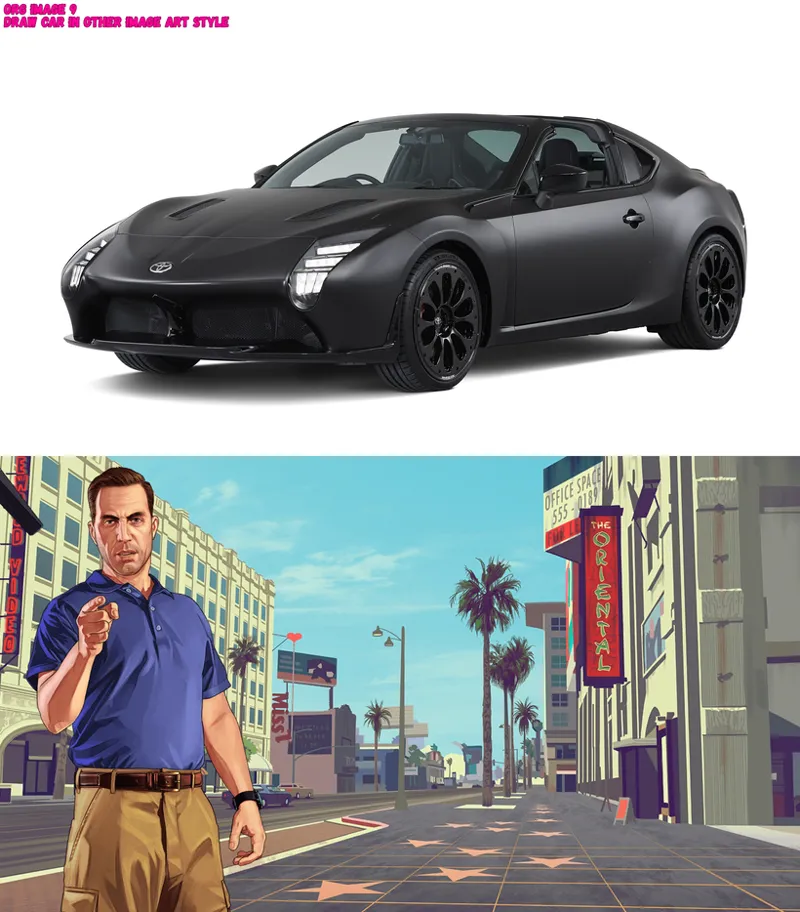
00:08:52 Case 10 Comparison: Zero-Shot Style Transfer (Redrawing a Car Sketch)
00:09:49 Case 11 Comparison: Converting Anime Characters into Realistic Human Renders
00:10:55 Case 12 Comparison: Turning Real Photos into High-Quality Anime Style
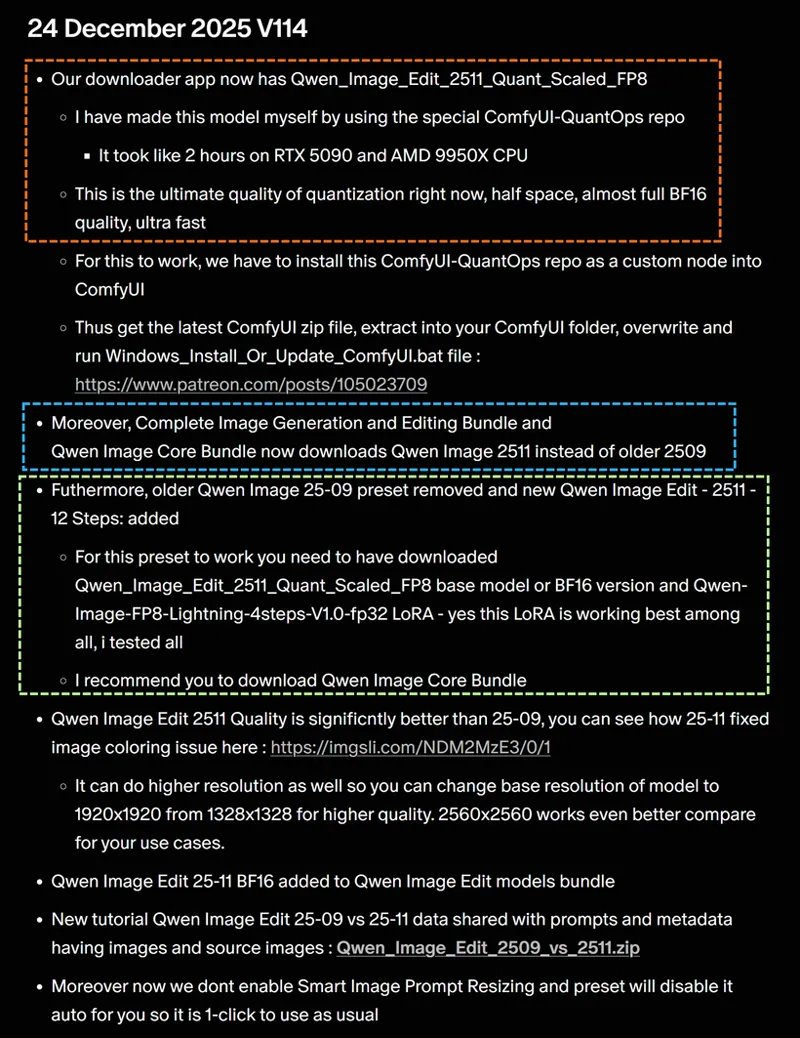
00:11:32 Installation Step 1: Updating ComfyUI to Support New Custom Nodes
00:12:45 Installation Step 2: Setting up the SwarmUI Model Downloader Script
00:13:08 Installation Step 3: Downloading the Qwen Image Core Bundle and Verification
00:13:35 Installation Step 4: Updating SwarmUI to the Latest Version via Batch File
00:13:52 Installation Step 5: Importing the "Amazing SwarmUI Preset Version 40"
00:14:47 Configuration: Setting Base Resolution to 1920x1920 for Best Performance
00:15:33 Live Workflow 1: Single Image Editing and "Closest Aspect Ratio" Strategy
00:16:32 Hardware Monitoring: RAM Usage, SageAttention, and 6GB GPU Optimization
00:17:36 Live Workflow 2: Combining Multiple Input Images with 16:9 Aspect Ratio
00:18:35 Performance Analysis: Generation Speed (Steps/Sec) and Power Usage on RTX 5090
00:19:44 Live Workflow 3: Fast Single Image Edit and Reference to Wan 2.2 Tutorial
00:20:41 Tools: Installing and Using the Image and Video Slider Application
00:21:56 High-Res Experiment: Pushing Resolution to 2560x2560 for Maximum Quality
00:22:28 High-Res Monitoring: Analyzing VRAM Usage and Generation Time Increase
00:23:18 Final Verdict: Why 2560x2560 is the Best Resolution for Qwen Image Edit 2511
In this comprehensive tutorial, I demonstrate the incredible power of the new Qwen Image Edit 2511 model, comparing it directly against the previous 2509 version across 12 distinct test cases. You will see how this model achieves "Google Nano Banana Pro" levels of quality in photo restoration, style transfer, object replacement, and multi-image composition.
I have prepared a custom FP8 scaled version of the model that allows it to run on GPUs with as little as 6GB VRAM while maintaining near-BF16 quality. This guide covers everything from a full 12-case comparison to a complete step-by-step installation guide using SwarmUI and ComfyUI.
📂 In this video, you will learn:
How to install Qwen Image Edit 2511 with a one-click installer.
How to use the new "Amazing SwarmUI Preset v40" for optimal results.
A side-by-side comparison of 2509 vs. 2511 (Restoration, Pixel Art, Anime-to-Real, and more).
How to combine up to 3 images into a single generated scene.
Optimal resolution settings (1920x1920 vs 2560x2560) for maximum accuracy.
How to use the Image and Video Slider Application for professional comparisons.
Qwen Image Edit 2509 vs 2511 Comparisons
Comments (16)
I have same issue as "Diggy Dre" below with my 4090 setup, 24g vram, 128 ram running either 2509 or 2511 edit (with recommended LORA applied) and just sits with memory full and does nothing. 2509 used to work. I'm on fresh install of swarm 121 and comfyui 73 and use --use-sage-attention. Other flux or qwen models work fine. I have also restarted computer.. also --no-cache gives backend error. **update from 1/16. I can get both models to work fine but 2511-12step & image edit plus (2509) presets cause the problem. I have not discovered what in the presets is causing issues
it is --cache-none. try it and let me know if fixes
Can I outpaint/expand images?
yes here tutorial : https://youtu.be/XWzZ2wnzNuQ check video chapters
already a 2512 released
true. i made the very best special 2512 FP8 quantized. took my whole day. currently testing best inference preset
I may be going slightly mad, but having overwritten swarmui files with the latest download (v115) I see no Qwen 2511 models in the core bundle, which is a total size of 38.13 GB and 16 models, not 56.68 GB and 18 models as per the video.
it is there 🖼️ Qwen Image Core Bundle (Total: 56.68 GB, 18 models) ▼ make sure to overwrite all especially utilities folder you can delete all files except swarmui installation folder and extract to be sure
Thanks for the comparisons/video (I'll check the video later). But in the attached comparison images, in image 2 (of the old photo of a family), the top image says "qwen image edit 2509" at the top of it and the bottom image also says "qwen image edit 2509" at the top of it. I assume one of them (probably the bottom image) is supposed to show "qwen image edit 2511". The bottom image of image 2 shows less scratches so I assume that's the "better" image and so is probably "qwen image edit 2511" (and maybe mislabeled), but the prompt said "restore this old photo" and the top image removed some of the scratches but also coloured the man's jacket and the bottom image removed all/nearly all scratches and also (almost?) fully coloured the image. But recolouring the image isn't restoring it (to what it would have been like originally). It's altering it to look more like a modern photo. The lower image has also changed the dress (lengthened and position of the flowers changed) more on the right side of the image (so it's less accurate than the first image). So neither was fully correct. Though I assume the 2nd image could just be used and then converted to greyscale after if you want it to be more 'restored' rather than changed.
restore also includes coloring so i say it is very accurate
Hi Furkan, yesterday it was faster, I don't understand what I changed, but today it takes a long time. I have a 12 GB GTX 3060 and it takes 215.38 seconds for step.
restart pc. somehow it fails to do proper block swapping. happens to me too. disable all startup apps
I don't know why but mine is stuck at: User local requested 1 image with model 'Qwen_Image_Edit_2511_Quant_Scaled_FP8.safetensors'... I have a 4080 and I did a fresh Swarm install. My 4080 fans aren't even spinning up. I can do FLUX and SDXL just fine.
did you download the model? checking your disk reading writing? did you make a fresh comfyui backend?
You weren't kidding 25 11 smashes 25 09! Wow!!
yep next level good