


Extracted LoRA Quick Test
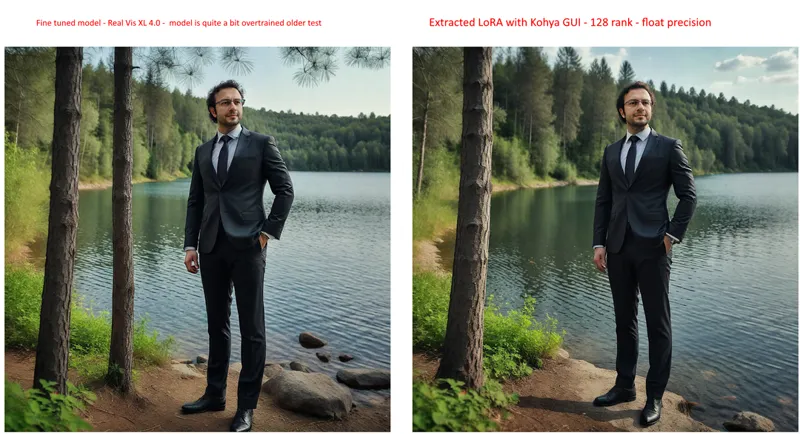
I did a test for one of our supporters. Used one of my older quite a bit overtrained DreamBooth model
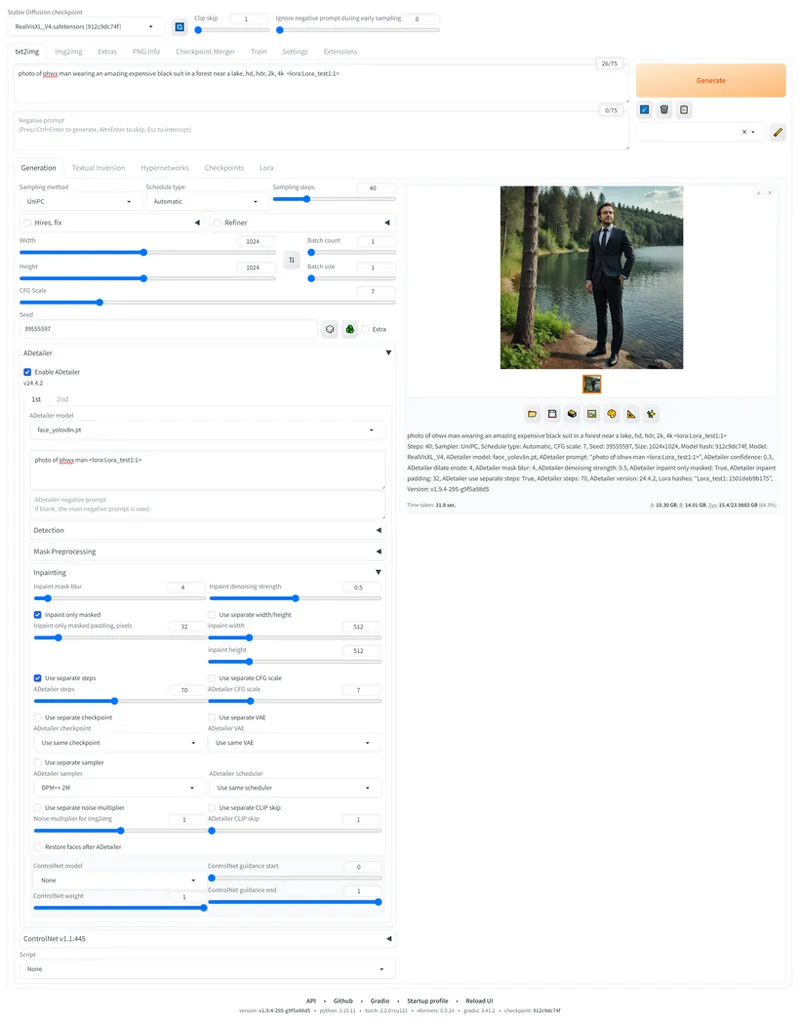
Extracted LoRA as you can see yields almost perfect quality. Yes subtly changed but you can get quality with more generations
Comments (10)
i have one question tho, in your lora extract config you use CPU for loading the models and save/load precission to float. I have a 4090 should i use instead Cuda and bf16 ?
float is best. but i didnt see much difference between bf16 and float. cuda or cpu doesnt matter as long as it fits into vram.
Thanx for this Information! I will check this tonight. What i did is this if my LoRA extraction is not good enough as the full fintetuned model, i create a picture with the LoRA, then send the pic to IMG2IMG, inpaint, and mask the face there AND (important) use the Full Fintetuned Modell. - The Result is incredible
nice
I am extremely satisfied with the results of the Dreambooth models. However, I see a reason that speaks for an extracted Lora: Even if I use all regularization images, I perceive that other object classes are influenced by the training content. So men always look a bit like me. Even women have a subtle resemblance to me in their facial features. Presumably this problem could be avoided with a Lora, right?
well i would say your model is overtrained. LoRA may reduce that effect but it may also reduce your likeliness. give it a try
do we have to use our own extracted loras, with the base safenetors? (for your instance, Realvisionxl4)
you have to use the base model you used for training
Can you extract LORA directly from training images somehow? Instead of training a model first, then extracting LORA from that like you did? (If my understanding of what you did is correct)
LoRA is extracted from trained model via calculating difference between base model and trained model. Nothing related to images.