
IDEOGRAM 4 THE MOST POWERFUL OPEN-WEIGHT TEXT TO IMAGE AI MODEL
Hey everyone! I've created a 1-click installer for IDEOGRAM 4, the NEW MOST POWERFUL OPEN-WEIGHT TEXT TO IMAGE AI MODEL!
And...this model is just insane. At first, a lot of people judged it way too quickly because of the early workflow, the blocked generations, and the licensing drama...BUT after testing the newest workflow and especially the new Ideogram 4 Prompt Builder KJ node, the community realized very quickly that this model might be one of the most powerful and most controllable AI image models we have ever had locally.
Ideogram 4 can generate amazing realistic images, artistic images, logos, posters, thumbnails, readable text, products, characters, backgrounds...but the real magic is the AREA PROMPTING workflow. You can literally create different areas inside your image, describe each part separately, control the character, the face, the pose, the background, the text, the colors, and the composition with insane precision. THIS IS JUST MIND BLOWING...
You can check out the video right here: https://youtu.be/XKYPlTu1c3M
The workflow: https://www.patreon.com/posts/160357691
The installer of course automates the entire install process for comfyUI and the models downloads!
LOCAL INSTALL!!! RECOMMENDED TO START FROM SCRATCH
Download the IDEOGRAM_ULTRA-COMFYUI-MANAGER_AUTO_INSTALL.bat
Run the bat file
Wait for the install to finish
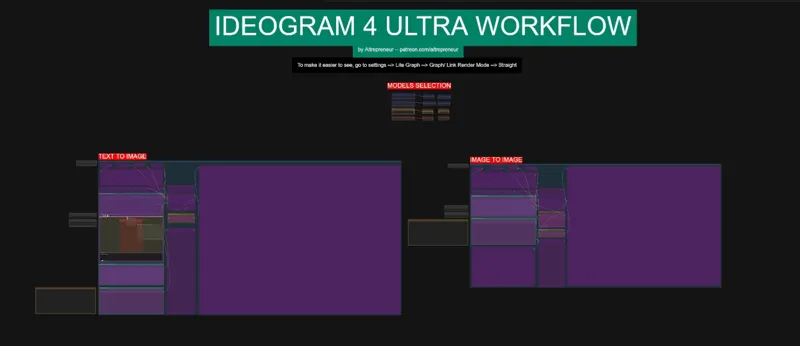
The webui will launch, load the IDEOGRAM_ULTRA_WORKFLOW.json file and there you go😎
DON'T FORGET TO GO UPDATE COMFYUI BY GOING INSIDE THE UPDATE FOLDER AND RUNNING THE COMFYUI UPDATE BAT FILE!!!!
IF YOU ALREADY HAVE COMFYUI INSTALLED USING A PREVIOUS INSTALLER:
Download the IDEOGRAM_ULTRA-MODELS-NODES_INSTALL.bat and place it in the ComfyUI_windows_portable\ComfyUI folder
Run the bat file
Wait for the install to finish
???
Profit 😎
IF YOU GET AN ERROR WHEN LAUNCHING COMFYUI AFTER USING THIS INSTALLER SAYING "AssertionError: Torch not compiled with CUDA enabled" it's ok don't panic.
Just go inside the python embedded folder, click on the folder path, type cmd press enter, this will bring the command prompt window and there type:
python.exe -m pip uninstall torch
python.exe -s -m pip install --upgrade torch torchvision torchaudio --index-url https://download.pytorch.org/whl/cu128
--->replace cu128 by your cuda version (if you don't know your cuda version just open a new cmd window and type nvcc --version it will then tell you at the end Cuda compilation tools, release 12.8, V12.8.93 or something different like 12.6, in that case just use cu126 instead of cu128)
IF YOU ARE USING RUNPOD:
Create an account if you haven't already: Runpod
Click on Pod (on the left side) then click deploy
Choose a GPU with at least 24gb of VRAM (4090 is best), click here for the comfyui template (aitrepreneur/comfyui), then edit the template and choose 80gb for both the container and volume disk, then deploy on demand
Go to my pods, wait for everything to finish and then click "connect", then "Connect to HTTP SERVICE port 3000" and click on the manager to update comfyui and restart it
Then go to the port 8888, go inside the comfyui folder and then drag and drop the IDEOGRAM_ULTRA-AUTO_INSTALL-RUNPOD.sh file on the left side of the UI then click on the "Terminal" icon on the right side on the UI
Copy and paste these two lines then press enter:
chmod +x IDEOGRAM_ULTRA-AUTO_INSTALL-RUNPOD.sh
./IDEOGRAM_ULTRA-AUTO_INSTALL-RUNPOD.sh
Wait for everything to be installed
Go back to the port 3000 and click on the manager and restart it
Load the IDEOGRAM_ULTRA_WORKFLOW.json file and there you go😎
Also use the command:
tail -f comfyui.log
inside the workspace/logs to get the real time logs so that you always know when the install is done. It will then ask you to restart, so click on that restart button, wait for the webui to reboot, click refresh once it's done and there you go.
As always, supporting me on Patreon allows me to keep creating helpful resources like this for the community. Thank you for your support - now go have some fun😉!
Comments (28)
Question - May be dumb but, I installed Zimage from your installer, does this need its own folder or can install it in the same folder ?
You can just use the models nodes only installer read the post
I always use your install bat and always a fresh folder... I nearly always get missing nodes/models etc, which take ages to fix. Is there something fundemental i am doing worng. Install, Update, in this case also run the models bat file ... surely that should be it?
I mean most certainly yes, most people don't have this issue each time, especially on a fresh install, you can dm me and show me what you are doing
Bitdefender always blocks your bat files and shows it as having malware. There must be a different way of get these installed without that showing up.
It's a false positive, only way is to temporarily disable bitdefender
I followed the directions exactly for node update but get this error: Workflow Overview Errors Parameters Nodes Global Settings Search ... Missing Node Packs (1) This workflow uses custom nodes you haven't installed yet. To install missing nodes, first run pip install -U --pre comfyui-manager in your Python environment to install Node Manager, then restart ComfyUI with the --enable-manager flag. comfyui-kjnodes (2) Ideogram4PromptBuilderKJ ImageSharpenKJ Node 'ID #200' has no class_type. The workflow may be corrupted or a custom node is missing. Node 'ID #200' has no class_type. The workflow may be corrupted or a custom node is missing. - EDIT: Nevermind, I fixed it using node manager. Good to go.
I'm not using the ComfyUI Windows Portable edition. Your installer .bat file assumes a Portable installation and searches for files and folders that don't exist in my setup. As a result, the installation did not complete correctly and ended up broken. The Ideogram 4 workflow is an absolute game changer. Thanks for sharing!
Well that's why it doesn't work well then, my installers are meant to work together. Also using the portable version is much better, since everyone can have the same base and even have multiple easy installs if they want to
I recommend avoiding .bat files whenever possible, as they may damage or break your ComfyUI installation. You can download all the required models here: https://huggingface.co/Comfy-Org/Ideogram-4/tree/main
I mean not really, I don't know which bat files you are using. My installers installs the models and nodes only, if there are any issues it's usually because of a comfyui update and it's not linked to the bat files though. I personally never had any issues with my own installers
The workflow does not contain any output nodes (e.g. Save Image, Preview Image) to produce a result. Getting this error. Thoughts?
Well it does so...try updating comfyui, the nodes and redraw and drop the workflow inside comfyui again, could be a visual bug
Holy smokes, it can do perfect 4k on my 5090!
Yes it does, out of the box! It takes a long time though...
can you also make video on image to image part ?
I'm guessing you mean image editing? That model can't do edit unfortunately, just full on image to image (convert a full image into another style)
after fixing a missing node throgh the manager I now get the following error: " TypeError: '<' not supported between instances of 'str' and 'int' " when I try to use prompt builder region. Gemma seems to work but the image seems to look low quality. Any idea what is wrong and how to possibly fix it and also how to improgve the quality if I use Gemma prompt? Sorry if that are easy things, I am still very new to these things.
Yeah I get the same error. TypeError: '<' not supported between instances of 'str' and 'int'
Nice to see more control coming to image generations. This was fun to try, still waiting for even better models that are especially good at style altering images. To use for shitty 3D renders and make them into anime or similar :) Also, I noticed a new audio model with more emotional control was released, seem to rival omni in some parts? Would you consider doing a one-click install? https://huggingface.co/bosonai/higgs-audio-v3-tts-4b
We need some edit control nodes maybe since this model can do edit as well on the official website...so I'm wondering if it can be used as an edit model as well in comfyui
Fixed : Okay so I'm super dumb. lol It was doing things in the background without showing an obvious like progression bar etc. So it was not frozen. Just leave it for 2 minutes or so and it's fine. Keeping my original post below just encase someone else is a silly as me. IDEOGRAM_ULTRA-COMFYUI-MANAGER_AUTO_INSTALL.bat won't install on my PC. Seems to pause at Extracting stage pretty early on. Running with or without admin makes no difference. I've used all these other auto installers without issue? I may just need to restart my PC. Could maybe be a down server for some of the files it's attempt to fetch. If anyone else has issues please report. Thanks again I'm sure I will get it working. If I resolve I will post here. Going to sleep soon though. Yes I restarted PC. Still no go? I get stuck here. -------- Checking prerequisites -------- Checking for Git... Git is already installed. -------- Downloading ComfyUI -------- % Total % Received % Xferd Average Speed Time Time Time Current Dload Upload Total Spent Left Speed 0 0 0 0 0 0 0 0 0 0 0 0 0 0 0 0 0 0 100 1.90G 100 1.90G 0 0 79.76M 0 00:24 00:24 112.3M -------- Extracting ComfyUI -------- I don't see an error popping up? Well I think I did the first time? Not sure though. But I've like deleted the ComfyUI files and tried running it again. No errors but it freezes at -------- Extracting ComfyUI -------- Unless it's suppose to take a very long time without doing anything.
i cant find the worflow, it for paid subscribers ?
The link is in the post. The workflow: https://www.patreon.com/posts/160357691
This has some serious potential! And I am very curious about the style, aesthetics, lighting and medium fields - hope you do a deep dive on what can be put in these, as information is scarce at the moment....
Yes, more and more info is needed! Will probably talk about it in my lora training video
Can't wait to see the video. Hope it runs on 16 GB VRAM but I'm sure it won't. And the NSFW hoping to see it addressed. Seems they will not support.
It does run on even 8gb, it's a similar size model as zimage but it is a slower model though that's true, at least until we get maybe a turbo lora