
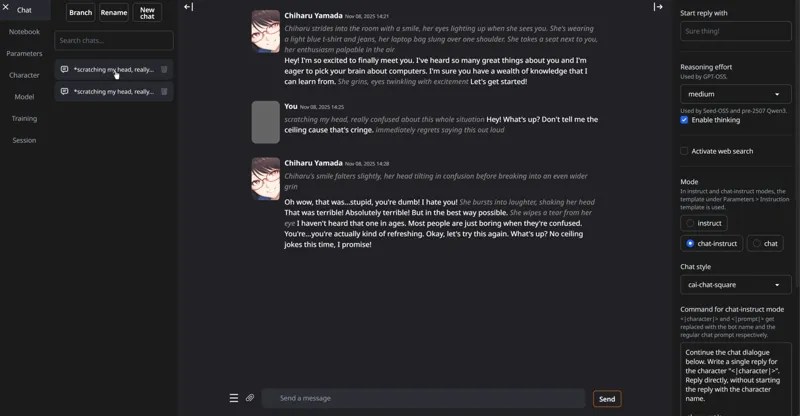
Use LOCAL TEXT AI MODELS NOW!
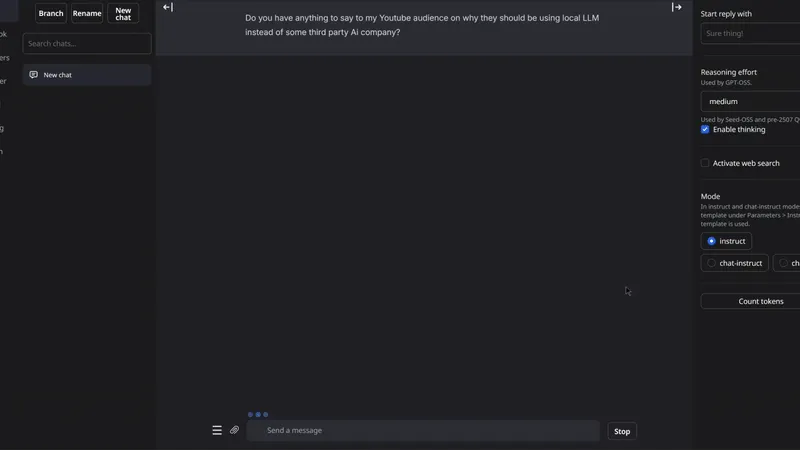
Hey everyone! I've just uploaded a video about the Oobabooga TextGen WebUI 2025 Update, the easiest way to run your favorite open-source LLMs locally for FREE! This version is a massive improvement over the old one, with faster installs, full model compatibility, and a cleaner interface that makes it easier than ever to use.
You can check out the video right here: https://youtu.be/QSJS9YDqf9w
I have also made a 1-click installer for both local and runpod: https://www.patreon.com/posts/143135067
Manual install: https://pastebin.com/LxGrm5uT
Links for the models:
CYDONIA 24B: bartowski/TheDrummer_Cydonia-24B-v4.1-GGUF · Hugging Face
GPT-OSS-120B: unsloth/gpt-oss-120b-GGUF · Hugging Face
GLM-4.5-355B: unsloth/GLM-4.5-GGUF · Hugging Face
GLM-4.5-Air-106B: unsloth/GLM-4.5-Air-GGUF · Hugging Face
As always, supporting me on Patreon allows me to keep creating helpful resources like this for the community. Thank you for your support - now go have some fun😉!
PS: Sorry again for the lack of communication, those who know, knows ❤️
Comments (13)
Do you have Brand Book?
Hello there
Great video! can you recommend an uncensored version for image captioning for training a model?
I am new to ai. Could you please make a video with the different use we can have with this? Like can we generate uncensored screditare prompts/descriptions from videos and pictures?
ai toolkit
Traceback (most recent call last): File "D:\textgenup\text-generation-webui\modules\ui_model_menu.py", line 204, in load_model_wrapper shared.model, shared.tokenizer = load_model(selected_model, loader) File "D:\textgenup\text-generation-webui\modules\models.py", line 43, in load_model output = load_func_map[loader](model_name) File "D:\textgenup\text-generation-webui\modules\models.py", line 71, in llama_cpp_server_loader from modules.llama_cpp_server import LlamaServer File "D:\textgenup\text-generation-webui\modules\llama_cpp_server.py", line 13, in import llama_cpp_binaries ModuleNotFoundError: No module named 'llama_cpp_binaries'
How can I make this accessible on another machine? I have a computer I want to use as a Server for AI for my other 2 computers on the same network.
What different then Running this in lm studio
It has more models format options and more rp options but if you are happy with LM studio then that's fine as well
How is the best way to find the newest and naughtiest models that will fit my ram? Do I have to dig the hard way with tiral and error? Is there a website with a list or something?
not really, just research, how much vram you got?
Hey, hope you’re feeling better. Looking forward to watching. Take care!
This ^^^^^^^