
1-Click INSTALL 3 TTS WEBUI! Get The BEST TTS!
Silent Edit 10 december 2024:
I modified the installer with the newest V2 version, that will now install the PORTABLE versions of the xtts webui and the finetune webui (the XTTS-RVC ui is no longer needed since you can use RVC inside the xtts webui now).
From now on, just run the run.bat file inside the folders for the webui you wanna use and follow what's written in the readme.txt file for each webui so that you know what to do. New updated video about text to speech will be made as well.
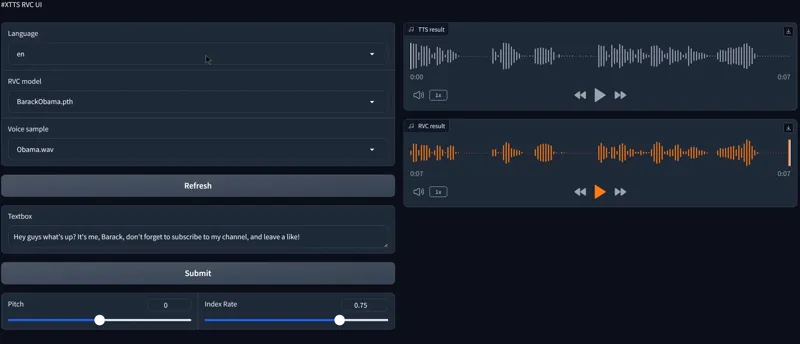
Hey everyone! I've created a 1-click installer for the 3 TTS WEBUI (Xtts webui, Xtts finetune webui and Xtts RVC UI). These open-source tools will allow you to make the best Ai text-to-speech voices on your local computer with 3 different methods and 3 Webui! So that no matter who you are and what your goals are, you get the best quality possible! Bye-bye elevenlabs!
Watch the video about The ULTIMATE LOCAL TTS: https://youtu.be/ds5LLIt5OLM
The installer of course automates the entire install process for the 3 WEBUI!
Here's how it works:
1. Download the FFMPEG-INSTALL AS ADMIN.bat and RUN THIS AS ADMINISTRATOR (right click---> run as admin) this will download FFMPEG and add it to path, no need to use this if you already have ffmpeg installed and added to path of course.
2. Download the installer (ULTIMATE-TTS_AUTO_INSTALLER.bat)
2. Create a new folder on your computer and place the installer inside
3. Launch the installer
4. Select which webui you want to install (type 4 if you want to install them all)
5. After each single install, close the current install window so that the next one can start (press n if it asks you if you want to terminate the batch job) until all webui are installed
6.????
7. Profit 😎
As always, supporting me on Patreon allows me to keep creating helpful resources like this for the community. Thank you for your support - now go have some fun😉!