
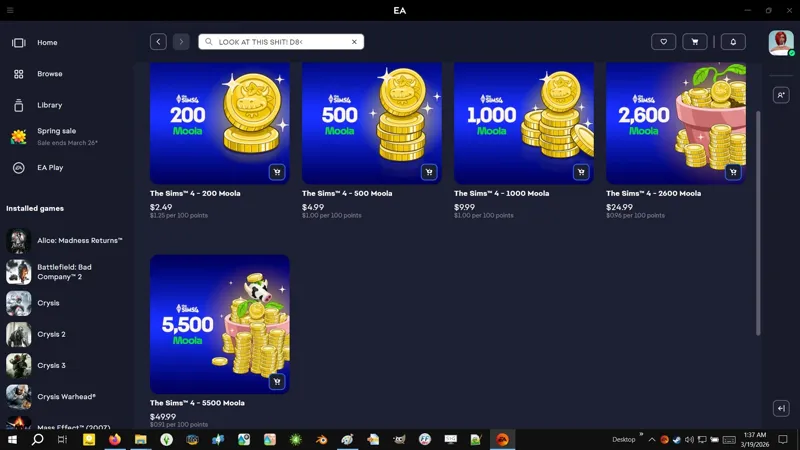
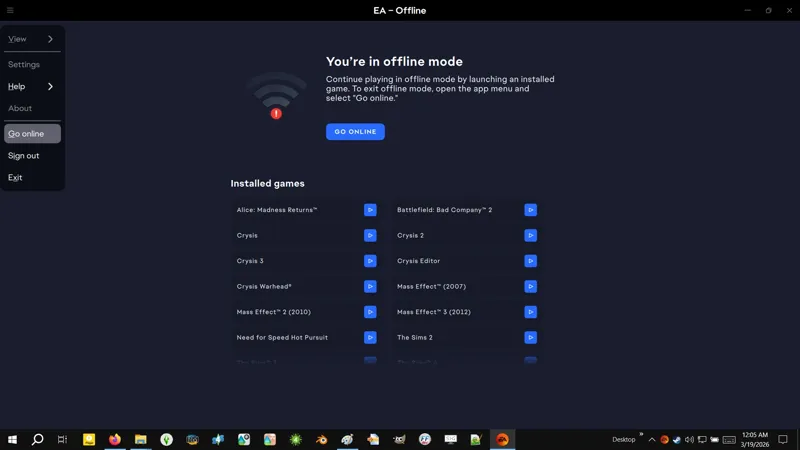
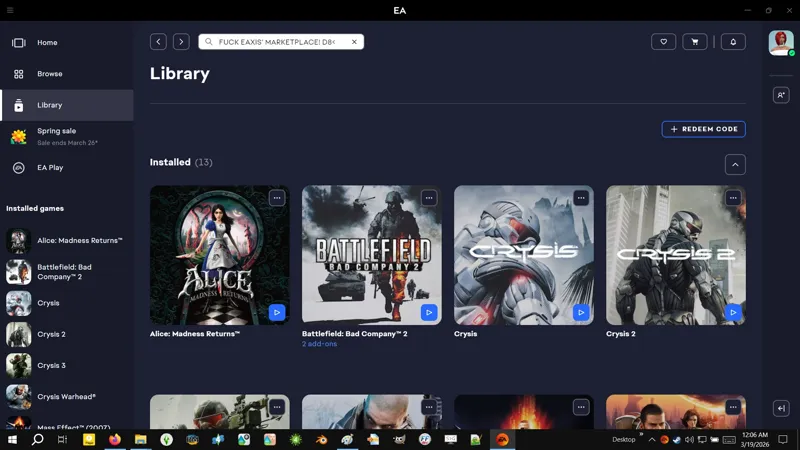
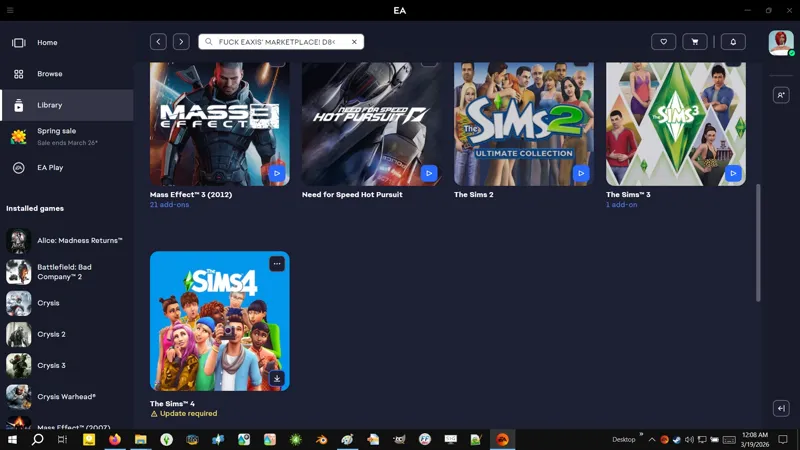

🔄💀☢️ Update 3/17-18/2026 (X) -- DO NOT UPDATE YET IF YOU HAVEN'T. -- [3/20] ⚠️ TMEX Discord says... I'm paraphrasing, 🥁 "Game still !@#$ed in other ways!" -- My goodness... Shall we finish these backup and restore instructions? Also, Patreon !@#$ed with the "Notify" options again. I swear... 😹🤪
🔄 EAxis Update Notes -- https://../news/update-3-17-2026
🔄 EAxis Update Notes -- https://../news/update-3-18-2026
🌹 Scarlet's Update Notice -- https://../posts/153281178
🐞 Bug Reports "New" -- https://../the-sims-4-bug-reports-en=New
🐞 Bug Reports "Most Recent" -- https://../the-sims-4-bug-reports-en=mostRecent
🧰 Sims 4 Studio -- https://sims4studio.com/#category-2
🧰 CmarNYC Tools (maintained by S4S_Andrew) -- https://github.com/CmarNYC-Tools
☢️ EAxis broke mod support with Update 3/17/2026. Not individual mods that required compatibility updates, nay, they broke mod support! It's allegedly hotfixed now with Update 3/18/2026, but somepony explain to me how the flying !@#$ EAxis gon' release an update where they fiddle with mod support, without checking that it still works! I'm supposed to believe they couldn't toss a basic third-party mod into a Mods folder and launch the !@#$ing game?! Nah, bruh! That wasn't "mistakes will happen". That was incompetence fueled by corporate greed. The Marketplace of Forced Microtransations and The Dangling Cross-Platform Mod Support Carrot is here. Everything is shameless corporate greed.
👹 DO NOT go sending death threats to game developers. The real villain is Electronic Arts and billionaire greed, not the people just trying to do their job. Criticize, drag, and lambast as necessary, but don't drag people's lives into it unless they are actively harming others.
⚠️ BACKUP YOUR MODS! Download everything you want for the previous version of the game if you don't already have it (before mod creators update and take down the previous versions), in case this is the beginning of the end, and we need to fall back on Update 2/19/2026 (1.121.372.1020).
💀 BACKUP YOUR GAME IF YOU HAVE THE STORAGE SPACE FOR IT! A full backup is simple, but you can also do a partial backup of specific files and folders from your INSTALL FOLDER if you don't have the storage space for a full backup. If you can find a guide online, then go ahead. If not, then wait for me. I will provide some detailed instructions in this post. Gimme some time.
🪦 BACKUP YOUR SAVED GAMES / USER FOLDER -- Your "saved games" are located in the "saves" folder in your USER FOLDER (*\Documents\Electronic Arts\The Sims 4). Unless I'm mistaken, if you update the game and then launch it, the game will automatically update your saved game files for game version compatibility. If you then decide to "roll back" your game, it will say that your saved game files are incompatible.
💜 I'm reiterating my commitment to building and maintaining mods for any version of the game. If the specific mod can work on an "older version" of the game, and someone wants/needs it, then I will build a game version variant for it.
🐱 No, this isn't the end for me or my mods. As long as folks are still playing the game, and the internet permits, and we ain't all dead in nuclear war, I will mod. The Sims 4 remains the only game of it's kind that I can create a character in that represents me. They don't get to take that from me. The modding resumes soon!
🐱 Also... I kinda disappeared over the past few days, sorry. I got my Redragon M908 mouse, but more importantly, I swapped out my computer's power supply unit. My Corsair AX1000 was definitely a cockroach A.K.A. a skull 💀 A.K.A. a major culprit behind my PC woes! I replaced it with a generic AZZA 650W PSU and... my PC ain't been this stable in a while! I've ordered a Thermaltake Dr. Power III to test it because I ain't about to just toss an AX1000, and a WOLFBOX MF200 Electric Duster because I go through cans of air too quickly. Next on the list is the monitor. Meanwhile, I need to test my old RAM with memtest86 to see if they're still good. Is a low latency G.SKILL Trident Z DDR4 CL14-14-14-34 kit that cost me $165 USD in 2023, but has since skyrocketed to $825 USD in 2026, thanks to AI. I've decided that if I can't find an LGA1151 motherboard for my i5-8600K CPU, then I will upgrade to LGA1700 DDR4 (if my RAM is still good) and get a DINOSAUR 🦖 CPU (an Intel "Raptor Lake" 13th Gen or 14th Gen CPU - totes overkill, but I like dinosaurs - yes, I know, it's the silliest reason ever to spend that much money on a catdamn CPU 😹). I wanted to upgrade to Raptor Lake back in 2023, but... !@#$ happened. Maybe is my second chance?
🕒 I will expand this post later. I'm late for Hardware Doody!
⋆ ── ─ ─ ─ ─ ─ ─ ─ ─ ─ ─ ⋆ \\🚧// ⋆ ─ ─ ─ ─ ─ ─ ─ ─ ─ ─ ── ⋆
☆// ⋆ GAME BACKUP - BEFORE WE BEGIN:
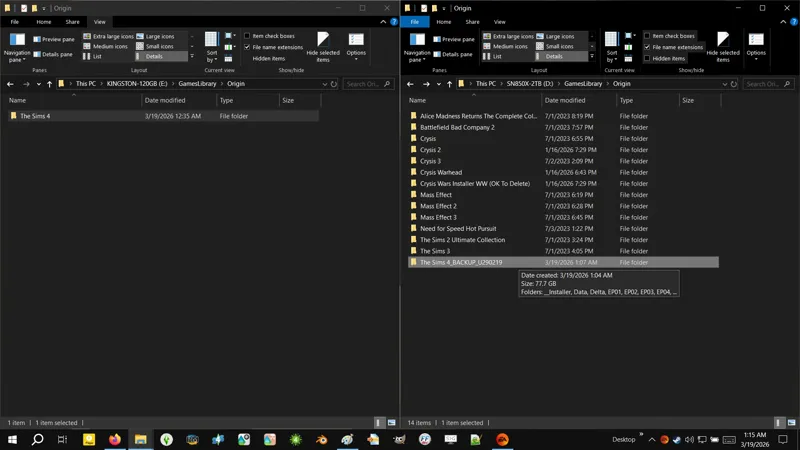
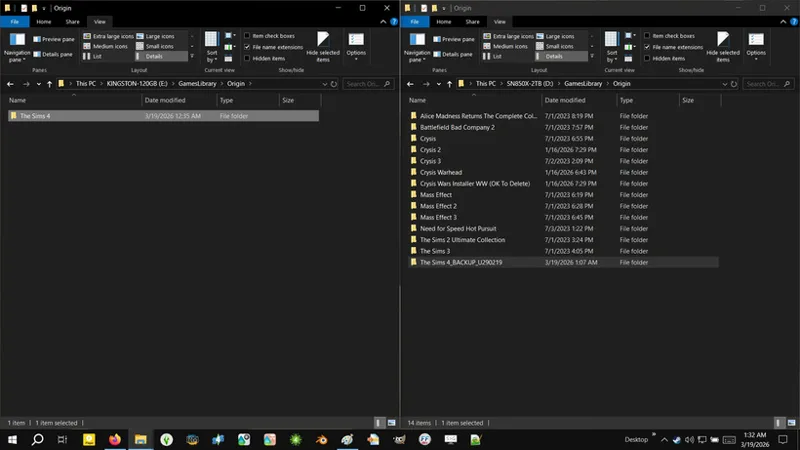
Due to my current storage drive setup (and because we're doing this now after the update is already "live"), I have to do the "FULL BACKUP" onto a different storage drive than the one the game is currently installed on - because I cannot move my game installation without EA App forcing a file verification and triggering the update (maybe possible with Registry Editing, but we ain't got time for that right now).
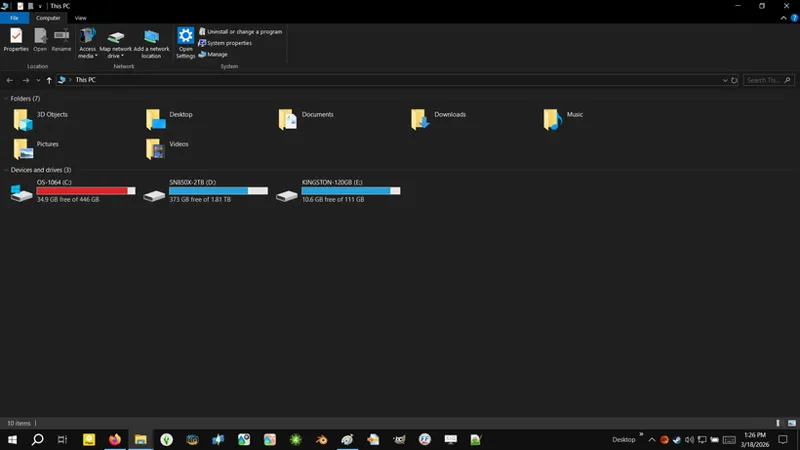
I have (3) storage drives in my computer:
1 × 500 GB SATA SSD -- For OS and general use.
1 × 2 TB SN850X M.2 SSD -- For videogame installations.
1 × 120 GB SATA SSD -- I tossed The Sims 4 onto this when my SN850X was constantly disconnecting (which I now believe was due to my failing AX1000 power supply unit, and not my motherboard).
Yes, I am perpetually in a state of always needing more storage space.
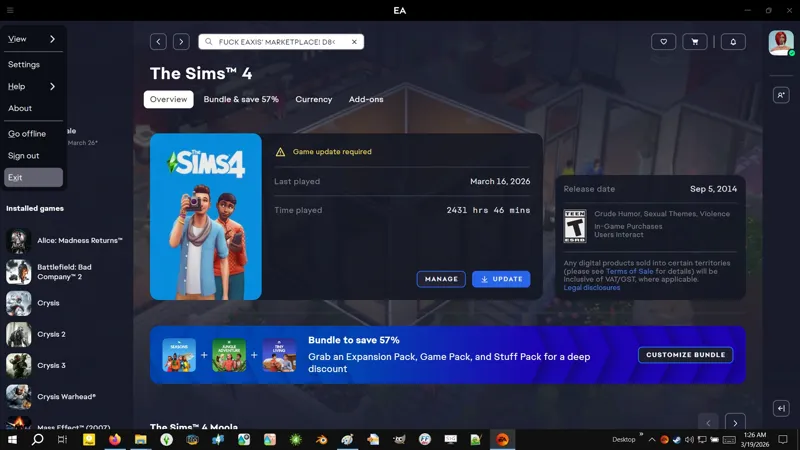
I want to show you how to find your "INSTALL FOLDER" (game install location) through EA App, which is why I'm highlighting this irrelevant thing.
I would have preferred to show you how to do both the "FULL BACKUP" and the "LIMITED BACKUP" on the same drive the game is installed on, but the 120 GB SATA SSD that The Sims 4 is currently on, doesn't have enough space for either.
None of this changes the backup instructions, it just means I will be backing up my game onto a different storage drive than the one it's installed on.
Point is that you do not need to have a different storage drive for backing up your game.
You can do it all on the same storage drive if necessary.
☆// ⋆ GAME BACKUP - GLOSSARY:
I use made-up terms and silly words for things:
ELSWEYR -- The home of the Khajiit (kittyfolk) in The Elder Scrolls. I use it in place of the word "elsewhere" to mean the same thing: "somewhere else".
COPYPASTE -- This is literally just the action of copying a file or folder and then pasting it Elsweyr (somewhere else). Backing up the game is literally just copypasting it.
INSTALL FOLDER -- This is the folder your game is installed in. By default, it's "C:\Program Files\EA Games\The Sims 4".
USER FOLDER -- This is the "The Sims 4" folder that's created in your "Documents" folder the first time the game is launched. It contains your "Mods" folder. By default, it's "C:\Users\<YOUR_USER_PROFILE_HERE>\Documents\Electronic Arts\The Sims 4"
FULL BACKUP -- This is a complete copypaste of your INSTALL FOLDER.
LIMITED BACKUP -- This is a partial backup that only copypastes the necessary files required for a backup. This game has "two sets" of game files in the INSTALL FOLDER: the "original game resources" from 2014, and "update resources" that function like our mods, i.e. they override the original game resources. We only really need to backup the update resources, because the original game resources are never altered (so far). The original game resources amount to 7.86 GB for the BASE GAME, and over 50 GB for DLC! In other words, the bulk of the INSTALL FOLDER ain't necessary when backing up the game.
NO-PIRACY BACKUP -- This is an even partial-er backup than the LIMITED BACKUP, but it is dependent on the availability of other game resources (covered by the LIMITED BACKUP) and your willingness to download those other game resources (is .PACKAGE files, totes safe) from totes unscrupulous and untrustworthy sources!!!!111 Technically, you can get away with just backing up around 600 MB of game resources if you're really strapped for storage space, but if those "totes unscrupulous and untrustworthy sources" ever disappear, then you're !@#$ed... unless of course someone is willing to share them publicly. <LOOKS AROUND> Moi? 😹
⋆ ── ─ ─ ─ ─ ─ ─ ─ ─ ─ ─ ⋆ \\🚧// ⋆ ─ ─ ─ ─ ─ ─ ─ ─ ─ ─ ── ⋆
☆// ⋆ GAME BACKUP - LOCATE YOUR INSTALL FOLDER:
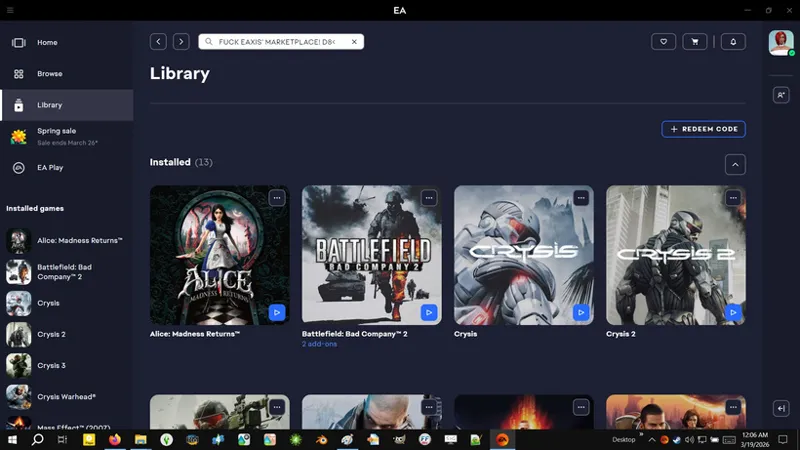
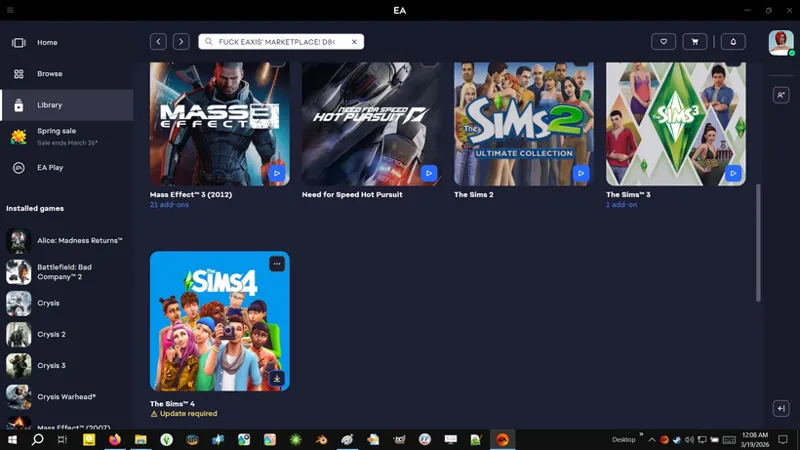
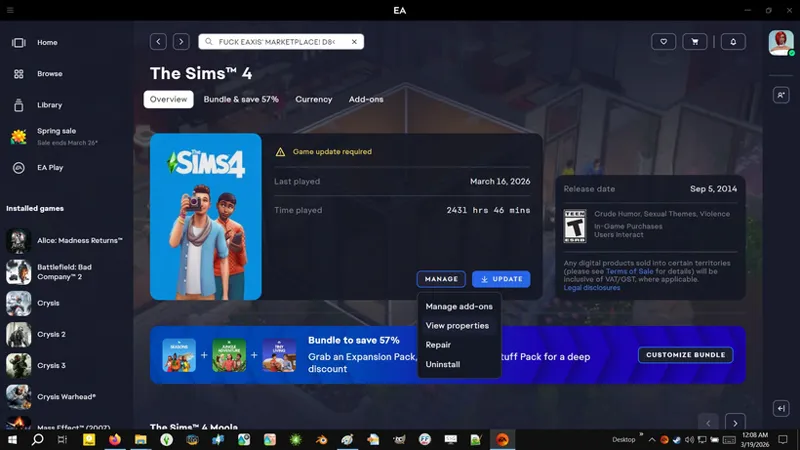
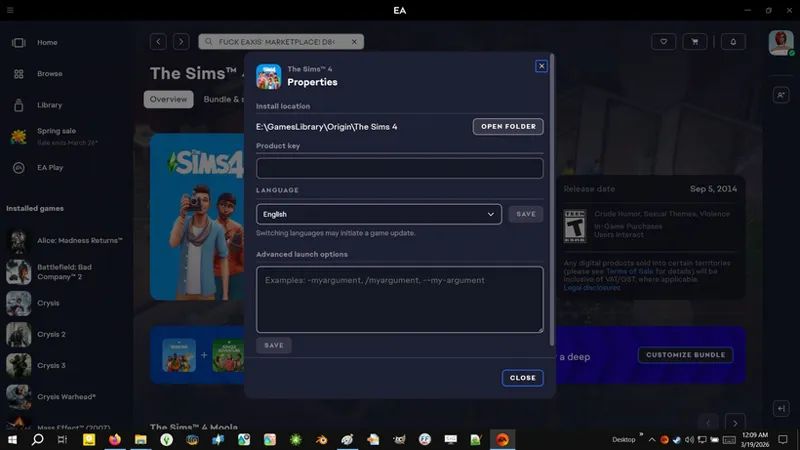
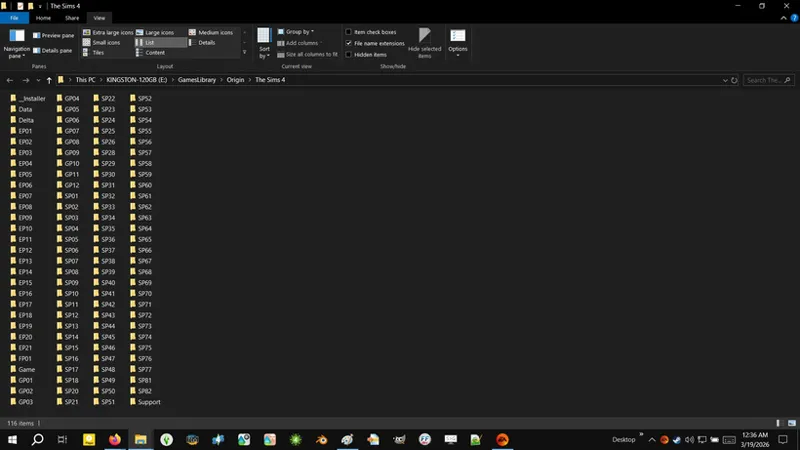
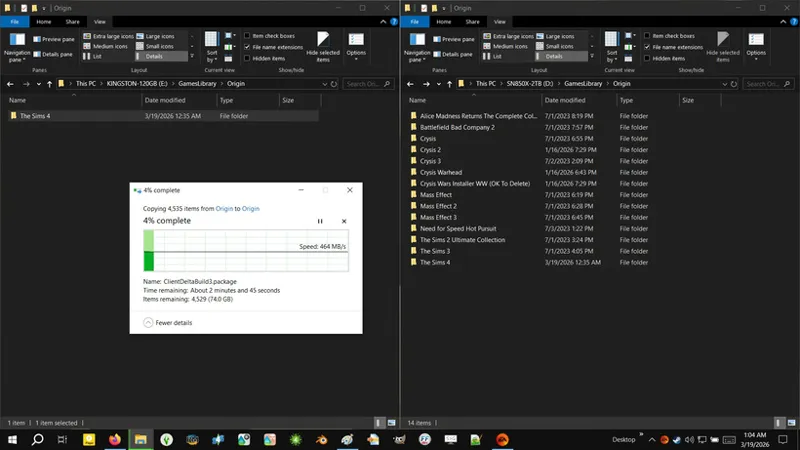
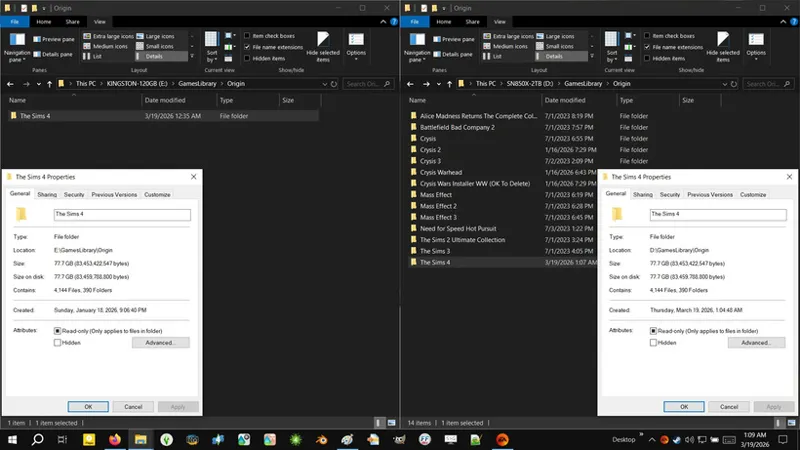
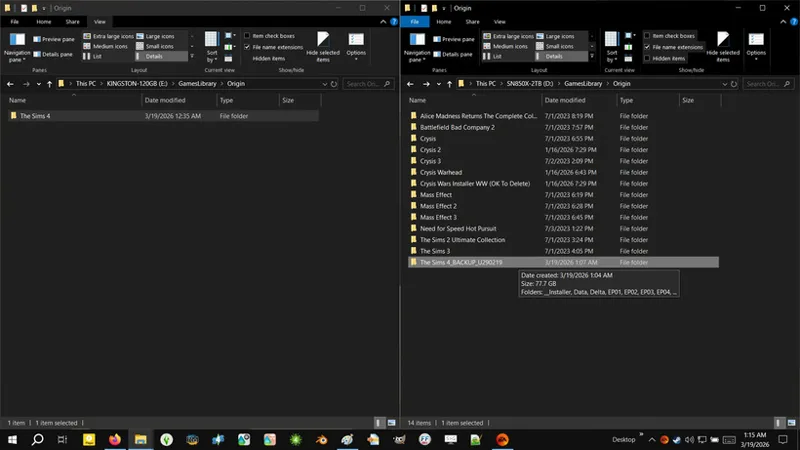
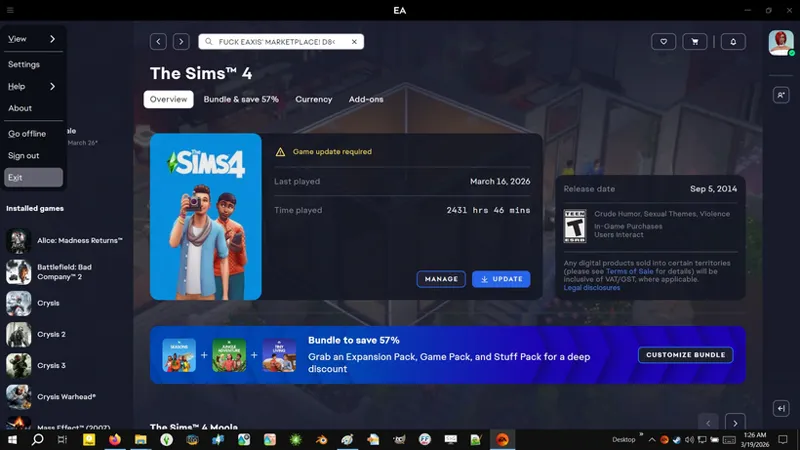
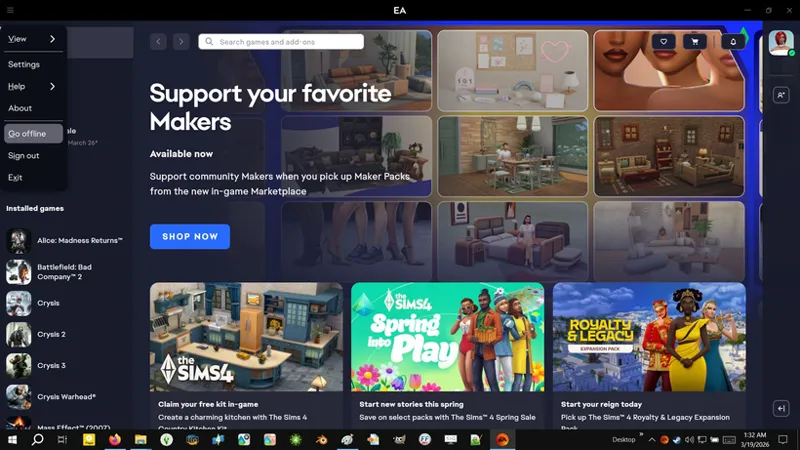
Look to the top of the post for full resolution screenshots. Patreon is still doing this !@#$ where they resize inline images.
This is simple:
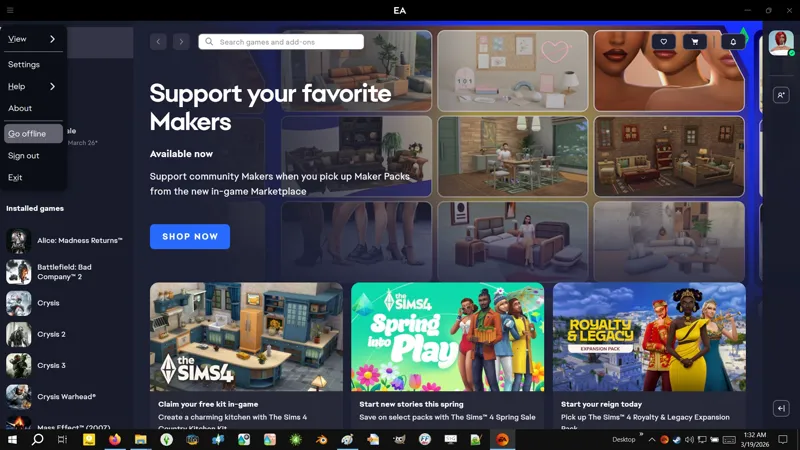
Open EA App.
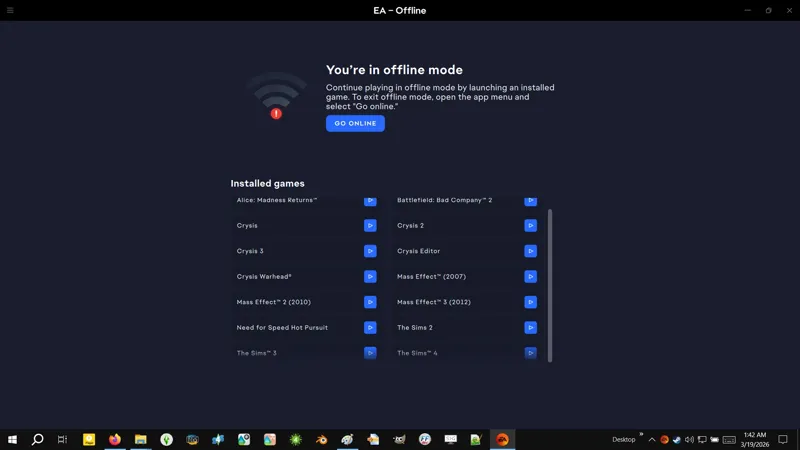
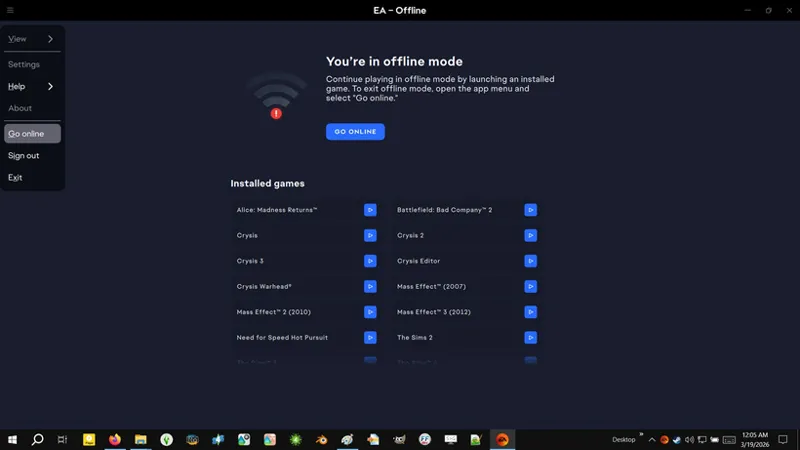
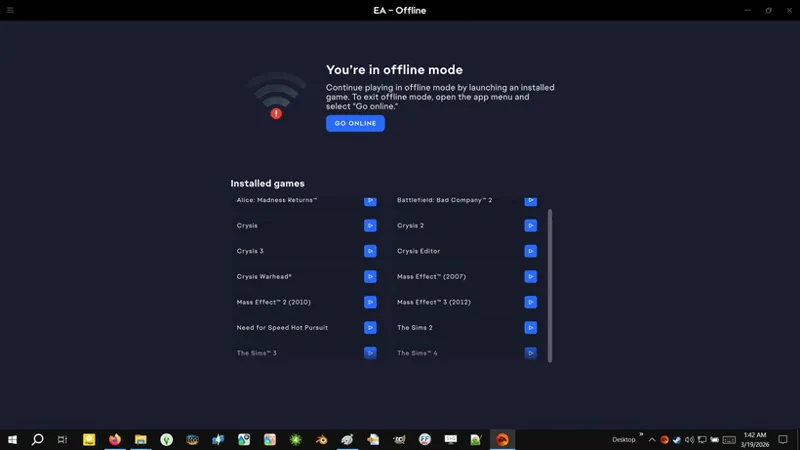
You need to be in ONLINE MODE, so switch to ONLINE MODE if you're in OFFLINE MODE.
Navigate to your LIBRARY.
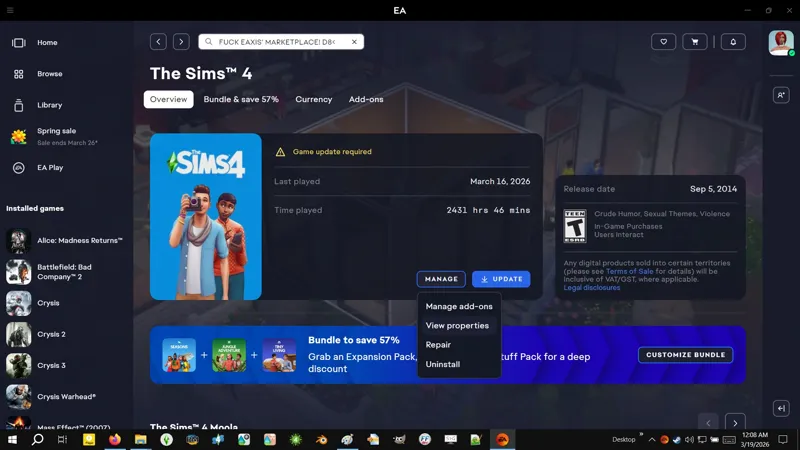
Click on your installation of The Sims 4.
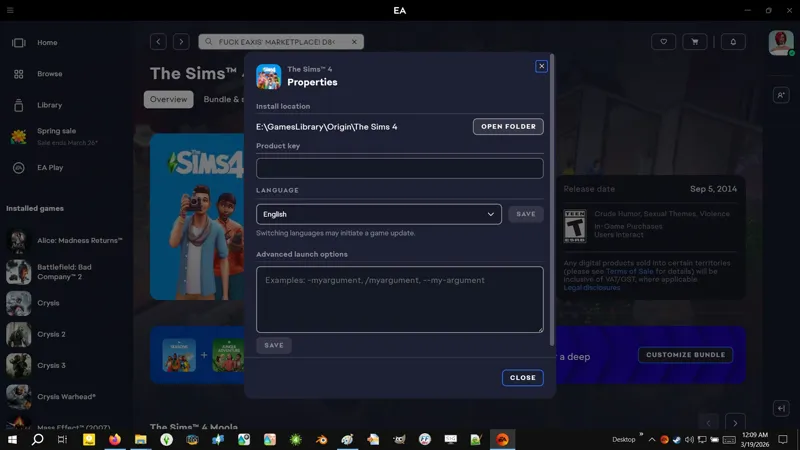
Click on MANAGE » VIEW PROPERTIES.
Click on OPEN FOLDER.
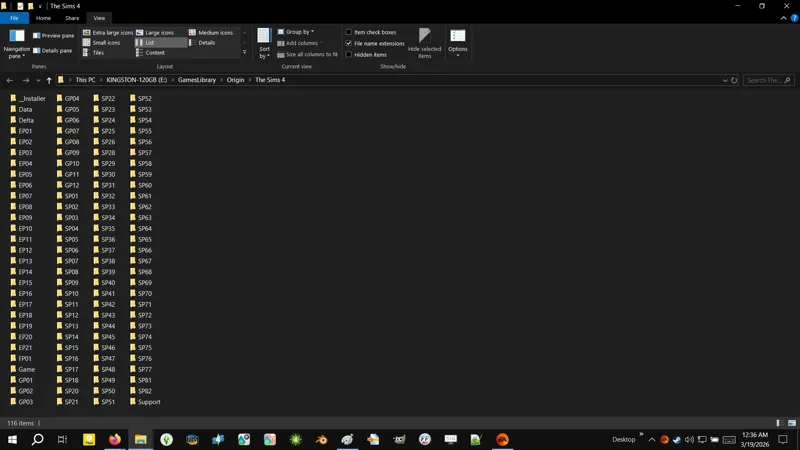
Et voila! Your INSTALL FOLDER! Now the fun can begin!
☆// ⋆ GAME BACKUP - FULL BACKUP & RESTORE:
If you have every DLC ever released, then you need a whopping 78 GB+ of available storage space to do this.
A "FULL BACKUP" is literally just copypasting your entire INSTALL FOLDER.
You can do this in the same location the INSTALL FOLDER is in, which will likely give you a folder named "The Sims 4 - Copy", or you can copypaste it Elsweyr.
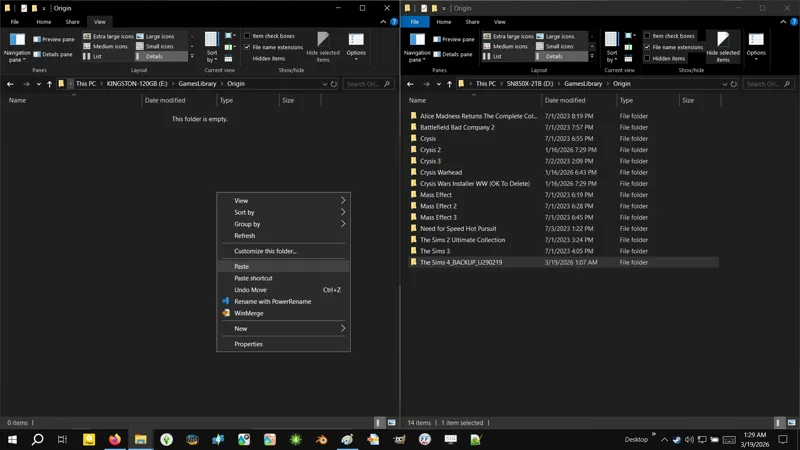
For this tutorial, I will be copypasting my INSTALL FOLDER Elsweyr, because the storage drive the game is installed on is almost full.
I advise renaming your BACKUP FOLDER to include the Update date identifier. Screw the actual game version number, Update date is easier. Make life easy:
The Sims 4_BACKUP_U[YYMMDD]
The Sims 4_BACKUP_U260219
The "U" stands for "Update". "U260219" is Update 2/19/2026.
Easy peasy, and this is proper folder/file name format for backup and archiving. There's a reason I don't use "version numbers" to identify my mod releases - "version numbers" are trash for archiving, and I archive every single release of my mods. I have them all. MINE! ALLSPARK! 🐱
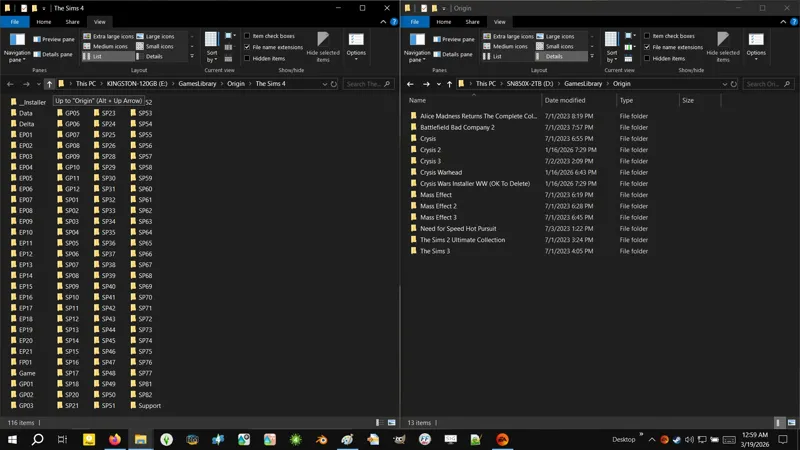
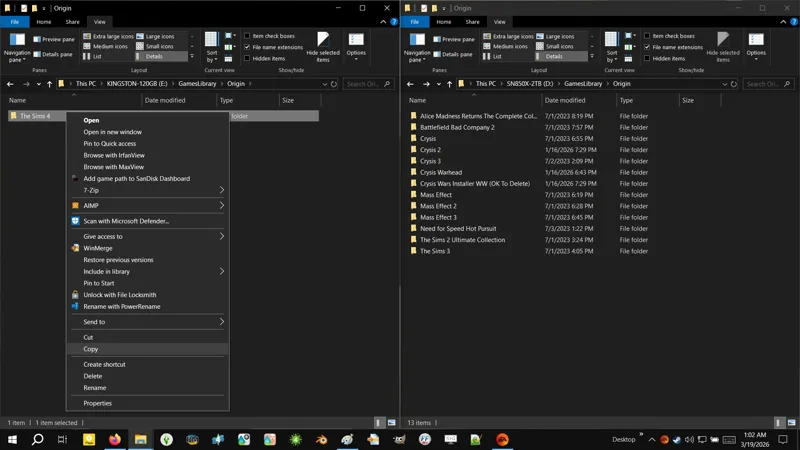
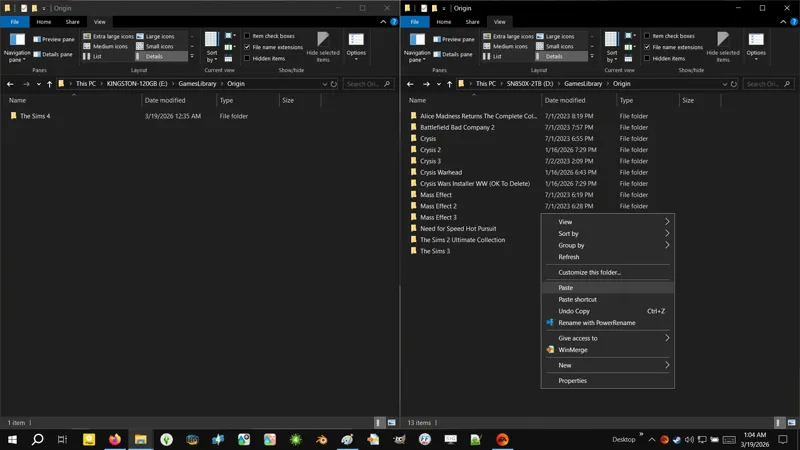
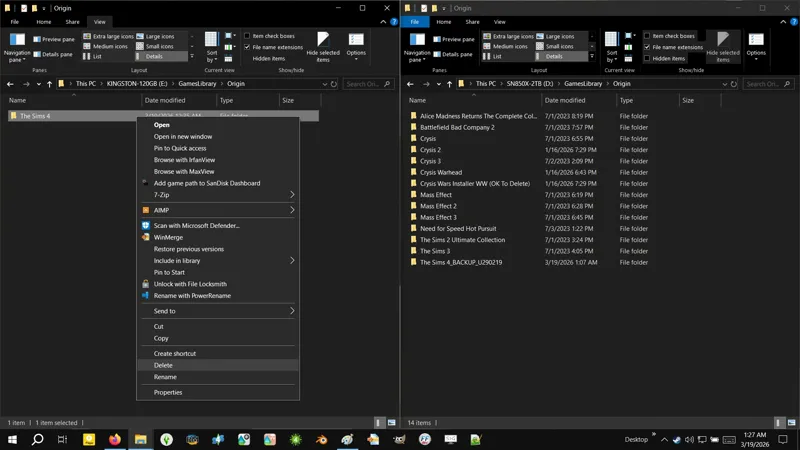
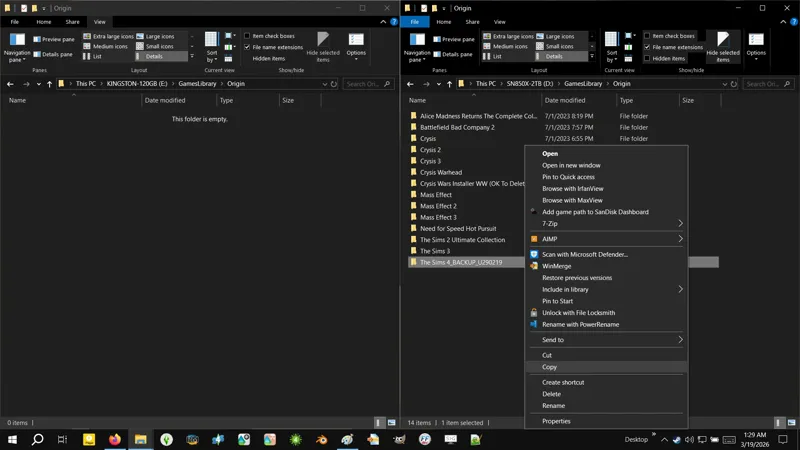
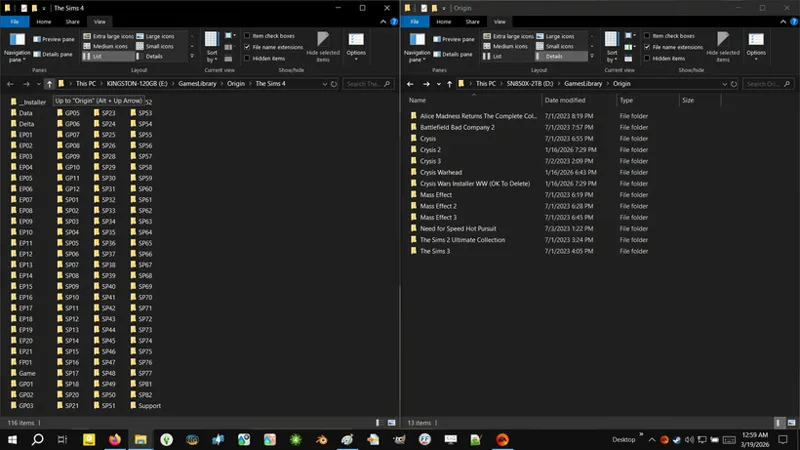
As we proceed, you'll notice in my screenshots that I have my INSTALL FOLDER opened in one window, and my BACKUP LOCATION opened in another window, with both windows stacked side by side.
Leggo:
With your INSTALL FOLDER open, navigate to the PARENT FOLDER a.k.a. the folder your INSTALL FOLDER is in.
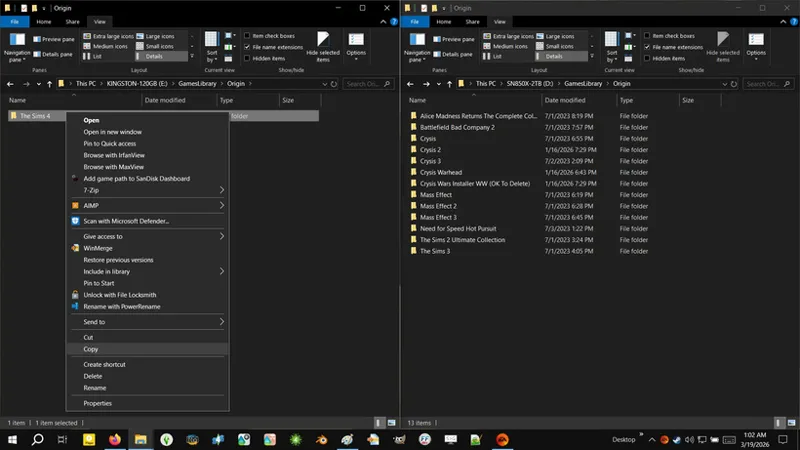
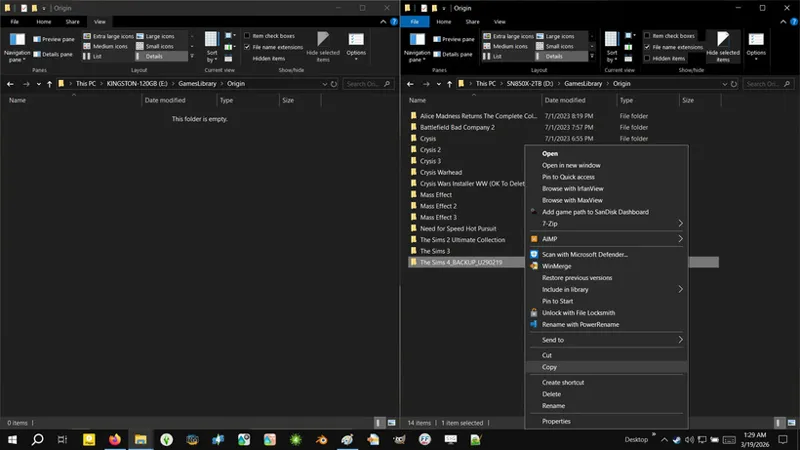
Right-click on your INSTALL FOLDER and select COPY.
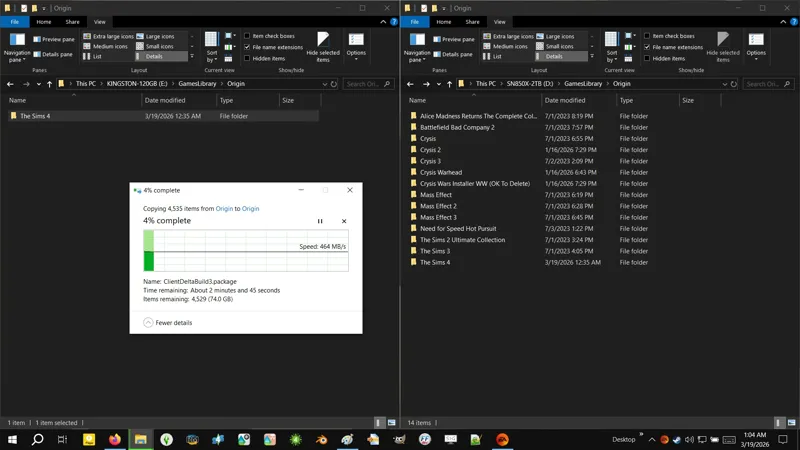
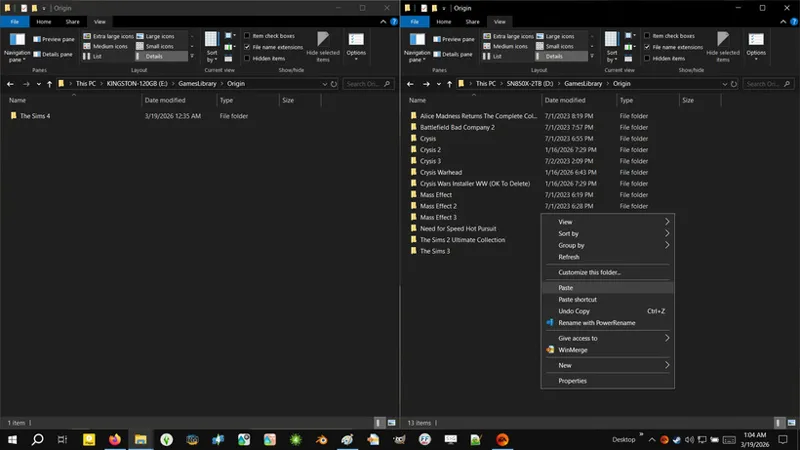
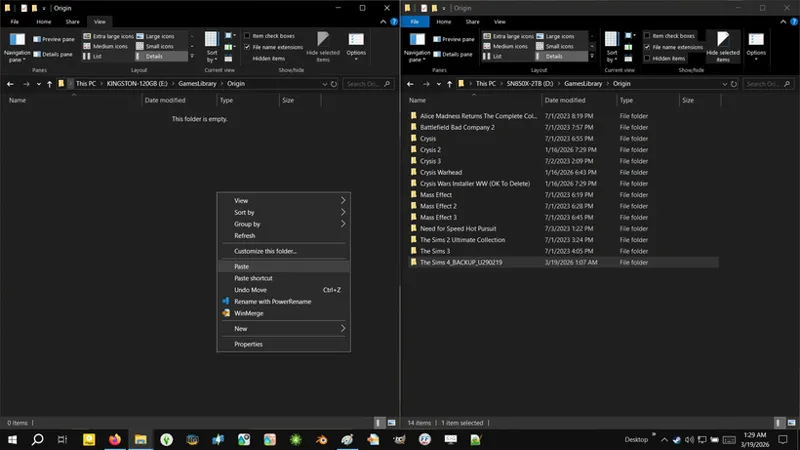
Right-click in your BACKUP LOCATION (this can be the same location your INSTALL FOLDER is in) and select PASTE.
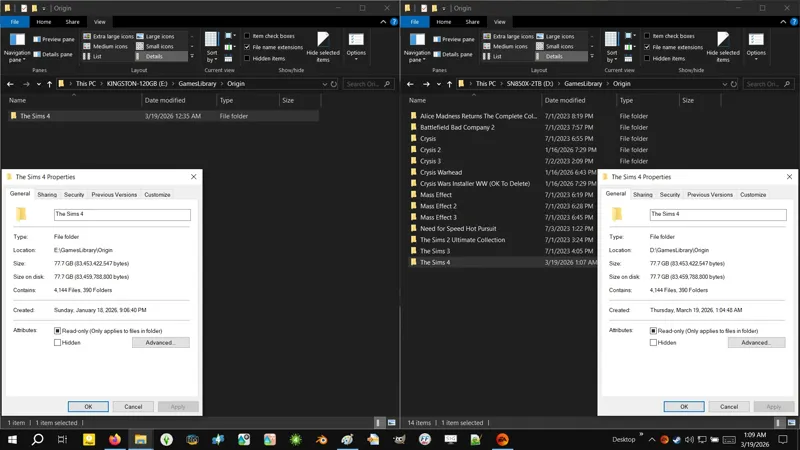
Wait for the copypaste process to complete.
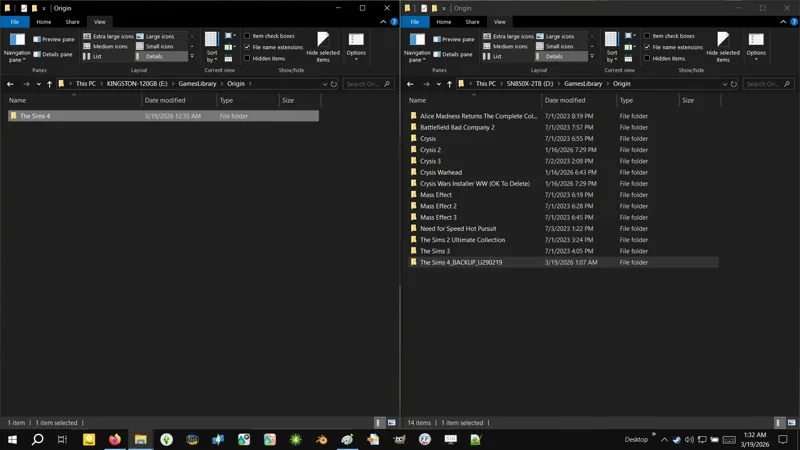
Et voila! Achievement Unlocked: Successfully execute a "FULL BACKUP" of your INSTALL FOLDER!
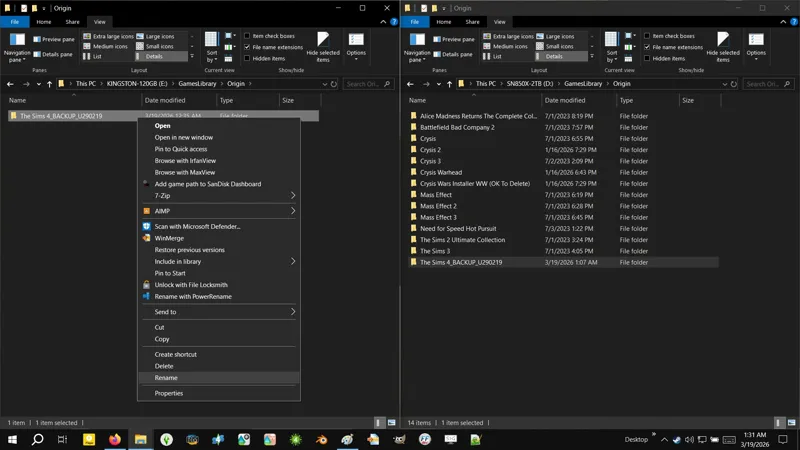
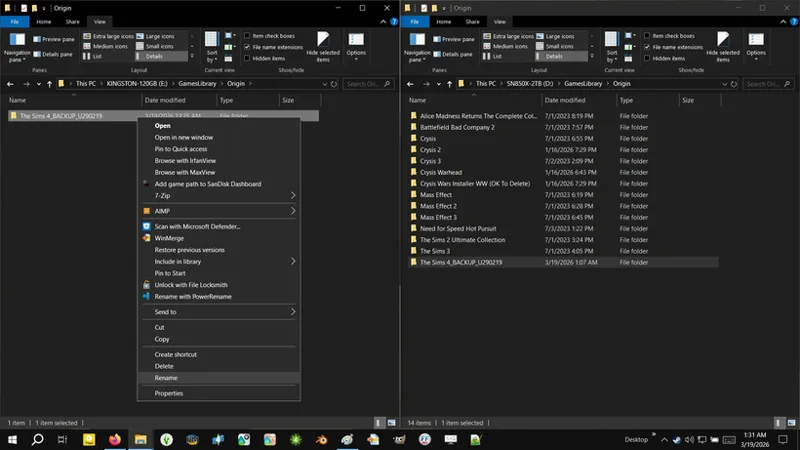
Now be a dear and rename your BACKUP FOLDER so you don't confuse yourself.
Now, if you update and find that EAxis has absolutely !@#$ed the game, what you do is:
Exit EA App.
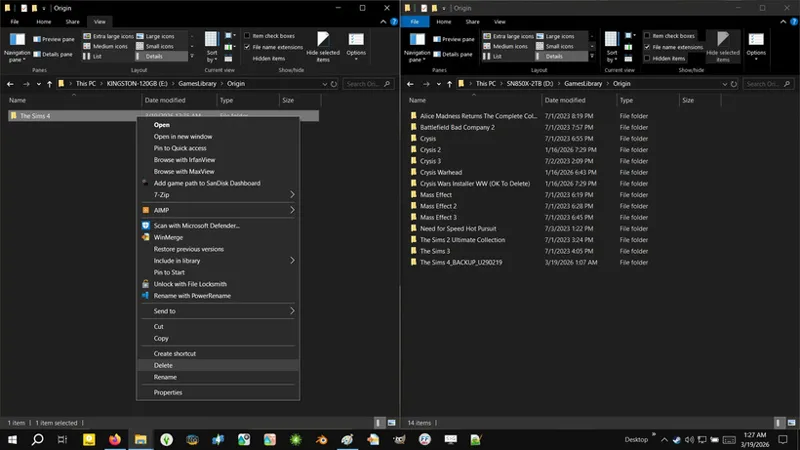
DELETE your updated INSTALL FOLDER.
Right-click on your BACKUP INSTALL FOLDER and select COPY.
Right-click in your INSTALL LOCATION and select PASTE.
Wait for the copypaste process to complete.
Rename your BACKUP INSTALL FOLDER to "The Sims 4".
Launch EA App and go into OFFLINE MODE.
Give EAxis the finger for their continued incompetence, and play the previous version of the game to your heart's content.
☆// ⋆ GAME BACKUP - LIMITED BACKUP & RESTORE:
For this, you will need a whopping... I'll find out when I'm done.
Strap in, 'cause we gon' get wild up in this 🐝!
Leggo:
Create a NEW FOLDER in your BACKUP LOCATION and rename it as...
The Sims 4_BACKUPLIMITED_U[YYMMDD]
Open your newly created folder a.k.a. your BACKUP FOLDER.
Copypaste the DATA folder from your INSTALL FOLDER to your BACKUP FOLDER.
Wait for the copypaste process to complete.
Now open the DATA folder in your BACKUP FOLDER and then open the CLIENT folder.
Now DELETE the following .PACKAGE files:
ClientFullBuild0.package
ClientFullBuild1.package
ClientFullBuild2.package
ClientFullBuild3.package
ClientFullBuild4.package
ClientFullBuild5.package
ClientFullBuild6.package
ClientFullBuild7.package
ClientFullBuild8.package
Now navigate back to your BACKUP FOLDER.
Now copypaste the following folders from your INSTALL FOLDER to your BACKUP FOLDER:
__Installer
Delta
Game
Support
Wait for the copypaste process to complete.
Et voila! Achievement Unlocked: Successfully execute a "LIMITED BACKUP" of your INSTALL FOLDER!
Look at the size difference. This is what a LIMITED BACKUP looks like.
Now, if you update and find that EAxis has absolutely !@#$ed the game, what you do is:
Open your INSTALL FOLDER and DELETE the following folders:
__Installer
Delta
Game
Support
Copypaste the following folders from your BACKUP FOLDER to your INSTALL FOLDER:
__Installer
Delta
Game
Support
In your INSTALL FOLDER, open the DATA folder and delete the following folders:
Shared
Simulation
Copypaste the following folders from the DATA folder in your BACKUP FOLDER to the DATA folder in your INSTALL FOLDER:
Shared
Simulation
In the DATA folder of your INSTALL FOLDER, open the CLIENT folder.
In the CLIENT folder of your INSTALL FOLDER, DELETE everything EXCEPT the following .PACKAGE FILES:
ClientFullBuild0.package
ClientFullBuild1.package
ClientFullBuild2.package
ClientFullBuild3.package
ClientFullBuild4.package
ClientFullBuild5.package
ClientFullBuild6.package
ClientFullBuild7.package
ClientFullBuild8.package
Now open the CLIENT folder in your BACKUP FOLDER and copypaste everything in there into the CLIENT folder of your INSTALL FOLDER. You should have absolutely no "Overwrite?!?!?!" prompts.
Et voila! Launch EA App, go into OFFLINE MODE, launch the game, and give EAxis the finger for their continued incompetence.
☆// ⋆ GAME BACKUP - NO-PIRACY BACKUP & RESTORE:
A NO-PIRACY BACKUP is similar to a LIMITED BACKUP, except we're omitting even more files and folders, and relying on TOTES NOT PIRACY to reacquire the omitted files.
I do not advise going through this specific headache unless you absolutely do not have the storage space required for a LIMITED BACKUP.
You absolutely cannot rely on TOTES NOT PIRACY to keep a specific version of The Sims 4 available, especially via <COUGHS> CARROTS! 🌊
However, I will keep a FULL BACKUP of Update 2/19/2026 on hand, along with a copy of the modding tools compatible with Update 2/19/2026, and if necessary, I will find a way to share them.
Whatever respect I had for EAxis, is gone with the release of The Marketplace of Forced Microtransations and The Dangling Cross-Platform Mod Support Carrot.
No grace is given here, because they damn well know what they're doing.
I wasn't born yesterday.
Furthermore, I would never put "CAS Filters", or any of my other mods, behind a perma-paywall. Not even an EAxis-approved perma-paywall.
If this is the path they choose to remain on, then they can go !@#$ themselves. 👹
And this, folks, is why I will never be approved as a "Maker". 😹
TBC...
⋆ ── ─ ─ ─ ─ ─ ─ ─ ─ ─ ─ ⋆ \\🚧// ⋆ ─ ─ ─ ─ ─ ─ ─ ─ ─ ─ ── ⋆
☆// ⋆ TBC...
<EXHALES SHARPLY>
Why the !@#$ did Patreon remove the little drop-down "Update & Notify" option?
And why didn't they just add it as another button to the top bar, instead of dumping it under "Emails and notifications" as a catdamn switch that I have to toggle every catdamn time?!
PATREON!
STAHP MAKING THE !@#$ING INTERFACE MORE IRRITATING TO WORK WITH!
EXPAND THE CATDAMN BUTTONS AT THE TOP OF THE EDITOR!
.............................................................................. 😤
WOOSAH!
Too much shit is happening right now.
Is it at all possible for us to minimize the day-to-day frustrations while the world is literally going to shit?
Yes?
No?
Maybe?!
😹😾
Comments (15)
sims 4 Base Game update May 12th fyi
Hi ! Yeah, i just find out that it was from your folder that prevent my game to start, with a black screen and a messy menu. But now that i found out, ill wait for the update :) And thanks for all your work!
If you're using the FOMO Unlockers, then it was the one for Lost Legacies. I've updated it. If it's one of the other mods causing it, like the SGFX Overrides, then you'll have to gimme a hot minute til I finish these backup instructions. I'm updating right after! Then will work on updating the SGFX Updates and then it's back to wrapping up the CASO projects I mentioned and continuing CAS Filters. Also, you're welcome! 😸
Hi, just wanted to let you know that (this could just be MY game) the FOMO files appear to be preventing my game to launch post emergency CC patch (3/18). I've been dissecting my folders and adding things back in one at a time its a whole process- if this isn't able to be recreated by anyone else or by yourself please feel free to disregard!!! Much love and thank you for your work. Hope people aren't jumping down your throat too bad amidst CC Armageddon. <3
I'll look into it as soon as I update! Thanks for notifying me!
...how do I un-update my game?
There's no easy way to do it. You will have to: 1️⃣ Reacquire the big game files from an "unofficial" source. Yes, I do mean PIRACY. It's the easiest way, unless someone is willing to host the files themselves. 2️⃣ Get specific smaller files (entire folders of them) from another "unofficial" source, not specifically PIRACY, but anyone with the game installed who didn't update. This might not fall under anti-piracy rules on Patreon, so it's possible that I could ZIP these files and share them publicly, but I'd have to ask Support first. Shirley these files are already being shared on the internet and in Discord servers now that EAxis broke the catdamn game. Then you can replace the necessary files and run the game in OFFLINE MODE from the official EA App launcher... which also needs to be in OFFLINE MODE. Is not impossible to do, but you need to be careful about who and where you get the files from. -- Give them a day or two to fix the !@#$ they've done before you go down this route, because they Shirley cannot leave the game in the broken-arse state it's in right now. If modding doesn't work, then their glorious Marketplace of Forced Microtransations and the Dangling Cross-Platform Mod Support Carrot ain't good for squat... unless of course mods from the Marketplace work and we just ain't heard about it yet. In the meantime, I will see what options I have for hosting the necessary files myself.
Who sends death threats to devs? Thats so messed up. But I very much blame the devs for the ongoing incompetence. They deserve all the heat coming their way (without death threats).
I dunno if it happens with Sims devs, but I know devs for other games have gotten death threats from irate anonymous internet denizens, and I also know that during the initial MALWARE INCIDENT, some creators who had their mods compromised, received a lot of nasty personal messages (which IIRC included death threats and other threats), as though they were at fault for it. The responses I saw from affected creators were obnoxious, but we can agree that they shouldn't have gotten death threats to begin with... and then we can drag them for their obnoxious responses and (both the modding community and the mod hosting community) for failing to efficiently notify Simmers publicly and keep them updated publicly about what was happening, which, in part, led to those nasty personal messages. Yeah... I ain't ever gonna let that go. 😹👹 Some things need to be remembered, so that we don't repeat them.
ive looked to an alternative and just keep a basegame install for library access
Cc dosent work at all for me only what is working is faster skills and funcional handbag😱
They broke everything
😹😿😾👹 Y'know how folks like to get in a tizzy when we start criticizing the devs...? Like I get it, right. Is probably a skellington crew of overworked and underpaid devs trying to meet impossible release dates (and also some folks take their "criticizing" too far), BUT... HOW THE !@#$ DO THEY RELEASE AN UPDATE LIKE THIS WITHOUT TESTING THAT THIRD-PARTY MODS STILL WORK?! Even basic stuff like CAS and Tuning?! C'mon dawg! C'mon mayne! This is just greed and incompetence, and it gives game development a bad rep.
I'm just not gonna be updating the game anymore at this point. I already have the no-origin patch from Anadius, just so that I can keep working on whatever I need to in TS4 without the worry of an upcoming update, especially since I mostly use it as a project tool these days. The amount of bloat they put into this game has finally made me say, "Enough." I'm just done with the updates and bloat.
I agree! Here I hoped they'd move off of content and bloat, and focus on fixing the damn game, y'know, since we been getting some big bug-fixin' patches. But no! That was just to butter us up for this "Marketplace" !@#$!