🔄 Update 2/3/2026 (3.8x4 GB) -- Approach with caution. -- S4S updated to 3.2.5.7 + CASTools updated to 3.8.2.10. Now it's a party! Also, we should talk about "Hardware Doody" sometime.
🔄 EAxis Update Notes -- https://../news/update-2-3-2026
📋 EAxis Laundry List -- https://../laundry-list-january-27-2026
🌹 Scarlet's Update Post -- https://../posts/149769273
🐞 Bug Reports "New" -- https://../the-sims-4-bug-reports-en=New
🐞 Bug Reports "Most Recent" -- https://../the-sims-4-bug-reports-en=mostRecent
🧰 Sims 4 Studio -- https://sims4studio.com/#category-2
🧰 CmarNYC Tools (maintained by S4S_Andrew) -- https://github.com/CmarNYC-Tools
🫠 EP21: OFF WITH THEIR HEADS (Royalty & Legacy) and the accompanying Kits are scheduled for 2/12/2026 a.k.a. not today. My bad.
☆// ⋆ THINGS I NEED TO DO:
Get my head back in the modding zone.✔️
Give kittykins all the headpats and cuddles!✔️✔️✔️😻
My "FOMO Unlocks" always work!✔️
Update mods:
AnimXGenWear❓
Batty Bat™ CASMenu Override✔️
CAS Filters❓
CASO Overrides❓
Main Menu Overrides❓
SGFX Overrides (Standalone)✔️
SGFX Patch for UI Cheats Extension✔️
SGFX Patch for More Columns in CAS✔️
SGFX Patch for Better BuildBuy❓
Complete the re-release.❓
Launch Discord.❓
☆// ⋆ CONSIDER "ERRTHANG" BROKEN:
Approach this update with caution. It "introduces expanded and improved functionality for family trees, genealogy, and relationship data" and with EAxis' track record, it might break the game and require "emergency updates" over the following hours/days/weeks.
I advise making a "full" backup of your INSTALL FOLDER if you have the storage space:
19~22 GB for the game with no packs.
75 GB for the game with all packs (not including the new packs coming on Feb 12*).
Only around 26 GB actually needs to be duplicated in a backup, if you know what you're doing and why - the INSTALL FOLDER contains the "original files" for the BASE GAME and the packs, and separate "update files" for all of those files. Game updates update the "update files", not the "original files".
The contents of the "EPXX", "FPXX", "SPXX" and "GPXX" folders seen in the root of your INSTALL FOLDER contain the original pack files and are never modified in updates and don't actually need to be duplicated in a backup. They account for around 50 GB of your INSTALL FOLDER. You just need to remember to not delete them when "rolling back" the folders highlighted below.
You actually only need to backup the following folders:
📁 __Installer -- Contains some "junk" data.
📁 Data -- Contains the BASE GAME files, update files, PYTHON scripts, etc.
📁 Delta -- Contains update files for the "EP/FP/SP/GP" packs seen in the root of your INSTALL FOLDER. This accounts for around 7 GB right now.
📁 Game -- Contains the EXE and other necessary launcher files.
📁 Support -- Contains more "junk" data.
You should also make a backup of your USER FOLDER, specifically the following folders:
📁 saves -- Contains your save game files.
📁 Tray -- Contains your custom Households (Sims) and Lots files, including those Households (Sims) and Lots downloaded from the Online Gallery.
Updates don't modify your mods (not to my knowledge anyway), but they do modify your save game files inside your "saves" folder.
In other words, official game updates also "update" your save game files to make them compatible with the new version of the game.
If you have to "roll-back" your game after updating (and launching the game), the game will tell you that the save game files in the "saves" folder are incompatible - because they were "updated" for the new version of the game, and you're "rolling-back" to an older version of the game.
If you need clarity on any of this, you're welcome to ask in the comments.
I might expand what I've said here in "🎓" posts some day in the future, so that you have a better understanding of it. It's also possible that all of this is explained somewhere already - like on Crinrict's website.
I'm not in any "in groups" and I don't really pay attention to what most other members of the community are doing. I should though... when I have time.
--
From Scarlet's Pre-Update post:
Mod breaking patch is releasing tomorrow (Feb 3rd) at 10am PST!
Since this is a big patch, you should assume everything is broken until listed otherwise. Since EA let us all know some of the changes (thank you EA and TwistedMexi), creators were able to confirm some (not all) of their broken mods. Therefore, all mods currently listed as Updated/No Known Issues will be changed to Unknown at 8am PST (two hours before the patch)! That way I can list all the mods that are confirmed to break as Broken and the list is ready to go right when the patch drops.
→ Reminder – Just because a mod is listed as Unknown does NOT mean it’s safe to use. It just means no one has reported it yet!
Any and all TS4SCRIPT mods that include anything to do with the following...
On February 3, we’re rolling out an exciting Base Game update that introduces expanded and improved functionality for family trees, genealogy, and relationship data. These updates enhance how Sims’ family connections are tracked and displayed, and we’re looking forward to sharing more details with you very soon via @TheSims on X and in The Sims 4 Newsroom.
Because this update makes changes to core game systems, our testing has shown that some mods - particularly those that extend or interpret family and relationship data - will be affected. This could appear as missing relatives, unexpected relationship changes, or family trees that don’t reflect what you expect. In rare cases, these issues could negatively impact your save.
If you use mods that involve lineage, generational gameplay, or complex family rules, we strongly recommend removing them before the February 3 Base Game update and waiting until the creators confirm compatibility.
... are expected to break.
That said, there are a lot of other mods that might be fine.
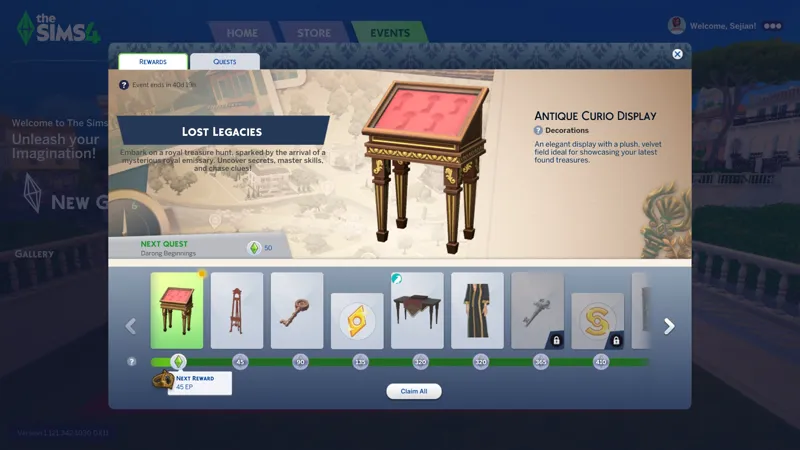
The unnamed "Feb 3 Live Event" also goes live today. This Live Event is not a login quota thing like the last one, it's a Live Mode quest event like we're... used to.
<SHUDDERS>
I will never not despise these artificial FOMO events. 👹😹
☆// ⋆ TBC...
We might also need to wait for a Sims 4 Studio update, but I can't confirm yet.