
🛠️ Custom CAS Presets might/can/will "break" your Sim if used improperly, and you won't know until it's too late. BUT I'M HERE TO SAVE YOU... FROM EVERYTHING! ⚡ Including me! Sleepy me read something wrong.
😹 It's "Meows For All" all over again! I'm having too much fun with this nonsense!
🍖 I'm hangry and I have new mods and more updates to post.
⚠️ But this is im-paw-tant!
⚡ The comment says "undo", and they mean undo, as in the "Undo" button or the "CTRL+Z" keyboard shortcut. There's no guarantee that just applying an EAxis CAS Preset will work.
👾 Also, why do creators (including EAxis) insist on making "CAS Unlock Sims"? The unlocked CAS items are not that special or unique. I have seen buggy "CAS Unlock Sims" that duplicate regular items. Removing the "CAS Unlock" code requires running the Sim through specific steps in Live Mode and/or a specialized modding process. Even Sims that are almost fully custom content are being made from a "CAS Unlock" base. WHY?! I don't mean to put anyone on blast, but the code can bug out, and then it's impossible for Simmers to get rid of it if they don't know how to get rid of it. Just create regular Sims and CAS override the items, bruh! EAxis made "one" change to object placement in December 2023 and it caused numerous Lots in the Gallery to go nuclear with endless loading screens and even hard crashes. Can you imagine the shit-storm we'd be in if they were to do anything that causes the "CAS Unlock" code to go nuclear?
🙀 Also, I still haven't shared my Mizu Sim!
⋆ ── ─ ─ ─ ─ ─ ─ ─ ─ ─ ─ ⋆ \\ ☆ // ⋆ ─ ─ ─ ─ ─ ─ ─ ─ ─ ─ ── ⋆
☆ // ⋆ TABLE OF CATNIP:
🎁 STUFF AND THINGS -- Stuff and things!
🦄 STORYTIME -- We love Sejian's Storytime! Don't we?
💔 WE ABSOLUTELY LOVE CUSTOM CAS PRESETS -- Or so I'm told.
⛔ BUT DO YOU KNOW WHY "REMOVERS" EXIST -- Well, do you?
💜 SPECIAL THANKS TO -- You know who you are!
⚙️ DOES THIS AFFECT MY "CAS PRESET OVERRIDES" -- Who even knows?!
⋆ ── ─ ─ ─ ─ ─ ─ ─ ─ ─ ─ ⋆ \\ ☆ // ⋆ ─ ─ ─ ─ ─ ─ ─ ─ ─ ─ ── ⋆
🎁// ⋆ STUFF AND THINGS:
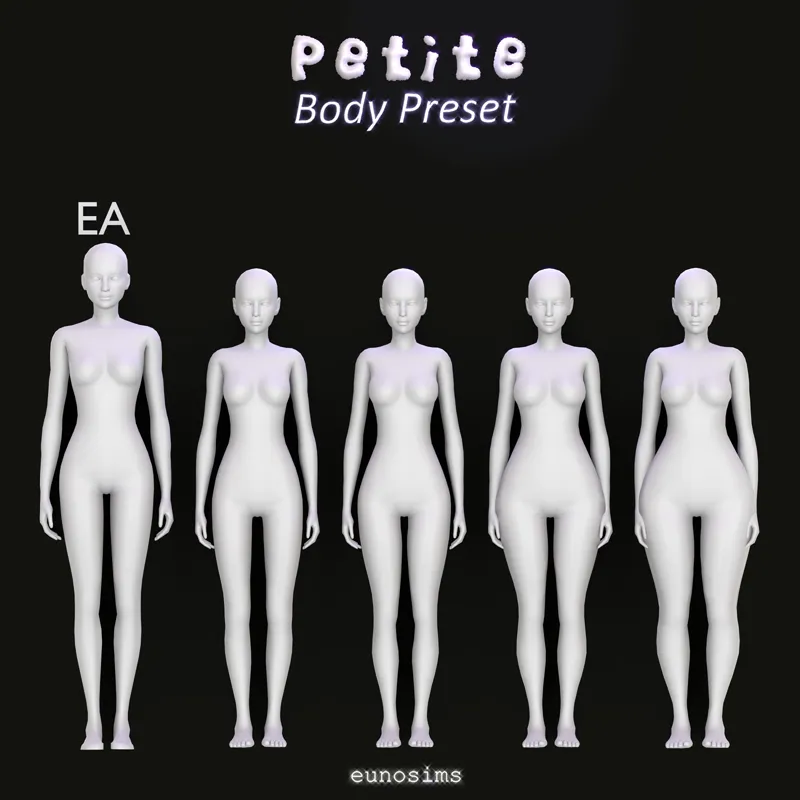
🎀 FEM | Petite Series Vol. 1 by eunosims -- https://../posts/125431365
🎀 FEM | Kennie Body Preset by Miiko -- https://../posts/58496531
🎀 FEM | Mae Body Preset by Miiko -- https://../posts/42815278
🎀 FEM | Serena Body Preset by Miiko -- https://../posts/44736067
🎀 FEM | Sophie Body Preset by Miiko -- https://../posts/42770389
🎀 FEM | Vanya Body Preset by Miiko -- https://../posts/43670743
🎀 FEM | Sarumochi Body Presets by Saruin -- https://../posts/106751307
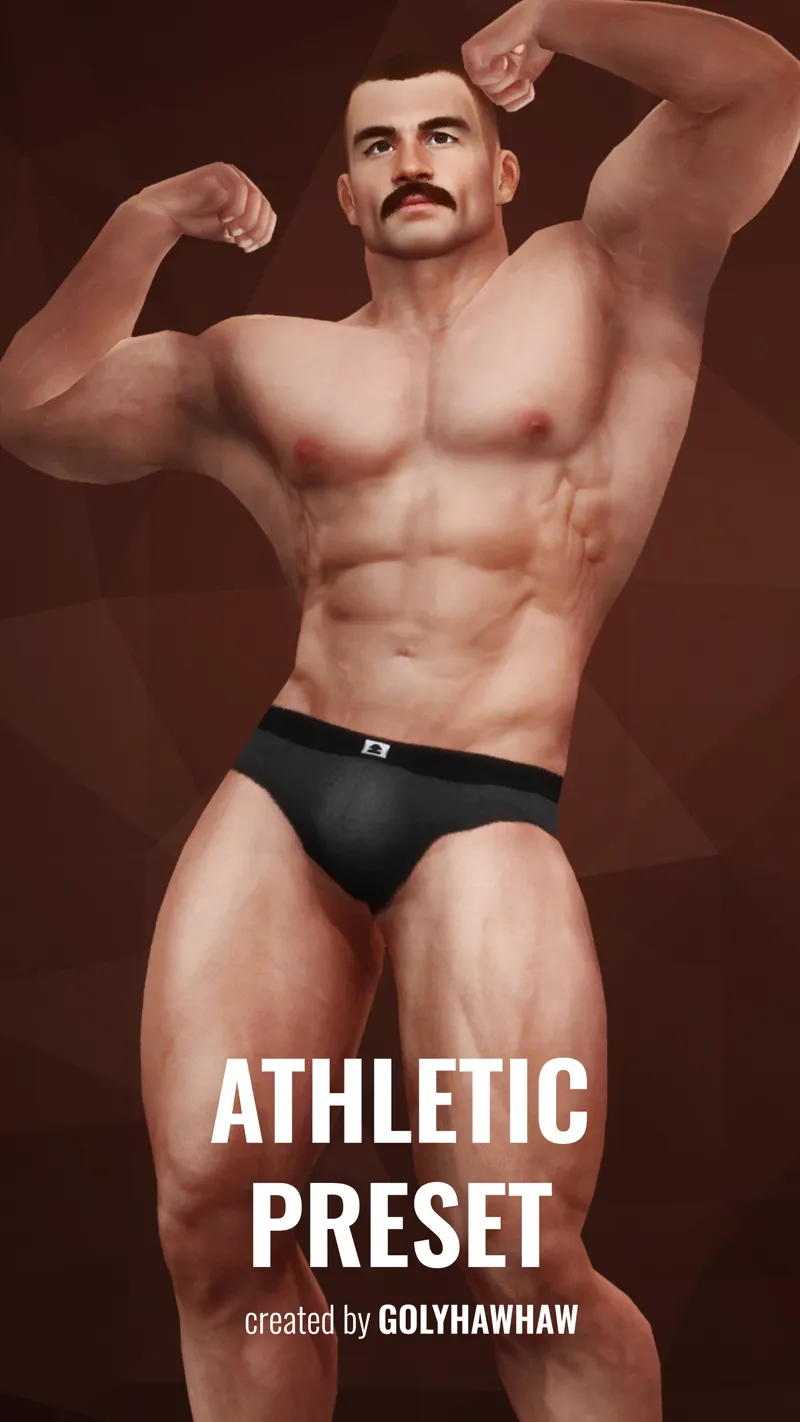
🎀 MASC | Athletic Body Preset by Golyhawhaw -- https://../posts/78914178
⋆ ── ─ ─ ─ ─ ─ ─ ─ ─ ─ ─ ⋆ \\ ☆ // ⋆ ─ ─ ─ ─ ─ ─ ─ ─ ─ ─ ── ⋆
🦄// ⋆ STORYTIME:
You've spent hours sculpting your Sim to your liking, and now they're absolute perfection.
You pop into Live Mode and your Sim's perfect body or perfect face immediately or randomly "goes wonky" and warps into an EAxis preset (or worse - some deformed monstrosity).
Now you're wondering what in the Nine Hells just happened.
For me, well, you've all seen Scarlet bareback by now and practically nude with some totes adequate censoring... <PONDERS AND VISUALIZES> Uh... Where was I?!
Scarlet is Male with Feminine Frame. His/Their/Her (they're "non-binary" A.K.A. "genderqueer" A.K.A. "gender non-conforming" A.K.A. "genderfluid" A.K.A. I use whatever pronouns I feel like in the moment for them - I don't give a F- 😹) waist is sculpted to look "masculine". If I'm wearing Feet or Toenails that have the wrong "Restrict Opposite" PartFlags, Scarlet's body will "randomly" (is not random) warp into the EAxis "hourglass" Feminine Body Preset.
Scarlet's body was at the mercy of improper "Restrict Opposite" PartFlags for (2) years, and it was frustrating as hell. I finally got fed up, dedicated time to pinpointing the problem, discovered it was improper "Restrict Opposite" PartFlags, and have been on a quest to eradicate improper "Restrict Opposite" PartFlags by any means necessary ever since.
I WILL DRAG YOU ALL INTO THE LIGHT, KICKING AND SCREAMING, IF I HAVE TO! 👹
<BLINKS> I digress! 😹
For you, it might just be those Custom CAS Presets you're using... unless of course it's EAxis !@#$ing with our Deformer Maps again. I ain't ever gon' forget that.
💔// ⋆ WE ABSOLUTELY LOVE CUSTOM CAS PRESETS:
Don't we? Body Presets, Face Presets, Nose Presets, Eyes Presets, etc., et cetera.
Custom Presets and Custom Sliders are the best thing since sliced bread - or so I've been told. I don't use them. I digress! I'm getting to the point. I'm just having a bit of fun. 😹
⛔// ⋆ BUT DO YOU KNOW WHY "REMOVERS" EXIST:
"Custom Preset Removers" like the ones from Golyhawhaw [🌐] and Obscurus [🌐] exist because Custom CAS Presets are wonky as !@#$.
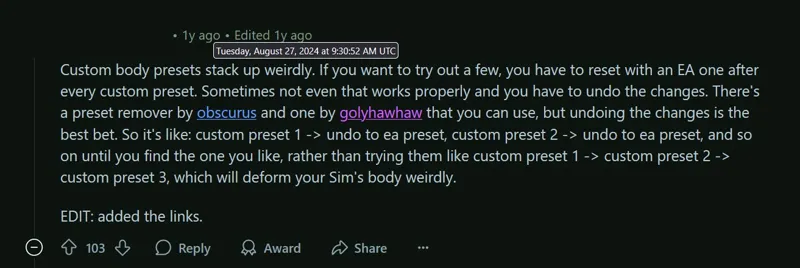
Have you ever read this comment or anything like it that explains it like this:
In other words, Custom CAS Presets are wonky as !@#$, and your Sim will "break" if you swap them in CAS while creating your Sim (the way you'd swap EAxis' CAS Presets without a second thought).
You just might not see the breakage until you've finished creating your Sim and popped into Live Mode, at which point, it's too late.
The comment says that if you apply a Custom CAS Preset, and then you want to change it to a different Custom CAS Preset, ⚡ that you should always "Undo" back to the EAxis CAS Preset before swapping to a new Custom CAS Preset. Failing to do so and just hopping from one Custom CAS Preset to another will "break" your Sim.
You can use the "Custom Preset Remover", but there's no guarantee that it works.
It's like how I (and others who troubleshoot this game) say to delete your "LocalThumbCache.package" file every single time you modify your "Mods" folder.
But, me being me, who harps on about every issue in CAS endlessly, including the wretched "CAS Unlock Sims" infesting the Gallery, I'm gonna take it a step further and say:
1️⃣ Find the Custom CAS Presets you want to use for the specific Sim BEFORE you start creating them.
2️⃣ Exit and re-enter CAS (this "resets" CAS).
3️⃣ Create your Sim and apply your Custom CAS Presets, then modify them to your liking.
4️⃣ Do not, at any point, change your chosen Custom CAS Presets.
5️⃣ Finish your Sim, pop into Live Mode, and hopefully never worry about your Sim's appearance wonking out "randomly".
Alternatively:
1️⃣ Start creating your Sim with an EAxis CAS Preset that resembles the Custom CAS Preset you intend to use (so you can visualize it).
2️⃣ "Save Household" BEFORE you touch any Custom CAS Presets. This is your backup of your Sim in case you forget and screw up with the Custom CAS Presets.
3️⃣ If you intend to use multiple Custom CAS Presets, apply the first one and modify it.
4️⃣ "Save Household" BEFORE applying the next Custom CAS Preset. This is your backup of your Sim with the first Custom CAS Preset in case you forget and screw up with the second Custom CAS Preset.
5️⃣ Rinse and repeat STEP 4️⃣ as many times as necessary.
6️⃣ If at any time you screw up, exit and re-enter CAS and load your most recent backup.
7️⃣ Finish your Sim, pop into Live Mode, and hopefully never worry about your Sim's appearance wonking out "randomly".
I don't understand Custom CAS Presets... yet, the same way I don't understand Deformer Maps... yet, but I understand "CAS Unlock Sims" (to some extent) and how their "unlocker code" clings to CAS and infects other Sims (and Pets), unless you exit and re-enter CAS or "Reset Current Household" after mucking around with a "CAS Unlock Sim", and I also understand (fully) that mucking around with Deformer Maps can break a Sim's body.
If you're going to use Custom CAS Presets (and I don't just mean the Custom CAS Body Presets - I mean all/any Custom CAS Preset), take the precaution and do the extra steps to hopefully avoid this totes random issue that so many Simmers have been utterly frustrated by for so many years.
⋆ ── ─ ─ ─ ─ ─ ─ ─ ─ ─ ─ ⋆ \\ ☆ // ⋆ ─ ─ ─ ─ ─ ─ ─ ─ ─ ─ ── ⋆
💜// ⋆ SPECIAL THANKS TO:
You know who you are.
The previous Simmer whom I discussed body deformities with, who seemed convinced that it wasn't improper "Restrict Opposite" PartFlags, wasn't willing to troubleshoot the issue further.
The Simmer who asked me about this "today" did all the heavy lifting.
All I did was probably convince them that it wasn't "random" in the way they may have been thinking, and that something had to be the culprit, just like with Scarlet's body and the improper "Restrict Opposite" PartFlags - I'll screenshot that nonsense one of these fine days.
They found the Reddit post after I said that I was confused - I had just awoken and none of what Golyhawhaw said in their Custom CAS Body Preset mod-post explained what the problem was, or hammered home how important it is that we ALWAYS use the "Custom Preset Remover" (⚡ or more preferably, "Undo" to the EAxis CAS Preset, or even better, just "reset" CAS).
Cheers.
⚙️// ⋆ DOES THIS AFFECT MY "CAS PRESET OVERRIDES":
I have no idea!
But now that I know this is a thing, I'll do some troubleshooting.
Comments (6)
Would the use of sculpts over modifiers when creating the presets have anything to do with this? I've found not all presets seem to stack, and Cmar told us a long time ago not to use sculpts for body presets for this reason.
It's possible, and I'd defer to Cmar any day of the week (unless I was absolutely certain they were wrong about something). It would explain the "randomness" of the issue. If it was happening with every Custom CAS Preset, we'd be drowning in complaints. More troubleshooting is required to verify. The Sim at the center of the incident that brought this back up "broke" every time they entered Live Mode. Dissecting the Body Preset that was used and any others that may have been swapped to and from would be a good place to start. I'll take a look when I have chance. ─ I've only poked around EAxis' Body Presets and Eyes Presets for my "GFC Overrides". None of their Body Presets use Sculpts - but their Eyes Presets do. If the culprit is Sculpts, it could be that it's fine on some presets, but not others? Maybe.
Let's take a moment of silence for Nathan, who suffered as a result of this error. His sacrifice contributed to identifying the problem and will always be remembered. 🕯️🥹 Now, enriched with experience and knowledge, I'm going to make Nathan Jr. 😹
The King is dead! Long live the King Jr.! 😹
always amazing how you pin down the randomass errors that i throw my hands up at and just say "well i guess i deal with this now"
😸