

🪤 (0) LABRATS: Main Menu "One Size Fits All" -- [7/11] 😿 I've been laboring under an assumption, but that assumption was incorrect.
🥼 TS4: BASE GAME ⋆ 🧫 7/11/2025 ⋆ 🔬 7/11/2025
🧪 LABRATS are always compatible with the current game version.
☣️ DON'T FORGET TO DELETE THESE FILES!
💀 A new post because the old one bugged out. #ThanksPatreon
🗪 LABRATS has a dedicated "Community Chat", though we don't really use it.
☆ // ⋆ OF MICE AND ROCKET SCIENTISTS:
Now and then, I might need assistance testing projects I'm working on.
This can be done on a one-on-one basis over Discord, but doing it through a public post is also a viable option, and unlike so many members of the creator community, I'm not so obnoxious as to not understand that some folks have no desire to Discord.
Having a public post for something like this could be beneficial.
⋆ ── ─ ─ ─ ─ ─ ─ ─ ─ ─ ─ ⋆ \\🔬// ⋆ ─ ─ ─ ─ ─ ─ ─ ─ ─ ─ ── ⋆
☆ // ⋆ EXPERIMENT LOG:
7/11/2025 - MAIN MENU "ONE SIZE FITS ALL" (❓)
7/5/2025 - MAIN MENU LIVE EVENT ADS (✔️)
3/22/2025 - MAIN MENU MARKETING ADS (✔️)
3/16/2025 - MAIN MENU WIDESCREEN BG (✔️)
3/15/2025 - MAIN MENU WIDESCREEN UI (✔️)
☆ // ⋆ 7/11/2025 - MAIN MENU "ONE SIZE FITS ALL" (❓):
Once more, into the fray!
Even with my limited understanding of this code, I KNOW I CAN FIX IT, CATDAMMIT!
It's gonna bug me until I fix it because I know the solution is right in front of me. This is exactly why I ignored this override for so many game updates. My brain doesn't let me let things go, and the closer I get is the more it will bug me!
Unless something else pops up to take my attention, this is going to eat at me! 👹😹💀
RESULTS - I CAN DO THIS:
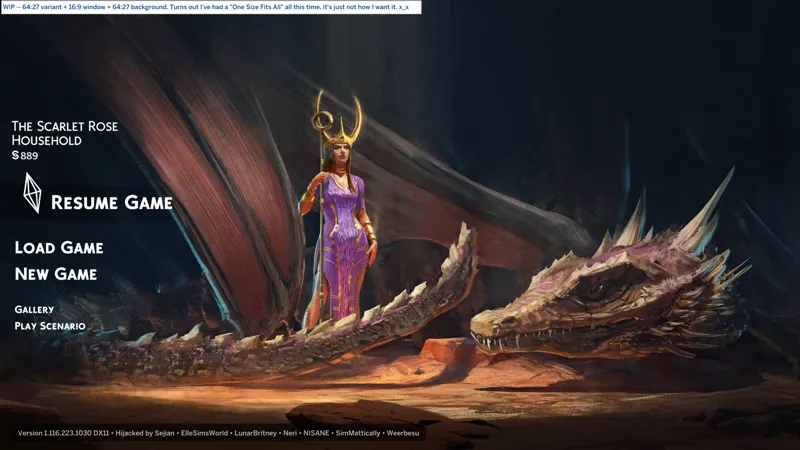
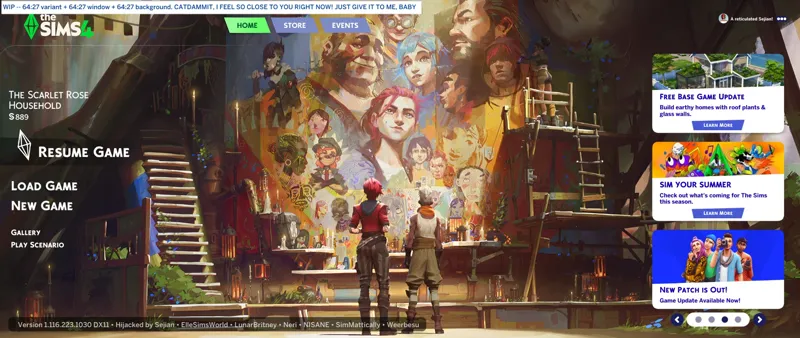
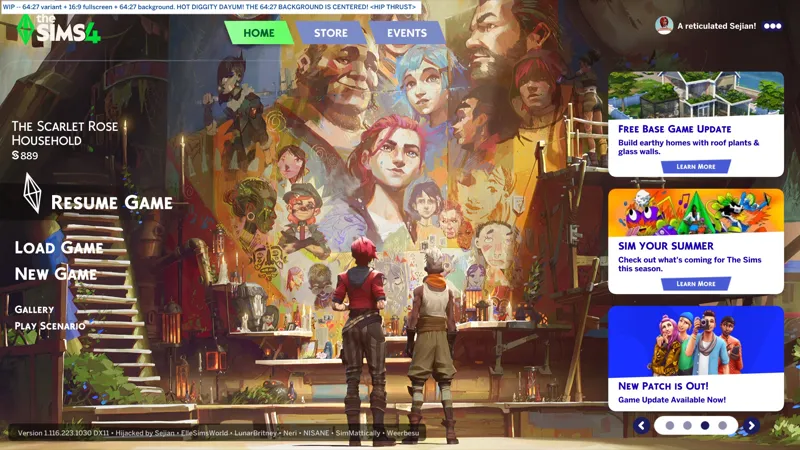
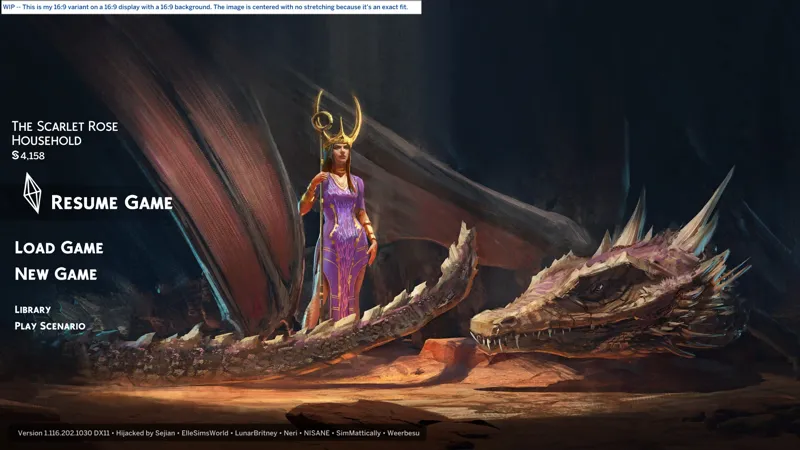
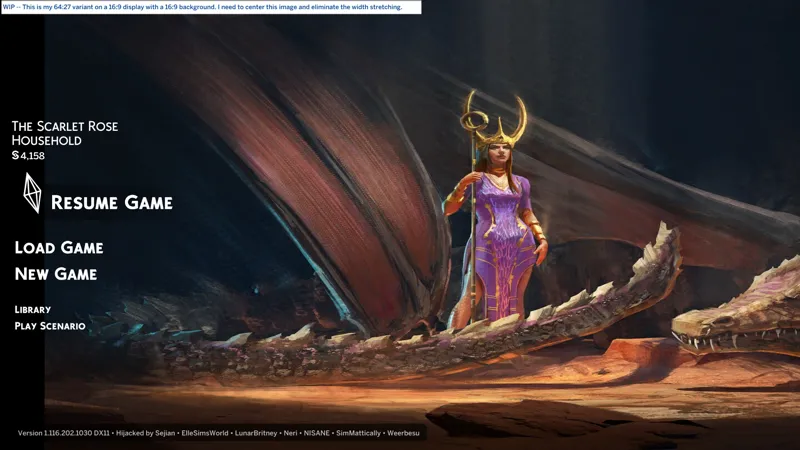
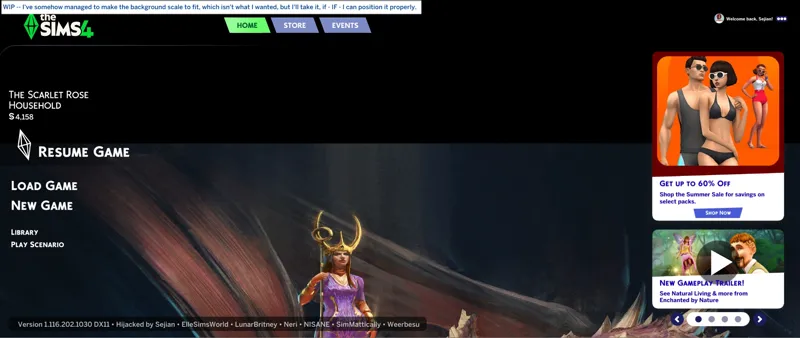
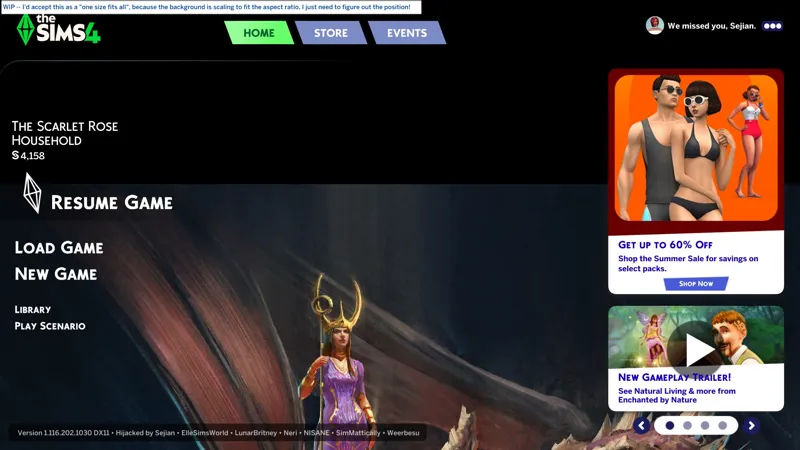
✔️ Images center themselves. I thought this was something I did, but it wasn't me, it's how it's coded already. This means that my 64:27 variant should work for all aspect ratios as long as the custom background image is centered on a compatible 64:27 base, e.g. in my latest screenshot, my 16:9 1920 x 1080 image is centered on a 64:27 2560 x 1080 blank image, which makes the image appear properly on my 16:9 display. This is not the solution that I want because if your resized 64:27 base is even a smidge off, then your background will not load. I have been assuming that the World / Neighborhood background image fills height and centers, but it actually doesn't. I kinda understand now why I keep running into a brick wall. We'll continue with the variants for the time being.
❓ It's just code and numbers! It's basically point and click! C'mon brain, work!
☆ // ⋆ 7/5/2025 - MAIN MENU LIVE EVENT ADS (✔️):
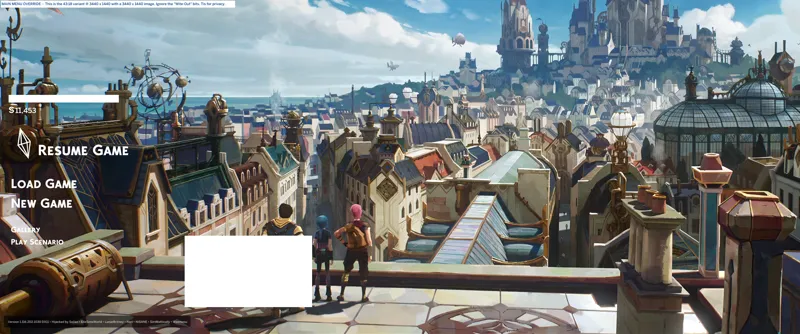
The LABRAT files for this test include my widescreen background "fix" for 43:18 (21:9) aspect ratios - specifically those of you with resolutions such as 3440 x 1440.
"Live Event" ads appear to be a separate thing. So, using the accumulated knowledge I've gained, I went on the hunt and I think I found it, and I think I killed it. I'm getting a little better at tracking down things in "Scale Form GFX" resources. I just don't always know what to do with it when I find it.
RESULTS - EXTENDED TESTING REQUIRED:
✔️ 7/7/2025 -- Together with SimMattically's modification for the marketing ads, I have not had an ad for (4) days, except the one time I disabled the mod to see if I'd get an ad, and I got (2) immediately on restart. Extended testing required, but I think we're good!
HOW TO REPLICATE MY MODIFICATION:
🎓 PENDING™
☆ // ⋆ 3/22/2025 - MAIN MENU MARKETING ADS (✔️):
"CAS Filters" distracted me from this, but after dissecting SimMattically's mod, it appears I was indeed on the right path!
"Interstitial" was the key, I was just looking at the wrong scripts! Would I have figured this out had I not been distracted by other projects? It's possible since I was butchering code all over the place like a crazed lunatic.
The modification for this is not a fancy script or complex coding, it's literally just taking a hatchet to EAxis' code. Sometimes it's that simple - like my "Scorched Earth" updates for my "Live Event Reward Unlockers" ("FOMO Unlock").
I have no qualms about replicating this. I view this and widescreen support as two things that all Main Menu overrides should have. You're welcome to disagree.
RESULTS - EXTENDED TESTING REQUIRED:
✔️ 7/7/2025 -- Together with my modification for the "Live Event" ads, I have not had an ad for (4) days, except the one time I disabled the mod to see if I'd get an ad, and I got (2) immediately on restart. Extended testing required, but I think we're good!
✔️ 4/26/2025 -- SimMattically appears to have found a solution?
❌ 3/23/2025 -- Darn it, I got the ad for the sale! Let's chop another branch.
☆ // ⋆ 3/16/2025 - MAIN MENU WIDESCREEN BG (✔️):
The modification that works for the UI does nothing for the background (BG).
I dissected older mods by NISANE and SimMattically to understand what was done and see if it can be replicated in EAxis code, but both seem to rely on custom scripts / functions.
I've been distracted with other projects, but I discovered a possible workaround while updating the mod for Update 7/1/2025. It's not a "one size fits all" coding solution, but it works. I just need to create a bunch of variants, and I totes love creating variants!
If I manage to cobble together a code-based solution, I will share it.
Someone more talented than me could rewrite EAxis' code properly.
RESULTS - SUCCESS:
✔️ 7/6/2025 -- Results are in! My variants work, I just need to make variants for "true" aspect ratios and not the "false" aspect ratios marketed by manufacturers. After all, the goal is no black bars.
❌ 3/16/2025 -- As expected, the first test was a bust. The modifications I made for the UI were for the UI and had nothing to do with the background. Back to the labs!
HOW TO REPLICATE MY MODIFICATION:
🎓 sprites » DefineSprite (chid: 315) » frame 1 » PlaceObject2 (*: mcImage) » Edit » matrix: MATRIX » "scaleX" and "scaleY"
"scaleX" is the width and "scaleY" is the height, HOWEVER, don't use your "native" resolution, use something smaller. That's how EAxis did it, e.g. 1280 x 720 was used for 16:9 (1920 x 1080). In other words, the smallest standard resolution for the "true" aspect ratio. ALSO, the number needs to be formatted with two decimal places. ALSO, after saving, the decimal number gets "rounded up". Don't panic, it's supposed to do that. Examples:
4:3 -- 1024 x 768 is already the smallest standard resolution, so we do:
scaleX = 10.24
scaleY = 7.68
16:9 -- 1920 x 1080 is common, but 1280 x 720 is the smallest standard:
scaleX = 12.80
scaleY = 7.20
21:9 -- 2520 x 1080 is common(?), but 1680 x 720 is the smallest standard:
scaleX = 16.80
scaleY = 7.20
43:18 (marketed as 21:9) -- 3440 x 1440 is common, but to keep with the theme of "height under 1000", I used 1720 x 720:
scaleX = 17.20
scaleY = 7.20
LOG - BACK TO THE LABS:
⚡ 7/10/2025 -- "The solution is in front of me but I just don't know what to do with it, and it irritates me." I've made some progress towards a "one size fits all" solution, but I've hit a wall that I haven't been able to overcome yet. This is going to eat my attention, so I'm shelving it again.
☆ // ⋆ 3/15/2025 - MAIN MENU WIDESCREEN UI (✔️):
EAxis broke UI and Background scaling on the Main Menu in Update 1/14/2025 when they introduced the new abomination. Up to recently I thought it was just the background image that wasn't filling the area, but thanks to Mellow, I became aware that the UI buttons also aren't adjusting to the edges of your wider-screen resolutions.
RESULTS - SUCCESS:
✔️ 3/16/2025 -- BOOYAH, BABY! 21:9 UI SCALING FFFIIIIXXXED! NO GIMMICKS!
HOW TO REPLICATE MY MODIFICATION:
🎓 scripts » widgets.GameEntry.Launcher.constants » GELauncherTunables » "Edit P-code"
Change "WIDTH_TO_HEIGHT_16_9_RATIO" from "16 / 9" to a larger aspect ratio.
I went ham and used "69 / 25", which, unless I'm mistaken, is not an aspect ratio any of you should even have, but it works, so I've kept it, because I'm juvenile! 😹
⋆ ── ─ ─ ─ ─ ─ ─ ─ ─ ─ ─ ⋆ \\🧀// ⋆ ─ ─ ─ ─ ─ ─ ─ ─ ─ ─ ── ⋆
☆ // ⋆ (0) ARCHIVE + (0) TS4SCRIPT + (0) PACKAGE:
Widescreen test complete. It was a success. My crude "fix" works.
In (4) days, the next Expansion Pack releases and the sale ends. If there are no ads between now and then, then I think we can check (✔️) off the remaining "experiments"!