







Start here
I make camera mods for Assetto Corsa. Here's what each tier gets, how to install the mods and where to get help.
What each tier gets
Free: the Street Drivers pack and the public posts.
Supporter, US$ 1.50: to back the project. No mods in this tier.
Camera Tools, US$ 7.50: Walking Mod (with the phone app), Mobile Cam, Insta360 Cam and TV Cams, with every update while you're a member.
Full Access, US$ 15: everything in Camera Tools, plus OBS Chase Cam.
Patreon may show the price in your own currency.
Before you install
You need Assetto Corsa on PC with Content Manager and Custom Shaders Patch 0.3.0 preview or newer. The camera mods don't work on CSP 0.2.11. If Content Manager only offers 0.2.11, the 0.3 preview comes from x4fab's Patreon.
Install with the russozl Hub
1. Download the russozl Hub and run RussozlHub-Setup.exe. The first time, Windows may show a blue box that says Windows protected your PC. Click More info, then Run anyway. It shows up because the installer isn't code-signed yet.
2. Open the hub and click Sign in with Patreon, with the account that pays for your tier. One membership works on up to 2 PCs.
3. Close Assetto Corsa. In Library, click Install on each mod. If the button says Set game folder, pick the folder that has AssettoCorsa.exe first.
4. Updates install by themselves when you open the hub with the game closed.
The phone app
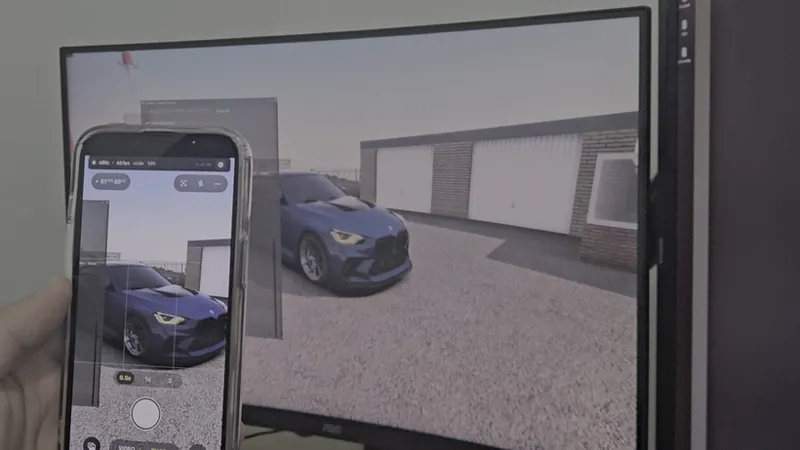
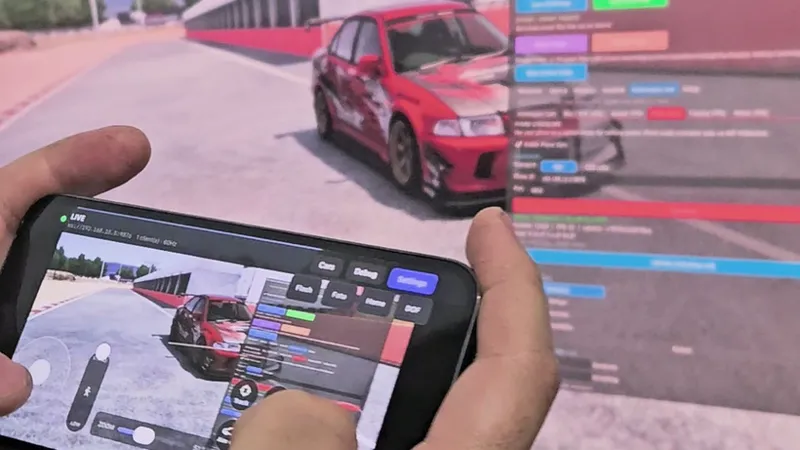
Phone Gyro Camera makes your phone the camera in the Walking Mod. You point the phone and the game camera turns with it, and you see the game on the phone screen. The mods work without it.
iPhone: TestFlight invite. If it asks for a code, it's cmZvJ4f3.
Android: the APK is in the Walking Mod guide.
Put the phone and the PC on the same Wi-Fi. In the game, open Realistic Walking Camera, go to Features, then the Phone Gyro tab, and tick Enable Phone Gyro. Scan the QR code with the app, or type in the address the app shows.
How to start each mod
Every mod opens from the app bar: in the game, move the mouse to the right edge of the screen.
Walking Mod
Click Realistic Walking Camera and tick Enable Walking Mode. Stop the car and press E (Y on a controller) to get out. To get back in, walk up to the car and press E again. The keys and everything else are in the Walking Mod guide.
Insta360 Cam
Open Insta360 Camera and tick Insta360 Camera ON/OFF. To place the rig, go to the Mount tab, look at the car from outside and drag the mount with the mouse. Tiny planet and the photo button are in the 360 tab.
Mobile Cam
The camera moves like a phone in a passenger's hand: bumps, kerbs, braking and corners all move it. Turn it on in the app bar, then set your keys in the app. It films from the passenger seat or follows the car from outside.
OBS Chase Cam (Full Access)
Up to 20 camera angles in OBS, and you cut between them live. It isn't in the hub yet, so the download is in the OBS Chase Cam post. Drop the file on the Content Manager window, or unpack it so the app folder lands in assettocorsa/apps/lua. You also need OBS Studio with the free Assetto Corsa OBS plugin by x4fab. Each camera then shows up in OBS as a source for your scenes.
TV Cams
Trackside cameras, like a TV broadcast. Get them from the TV Cams post and install them like OBS Chase Cam.
Street Drivers (free)
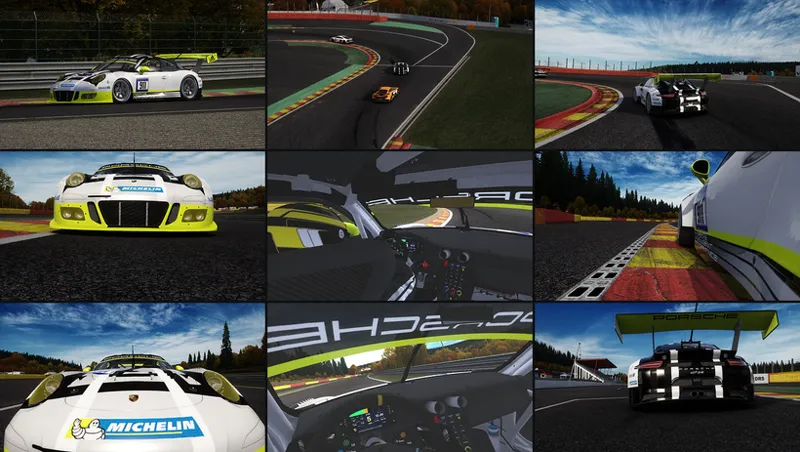
Eight drivers in street clothes for any car, free for every member, the Free tier included. Install them from the hub like the mods. To put one in a car with CSP, open the car's folder from Content Manager, go into extension (create it if it's not there) and add these two lines to ext_config.ini:
[DRIVER3D_MODEL]
NAME=rz_hoodie
Restart the session. The 8 names are in the picture above, and the Street Drivers post has the way without CSP.
Help
Something not working? Post in #bug-reports on the Discord with a screenshot of the mod window or a short clip of the problem. Fixes for the most common problems are on the help page.
If you cancel
Cancel any time on Patreon, and your tier stays on until the end of the month you paid for. After that, the mods you installed while paying keep working on the PCs you used them on, at the version you have. Updates and new mods stop, and they won't start on a new PC. Join again and the updates come back. A refund or a chargeback turns them off.

Comments (6)
Is there a way for us to install the mods without the hub? I don't really want to be installing random executables
there's no way to install them without the hub. it's what installs the mods, keeps them updated and unlocks them for your account, so every mod goes through it. i get being careful with exes, just download it from russozl.com.br and nowhere else
Yo dude cool to try with mobile cam and models big Fricker from big dirty burnouts
haha that'd be sick, noted 🙏
testflight code cmZvJ4f3 becomes automatic capital letters and cant login
sent you the link in dm