
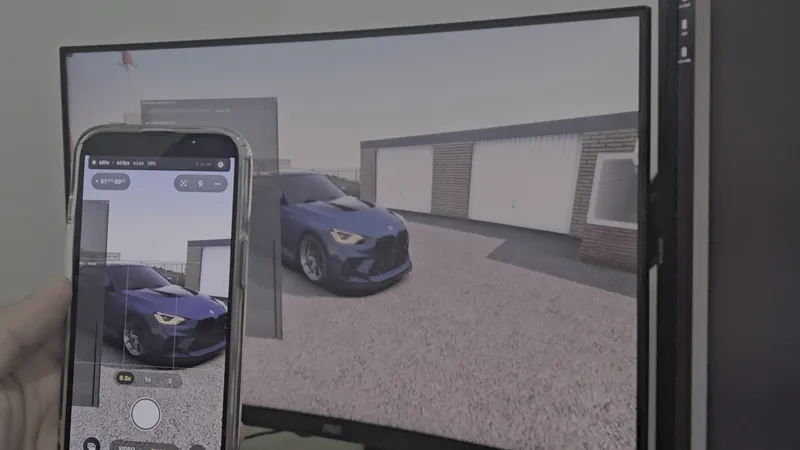
Install guide: the Walking Mod and the phone app, step by step
Update, October 2026: the Walking Mod installs and updates through the russozl hub now, attached to this post. Part 1 below is rewritten for it. The phone app parts are the same.
Every question I get after a release is an install question, so here is the whole thing in one place. Nothing here needs any modding experience. If you can copy a folder, you can do this.
What you are installing
Two separate things.
The mod, on your PC. That is what puts the walking camera inside Assetto Corsa.
The app, on your phone. That is what turns the phone into the camera.
The mod works on its own. The phone app does nothing without the mod. If you only want to walk around and film with the mouse, Part 1 is all you need.
The words I use, so we mean the same thing
I got this wrong in the last post and it confused people, so:
Walking Mod is the PC side. It installs through the russozl hub.
Phone Gyro Camera is the phone side. On Android it arrives as an .apk file. On iPhone it arrives through TestFlight.
Content Manager is the launcher most people already use to start Assetto Corsa. The blue one.
CSP, or Custom Shaders Patch, is the graphics mod the Walking Mod is built on. You almost certainly have it. If you can already install other Lua apps, you have it.
PART 1. THE MOD, ON YOUR PC
Download russozl_hub_installer.zip from this post, open it and run RussozlHub-Setup.exe. No admin rights needed.
Click Sign in with Patreon. Your browser opens, you approve, and the hub picks it up by itself.
Click Install on the Walking Mod. The hub finds Assetto Corsa on its own and puts the mod in assettocorsa\apps\lua\Realistic Walking Camera\. If you already have an older copy, it updates it and keeps your presets. Keep the game closed while it works.
Windows may show a blue "Windows protected your PC" screen the first time. Click More info, then Run anyway.
You get the Walking Mod with Camera Tools or Full Access. From then on, open the hub and it keeps the mod updated by itself.
Turning it on
Start Assetto Corsa and drive out onto a track. Move your mouse to the right edge of the screen and the app list slides out. Click Realistic Walking Camera.
The window opens with the name at the top, my name next to it, and the version number next to that. Check that it says v2.2.8 or newer.
If the app is not in that list, it is one of two things. Either the folder is in the wrong place, or Lua apps are switched off. To switch them on, open Content Manager, go to Settings, then Custom Shaders Patch, then Lua apps, and tick it.
That is the mod installed. Tick Enable Walking Mode at the top of the window and you are on foot.
PART 2. THE PHONE APP, ANDROID
The app is not on the Play Store yet, so you install it from the file. Android calls that a sideload and it warns you about it. That warning is normal.
Open the release post on the phone itself, not on the PC.
Download Phone Gyro Camera.apk.
Tap the downloaded file.
Android says it cannot install apps from this source. Tap Settings on that message, turn the permission on, then go back and tap Install.
If you downloaded the file on the PC by mistake, send it to yourself on WhatsApp or Telegram and open it on the phone from there.
PART 3. THE PHONE APP, IPHONE
This is the part people get stuck on, and it is not their fault. Apple does not let me put a beta app on the App Store, so it goes through TestFlight, which is Apple's own app for testing apps. The order matters.
On the iPhone, open the App Store and install TestFlight. It is free and it is made by Apple.
Only now, open this link on the iPhone: https://testflight.apple.com/join/cmZvJ4f3
It hands you to TestFlight with the app ready. Tap Install.
If TestFlight is asking you for an invitation code
That happens when the link gets opened before TestFlight is installed. Nothing is broken. The code is the last part of the link:
cmZvJ4f3
Type it on the Redeem screen and you are in.
Two more things that catch people out
Opening that link on a computer shows an Apple help page with nothing to tap. TestFlight does not run on a computer. Open it on the phone.
There is also no App Store page to search for. During the beta the only ways in are that link and that code.
PART 4. CONNECTING THE PHONE TO THE GAME
Put the phone and the PC on the same Wi-Fi.
Open Phone Gyro Camera on the phone. It shows an address on the first screen, four numbers with dots between them.
In the game, open the Walking Mod, go to the Phone Gyro tab, tick Enable Phone Gyro, type that address into the box and press Connect.
The game appears on the phone screen. Point the phone where you want to look and the camera in the game goes there.
WHEN SOMETHING IS WRONG
The mod is not in the app list in game Wrong folder, or Lua apps are off. Both are covered at the end of Part 1.
There is no Phone Gyro tab in the mod You are on an older version. Look at the version number at the top of the mod window. If it is older than 2.2.8, open the russozl hub and it updates the mod by itself.
The phone shows an address but the game never connects Almost always the Windows firewall. There is a button for it in the Phone Gyro tab that asks Windows for the one rule it needs. Also check both devices really are on the same Wi-Fi, not one on 5 GHz and the other on a guest network.
The picture on the phone is choppy That is Wi-Fi. Try the lighter capture modes in the Phone Gyro tab, and use 5 GHz if your router has it. A USB cable is the most stable option of all.
The picture stutters the moment I hit record in OBS OBS and the viewfinder are asking the same graphics encoder for the same thing. Switch the mod's capture to Software and the encoder is free again.
I installed it and something is missing Open the mod in game and press "First time here? Read this" at the top of the window. It checks your files and tells you which ones did not make it out of the zip. If it lists anything, open the russozl hub and click Repair on the Walking Mod.
THINGS YOU DO NOT NEED
You do not need Tailscale. There is a script with that name inside the mod's tools folder, and it is only used if you deliberately turn on Remote, which is for filming with someone who is not in your house. Leave it alone.
You do not need Python. The mod ships with everything it runs.
You do not need my Mobile Cam mod. It is a different thing and the two do not depend on each other.
You do not need to download anything from any other page.
Anything that is still stuck after this, write it under this post or on Discord and I will answer. If a step above is unclear, tell me which one and I will rewrite it.
russozl