

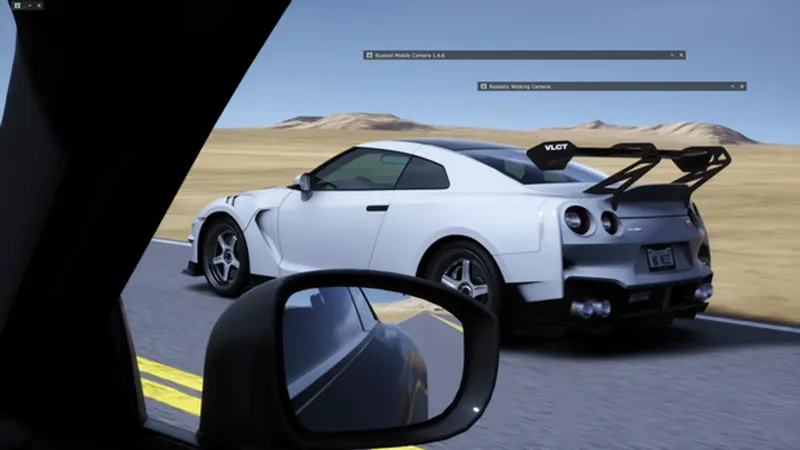


Mobile Cam v1.4.6 - Tracking is back, Gamepad, New Motion Effects
First, sorry for the delay. The last update was in January and I know it took way too long. A lot of the work this time was structural, so instead of pushing small patches I rewrote the parts that were holding the app back. Hopefully it was worth the wait.
Here is what changed since v1.4.4.
Tracking is back
The first release of Mobile Cam had a tracking mode that I ended up removing because it never felt right. It is back in this version and works much better. The camera follows the car you pick with a humanized aim, with reaction delay, micro corrections and a shoulder limit that smoothly releases the tracking when the car goes past your physical rotation range. You can bind a key to toggle it without opening the menu, cycle between cars with Prev / Next, or let it follow the focused car automatically. There are four style presets to start from (Phone Handheld, TV Professional, Steady Tripod, Amateur / Shaky).
New menu
The old menu was confusing, I agree. The new one has 6 tabs grouped by what they do: Main, Input, Feel, Effects, Tracking, Keybinds. Everything that changes how the camera moves (g-force, physics, roll, sway, hand vs g) is under Feel. Effects has the post layers (Camera Motion, Procedural Motion, DOF, HUD). Roll specifically got its own section with one master intensity slider plus 4 channels (Body, Reaction, Motion, Manual), so you can shape the whole feel from one place instead of hunting across tabs.
Gamepad
Full controller support (XInput). Right stick to look, left stick to move the camera, triggers for vertical, D-Pad for zoom, bumpers for roll. Everything remappable from the Input tab. If you have more than one controller plugged you can pick which slot to read from.
New motion effects
Two new sources of motion so the camera does not look stuck in the same loop during longer takes.
Camera Motion plays back recorded handheld data. Three presets included: Parked / Idle (subtle breathing), Active Driving (handheld energy), Ride Along (relaxed cinematic). Each one has its own intensity, position/rotation scale, playback speed and roll scale, so you can dial them per situation. Playback rate is gated by the car activity (jerk + RPM + slip), so a calm car keeps the motion almost frozen and a hard drive plays it through.
Procedural Motion is the g-driven alternative. Tremor + spring sway + jerk punch, all reactive to what the car is doing.
Both are off by default. Enable from the Effects tab.
DOF
Depth of Field is working now. Four focus modes (Auto, Single, Manual, Track a specific car), focus lock on the L key, hunting prevention so it does not chase every small distance change. Honest warning: it is heavy. In my testing it cost frames on every setup I tried. Use sparingly, or bake DOF in post if you are recording for editing.
Driver visibility
New under HIDE ELEMENTS in the main panel. 4 toggles: hide your own driver model (good for passenger / back seat shots), hide the driver of the car you are tracking, hide every other driver, and hide name labels above cars. Each one is independent.
Mirror adjustment
There is now a per-mirror control panel in the main tab (under HIDE ELEMENTS / MIRROR CONTROL). For every real mirror the car has, you get FOV, Rotation X and Rotation Y sliders plus a Correct Projection toggle. Useful when a car mod ships with mirrors pointing at the sky or way off. Requires CSP Real Mirrors enabled in Content Manager (Settings > CSP > General Patch > Real Mirrors: Active + Accurate projection + Enable real mirrors if car is focused). If you do not see the controls, that toggle is the first thing to check.
Sway flick fix
Old sway had a hard threshold around 2 m/s that snapped the output to zero when the car crossed it. If you were oscillating around that speed (rolling in pit lane, traffic) the camera flickered. Fixed: smooth fade now, internal phase keeps running in the background so re-entering the active band is continuous. Defaults are also gentler.
Other fixes worth mentioning
Mouse scroll inside the menu no longer changes the camera zoom (it used to bleed through). Camera Motion looping no longer teleports the camera at the boundary between last and first frame. Procedural Motion freezes correctly during pause / replay pause instead of drifting on a fake dt. DOF no longer freezes the camera position when enabled (the grabbed camera now drives position too). Tracking shoulder limit uses the same Physical Rotation Limits toggle the mouse uses, so one switch covers both. "Drift Amount" used to appear twice in the menu with different meanings, renamed both for clarity.
Things to be aware of
DOF is heavy as I said above. The feature works, but performance is the main blocker. If anyone has YEBIS-friendly defaults that look good, share them.
If multiple motion sources are enabled at the same time (sway + camera motion + procedural motion + hand breathing), the camera can feel busy. There is a "Disable ALL motion sources" button at the top of the Feel tab to silence everything if you want to start clean and enable one at a time.
If a preset from v1.4.4 looks flatter than before, the Roll master now starts at 0.7. Push it up to 1.0 in Feel > Roll to get the old behavior back.
How to install
1. Download the attached zip.
2. Extract russozl_mobile_cam into Steam\steamapps\common\assettocorsa\apps\lua\
3. Enable the app in Content Manager (Settings > Custom Shaders Patch > Lua apps).
4. Open the in-game app window. The toggle at the top turns the camera on and off.
Thanks
Thank you to everyone who kept the support during the gap, you are the reason this rebuild happened the way it did instead of being rushed. Bug reports in the comments are appreciated, I will be around for the first few weeks.
russozl