
1.20.0.6 Patch Released
This patch should address the most critical issues and feedback that was given in the last few days for the 1.20.0.4 release. Thank you to everyone who took the time to test, give feedback, and provide useful testcases to fix the bugs!
Use VaM_Updater.exe in your install folder to get the update. If you don't have VaM yet, see this post for everything you need to know: https://www.patreon.com/posts/downloading-and-32794384
Note: 1.20.0.5 was internal only and had some issues which is why the public release is 1.20.0.6.
Release Notes:
Features:
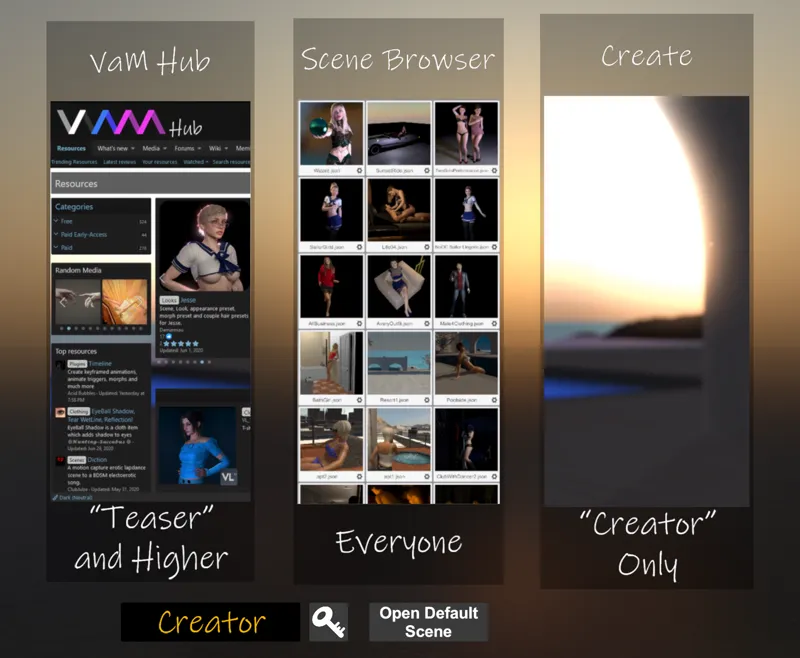
Added new user preference to choose if startup skips start screen and just loads default scene (preference in User Preferences Misc tab)
Added new user preference to auto-freeze motion/sound when switching to edit mode (preference in User Preferences Misc tab)
Tweaks:
Removed "Pause Simulation" toggle that was only meant for debug
Moved the Freeze motion/sound toggle back to the main panel since it is frequently accessed
Switching to play mode no longer resets physics so it is smoother
Switching to edit mode no longer stops motion animation timeline and animation patterns that were marked to react to game mode changes
Animation pattern react-to-game-mode option removed since it is no longer needed
Filterable popups max viewable increased to 400 from 200
Filterable popups now have text left justified for easier scanning
Filterable popups now have auto-sizing text in case the text is too long to fit on the button
Added previous/next buttons for the morph category popups
Improved LogMessage and LogError efficiency by only updating the UI element once per frame instead of on every call of those functions
Uppercase image thumbnail extensions (.JPG) now work
Clothing/hair tags are now always lowercase and filter/search is forced lowercase
Clothing/hair preferences built-in tags text is now more legible if there are several tags on the item
When physics simulation is paused, hands are always deactivated - prevents issue with physics hands getting frozen in space
When browsing flat in file browsers, only latest enabled packaged versions of files now show up. If you want to see other versions you need to browse by package instead
Plugin manager now traps errors from plugins behaving badly during Awake, Init, or during removal and removes the offending script controller
Bug Fixes:
Fixed issue with Person scale and control/joint displacement affecting many scenes
Fixed morph params for triggers not syncing properly on gender change
Female collision triggers are now properly deactivated on change to male
Fixed issue with inactive skin, clothing, and hair parameters not getting reset on Person remove between scenes or during manual Remove
Fixed web browser scroll up/down buttons
Fixed it so many of the keyboard shortcuts work in VR mode again
Fixed issue with some plugins not working with changed SuperController LogMesage signature (RTLipSync is an example)
Fixed "Save Scene and Add to New Package" to add the scene with the correct name
Fixed "Save Scene and Add to Current Package" button to actually work
Fixed the Vive Cosmos controller bindings to have a better defaults so now all features work out-of-the-box
Fixed UISlider, UIButton, and UIToggle interaction from occuring when blocked by invisible PlayerNavigationPanel
Invalid morphs (delta vertex out-of-range) no longer freeze the Person skin from updating
Fixed issues with several of the Ren skin textures and materials
Fixed issue with constant error messages about null refs when in desktop-only mode, using WindowCamera, and hitting the M key to show the WindowCamera view
Comments (24)
Hi. I have a problem with displaying thumbnails and textures. Most miniatures look like black and beige vertical stripes.
Thanks, I also think this in the Plugin the manufacturer, however says no
He separates from the body
With the Plugin MMD of players the right hand often stops and turns as moved and him separates from the body?
It sounds like that plugin has an issue/bug. If the plugin is directly controlling the bones or control joint spring are set very high, separation can occur as the natural joint holding the parts together cannot be maintained.
Dunno if it's something on my end, but only started happening when updating to .6 Hips keep twisting back and forth o: even on clean scene, loading a female atom, hips will start rotating. Males are unharmed.
I haven't seen that - do you have any plugins on the Person when this is happening?
yeaahhh... now i downgrade to 1.20.9 4
I lost function of the toggle person button in edit mode. Now i have to select persons by finding the person atom and clicking it in vr. I hate that coz they are never at the same place. :/
Ok then I am not doing this update. Also felt the pause during edit was a good feature and should made optional at least
@ turdmonkee - yes, its a bug. 1.20.0.7 Patch will be release shortly.
i have a problem with shortcut N.... not work i cant to witch between person
I had the same problem and went back to 1.20.04
Anyone else having person atoms from the last scene, load into a new scene? So if you had a scene with two people and then load a scene with one, you now have three.
This issue will be fixed in 1.20.0.7 patch that will be out today.
Is there a way to remove the blue and red line of the hand pointer? Thx!
menu has to be open to see targets even when switched off
There is option in User Preferences on the Misc tab called "Only Show Targets and Overlays When Menu Open". If you have this checked targets won't appear if the menu is closed. I just tested in both desktop and VR and I can't repeat what you are seeing.
Thanks! One thing I've noticed with this release is that now that every morph can be animated by default, the list is so over populated that it is impossible to find the morphs I'm looking for, at least in VR.
I'm going to add option in the Morphs UI area that will allow you to specify if only favorites should be shown. Is it too difficult to remember some of the name to just type in a few letters into the filter box?
Thank you Sir.
What a great update!! Great work on improving the load times!
thank you
Thankyou so much for getting these fixes out so fast.