



Touge Attack Test 2.0.0v OUT NOW!
Thanks to everyone for playing Touge Attack Test! We've received a lot of feedback, so here is version 2.0, which includes the following fixes :
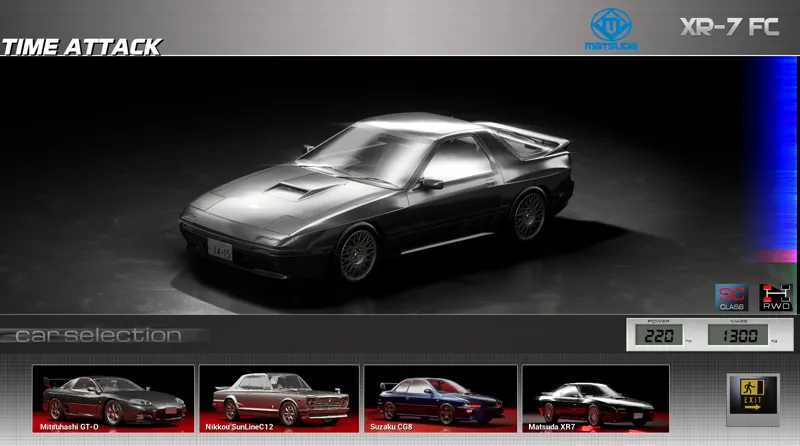
-New car : Matsuda XR7
-Strong optimization
VRAM optimization: previously at 1080p with everything on high, VRAM consumption was 8000MB; now it's 4700MB.
It may even be less if you use the DX11
-Physics improvements
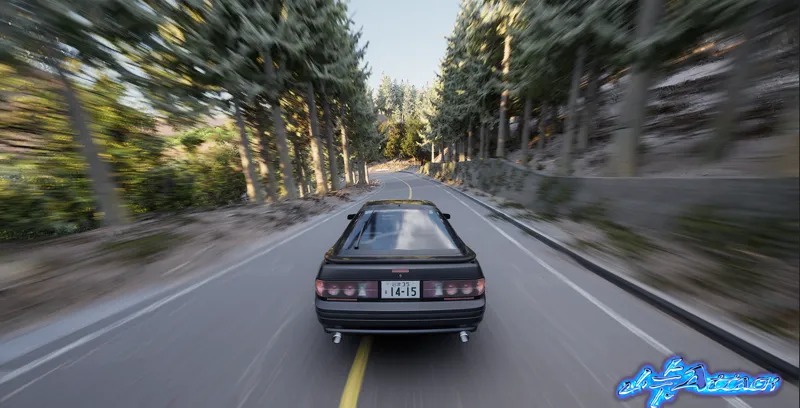
The aggressive car movement during acceleration has been fixed.
General car settings have also been improved for a better balance between realism and arcade-style handling.
-Graphics improvements:
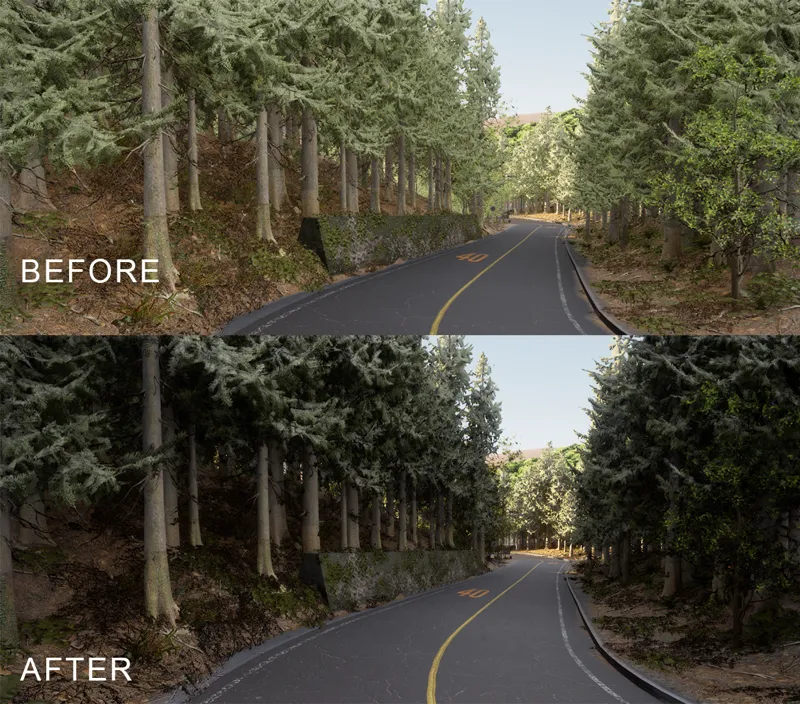
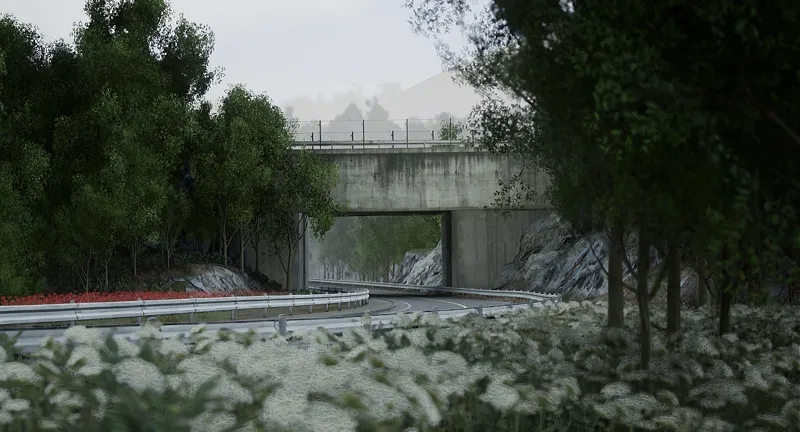
In addition to optimization, we were able to improve the map graphics overall; Hakone Day and Dammed Hill have been revamped.
We are now using SSGI, which has enhanced the game's overall visual appearance while consuming very few resources.
-Code changes for "Experimental" steering wheels
We have modified certain parts of the code to ensure the steering wheels operate smoothly. Basic effects now appear to be working without issues; while we cannot guarantee compatibility with every single device, the changes we have made are positive.
-General changes
Despite these "small changes,"
we have a long list of significant technical updates—including graphics, optimization, code, and more. We have listened to all the feedback we received and implemented major changes.
Please note: If you already have a saved game from the previous version, it is recommended to delete it due to system changes.
If you encounter any problems, bugs, or similar issues, please don't hesitate to report them via DM or in this post; we also have a troubleshooting section on Discord.
Wetransfer : https://we.tl/t-dPyzVeCKNRxHYnF4
Google Drive : https://drive.google.com/file/d/1vHwiFhflUd9C7L42bkZD_QWx5enwJxWA/view?usp=sharing
Comments (39)
Is it support triple screen natively?
what are the minimum requirements to play?
I just gave it a test run. good job so far. I have a few issues though. 1. I have little to no force feedback on my steering wheel. it's a Moza R12 wheel base. I can feel some bumps when i go off road and hit something but no FFB from the tires etc. 2. i have an ultra-wide 34 inch monitor. the game stretched to fit it in fullscreen so I had to use windowed mode. will there be ultra-wide monitor support? 3. a "reset" button to put the car back on track would be very useful. my car got stuck off-road a few times and wouldn't move so I had to start from teh start again. good luck and looking forward to more developments! seems really fun but most important is to get FFB working for steering wheels. thanks.
Hi there. Right now, we only have FFB effects for bumps and impacts; unfortunately, developing this FFB system in UE5 has proven quite complex. Regarding the triple-screen setup, we’ll look into making it compatible. We did make an effort to support widescreen, though I’m not sure if it’s working perfectly; as a troubleshooting step, try pressing "Alt+Enter"—that usually stretches the screen correctly. It might be a Windows-related issue. If that doesn't work, we unfortunately don't have any other temporary solutions at the moment. As for resetting the car: press the "P" key (or the corresponding button on your steering wheel/gamepad) to pause, then select "Reset" to automatically restart the race.
Amazing game cant wait for full release but last version my dualsense controller was not working and not with v2.0 it still doesn't work i hope it gets fixed
hello you cant drive? please check the "use keyboard?" if is active , disable to make work the dualsense
Is this free to play?
Grabbing this for my ROG ally X, do you think I’d have any issues running this? Also how difficult you think it’ll be mapping out the controls on the system?
It should run fine on the ROG Ally using DX11; FSR is also available to boost performance. Setting up the controls should be straightforward, but if any issues arise, we have a troubleshooting channel on Discord.
I wanted to provide some good and useful feedback to you. I'm using a MSI xbox360 style controller which is fairly common. Asus ROG MB, Nvidia 12gb, AMD Processor, 64gb Ram. Game is beautiful and looks great, great job on capturing the realism of the mountain roads. I have a real appreciation for what you are doing. Ive raced touge, rally, autocross, drifting and much more in real life with serious cars. I was very excited to test this game. It has a few bugs and things i would recommend. 1. controller setup isnt the easiest thing to do, nobody drives seriously with a keyboard but it seems like a keyboard works better than the controller which is very odd. Maybe the game works nice with a wheel and pedals? most will probably be playing it with a controller. This includes making menu selections with the controller. currently you have to use a mouse to make selections, including the car select etc. you also need to make a pause menu to exit out of the race or reset it. 2. I couldnt get reverse to work and the steering is far off from normal with a controller. It feels like the initial offset angle is wrong or too reactive from a small input on start. The initial rotational degree is probably off from center meaning the initial steering is providing too high of a wheel angle with too low input. I did play with the steering adjustments and had to turn them almost all the way down for it to feel semi natural. (not terrible but it could use some tweaking) thanks for sharing the game.
Thanks for the feedback. Regarding sensitivity, you can adjust it to your liking—as well as the deadzone—to get the feel you're looking for; we will also try to make further improvements in this area. The plugin for full compatibility with a wide range of controllers has been a major challenge for us, but we are working hard to ensure an excellent experience.
Auto transmission option?
Download Link isnt working here
re-download again , wetransfer made some errors
Where can I find your Discord link please?
https://discord.gg/T6ZHBTY3w
Really enjoying the game. Can't wait to see where it can go! The graphics and sense of speed are awesome. Well done.
i really like how it plays on my t500rs, g29 pedals and g25 shifter. the sense of speed is amazing, soundtrack absolutely bangs. i just wish i could turn off speed sensitive steering so that my inputs can match the cars. i understand it's a controller assist but it gets in the way of countersteering both on controller and wheel (doesn't turn fast enough to correct the slide) . maybe an adjustable slider for this would help players tailor the experience to what feels right for them
Thanks for your comments! In this case, you could increase the sensitivity in the controller settings—have you changed it before?
Justa wanna say that the game feels, sounds and looks amazing, the engine sounds, the way it revs, the turbo noises, the squeaking of the wheels, are really really true to reality, the camera movement recreating the G-forces are completly mad, i really feel like im driving the car sitting in my computer chair, the details inside and outside of the car are just nuts. We can even see the small textures on door panels\seats\dashboard from the leather and plastic, even the tiniest details inside the cars where payd attention to, and the game is really smooth once you find the optimal graphical balance. The Handling model is also really good, takes a couple of laps to get used to it, but once it clicks, it's really really good, and you can really feel the weight difference in the handling on the 4 cars. I think it would be cool if we could have a saturation and linearity options for steering in addition to the sensivity option, i think with the addition of those 2 options we could achieve an even better sensation in the handling. Great job to all of you that had part in creating\development of the game. This is one of the rare occasions that i might pay full price on a game. Cheers and thank you for this awsome game! 4 cars, 3 tracks, already better than a lot of fully finished driving games!
These comments really boost our morale to keep going with this project. Thank you so much for taking our test; we are delighted that you enjoyed it. The hard work we’ve put in is paying off, and we are very grateful for your feedback.
Getting constant UE5 fatal error ryzen 5 5600x rx 7600 16gb ddr4 ram
fixed by disabling every graphic option in AMD adrenalin software
it will be crazy if you make an open world with this,in my case i enjoy games that gives you free roam with good driving, not only racing
I think many players would like to see a best time and a best time with car type of leaderboard, since after completing a run you can only take a screenshot of your time (if you remember) another thing is a volume option, i had to lower the game volume trough windows options, the songs and all are amazing, but the engine vol is pretty high. Overall this demo is pretty fun, im gonna keep playing this on my free time and add more feedback as i go trough, cant wait for the 300zx z31 i remember seeing 5 years ago, keep it up
Bug that i ve noticed: on the rx7 only the right front wheels turns, the left one does not.
Can't change gear when binding Logitech G29 paddles to gear up and gear down and when binding any other button it doesn't work in game
If you cannot assign a button, reset the mapping; if that doesn't work, delete the save files; if your mapping is correct but the controller still doesn't work, disable the "use keyboard?" option.
I found a bug where the dash lights don't always turn on with the headlights, so I gotta keep spamming it until it works. Other than that, I'd love to see a "best time" and "best time with current car" stat after the end of a time trial!
Thanks. When you press the button to turn on the lights, wait for the headlights to finish rising; that will make the system work. As for the "best time," I'm working on that.
File error when unpacking zip "TougeAttackTestrar: Unexpected end of archive"
redownload again , wetransfer have some problems download the file
File is corrupted. Error 0x8000FFFF while trying to extract.
redownload again , wetransfer have some problems download the file
Where can I find the photos I took in photo mode???
TougeAttackTest\TougeAttackTest\Binaries\Win64\…\…\…\Screenshot
"Существует и риск того, что наши продукты и услуги применяются в интересах войны, и с этим мы никак не можем смириться" Играю в игры, только ради войны, ага.
Looks like we might need a way to inverse the axis on throttle, brake and clutch, my Thrustmaster T-LCM pedals are just stuck on full throttle even if I don't press it. Menus & music are such a vibe though!
If you have correctly configured and calibrated the pedals but they still aren't working right or are inverted, go to this location: Navigate to: C:\Users\yourname\AppData\Local\TougeAttackTest\Saved Open the file named "MyController1Mapping" You will see your pedal configuration there. You will also see a setting that says "invert Axis": false. You can change this to "True"; that might fix the issue. If that doesn't work: Change the value for the "Calibration Negative" or "Calibration Positive" functions to "True" or "False." If neither of these options works, delete that file and configure your controller or steering wheel again. If it still doesn't work after trying all these steps, the problem might lie with your controller/steering wheel or the software that manages it.