
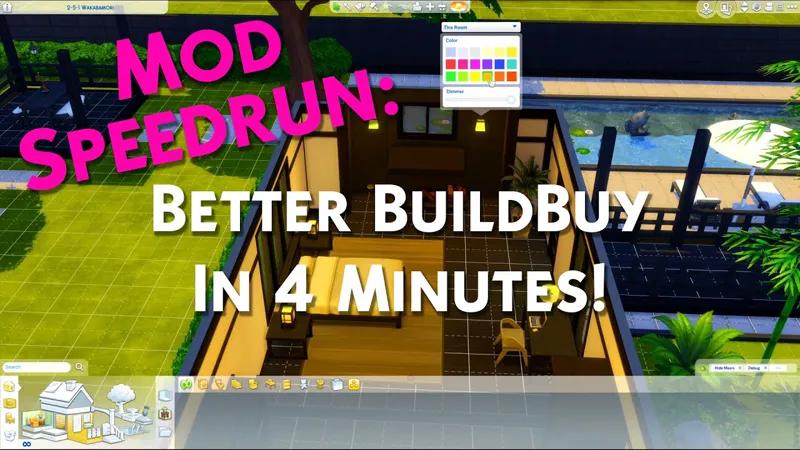
Better BuildBuy: Organized Debug v2.6.6 - High School Years Update
DOWNLOAD REMOVED AS THIS IS AN OLD VERSION.
FIND LATEST AT https://TwistedMexi.com
Mod Speedrun: Better BuildBuy Explained Under 4 Minutes (YouTube)
Comments (59)
A new update of the game, broke the mods for construction. Please update them, I can't build without your mods.
Same, It's driving me nuts not having BetterBuildBuy in my game. I keep pressing "1," and nothing happens! Ugh! I keep returning to TwistedMexi Patreon page to see if they've posted the updated version! PLEASE, I need BetterBuildBuy in my game; please update!
my bbb isnt working either...
Does BBB need to be updated for First Fits Kit? I bought it today and now I get an Organized Debug Install Failed message in build mode. I get this error message even when I run sims 4 as administrator.
Come to the discord, we have steps for you to do if you use EA Desktop
💕☺️💕
Ah OK thanks so much for the help.
Hi I also cannot access Discord on my Macbook I hope it's OK to ask a question here. Firstly thank you for all your talent and hard work and dedication in making the best mods for the Sims 4. By process of elimination (removing each of my mods at once) it seems that Better BuildBuy is causing issues with my Sims UI panel - the phone and other menu options on bottom left are just blue boxes and my Sim profile on the bottom left (the one you click on to locate your Sim where their wants and needs are etc) is also missing. It may not be this mod - so am just wondering has this bug been reported at all? The only other mods I use are: SSCO (cooking overhaul), MCCC, the Show Sim Info mod which is now updated by Frankk, Carl's seasons mod, and UI Cheats Extension. Thank you and sorry for writing an essay!!
That wouldn't be better buildbuy, you need to update ui cheats extension.
Hey, I really tried to install Discord but it isn't possible on my work mac :( I have the newest version of TOOL and betterbuild and I also followed your instructions. However I only see the TOOL menu in live mode when clicking on an object and there is no delete option. I also don't see the panel with organized debug option in the filters in build mode. Can this be due to other faulty mods?
You might have mod conflicts, yes. Any other ui mods would be a suspect including my standalone build mods as they're already included in BBB
Ok thank you ! And I love your job ! I love this Mod :)
Hello, is it possible to update Better BuildBuy please? Since the last update of the game, I have bugs with BetterBuildBuy, NPCs are celebrities when they are not normally.
That's just a visual glitch and its because EA's bug was present when I updated the UI files. It will be fixed this month but it's low priority.
Hi! I use better build buy so much it's a necessary mod for me to even play the game, but it keeps not working. All the extra functions seem to work (MOO always on etc.), but when I turn on organised debug, I get an error code that tells me that TS4 is unable to organise some of its own files and that's probably because UAC (which I'm not sure what is) is blocking. I've tried your solution of running TS4 as administrator, but I get the same error code and I am at loss for what to do now. DO you have any suggestions?
You're probably using ea desktop. Come to discord.twistedmexi.com and we have instructions on how to fix it
I agree with Tobi. When I try to shift click I get an exception error and am no longer to place most objects. I have both BBB and Tool installed correctly. Ive been using your awesome mods for a while now so I definitely know how to install them.
That has nothing to do with tool, sounds like you have other broken mods that are preventing the pie menu from generating. Bring the exception to discord.twistedmexi.com
When you say mod root folder, you mean like the actual mods folder right? No other sub folders? I downloaded nad installed this and still the fiels that tell me I installed it wrong, so just checking to make sure thats the right folder?
The files are always there, meant to keep you out of the folder. Start the game, if something is actually wrong it will tell you there.
Thanks for all of this!! I saw your post said that the expanded catalog was included in BBB so I deleted it but my catalog only shows 2 rows, everything else is working as designed though!
You press 1 on your number row to toggle the expansion
It keeps telling me I have it installed incorrectly but I've followed the steps exactly just like always.
Stop in discord.twistedmexi.com for support
ah yes! well i fixed that but i am still getting an error code when i load into the game so now i get to figure that out. thanks for the fast response, and your work is amazing!
same thing is happening to me as happened when the wedding pack came out - the world doesn't load. i even get an error code? figured it had to do with updating this, so i updated and....still get the error, new world doesn't load...i admit to not being at all tech savvy, any help?
It's tool that you need to update for that. Always get updates from https://TwistedMexi.com when a patch drops.
Go rest! lol - Hugs, my friend! 🥰☀️🥰
Thank you so much!!!
Its updated for The Sims 4 High School Years?
It will work fine aside from not having the organized debug for that pack
Just had a quick question, Since I have BBB, I've still kept your AlwaysMOO mod in my mods folder as well and was wondering since I have BBB should I keep AlwaysMOO in as well for just placing lots down or not?
It's redundant with Better buildbuy, just make sure you turn moo on from the filter panel
Can I ask you if CAW needs updating since TOOL and BBB needed updating???
Yes working on it currently, it's been more difficult for the same reasons that the BBB update was difficult
For me, the issue was not solved :(
Follow the steps at the top of the post.
never mind. Downloaded it wrong. I feel stupid. Didn't take the file out of the zip folder.
The Option to toggle debug and live edit is also gone from the filters, and for some reason the mod is creating dead zones where certain items wont work like fridges and computers. But only in certain spots. Deleting the mods got rid of this issue but like. Nothing is working at all
I'm having the same issue except organized debug is missing from the tabs for me, so im completely unable to reset it
I feel like I'm doing something completely wrong, and I would like someone to help me. I used this mod all the time prior to this new pack, and now I can't get it to show any of the debug. I open up the debug or live edit options on the drop down menu, and nothing shows. I even reinstalled the game. Please help
Very top of the post, follow the refresh steps
thank you!!
Yes, thank you very much.
🌕🌖🌗🌘🌑🌒🌓🌔
Thank you for all your fixes and updates, Mexi.
What am I doing wrong? Shift T does not bring up BBB in game.
You need BBB and TOOL for that.
Yay it's working! Just to clarify, when I turn organized debug off/on and restart, am I saving?
No saving is not necessary
for some reason Cottage living Live edit objects and Debug objects are missing when organize Debug is on.
Get v2.6.2 and compete the refresh process described at the top of the post. Keep in mind build only items like trees and rocks do not show under show all, use the dedicated live edit category for it, and make sure the live edit filter is checked
Just wanted to check; normally when you update mods, you delete the old files and extract the new ones from the ZIP. When updating your mods, is it the same? I want to make sure since the text doc in the ZIP says to just drag it to your Mods root folder.
Yes delete and drag the new one in
thank you so very much <3
🌸☀️🌸
Thank you as always for being so speedy with the updates!
Yes, totally agree with szanne 7000. Thank you very much for everything and for the always super quick updates.
You are so quick!!! Thank you for *everything* that you do for all of us!!! ☺️💎☺️