
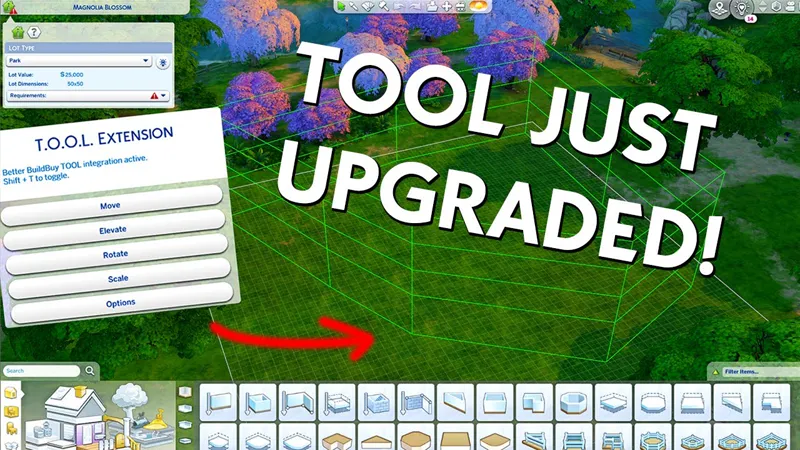
TOOL v2.6.2: 8-30-22 Update
DOWNLOAD DELETED. THIS POST IS OLD.
FIND THE LATEST AT TwistedMexi.com
🚨🚨🚨🚨🚨🚨🚨🚨🚨🚨🚨🚨🚨🚨🚨🚨🚨🚨
🚨🚨🚨🚨🚨🚨🚨🚨🚨🚨🚨🚨🚨🚨🚨🚨🚨🚨
🚨🚨🚨🚨🚨🚨🚨🚨🚨🚨🚨🚨🚨🚨🚨🚨🚨🚨
🚨🚨🚨🚨🚨🚨🚨🚨🚨🚨🚨🚨🚨🚨🚨🚨🚨🚨
Pre-emptive update for the Copperdale world coming with the High School pack. You can update immediately and you'll be fine when the pack drops.
2.6.2 UPDATE:
Fixed an issue preventing the "play scenario" dialog from loading correctly.
2.6.1 UPDATE:
Added necessary info for the new Copperdale world.
If your world map is blank, it's probably because you haven't updated TOOL.
2.6 UPDATE:
TOOL now tells players when their script mods aren't turned on.
Added compatibility for the Moonwood Mill world that came with Werewolves.
2.5 UPDATES:
TOOL will now notify you in-game when an update is available. This should help reduce the amount of people clinging to year old versions of TOOL.
Due to a game bug introduced by EA several patches ago, off-lot objects were disappearing any time players loaded an apartment/dorm style lot. I've implemented a workaround for this.
Reduced the radius for closing the grouping box, as TOOL users are usually working in a smaller space than Create-A-World testers. This means you'll be able to click closer to the original point before it will snap close.
2.4 UPDATES:
The grouping box now supports any polygonal shape.
The grouping box visualizer follows terrain
The grouping box can now select multiple levels.
====Original Post====
Want TOOL in build mode? Grab Better BuildBuy as well!
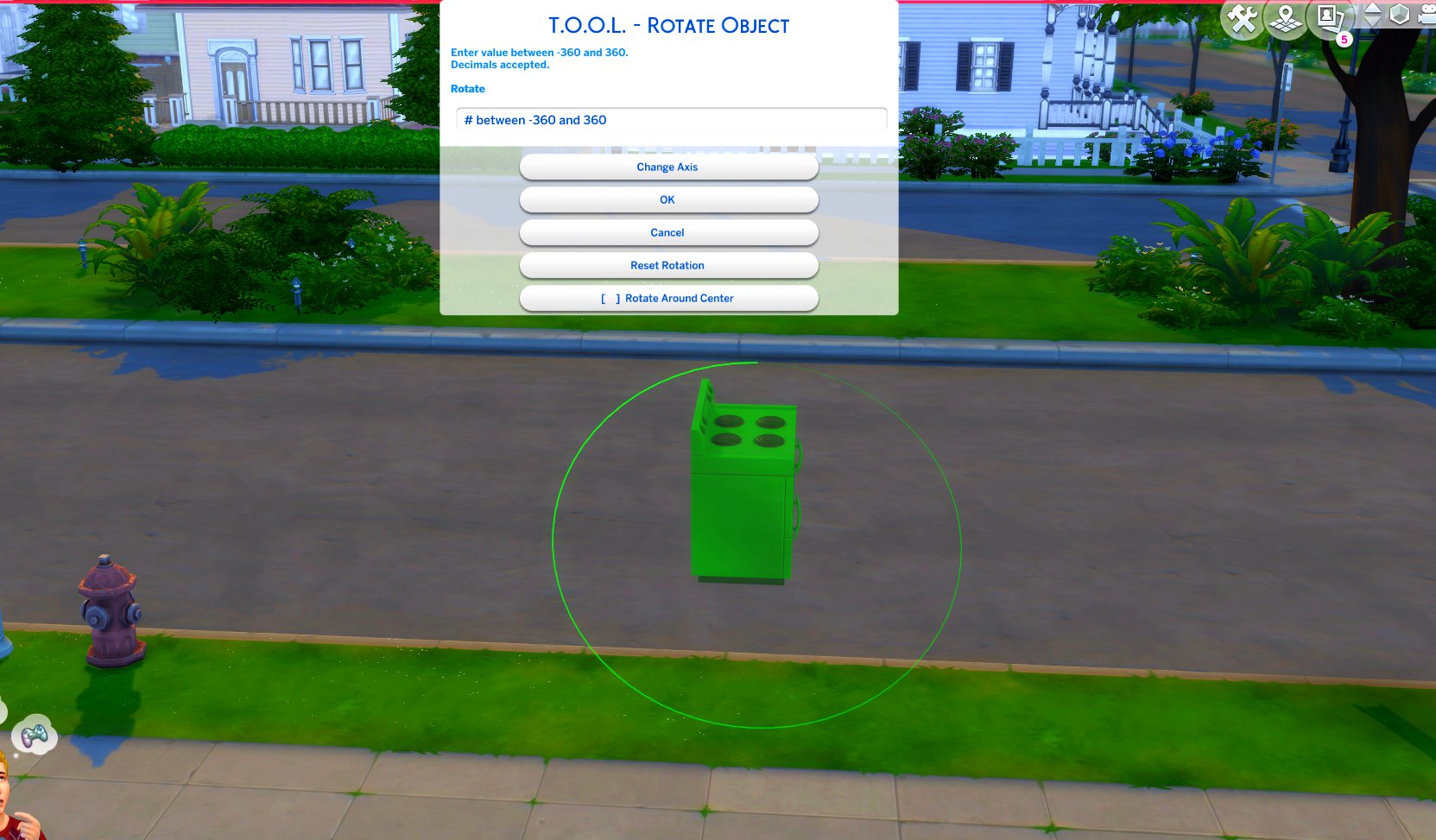
TOOL v2.3 brings a new feature called Rotate Around Center. It's a toggle in the rotate dialog that lets you choose whether group rotation will rotate all objects around their own axis, or around the group's center.
This video demonstrates the difference.
Many players requested this, as it'll allow them to rotate TOOL-only builds after they've finished, instead of having to plan which rotation they want to begin with. I hope everyone enjoys.
Rotation Around Center added to Rotate Dialog
Added an improved rotation indicator. The circle is now a gradient.
Dim = 0. Bright = 360.
Positive rotation amounts will always move dim -> bright.
TOOL Build Mode Quick-Start
Better BuildBuy must also be installed.
The usage is the same as regular TOOL, except you will automatically be placed in TOOL mode any time the TOOL dialog is open.
Toggle TOOL in build mode by pressing Shift+T
In addition, shift+clicking surfaces will automatically place a group box marker. This can be used in combination with the Toggle Group button to highlight many objects at once.
When the TOOL extension is open, ctrl+z and ctrl+y will handle the TOOL undo/redo instead of the buildbuy undo/redo. Buildbuy undo still works when TOOL is closed.
If you're new to TOOL entirely, refer to my original tutorial.
TOOL Live Mode Quick-Start
No other mods are required.
Need to enter testingcheats true or you can optionally force it always on using my AlwaysTesting mod.
Shift+click objects for TOOL menu
Shift+click surfaces for TOOL options menus.
If you're new to TOOL entirely, refer to my original tutorial.
Install Instructions
⚠ FOLLOW IT WORD FOR WORD. ⚠
1. Delete any existing copies you have for TOOL.
2. DONT use any zip extract options. Instead, OPEN the "TwistedMexi's TOOL v2.6 Official" zip by clicking it and drag the "Tmex-TOOL" folder inside to your mods root. That's it! Do NOT restructure or modify the files in any way.
3. Make sure 👉Script👈 Mods are enabled in gameplay options -> "Other". Restart if it wasn't.
TOOL Mod Just Got An Upgrade! - TOOL v2.4 | The Sims 4 (YouTube)
Comments (24)
A new update of the game, broke the mods for construction. Please update them, I can't build without your mods.
better exeptions The following UI Mods may have been responsible for your UI Exception :Mods\Tmex-TOOL\Tmex-TOOL.package
Discord.twistedmexi.com is the best place to get help.
I've used this mod before and have reinstalled the better build mod and the tool mod and still can't access the menu to move objects...
The install is incorrect or mods and script mods are not both turned on. It should tell you in game. If not then it's probably a conflict like build cam or pancakes edit lights in build mode. Come to discord.twistedmexi.com if you still need help
Is there an updated Build Better Buy that will work with this update?
Yes, use TwistedMexi.com for my current versions
Hi, Please check the grouping box function.it doesn't work on sizes 64*64. And it doesn't show up again when I hide the group box. In that case, must restart the Sims4.
It's something I'm aware of for certain lots. Will hopefully have a fix this month
🌟😻🌟
Hi TwistedMexi, I just wanted to let you know that I've been having a problem where if I put some stuff out in Plumbite Cove Copperdale it doesn't stay there. For example, I was trying to add some painting easels and gym equipment but, when I leave the neighborhood and come back there's a 50% chance its gone. OR almost always if I save, exit to main menu and come back, I'll find everything has been reset. Not sure if this is a known thing or if I'm doing something wrong with TOOL
it was an issue on dorm/apartment lots but those were fixed a few versions ago. Can you stop in discord.twistedmexi.com so I can get some info from you?
What do I do if the mod tab does not appear when I press shift + t?
The build mode quick start instructions state that it requires better buildbuy as well
hiii! thank you for the update, however im having issues.. i haven't updated my game yet to the latest patch but i've been updating my mods to prepare, and after some 50/50 testing the TOOL mod now breaks cas for me by taking away the UI. weerbesu's mods are doing the same :( i've even split them apart and they all break both separately and together (TOOL, more columns + UI cheats extension)
TOOL doesn't touch cas so there's no way for it to affect it.
Great thanks.
Wow you´re so quick. Thank you so so much! I wouldn´t know what to do without your TOOL Mod ♥
You are extremely appreciated. I simply cannot build without this Mod. It is by far my favorite. Thank you! Please never stop updating it. ❤️
You ' ve reacted so fast !! Great job !
thanks for being so quick with all this!!
That's true szanne 7000. I thank you too, for everything.
Seriously - you are a speedster and I cannot thank you enough, my friend! ☀️🤗☀️
Thankyou so much, it's so hard for me to play without my cc and mods.