
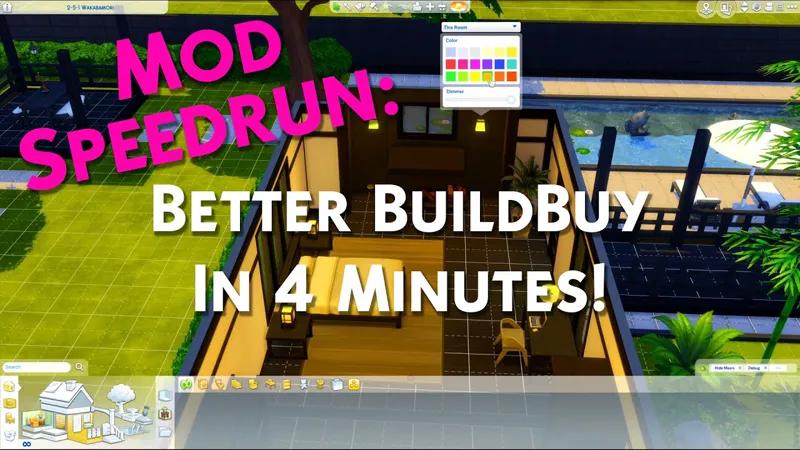
Better BuildBuy: Organized Debug v2.5.1 - Public Release
DOWNLOAD REMOVED AS THIS VERSION IS OLD. FIND ALL OF MY PUBLIC MODS USING https://TwistedMexi.com
v2.5.1 UPDATES:
Updated UI files for compatibility with Spa Day Refresh patch. This resolves the half-loaded build mode issue when loading from map view.
==============
Welcome to BBB v2.5!
Two main changes - firstly, I've added MOO and Ignore Unlocks to the BBB options.
They can be found under the Organized Debug checkbox.
Secondly, my discontinued BuildBuy Deletion Fix mod has been renewed as part of BBB's features. For those unaware, this was a cheat that stopped BuildBuy from deleting anything, allowing you to make changes like wallpaper or modifying architecture without losing your objects. This is now an option in BBB's filter panel. Unlike the other options, it does not persist between sessions. This is intentional, as you should only turn it on while necessary and turn it back off immediately after. Undo may not work for anything you do with it on. You will also receive a pop-up when turning it on, reminding you of this. No, the pop-up is not negotiable, it's one extra click and is still much faster than typing the old cheat. Without it, our support team would be inundated with players asking why they can't delete objects.

Updates:
Added new "permission denied" error message for the few users who kept getting the desync message over and over, making the actual issue more clear to the user.
The two warning files inside the tmex-betterbuildbuy folder now delete automatically after first successful run, to reduce chances of player confusion.
Added a MoveObjects toggle to the BBB filter options. Do NOT use the cheat anymore. Setting will persist.
Added an Ignore Unlocks toggle to the BBB filter options. Do NOT use the cheat anymore. Setting will persist.
Added BuildBuy Deletion Protection to BBB filter options. Setting will NOT persist, by design.
Updated light editor logic to allow cloning of rooms using shift.
=================
ORIGINAL BETTER BUILDBUY INFO
(This video will help you get started quickly.)
New Features:
Having Organized Debug on no longer causes your lot to be marked as CC. That means you no longer have to restart the game constantly.
A Light Editor has been added to build mode, with a dropdown for light selection. You can access it by shift+clicking any light.
Debug/LiveEdit Objects for packs you don't own will no longer appear in the catalog.
"Kit" pack filters have been split into their individual kits, so you can pick exactly which kit you want to see.
Added a "Desync" dialog message. There's a few occasions where Organized Debug can be left in a bad state, for example after deleting your resource.cfg. This new dialog will show when organized debug needs reset. If you get it, all you should need to do is restart your game once and then you can continue using it as you normally would.
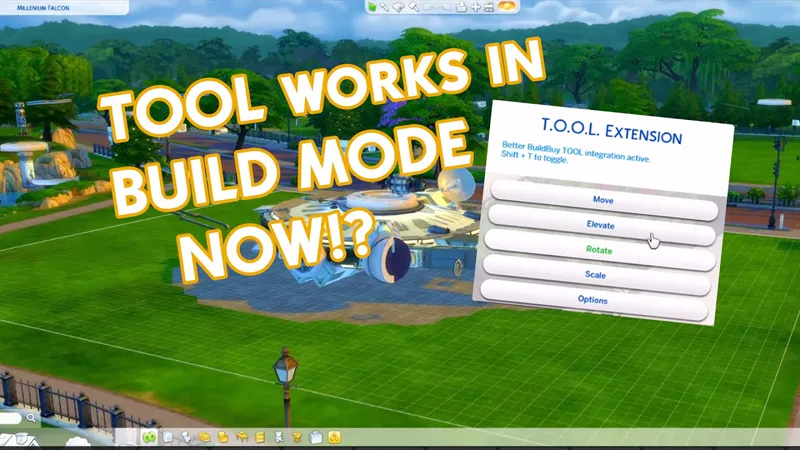
Did you know you can use TOOL in build mode if you're using Better BuildBuy? Grab TOOL here!
Better BuildBuy Quick-Start
You don't have to use Organized Debug for TOOL. Just don't check the filter.
Do NOT use debug or liveedit cheats. Use their respective filters instead.
Do NOT install buildcam or expandable catalog separately. They're included in BBB.
Filtersare different! Please don't ask where your CC went.
Filters work as follows: Hide Maxis - Hides all regular objects that aren't debug, liveedit, or cc. Debug - Shows debug objects, replaces the need for the debug cheat. LiveEdit - Shows LiveEdit objects, replaces the need for the liveedit cheat. Custom Content - Shows Custom Content objects. Off by default, be sure to check this if you want your CC visible. Filters stay set even when you close your game, so you'll only need to turn CC on once if desired.
Press 1 (number row) to toggle catalog size.
Press Tab to activate Freecam mode in build.
If you'd like to use Organized Debug, open the game and open your buildbuy filters. Scroll to Better BuildBuy and select Organized Debug. You'll receive a pop-up and will be told to restart. After doing so, Organized Debug is active.
If you're completely new to BBB, I recommend watching my original tutorial.
Install Instructions
⚠ FOLLOW IT WORD FOR WORD. ⚠
1. Delete any existing copies you have for BBB.
2. Open the "TwistedMexi's Better BuildBuy v2.5.1 Official" zip and drag the "Tmex-BetterBuildBuy" folder inside to your mods root. (No subfolders!)
3. That's it! Don't restructure or move the files in any way NOTE: On Mac, .zip files may automatically be unzipped when downloaded. In that case, drag the newly downloaded folder to your mods.
Uninstall Instructions
Hate to see you go, but if you are, it's best if you do the following first:
1. Open your game with the mod installed.
2. Turn off Organized Debug in your filter panel.
3. Close your game.
4. You may now delete the mod.
Comments (37)
Has the stand alone expanded build/buy been updated yet? Thank you for your mods!
Yep
It is faulty, the icons on the MAP page are incorrect, I removed in testing and it fixes, thanks for the help;)
Hi, Thanks for your great work as always. I recently found that when using BBB cottage living debug items are not showing. Wonder if anyone else has the same problem?
No they should be showing if you're using the latest version of bbb. Delete all copies of better buildbuy, you might have a duplicate buried somewhere in your mods. Then get a fresh copy from https://TwistedMexi.com
No luck getting this to run. I've been trying for two days. It doesn't appear in my game even though I've followed instructions thoroughly. Not new to mods and I just cannot figure out how to get this thing going! It acts like it's buried too deep. But I PROMISE I've only dragged and dropped into my mods root. Haaalp!
Hi Brie, stop in my discord and we'll get it sorted for you. You'll need to accept the server rules on the left hand pane if you're new to it. https://discord.gg/P4bvz8ef
Hi, I'm so sorry, this seems to not be working for me :( I've loved this mod for so long but now it just makes my build mode UI disappears. Is it an issue on the latest update? I hadn't opened the game in a while
sorry I'm an idiot, I had bookmarked an older version of this, now I get what you meant by update.
Hey, can you please help me with this mod? First I downloaded just the T.O.O.L mod and when I load the game, SHIFT+T did nothing.. Then I downloaded BetterBuildBuy mod as well, and T.O.O.L mod worked (shift+t) but I can’t get to any cc items, when I try to filter items, the moment I click the filter arrow I get error message something like “Better Build Buy mod was not installed correctly” but I did everything like you explained.. I’m not sure what I’m doing wrong?
Error on filter open means script mods aren't enabled in gameplay options or more likely you've installed bbb too deep
Thank you!!
Hey Mexi! First, thank you for all you do for the community! Second, I just went fully into my game after about two months of just trying to get my mods/cc weeded through and updated/etc and I was setting up BBB and I noticed that in the drop-down for BBB, there isn't an option for Custom Content. I looked through the post for this release and the Early Access release to see if you mentioned it being moved but couldn't find it. Did I miss something or am I not looking in the right place?
Those can be found in content. The bbb panel is more for game options than content filters
Thank you for the update and for continuing to make BBB better and better!!!!
Thanks for the speedy update. I just backed you. :)
Thank you 🙂
As always, you're amazing -- THANK YOU!!
Thank you for the update!!!
Thank you so much, my friend! I hope you are enjoying your new car and are getting enough rest! 🌸💕🌸
❤️❤️❤️❤️🙏🏾🙏🏾🙏🏾🙏🏾 Legit the best….
This isn't working for me after the update, the menu at the top in build mode for walls up or down etc., aren's appearing at all, and you can access the menu of the game at all once you go into build mode. I;m on a mac but I doubt that matters much.
Bbb hasn't received its update yet. Expected tomorrow
Only the TOOl crashed the game? Yesterday, I no longer had a construction panel when entering via the MAP on the lot to be built, was the TOOL doing that? I pulled out yesterday, not sure if everything is OK now. Thank you for your attention, that's kind;)
The missing tools is that it is broken, thanks for the reply.
This isn't working for me, unfortunately. I followed the instructions and when I open the game, debug and live edit are in the function menu, and I clicked the boxes in the filter, but nothing shows up under debug or live edit. So I unclicked debug, exited the game, restarted, clicked debug, restarted again and no change. I've done it several times and I get the message about it not being synced so I follow the instructions again but nothing shows up in the panel when I click on debug or live edit under the objects by function menu. Please help! The only other mod I have installed is MCC and it's up to date.
Please come to my discord and the team will get you set up. Discord link on TwistedMexi.com
do I need to download TOOL mod as well if i have this ?
Only if you want to use TOOL.
Hello! I keep getting the "please re-read instructions" package file when downloading the files. I download the zip to my Mods folders and unzip it in the same folder. But I still get the error. What am I doing wrong?
Don't download zips directly to your mods folder, instead open them and drag. This video covers everything. https://youtu.be/tERXE7WxegQ
Hey! Does the mod offer language localizations? Despite I'm ok with English, I would like to use it only in my localized game language.
Many of them are localized. If they aren't, it's because my translation team either doesn't have a person for your language or they haven't completed the translation yet. What language do you use?
Thank you very much for the updates and extras! The MOO one is incredibly handy, though I might set it off by default as I can't test my mods with it being on :P But I can imagine for all builders it's better to have it on almost all the time. :)
Thank you for sharing.
🤗💕🤗Forever and always!!!🤗💕🤗
Bless your soul for adding an option to change lighting when in build mode and just this whole mod in general ✨👏🏽🤩