
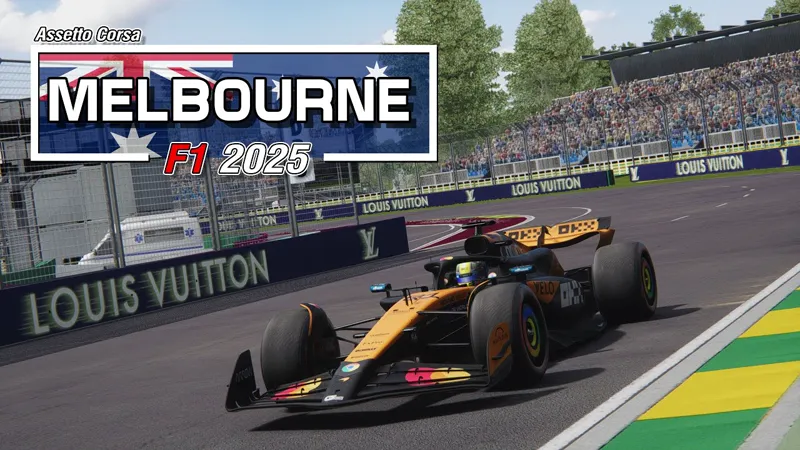
[ARCHIVE] Melbourne F1 2025 Extension
NOW INCLUDED IN THE MELBOURNE F1 CLASSICS PACK
https://www.patreon.com/posts/151949164
____________________________________
⚠️ NEW MELBOURNE TRACK PACK IS REQUIRED ⚠️
⚠️ DOWNLOAD LINK IN INSTALL PROCEDURE BELOW ⚠️
The wait is over - Formula 1 is back! 😎
This weekend, the season roars to life at the iconic Albert Park Circuit in Melbourne for the 2025 Australian Grand Prix. 🏁
To celebrate, here is the all new Melbourne F1 2025 Extension 4.0, bringing you the latest track updates and features.
Get ready to experience the thrill of the season opener on this legendary circuit! 🏎️💨
[EDIT: UPDATE 4.1]
Direct integration of AI files by mk-sg:
Credits and big thanks to him for allowing to include itPlease check his work at:
https://www.overtake.gg/downloads/authors/mk-sg.814962/
Here are the new features:
New Layout 2025
New TagHeuer Clock Tower Model
2025 billboards
2025 animated boards
2025 fence boards
2025 brake markers
2025 signs
2025 Pit names
Extended Sand Trap on T6
Kerbs blue lines
Additional bridge
White lines replace yellow lines
Updated textures (crypto & salesforce)
BC7 textures for all layouts
Updated VAO Patches
Unified environment file
Updated AI Sidelines CSV (less grass grinding)
Updated Main camera
Enjoy!!! 😃
Comments (35)
Where is the link?
As said at the top of the post: Now included in the Melbourne F1 Classics Pack https://www.patreon.com/posts/151949164 😉
I can't get the base track to install. When I go to drive it CM says there is an error. The track folder is "melbourne" but unlike the other tracks, I can't see any .kn5 files. Help, please.
Can someone please share the exact combo of Melbourne Track and AI files that work? Tracks look great, it's my hometown, but cant drive it with the AI sliding and crashing out... not just F1 cars, but GT3 cars also, thanks in advance! (BTW someone suggested the OGG download, no difference. EDIT: I turned OFF the 'New AI Behaviour' in Content Manager, AI no longer crashes!
At today the best AI for Melborune is by Nuzzi
Hello big ai issues for me the ai randomly crashes in raceweekend practice and quali i tried serveral time to reinstalling it and it wont fix it
Hello ! Big AI issues for me too. They are crashing one by one on first lap. I don't even run, just staying at the start line looking them teleport from race to pit. I have reinstalled the current version, tried several times, still the same. No problem with the two previous one (2025 update), unfortunately I delete them
Is it possible to get the 4.0 version please ?
The pit lane entry is failed, it detects the speed in the grass of last corner and the white lines. Please fix it, it isn't fine for online racing.
I notice that the digital flags do not work any more? I recall that with the first 2025 add-on (4.0?) the lights did work but I sadly deleted and cleaned the trash bin already in the 2024 3.0 add-on they do work but when copy over the 2025 files you have to overwrite files after that the digital flags don’t work I don’t know how to fix it
Did you get a fix for that?
The white lines at the pit entrance and the yellow triangle where the pit lane splits off are defined as a pit surface in the original track, not sure if there's anything you can do with your extension to fix it by replacing them?
great now ots working thx for all
Here is the solution for AI problem, i tested my self and works very well https://www.overtake.gg/downloads/albert-park-circuit-melbourne-gp-and-pyyer-ext-ai.70402/
This needs to be taken more seriously by the creators!
Do we realy need fency skins and great looks? Well it is nice, but if I have to choose I go for working usable aicars, A big fix, not alot of smal tickboxes in CM, who I dont understand the use for! Here is a 10 lap race in Melbourne who 9 out of 20 aicars comit suiside during 10 laps: https://youtu.be/sjHMewKgUbE
Using ver. 4.0.1, AI still crashing as hell. "Use Simpler AI for low-level AIs" dont change anything.
is there gonna be an extension for fenryr’s?
Trees Looks a vit to bright
Why not create extension for fenryr’s tracks. It’s so much better looking
Pitboxes are not okay. Names do not match the internals of the pitboxes
Yeah Ai cars are piling up at race start for now you can use / copy over the AI folder from the 2024 add-on they start a race with no problem till its fixed
im also havingproblems start race with ai
Just went back to Melbourne 2024 Track and no pile up at the start of the race.There is an issue with 2025 track when you want a race.cars just pile into each other,at the start of a race.
for me too
practice and qualifying no problem.A race,big problem,nearly all the cars just pile up into each other only about 6 cars race the rest are retired.Something seriously wrong here.
Weird: all grass surfaces are pitch-black, only on this track. Any ideas?
I have used this type of installation, described in your installation tutorial and the problem was solved, thank you and let's see if it helps anyone. Method 1: Drag and Drop (recommended) Open Content Manager. Drag the downloaded .zip or .rar file directly into the Content Manager window (or use the install from a file menu). A green notification will appear in the Content Manager menu at the top right, asking if you'd like to install the layout(s). Click Install. Content Manager will automatically extract and place the layout/extension files in the correct directory. Restart Content Manager to ensure it recognizes the new layout(s).
Good morning, first of all, thank you for your great work and for it. I'm having a problem when starting the race. Half of the cars get stuck and the game slows down a lot. Do you know what it could be? The 2024 version runs perfectly, but this one fails.
amazing work as always, im gonna use it for my youtube videos
why this version of the track? Fenryr has released the laser scanned version
Yep this is definitely more proper one, for sure!
Looks good mate , what's the chances of every replicating the turn 5 outside wall how it's closer in now
Whooo Hoooo! Thanks Pyyer! This one looks amazing!
Wait till you try to have a race.