
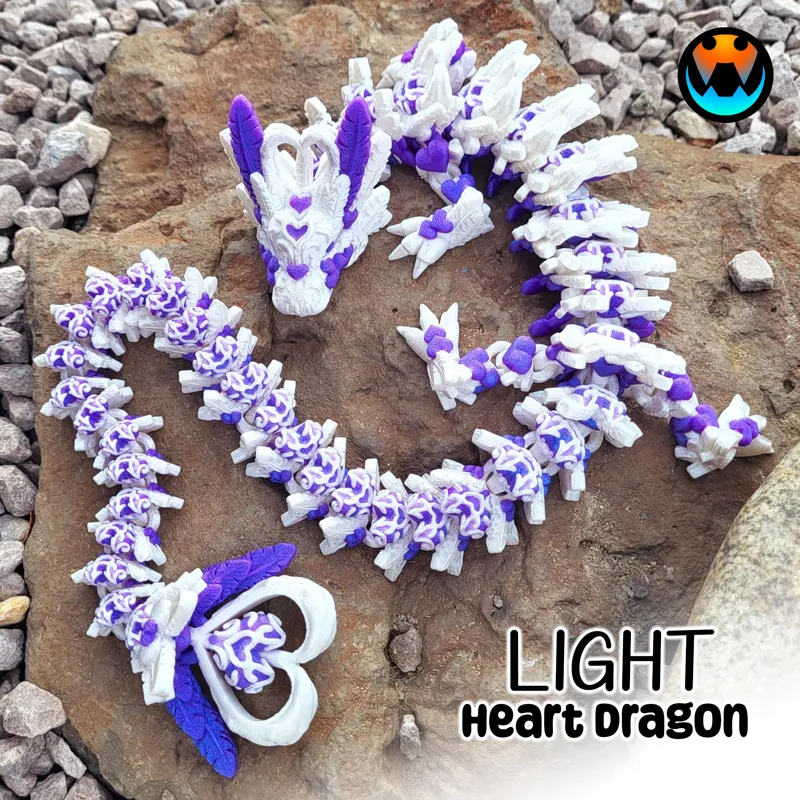

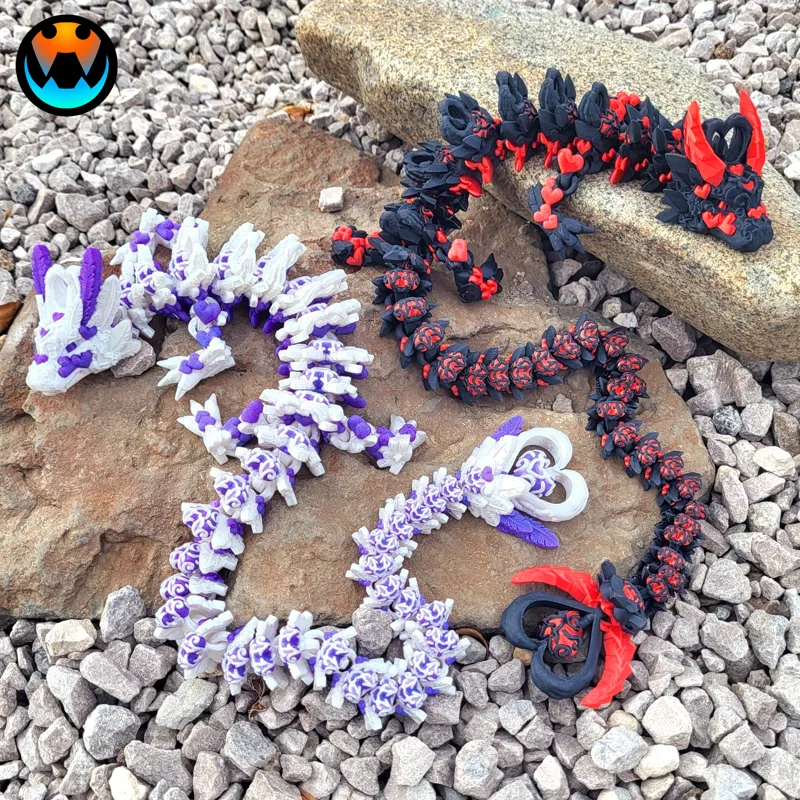
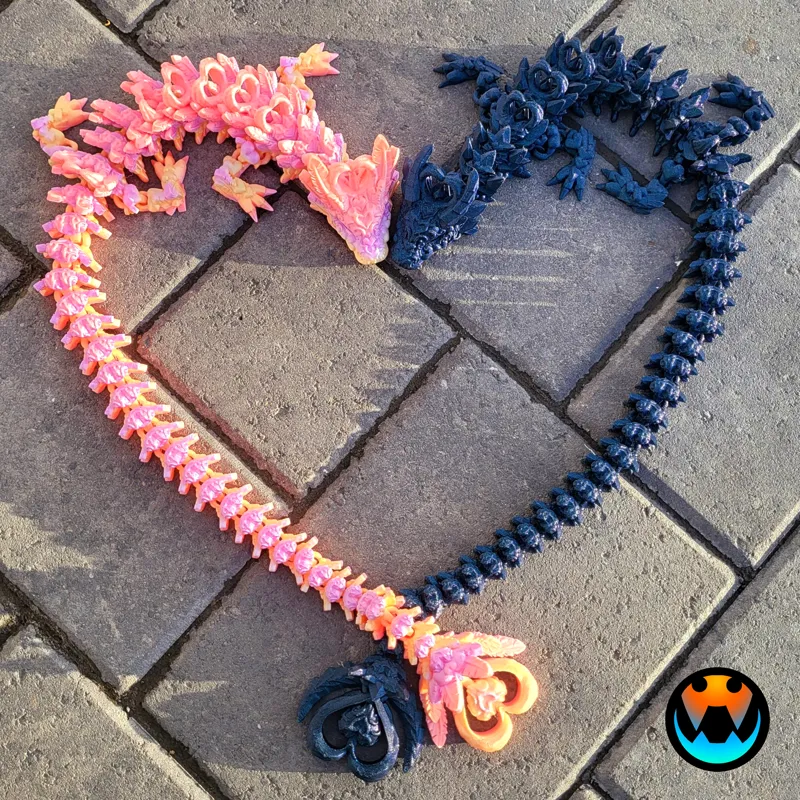
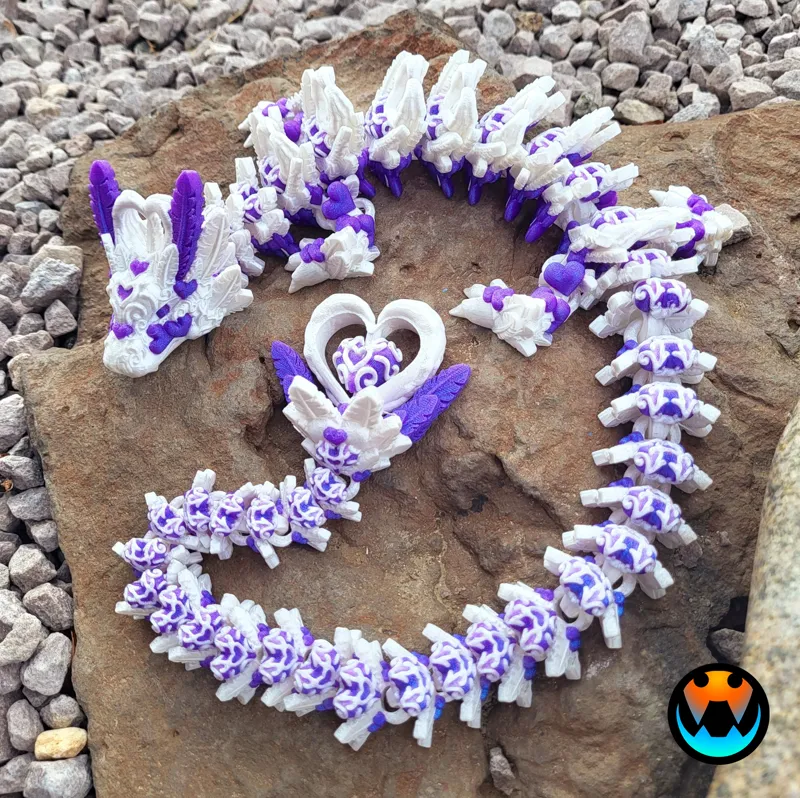
LIGHT Heart Dragon! (1 of 2 Heart Dragons)
This was a JANUARY Design and has been Archived! If you were subscribed in January, you will receive an email from MyMiniFactory within the week to access the archived files from that month. If you are starting your Subscription in February 2024, Welcome! Your exclusive models are available immediately in the Exclusive posts (link below) and the February Models will be in the February posts tab as they come out over the month! https://www.patreon.com/cinderwing3d?filters[tag]=Exclusives
If you missed this model or any others they are available on MMF for purchase!
https://www.myminifactory.com/users/Cinderwing3D?show=store
-----------------------------------------------------
Hi Cinders!
I have TWO Cinder-style Dragons to release to you all this month! I LOVE this fun matching PAIR! Make sure you download BOTH each in their own post!
----> LIGHT Heart Dragon is attached below! DARK Heart Dragon is HERE! <----
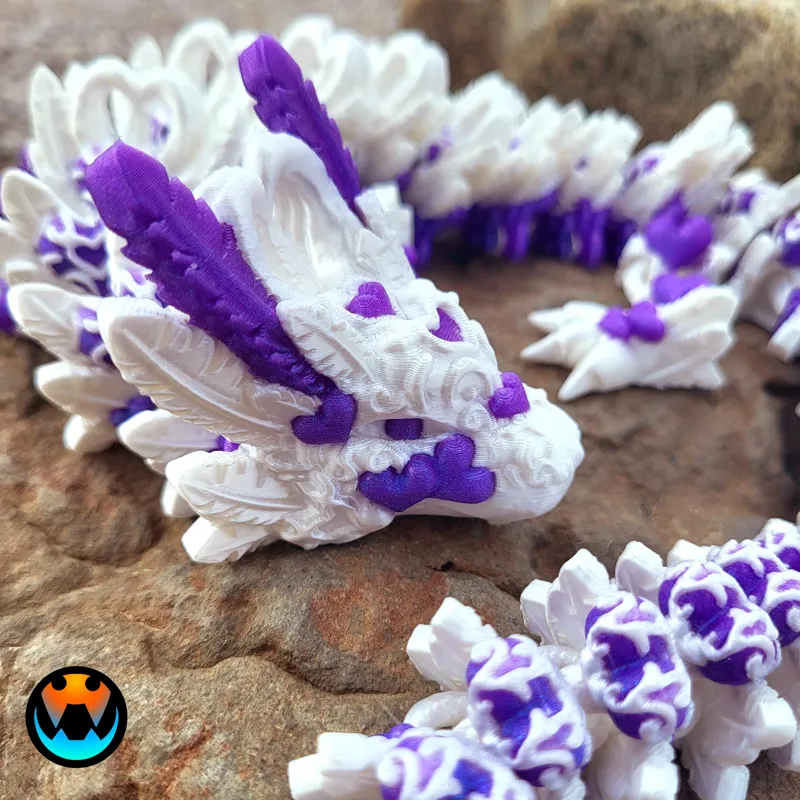
The Light Heart Dragon is covered with beautiful hearts and feathers! The round feathers make it a nice, friendly dragon to hold!
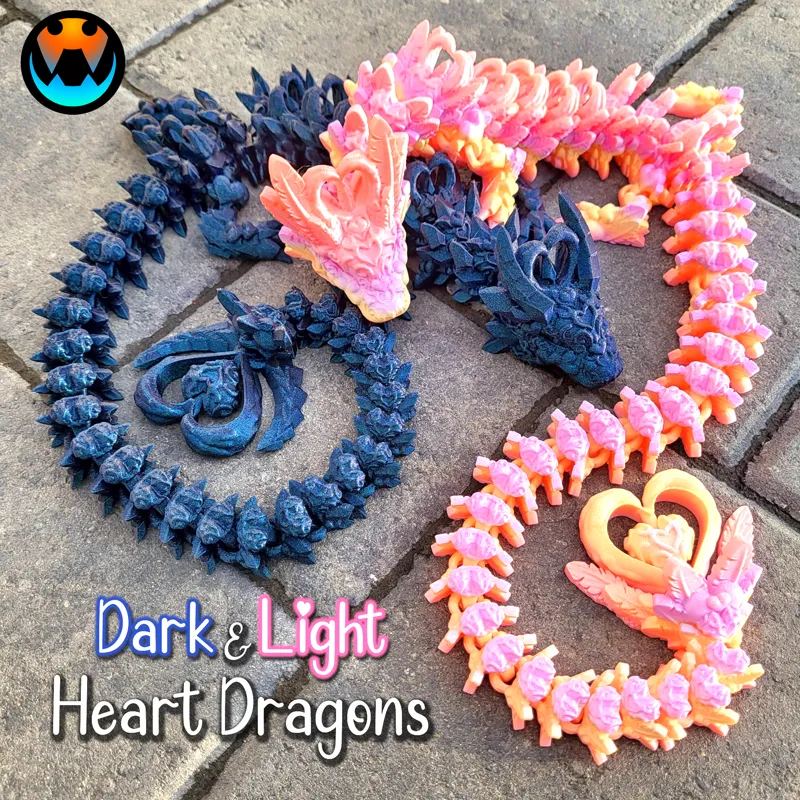
The Dark Heart Dragon brings a whole new meaning to the phrase "Love Hurts"! Among it's striking detailed hearts are pointy arrows, which are quite pokey!
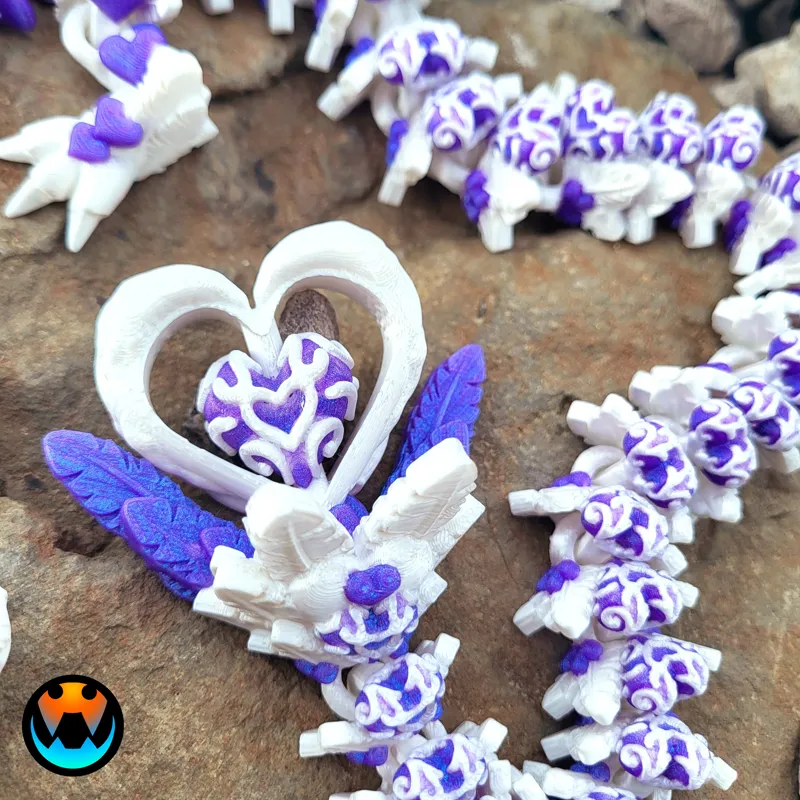
Both the Light and Dark Heart Dragons have similar arching hearts on their head and back, along with a spinning heart on their tails! Both complete this adorable pairing!
-Tracy
---------------------------------------------------
Admin Jazzy spent days digitally painting the MMUs for you all so you have the easy option of multicolor! Thank you Jazzy!
Filament Used: Solid color LIGHT Heart is ZIRO Sweet. Multi-color LIGHT Heart is silk white with Stronghero3D Mirror Chrome Purple/Blue. Solid color DARK Heart is Flashforge Burnt Titanium, Multi-color DARK Heart is silk black with silk red.
Filament: https://www.amazon.com/shop/cinderwing3d
Print Settings: .2 Layer height, 15% infill, gyroid infill, no brim, and no supports. Please join our discord chat below for more help and discussions.
------------------------------------------------------
JANUARY 2024 Models: HERE
EXCLUSIVE Rose Frog - RELEASED
Tiny Heart Dragon - RELEASED
EXCLUSIVE Baby Wolf Dragons (winged and wingless) - RELEASED
BONUS COMMUNITY MOD Heart Spider - RELEASED
Light Heart Dragon (1 of 2) - RELEASED
Dark Heart Dragon (2 of 2) - RELEASED
-------------------------------------------------------
PLEASE READ
Please remember, NO sharing, re-selling, or distributing this digital file or modifications of it in any way.
Please see WELCOME POST for questions, all exclusive releases, and links: https://www.patreon.com/posts/welcome-to-info-71819754
All Supporter Exclusives: https://www.patreon.com/cinderwing3d/collections
Discord is our MAIN form of communication and way to provide help! Please join our community below: Discord chat HERE: https://discord.gg/cinderwing3d
For any help requests or issues please go through this email: Email (contactcinderwing3d@gmail.com) OR through a Discord ticket!
Thank you, Cinders, for your support!!! And Thank you to our Admin Jazzy and Test Team for all your hard work!

Comments (33)
any chance of getting these with a shortened tail option?
I'd recommend checking out the baby versions then!
@Jazzy, I'm loading this into Bambu and the slicer is saying there is over 47 different objects. When sliced, I'm getting a conflict of error codes saying that stl 3 is to close and may cause collisions. If rearranged on the build plate, Bambu separates all the different STL's into separate pieces. I hit undo and now it's saying there is "conflicts of gcode path at Rev4 stl 5 >>>Rev4 stl 1. Please separate the conflicted objects." I've loaded this 4 times and keep getting these errors. Where these all meant to be separate STL's?
Yep! I specifically left it to pieces cause this one has SO many nooks and crannies and I wanted to give people the option in case they wanted to customize the paint job Load the model into the slicer, then right click and hit the Assemble option. That'll bring it together as one piece. The archived version on MMF also has the combined versions as well
How much filament waste is there with these multi color prints?
Depends on how well you tune your filament purges! Some folks in the Discord can get these as low as 10-30g!
I tried printing this a few times and keep getting failed prints after a few layers. Could it be because I assembled the parts together? I tried on 2 different printers. A new one should be delivered Tuesday and I plan on trying it on that one as well. Right now I have a P1P and anycubic vyper. P1S is coming Tuesday
No assembling it wouldnt cause print fails like that, most likly its a bed adhesion issue!
I had a bit of a cull in patreons and accidentally cancelled you guys, I downloaded the dark heart before I did it, but not this one, now I don't have access to it... Will it appear in the MMF thing for me still? I think I only cancelled a week or two ago
Yep you should already have gotten your MMF email!
I am also having problems slicing the light dragon in cura
Can you make a version with a smaller tail?
Both dragons load into my bambuLab in pieces.
Yep! I specifically left it to pieces cause this one has SO many nooks and crannies and I wanted to give people the option in case they wanted to customize the paint job You can select all parts and assemble if you need to!
Trying to slice, and it says it needs repairing. Only on the light heart dragon. I've clicked repair but it seems like its taking a long time. Not really moving the bar. Anyone else had any problems like this ?>
You do not need to repair it, print as is!
Me to been trying to slice it all day.
cura is having problems as some of the parts are floating and when i set them to touch build plate i get about 4mm of most parts below build plate and the joints fuse... there is no assemble feature here so what now? its a solid part in cura so what am I missing? edit*** If you click arrange all models as grid it prints wonderfully in cura. worked 1st time in creality slicer and in prusa/ bambu as well after assembling the model.
i am having problems with the pre painted version of both of these files there is parts that have huge gaps not painted or painted partially .
That's strange, what slicer?
i tried printing the light heart dragon last night, and for the life of me i couldn't get it to slice in cura. no matter what size i made it. i got it to slice in creality print, but it shifted halfway through the print, & the heart on the tail, didn't print quite right. will there be updates for these dragons?
Cura and Creality Print are the same, in that Creality is based off Cura. Generally for Cura we'd recommend rotating or resizing but you tried that so I'm honestly not sure. As for the one that did get going, brims are highly recommended
I tried printing both and they both failed at the end. The heads were just a mess of filament. :(
I have tried printing both versions on 2 different printers. And were having the same issue with the edges of pieces being high and it kicking pieces off the build plate.
turning zhop on might help with that, it did for me on my ender
Why is mine loading like 100 separate pieces? Anyone else having this issue with MMU file?
It was likely separated into parts to paint properly and never reassembled - if you hit "assemble" when first loading in, prior to moving it when they're all highlighted it will put them together in one sheet
On the printer now!!!!!!! Will post after 24 hours of printing!!!!!
Thank you! I’m sorry, thought that was a different one.
Omg you are killing it this month 👏
I love them! Especially the pink and orange! What filament is that?
its in the post! new colors from Ziro!
Amazing