


Dev Log: Chapter 3 Bugs
I've actually done something I've never done before in the last week or so: Found a couple of bona fide bugs in Daz that have been .. bugging .. me for a short while
You may .. or may not .. be aware that Daz 6 has launched of late. And so like anybody into this - I've went away and tried it out.
This isn't a review .. but, I found an issue with spotlights that was broken and .. the important one and the purpose of this post .. the animation timeline is fucked
Which of course is a bit of an issue when I'm at the stage of completing 4 animations that I left undone so I could get the base bread and butter rendering finished.
Ahhhhh .. Mr Rauko: Why are you using Daz 6 to do these animations then? Why not go back to the previous version and do them there and then there's no issue?
That's a very good question. And so I did. I went back to Daz 4.24 and ... the animation timeline bug is there also!
I actually only went across to Daz 4.24 quite recently and in the time since, I'd never really done much with the animation timeline and so never noticed the bug was there. It's only when I decided to try and do an animation in Daz 6 (it is actually quicker in copying and creating keyframes) that I noticed the bug .. stepped back to 4.24 to do the animation itself and found that the bug had been in that version all along. Does nobody else use Daz for animations?
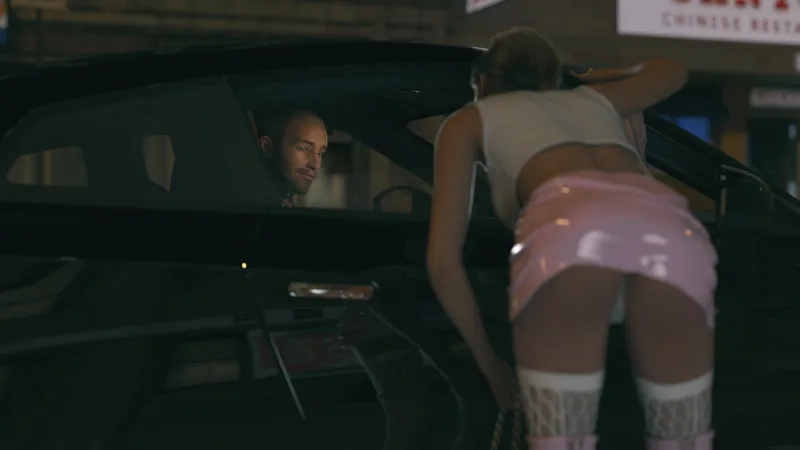
As you can see from the above image .. Frame 16 is a Keyframe and Frame 17 is one of the interpolated frames between keyframes and .. Jacks hands have gone a bit fucked. And I don't know what he's doing with this shoulder ..
Anyway .. this has caused a little bit of an issue, as you can imagine.
So I've been having to copy keyframes .. have the issue occur (it's seemingly random). Delete keyframes. Save out files. Reload. Rinse and Repeat.
But .. I sat down over the weekend determined to find out what's going on and to see if I can find a solution to it.
It's obvious the interpolation data (the bit that "guesses" what the next frame should be between two key frames) was getting corrupted once the second keyframe was added so I did - genuinely - conduct extensive scientific research .. Trying different ways to copy the frames .. when to copy .. how to copy .. doing only certain body parts etc .. You think it, I did and my conclusion was: Yeah .. it's fucked
However .. all is not lost .. I did stumble across a solution thanks to our AI Overlords. I forced Daz at the Keyframe to rebuild / recalculate the interpolation data and ... It worked!
So after nearly two weeks of messing around .. getting frustrated and .. to be honest .. almost giving up on the animation and using a series of rendered scenes to show what was happening instead .. things SHOULD .. crack on now.
This bug is now winging it's way to the bug-cracking team as Rauko fixes Daz one step at a time!
Oh. Things are moving on. Doing animations. Tightening dialogue. Snazzing sections up. Post editing. Adding shit in. Removing shit. Getting close to "the announcement".
Comments (2)
I've seen that big also but have never been able to dig to the source. It truly seems random with me. Rare too...I have one old machine I can use 4.24 and one I have to use 6 because of the new card. Seen it in both. Just assumed it was known and that was that.
Yeah .. what I've worked out to "fix" it is when it occurs .. select all elements in scene at the proceeding Key Frame (so in my example above .. Frame 16) so it lights up yellow .. then right-click the time line .. Go Set Key Interpolation > Linear and then do it again, but go back to TCB .. so Set Key Interpolation > TCB It seems this forces a recalculation of the interpolation graph and fixes the problem. Now truth, I've only tried it the once and it worked due to the rarity .. but give it a go ..