
Blender Tips (Twitter seen it first)
1. Using Ctrl+D (duplicate) instead of copy + paste makes it so you don’t have multiples of the same materials and shares the same data as the original thing you duplicated so if you make a change to one you make a change to all sharing the same data
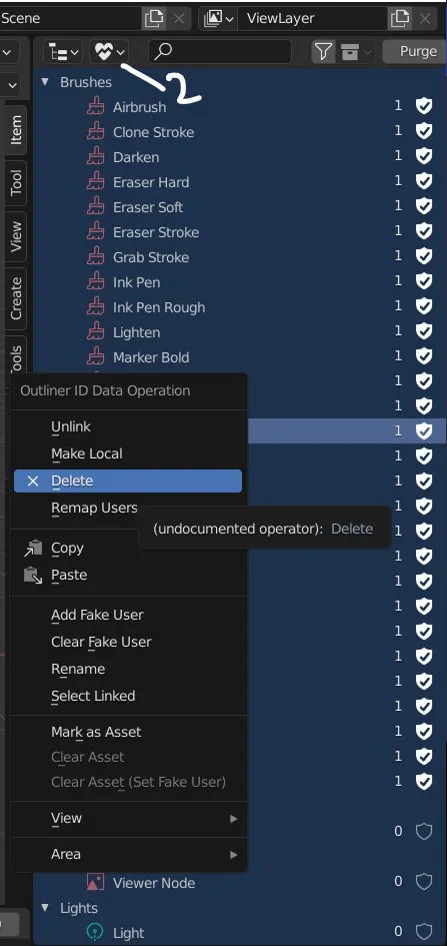
2. Deleting Orphan Data will help your files by purging it of the data that you have deleted from a scene permanently and officially.
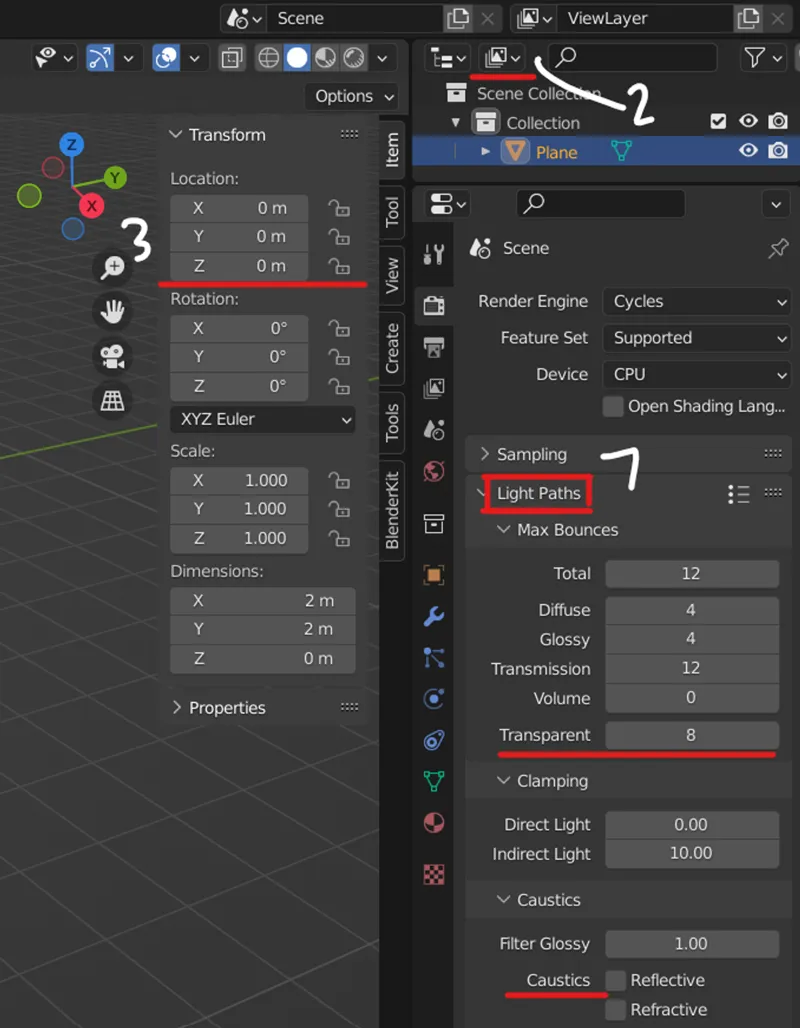
3. If you want uniformity, use the coordinate sliders in the viewport section
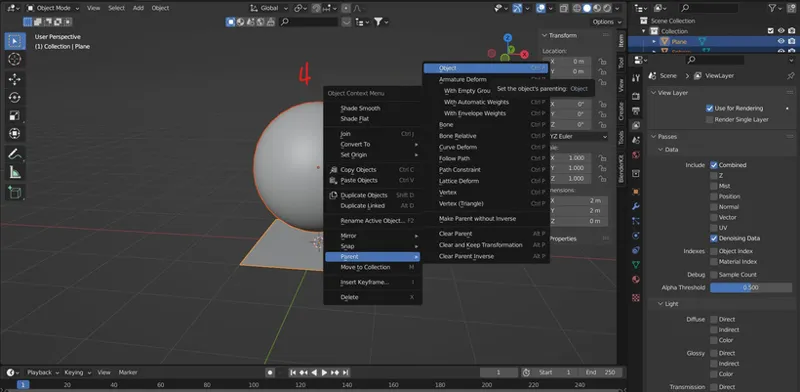
4. If you want things to move as one but not be joined/attached then parent them to the base
i.e. a plant being parented to pot or planter
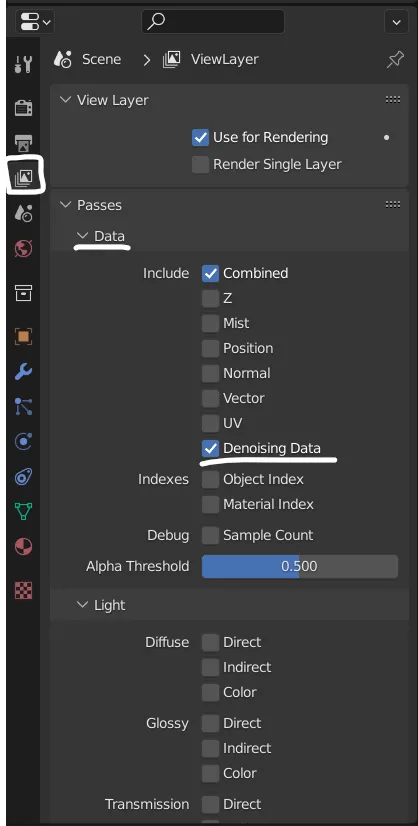
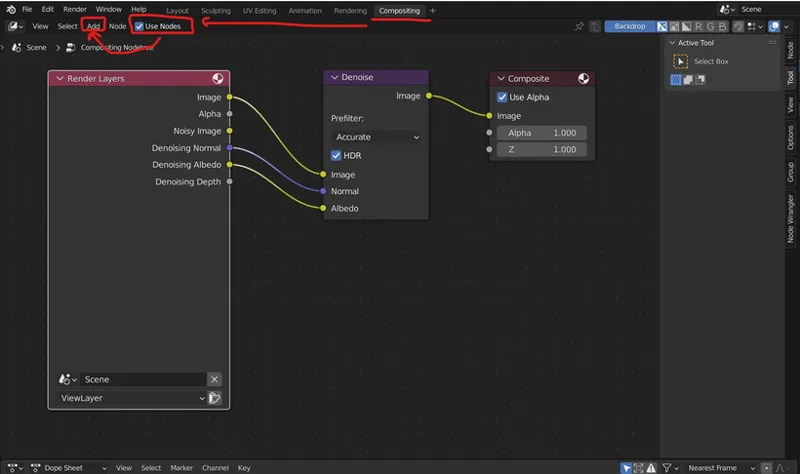
5. Have denoise happen during composition than while the image renders. It may or may not make rendering faster but this way you can add other after effects like glare, color correcting, etc. It’s like editing in blender and you don’t have to re-render
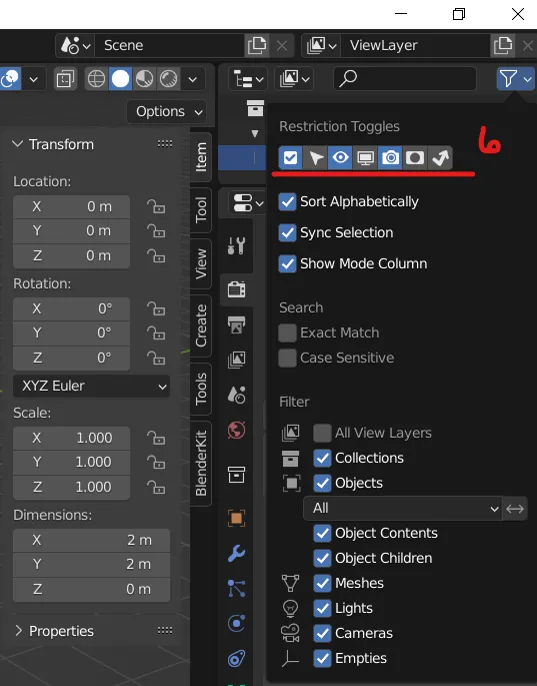
6. If you don’t want something to be seen in renders or be able move. There are view and action tools that you can turn on that’ll make it so the user cannot click in the viewport but can in view layers or see in viewport but not in the render.
7. If you’re using something that use transparency but it’s not 100% right and/or has weird shadows where it shouldn’t, go to lighting paths (below sample settings) and up the transparency ‘til it’s right. [Photo demo up above under 2&3]
Turn off lighting caustics, it doesn’t really affect anything but ups render time some.
Suggestions: Organize your scene with collection folders! A cleaner look + makes searching easier for users.
Delete rigs and bone layers. They aren't needed.