
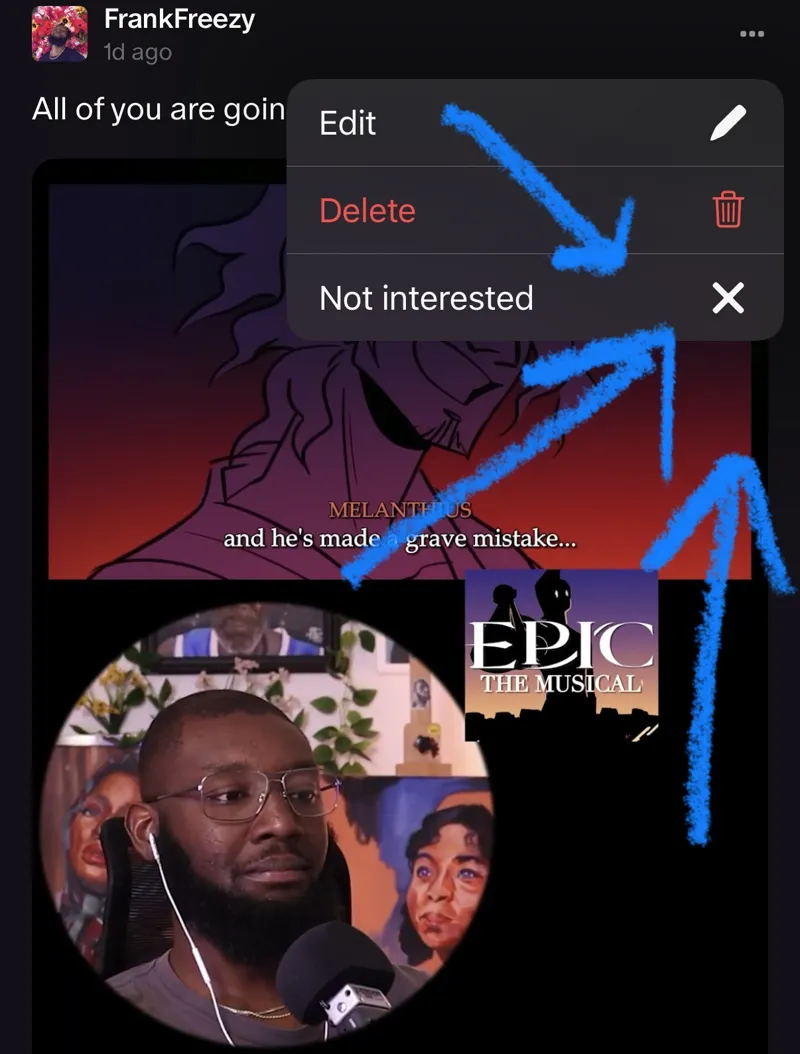

Want to see fewer Quips (short form videos)?
Several people have told me that they've been seeing a lot of short-form videos (quips) that they didn't sign up for. And that it is flooding their feeds and notifications. So I'm offering a way for you to avoid seeing them again.
Click the 3 dots above/below the post and click "Not interested."
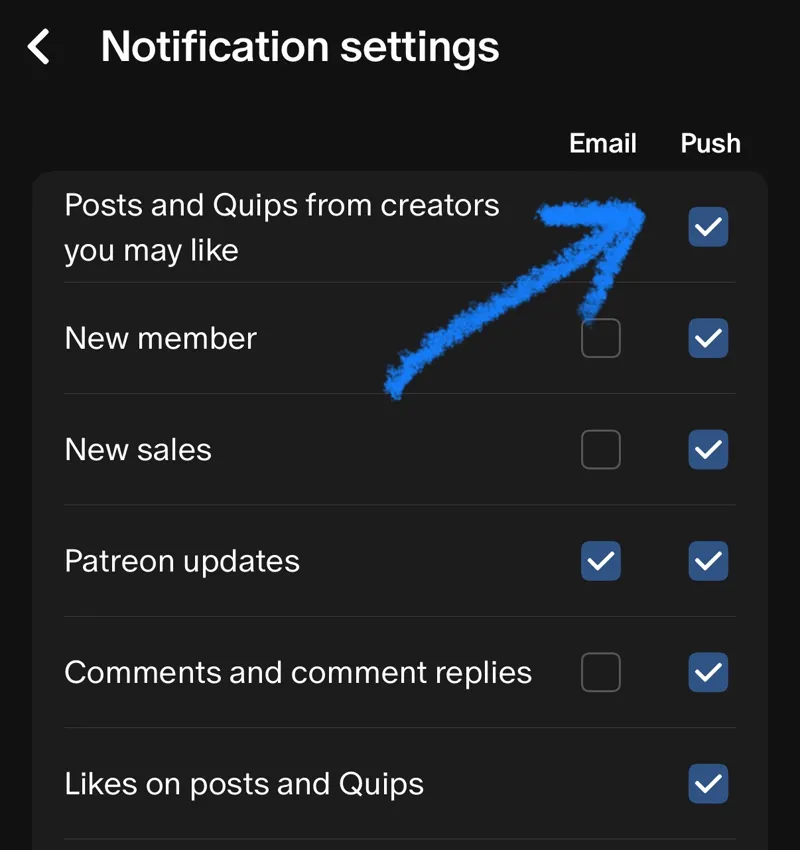
You can also go to your notification settings and turn off specific notifications that you don't want to see. That goes for email and mobile push notifications.
If you're on a desktop/phone, you could go into the specific Patreon membership settings. Then turn off all the things you don't want to see. For example, in the photo above, I am in FoxTaco's channel settings.
I'm going to keep posting them because they help my channel grow and attract new viewers. So I hope this helps. Feel free to direct message me if you still have any issues. And thanks for bringing this concern to my attention. Peace✌🏾
Comments (13)
Love your channel, and when I don’t want to see something I just scroll.
Is there any way to get rid of the quips from my notifications completely? I did as you suggested with the ‘not interested” option, but (a) it says I will see fewer “like this and also from this creator,” the latter part of which suggests I might miss some non-quip notifications (I still want all your notifications other than quips), and (b) I am still being flooded with your “quip” notifications anyway. I don’t want any of those clogging up my feed. Sorry if I am missing something obvious, Thanks!
It’s all good I got you. on your phone. If you go to your notification settings and scroll all the way down, You can see all the channels you follow. If you click on the channel, it has its own specific settings for that Channel that you can adjust
Personally, I like the quips, but this is a very helpful post! Thanks for sharing
Same, I don't really have those options to mute things.
on your phone. If you go to your notification settings and scroll all the way down, You can see all the channels you follow. If you click on the channel, it has its own specific settings for that Channel that you can adjust
I didn't realize you could mute these notifications , thanks for letting us know
I love them if not for them would have no clue you already did Hamilton and the Martian
Cool, thanks for explaining that! I didn't realize I could fine-tune notifications per creator channel. In the main notifications settings, Patreon pairs quips with regular posts. Heads up, though - mine looks different from your screenshot of FoxTaco's channel. I don't have a "not interested" in the three-dots menu on either mobile or desktop.
Also, they weren't bothering me, tbh since the hashtags set them apart visually from other posts and new reaction videos in my notifications.
I didn't even realize this was a thing 😅
I only recently started getting notifications for them in the last week or so but it looks like he's been doing them for a while.
I enjoy them 🤷🏾♀️. Good to give folks options/ instructions though.