











Zelda: Twilight Princess 4K Texture Pack 3.0 Update
3.0b Patch Notice (2026-01-04): This fix for version 3.0 improves the quality of water and cobwebs in some areas.
3.0a Patch Notice (2026-01-03): This fix for version 3.0 includes an update to the Standard Edition of Dolphin, which fixes some issues such as HD textures "popping in" when a new area gets loaded for the first time, as well as improved performance and reduced stuttering in some situations.
Happy New Year! 🎆
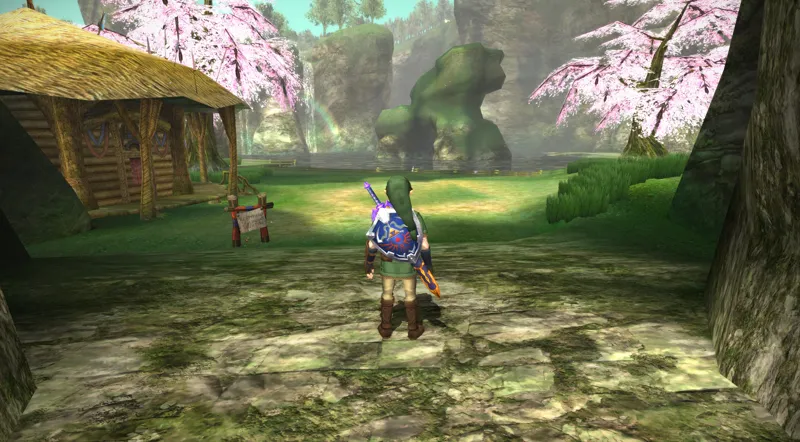
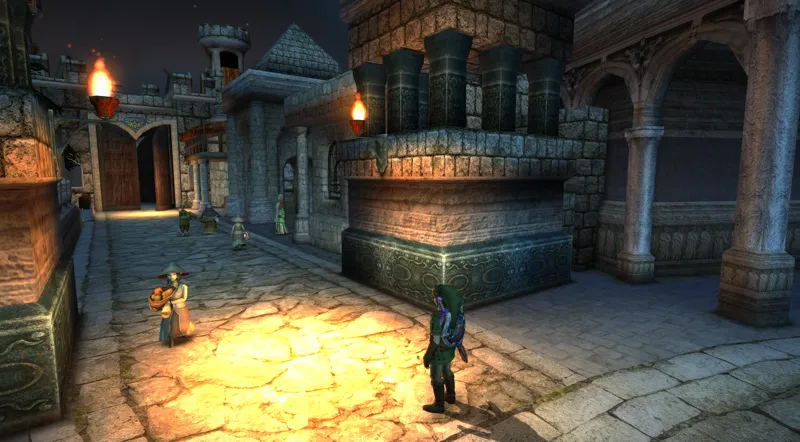
I’m very excited to announce version 3.0 of the Zelda: Twilight Princess 4K texture pack! This is by far the largest update the project has received so far, introducing over 530 new 4K textures across the game.
This update includes a large number of new environment textures, a fully reworked UI, improvements to character textures, new and refined post-processing shaders, as well as many fixes, tweaks and general improvements. A significant amount of work has also gone into preparing the pack for future updates and new features. There’s a lot to cover, so here’s the more detailed changelog:
New environment textures!
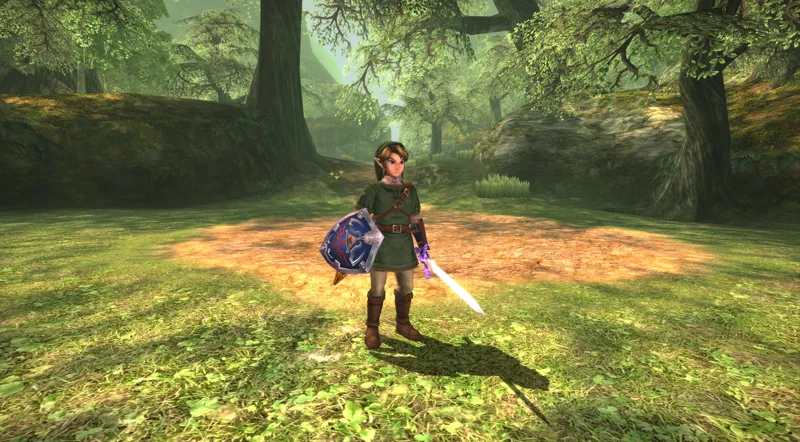
Like in previous updates, a major focus of version 3.0 has been expanding and improving the game’s environment textures. Over 530 new 4K textures have been added in this update, making it the biggest single expansion of coverage so far. This is not an incremental update, but a complete overhaul in some aspects, which you will notice if you compare it to 2.1.
Several areas have received extensive texture updates, and many regions that previously had partial coverage have now been improved to feel more cohesive and complete. The new textures cover (but are not limited to) the following areas:
Forest Temple (Completely overhauled)
Hyrule Field (multiple regions)
Ordon Village
Ordon Ranch
Ordon Spring
Faron Woods
Sacred Grove
Castle Town and surrounding areas
Kakariko Village & Graveyard
Zora River
Lake Hylia
Gerudo Desert
Telma's Bar
Hyrule Castle Town
Hyrule Castle
Hyrule Castle Sewers
Several additional dungeons and sub-areas
Unlike some earlier updates, this version doesn’t focus on just a few specific locations — most areas of the game have been revisited in some way. The Ordona region, the Forest Temple, and large portions of Hyrule Field have seen especially significant improvements in this update. Visual effects such as falling leaves, butterflies or the twilight "walls" in Hyrule Field have also been updated and now look substantially higher quality than before.
Completely reworked UI!
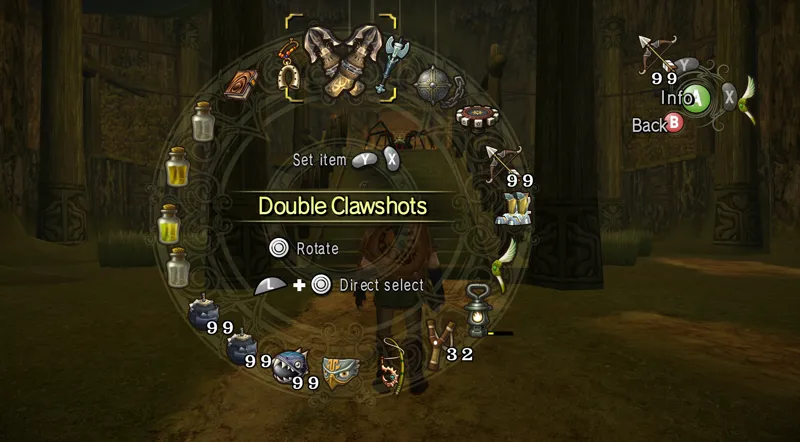
Version 3.0 includes a fully reworked user interface, with most UI elements recreated at higher resolutions.
Improved clarity and readability
More consistent presentation across menus, HUD elements and icons
Better scaling at higher resolutions
Visual adjustments intended to stay faithful to the original design whilst still being high fidelity.
The updated UI is intended to better match the overall quality level of the texture pack and provide a more comfortable experience when playing at modern resolutions without artifacts or pixelation.
Improved character textures!
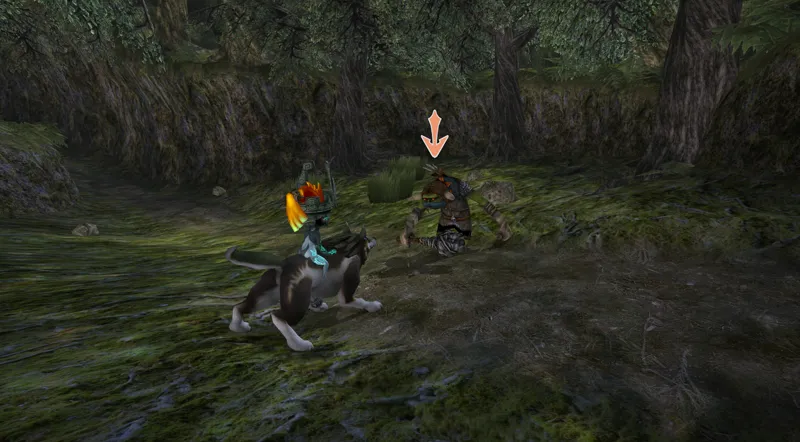
Character textures have received a broad quality pass in this update.
Many key characters, NPCs and enemies have been revisited to:
Improve overall texture quality
Increase quality consistency
Better align with the original game’s visual style
The intent here is refinement rather than redesign, focusing on subtle improvements that help the textures blend more naturally with the rest of the game.
New and improved post-processing shaders!
Version 3.0 introduces updated and refined post-processing shaders with several notable improvements;
Improved color balance and tone mapping
Subtle contrast and lighting adjustments, including fixes for overly aggressive bloom.
A more consistent visual presentation across different areas
Increased consistency and overall quality improvements!
A large portion of the work in this update has gone into revisiting older textures to improve consistency across the pack.
Older HD textures have been cleaned up or adjusted
Reduced visual inconsistencies between neighboring areas
More cohesive presentation throughout the game
The goal is to enhance visual clarity and consistency while respecting the original game’s art direction.
Fixes, tweaks and other improvements!
In addition to new textures, version 3.0 includes:
Numerous texture fixes and UV alignment fixes
Small visual tweaks across many areas
General cleanup and polish throughout the pack
These changes help improve overall quality and presentation, even if they’re not always immediately noticeable and only become apparent if you focus on the details.
What are the differences between the "Post-Processing Edition" and the "Standard Edition"?
There are two bundled pre-configured versions of Dolphin you can use included with the pack. One is the "Post Processing Edition", which includes all the post processing effects showcased in the trailer like ambient occlusion, tone mapping, bloom and more. The other version is the "Standard Edition" which doesn't include these features but has some other benefits instead.
The Post Processing Edition utilizes Ishiiruka Dolphin to achieve these features, and has some graphical features implemented not available in regular Dolphin at all. It also requires Windows (not compatible with MacOS or Linux) and a dedicated graphics card. Both editions include a controller preset for common gamepads like Xbox One, PS4/PS5, GameCube etc. The standard edition version alleviates some bugs present in Ishiiruka Dolphin (increased stability, for example) and supports MacOS & Linux, too! But does not support any of the additional graphical features listed above, like material maps, custom tone mapping, HD bloom, depth of field or ambient occlusion. Both versions look stunning so if you're uncertain I recommend you play the standard version- or try out both and see which one you prefer! The screenshots above have been taken using the post-processing edition.
That's mostly it for this update. Enjoy!
There are two versions available for download: The 4K version and the 1080p version. Both are indentical except for the textures resolution being halved in the 1080p version compared to 4K!
Note: The 4K version will look better than the 1080p version, even if you don't have a 4K display. This is because the textures are physically larger and contain more detail in the 4K version, no matter what resolution display you're using!
(Only available for the Dolphin Emulator, the texture pack does not work on real Gamecube/Wii/Wii U consoles).
Read more information about the texture pack on my website!
Updating from an older version is super simple:
Just copy & paste the "GC" and "Wii" folders inside the "User" folder in the texture pack directory over to the new version's User folder and it should work straight away!
You can find the download link and more information on this page here
I am only able to make things like this thanks to your support, so from the bottom of my heart, thank you for helping me do what I love!
❤️
Comments (47)
Can you update dusk HD Textures with Font upscaled? I think you forgot to add it
Latest 3.0c version has fixed font for Dusk, more fixes will be released soon
does anyone else have a issue with a weird grain effect on textures when moving or from a distance when using Dusk?
yeah, i have the same problem even when i'm not moving.
I know your working on the text thing for dusk and we appreciate you. I've noticed the closed eye texture on link is a different skin color than his open one and my adhd noticed it lol. Like when he's blinking. Didn't know if you knew but I cant unsee or what I think the cause is could be wrong but I did notice it. Love your work man!
Can you upload it to MediaFire or another file-hosting site? Google Drive has a download limit, and I can't download it even when I try making a copy.
How to bypass google drive quota limit: create a new folder in your own drive, name doesn't matter > go to the drive link > click 3 dot symbol on the file > organize > add shortcut > add it to your new folder you made > once you know the file shortcut is in there back out and download the entire folder not the shortcut itself. It should now zip and download. enjoy
Yeah that worked perfectly, thanks! And since it's just a shortcut it doesn't take up any actual space in my drive and I can still download it!
Hi, it seems I can't download the pack it says the limit is reached.
trying to download for the new dusk decomp. however its been rate limited on the google. any way to get a alternative download here on the patreon?
I am also wondering if this pack would be plug and play with the PC ports if they support custom textures
It will!
Do you plan on migrating any of this to the pc ports? Really would come in clutch with two of them on the rise atm
Great work!!!!!
Is this complete from start to finish?
I love your texture packs especially the twilight Princess one so much that I became a patreon! I actually have never played much of this game and want to get into it. Keep up the great work! i just downloaded the TP 4k pack and i don't see a GC and WII folder in the user folder like the other one. how should i upgrade the one i have?
you just need to place the Game ID folder into the Load > Textures folder in Dolphin. Nothing else required
i love your texture packs
Should anisotropic filtering be set to on or off in Ishiiruka settings? Or does the extra post-processing stuff handle that? Thanks.
I recommend keeping it disabled since it causes some issues on Ishiiruka Dolphin
A little confused about the post-processing shaders. I'm on standard Dolphin and Mac. Can I not custom shaders at all? Or if I can, how do I install them? Thanks
Btw, the 3.0 pack is mega! Looks so good
Yor texture pack is a gem for people who wanna play this and dont wanna wait for a potential official rerelease. This is a beautiful texture pack and i really appreciate this. Thank you!
this may sound like a dumb question, but what is the difference between the normal textures and the "mirror" version? I'm assuming it just mirrors the textures for if you're using something like the wii version of the game?
By mirror it means the same files hosted on a different link in case one goes down
Just updated my 3.0 to 3.0b after seeing the issue, and sure enough, there was an updated pack fixing this! Dude. The work you've done to this is AMAZING!!! Thank you so much for putting this project together. I have never played TP before, so I'm getting to experience it for the first time with your 4k pack, and let me tell you, it is so peak. Hats off to you.
The game locked at 30fps no matter what graphics setting or resolution i use. Also links sword whenever infront of water produces like a double image effect where it looks like theres another sword ontop of it.
If you want 60 fps, this is not the mod to do it. There is one on the way, however, thanks to the TP decomp.
Sorry to sound ignorant, but is there a “beginners” guide on how to install this mod on Windows? I’ve never used Dolphin before, just trying to replay TP with these great visuals.
Hi! Yes there is on the texture pack's info page on my website here; https://www.henrikomagnifico.com/zelda-twilight-princess-4k
3b is lookin good but midna is broken now, her headband/mask is missing textures making parts of her face invisible. Vulkan also keeps giving errors but dx12 works fine
I'm not able to reproduce the problem on my end, but it could be a specific scene or setting where this happens. Please send me a DM with a screenshot of the issue you're describing if you're able to! That way I can investigate this problem much easier :)
Having just finished a TP Randomized run with this pack, it’s absolutely gorgeous! I do have one bit of feedback though: the spiderwebs are strangely cartoony. Thanks for all you do!
Thanks for your feedback! This problem has now been addressed in the latest patch, version 3.0b!
would this work on android emulator version. edit nvm i see in the download now
where is the link to the 3.0A patch? The links above still go to the 3.0 folders, which were last edited on 01/01/26
The files have been updated and now say "3.0a" in the name. The drive folders are the same as before as well as the link.
Hey sorry, is there a tutorial how to install the pack ? Is is possible to install it on Cemu ?
I don't think so, the texture system is different across cemu/dolphin (wii u/GameCube) so I don't see it being possible
Getting "failed to parse shader" and memory map setup:failed" errors when trying to run 3.0
Are you trying to use Ishiiruka Dolphin / The post processing edition of Dolphin?
Incredibly exciting to see this update pop up in the mail while I was playing the post processing version. Thank you so much for your work on this! It's exactly how I remembered playing it as a kid. <3
Nice! Not sure if you saw, but twilight princess has been %100 decompiled! There’s now a 60 fps version here: https://github.com/TP-Ultimate-Edition/Twilight-Princess-Ultimate-Edition
I saw somebody else using this mod with a previous Henriko version, can this be done with this new one?
We’re cooking this year
Happy New years! Love the way this looks!! ❤️
Looks like I'm playing again 😂