








Zelda: OoT 3D 4K Texture Pack 3.0 Update
Update Notice 2025-10-27: The 4K UI Overlay Utility has been updated with various improvements to visual quality, and with completely new, more detailed setup instructions.
Good morning! 🔆
It's been several months since the last update to this project (time really does fly, it feels like yesterday when I announced 2.0). I initially planned on releasing a smaller update as well to follow up 2.0 last year, but it ballooned in scope, and here we are! It's taken me a long while, but I'm pleased to finally announce the release of the next major version of the pack: 3.0!
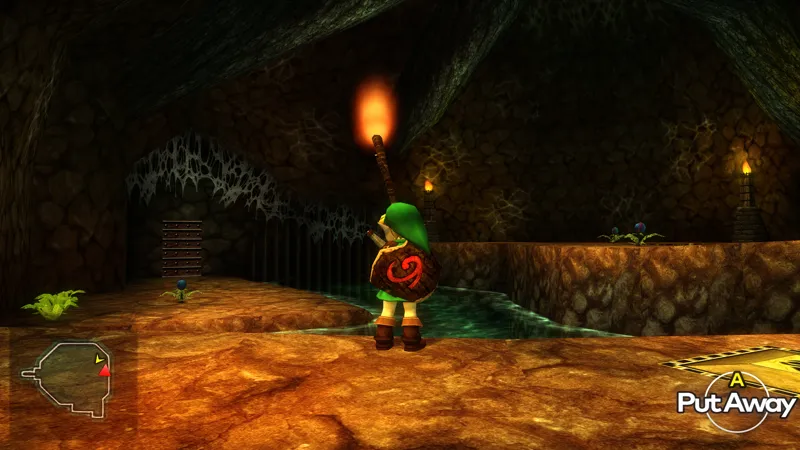
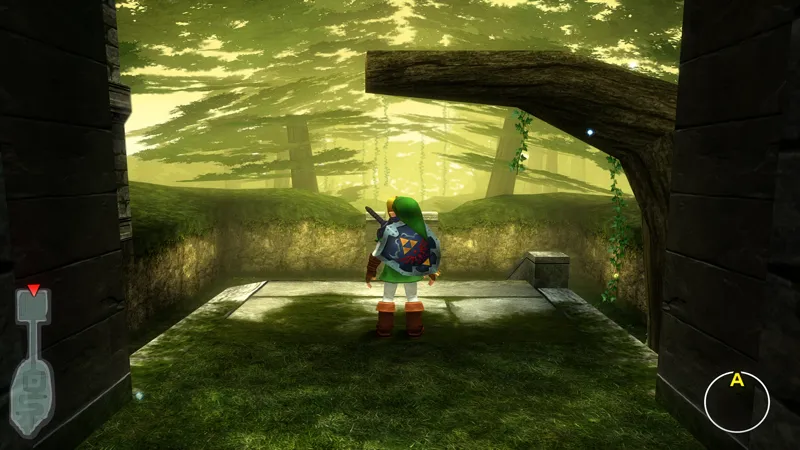
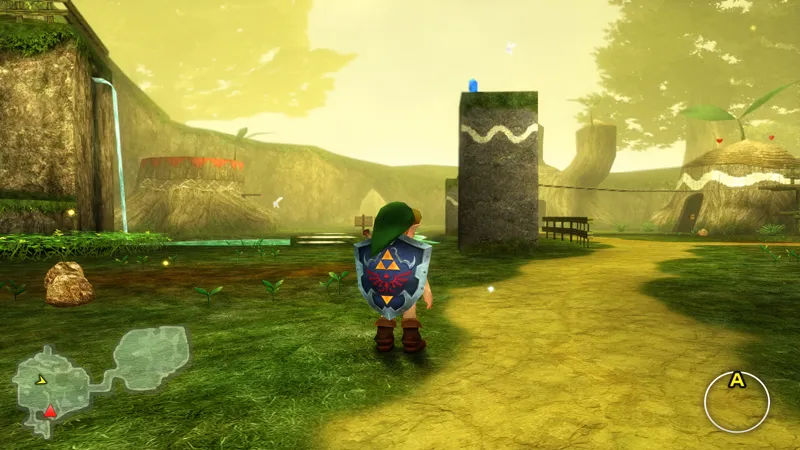
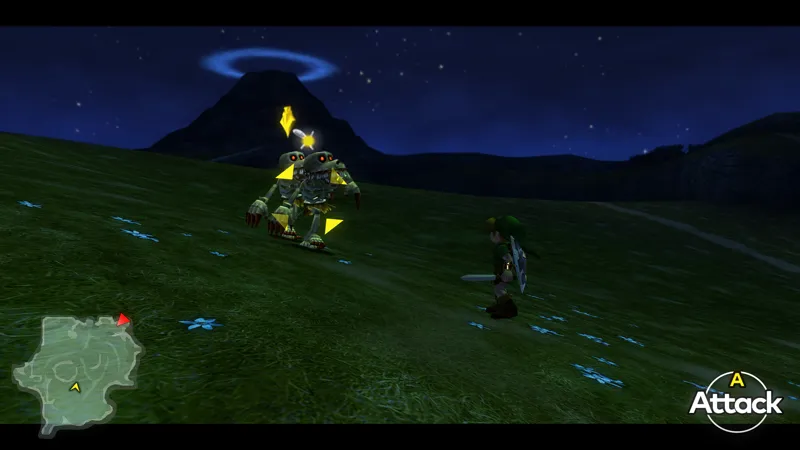
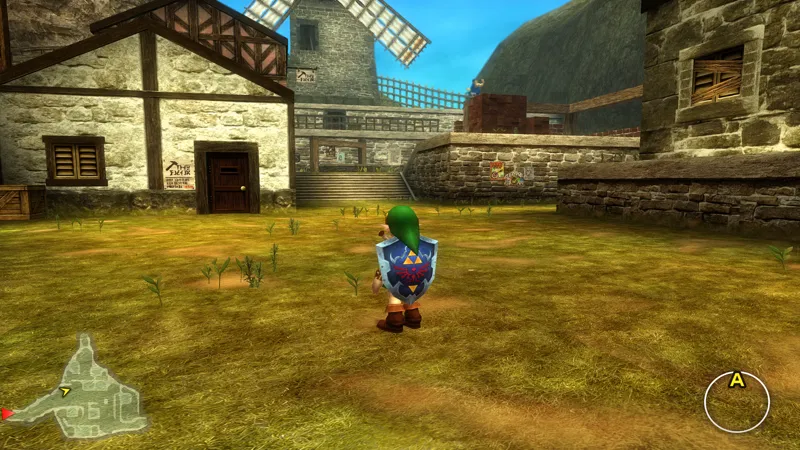
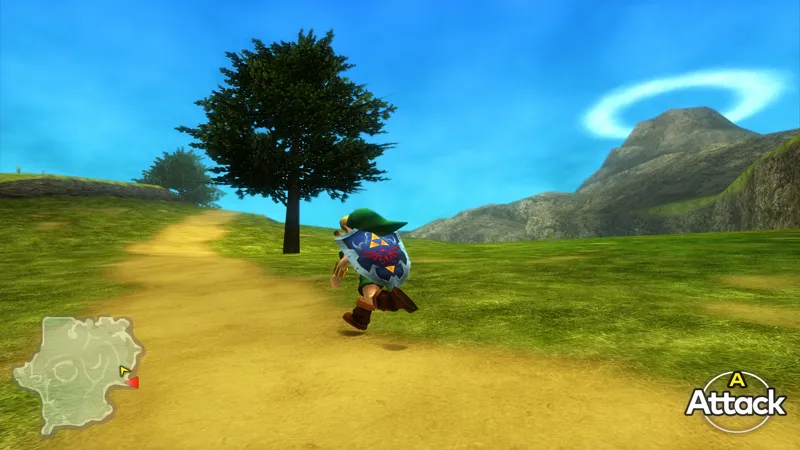
3.0 is in fact not larger than 2.0 in terms of the sheer amount of new textures. However, this does not mean this version is any less substantial than 2.0 when it comes to meaningful changes. Similar to 2.0, this version includes over 250 new 4K textures, covering many parts of the game. But again, it's much more than just that! In fact, the whole work process has changed quite dramatically over the last couple of months- leading to much higher quality textures than in prior versions (more on that further down). You will be seeing a major leap in quality between 2.0 to 3.0, maybe even more so than between 1.9 and 2.0! Other improvements include Spanish and German translated 4K textures (finally!), updated Reshade presets and plenty of miscellaneous improvements and changes.
That's just a pinch of what's new, here's some more details:
250+ New Textures!
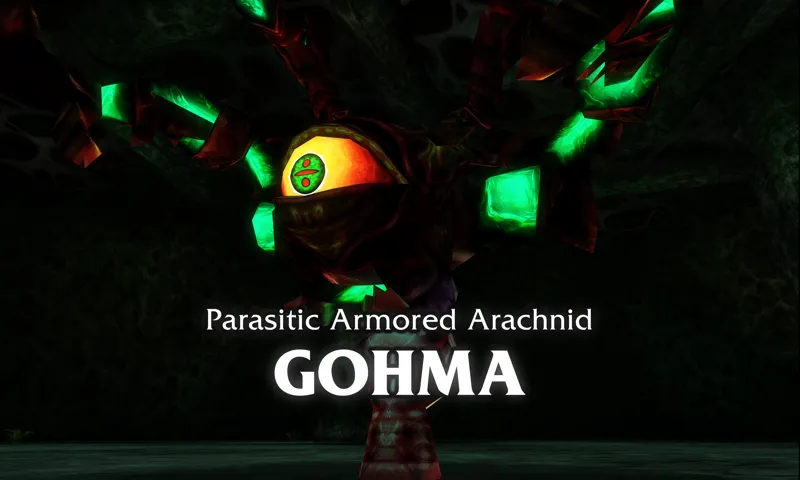
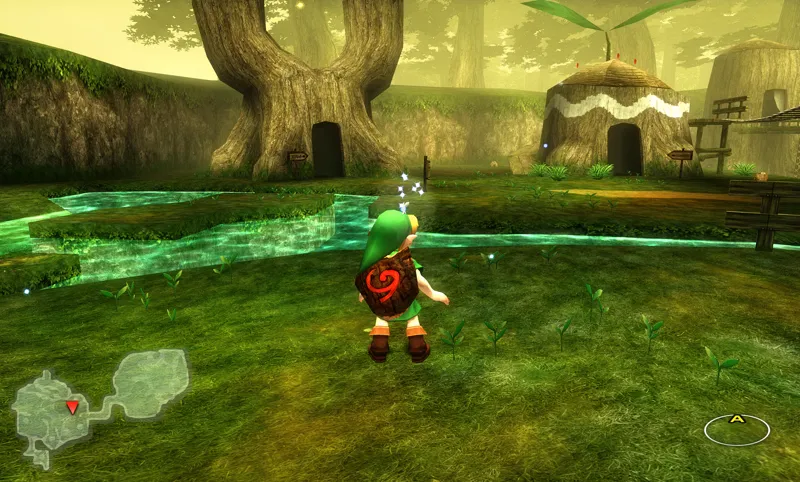
This update includes over 250 new 4K textures which have been remade from the ground up for this version. This includes both environment textures such as the ground, walls, stone tiles and bricks, wooden panels etc. It also includes many new interior textures, completely overhauling several locations, particularly in and around Kokiri Forest, Kakariko Village, Inside the Great Deku Tree, Lake Hylia and Hyrule Field. There are tons of miscellaneous textures as well that have been completely remade, such as different types of wood and bark, many NPC textures, Link's clothes, grass and groundcover, clovers, ladders, the inside of Jabu Jabu's Belly, the Hylian Shield and many more.
The Hylian Shield in particular has been meticulously hand painted by fellow artist @SkilarBabcock and it looks absolutely stunning. They previously contributed the gorgeous textures for Link in my Twilight Princess texture pack, and they're incredibly talented. Please check out their website and follow them on their socials, they 100% deserve it.
Like previous updates, it helps it all comes together really nicely and makes the whole pack feel a lot more polished and complete. The details all add up!
As part of my overarching goal to improve quality and consistency in all my texture packs, I took this update as an opportunity to remake many of the in-game textures to look cleaner and more consistent with the original art style. What's new with this version however, is that I've spent considerable time making sure every single texture added had a noticeable impact on the perceived quality of the area they belong to. Long term followers might know that I worked by a frequency priority system, where the most viewed textures received the highest priority to be remade. Starting with this version, I have moved over to a perceived-quality priority system. The difference is that with perceived-quality, I instead prioritize textures which I deem to have the biggest impact on the overhaul visual quality of an area, rather than how frequently that particular texture is displayed in-game. With the new system, textures which aren't necessarily common, but incredibly important to the overall visuals of an area (such as the Great Deku Tree for example) get prioritized over frequent but less noticeable textures (such as foliage). I have found this new approach to working highly effective, and I think you'll notice that the step-up in perceived quality in this version should be pretty drastic over previous versions!
Finally: Support for the Spanish and German languages!
As stated in previous posts, I'm working to add support for all in-game languages to my packs, starting with English then working my way through other popular languages. First in turn for this pack is German and Spanish, which if you're a long-time follower you might remember there used to be Spanish support in the pack a long time ago. Unfortunately, support had to be removed for the release of 2.0, which brought new UI textures and was also incompatible with the existing Spanish translation from prior versions. Luckily, it is now fully back & supported starting from this version onward! Everything in menus, in-game text, button prompts and location names have been translated, and should work without issues. However, if there are any mistakes or errors regarding the translation, please let me know! ¡Gracias! and danke schön!
Improved Japanese translation textures thanks to work by Tomoki Sato ("LINK")
Tomoki Sato (a user who also goes by the name "LINK") has generously been helping with translating most of the UI textures of this texture pack, as well as the MM3D 4K texture pack, over to Japanese! Another batch covering some of the textures has been added in this update, with more getting included in future releases. Please follow them on Twitter here: https://twitter.com/LINK_genkaiya
Updated ReShade presets (Ultra v10, N64 v4 and Vibrant v1)
The ReShade presets that come with the pack have been updated and improved in this version. The new versions are now Ultra v10, N64 v4 and Vibrant v1- which is a brand new preset with a colorful, rich and lively look, which I recommend you try out! These new presets are also updated to support the latest version of ReShade (6.3.3 at the time of writing this). I recommend that you update ReShade to the latest version, or 6.3.3, to ensure maximum compatibility with these presets.
And many bugs fixes, optimizations and minor changes...
Minor issues from the previous version has been fixed. Performance has also been marginally improved due to the previously described optimizations, although keep in mind that Vulkan support in emulators is still not perfect and bugs may occur that did not occur in OpenGL in previous versions. For this reason you are still be able to enjoy the game using OpenGL instead of Vulkan by enabling it in the emulator Graphics Settings, if you want to. This should lead to a more polished and overall enjoyable experience for everyone using the texture pack.
That's mostly it for this update. Enjoy!
The update is available early to all you Patrons here, with a public release as soon as the next texture pack update releases.
There is also a 4K version available! The 4K version includes higher quality textures than the 1080p version, and will work on all displays- even those that don't display in 4K resolution. It will still look better than the 1080p version, no matter the display!
Please feel free to try it out!
(The texture pack does not work on real 3DS hardware)
You can find more information about the texture pack here
You can find the download link and more information on this page here!
Optional Setup: Download the 4K UI Overlay Utility here (Version 3.0)
I am only able to make things like this thanks to your support, so from the bottom of my heart, thank you for helping me do what I love!
❤️
Comments (58)
Just beat the game for the first time ever using this. I subscribed to your Patreon over a year ago and due to life I wasn't able to focus on a playthrough. I always go through my budget weekly and would see my Patreon subscription but would always leave it because I thought that out of all of my subscriptions you deserved it the most. Thank you for a wonderful experience. SOH next lol.
Does this work on SOH?
I don't get why this isn't working for me :(. I tries extracting everything into the games texture folder and it didn't work (Azahar on android), then I tries getting every png in that folder, removing the subfolder for character, ui, etc, and still don't see them. I have the option for custom textures turned on in the emulator. Can anyone help?
Check that the graphics backend is set to "Vulkan" in the graphics settings, and try just copying all the folders + files from the texture pack's textures folder into the one corresponding for your region version (keep the textures inside the folders called ui, characters etc, there is no need to move them out of them) and see if that fixes it
theres no ntsc files?
The pack is compatible with both NTSC and PAL regions
😎👍
Can you make a version for the ship of harkinian with all the models and textures and stuff?
Is there a way to put this into the ship of Harkinian and use it on my modded switch?
theres a way to see the HUD on the main screen like in MM?
Is the 3D on the 3DS version really worth sacrificing just for playing it on PC with this texture pack? How does the bottom screen work? How does it all work on Steam Deck?
Yes
Hi, I'm noticing that here it says the PAL/UK version ends in 600 on the github, but then in the texture pack instructions, it says that the UK/PAL version is the one that ends in 500 Might have to change that 🤔
Yay
Do you have to use OBS to run the UI?
Still no italian support?
You're not entitled to Italian support. You could more respectfully phrase this.
How to install on Android?
See the instructions here; https://github.com/TexturesGuide/OoT3D_4K_SetupGuide/wiki/Setup-Guide-&-F.A.Q
Olaa como eu instalo no Android??
❤️
Dialogue text seems like its not loading in along with the menu text. Everything else is loading in perfectly that I've seen. Fantastic work as always! Any advice? (I'm sure I probably forgot something) Edit: (I just read its a limitation in the game that may be worked on in the future) Thank you for all your amazing work Henriko!
thank you so much, god bless you and your family 💕
Question about the Mirror Shield and Fire Temple. I'd like to know if the texture is the original one from the N64 1.0 version, the one with the half moon? If not, it would be great if you could replace that texture with the original one for the entire temple area and the Mirror Shield. Thanks for your work!
PS: I haven't reached that point yet so I don't know if it's already implemented.
Henriko eres grandioso
I remember that in some installation video it said that it had functions like moving the camera with the analog C and more, I installed it and it didn't have that... does it have extra functions or does the video say something wrong?
This is the mod you want for that functionality; https://github.com/Roberto-Nessy/OoT3D_Standalone_Free_Cam
i was wondering if there is any way that these textures could be used in SoH?
Sadly not anytime soon, you can read more about the specific reasons here; https://github.com/TexturesGuide/OoT3D_4K_SetupGuide/wiki/Setup-Guide-&-F.A.Q
mine crashes on the loading textures any help?
I also created a western style Playstation icon pack for this mod! I tried Bennn30's but it didn't quite fit my needs and also didn't retexture every instance so here's mine. Full credit to you and Kenney on itchio for the playstation ui textures. Enjoy everyone! link: https://drive.google.com/file/d/1tWuPOxchWihypKpSmCXgh_ZC7638LTjy/view?usp=sharing
This is fantastic work! Thank you so much for sharing it with the community! :)
Henriko, I created a Western style Playstation icon pack that is compatible with this mod. It is located here FREE for all to use. Full credit goes to Henriko for original texture files! https://drive.google.com/file/d/1QZBAZfLwfOVsi7uZ7qziY3QNOpxeQu1d/view?usp=sharing
Hola ¿Dónde puedo ver los pasos para instalar todo paso a paso? Tienen algun video o algo por el estilo, gracias
Hola, en github esta toda la info, te dejo el link: https://github.com/TexturesGuide/OoT3D_4K_SetupGuide/wiki/Setup-Guide-&-F.A.Q
Hello! I have an unusual problem. Everything is in 4K except for the normal text boxes, which are still in blocky low-res. Is this something I installed wrong?
Apparently the text in OoT3D is very difficult to alter. While Henriko has updated the text in MM3D to HD, he's been unable to do it with OoT3D.
I'm having trouble loading the textures on Citra. I did all the steps according to your setup guide that's linked on your site, but it won't work when i dump all the textures into the folder. To verify it wasn't something I was doing, I installed the majoras mask 4k pack and followed the same steps and that one worked. Any idea what's going on?
Nevermind, I'm slapping my forehead with my palm. I didn't realize the texture's hadn't fully extracted. It wasn't until I realized there might be a reason why my 600 version wasn't there lol
just curious. when do you think this pack will be 100% completed?
Its hard to say when (or if) but I'll keep working on it until I'm unable to improve it any further. I still see a lot of things to improve so I wouldn't say anytime soon- but its getting closer!
I'm having stutter on this update like it used to before that Citra update. I don't know if it's just me.
Make sure you're using Vulkan as the graphics backend in the graphics settings, and that you're using the latest emulator version you can find!
Hello, will there be an update for Majora's Mask soon? :) thanks for your amazing work
A new version will come soon-ish, but there's still lots of work to do on the new version. Stay tuned!
It looks like for the 4k texture pack, the folders for the european and jap version are empty. Only the nsct folder contains the textures, or am I missing something?
They are supposed to be empty to not have to include duplicate files. To use the textures on the European / Japanese versions you just need to move the files over from the NTSC / North American folder to whichever version you're playing and that should work!
hiyo! First off, love the textures, I cant imagine playing any other way now!! i have a question about some of the dungeon maps. They have this white background added that the base game does not have. Is this on purpose or something that might be a WIP?
The dungeon maps should not have white backgrounds intentionally, I'm looking into it. Thanks for letting me know about this problem!
Hi i would love to help for the translation of french for the 4K textures is it possible ?
It is possible and it is being worked on, hopefully for the next update!
Sorry for the noob question. Im using Citra on a Mac, how can I confirm the new textures in 3.0 have all loaded/worked? Thank you :)
If the textures have loaded it should say "4K Textures by Henriko" on the title screen
Love your work.
Hey cant wait to jump in and check this out! Thank you for all your hard work!
Fantastic!!!! one quick clarification please, i have MM and OOT. I want to utilize your reshade profiles for both games. However I noticed that the versions of reshade that come bundled are different. OOT being on 6.3.3 and MM being on 5.9.2. Thank you for all your hard work!!
Using 6.3.3 for all packs should work!