


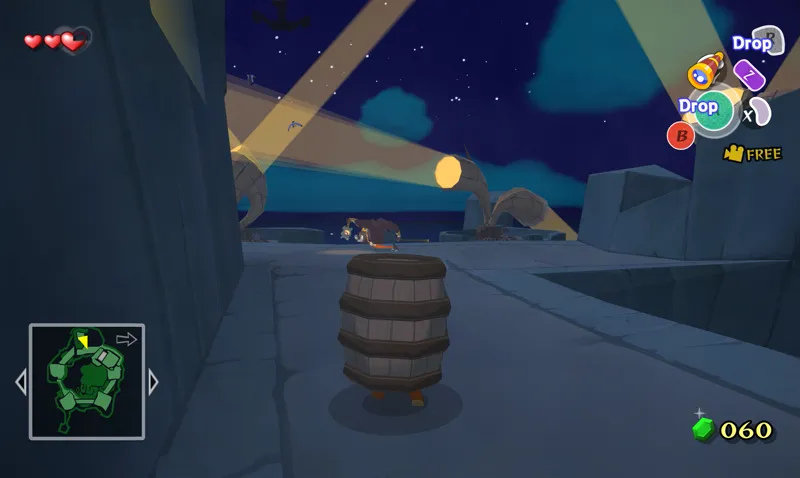
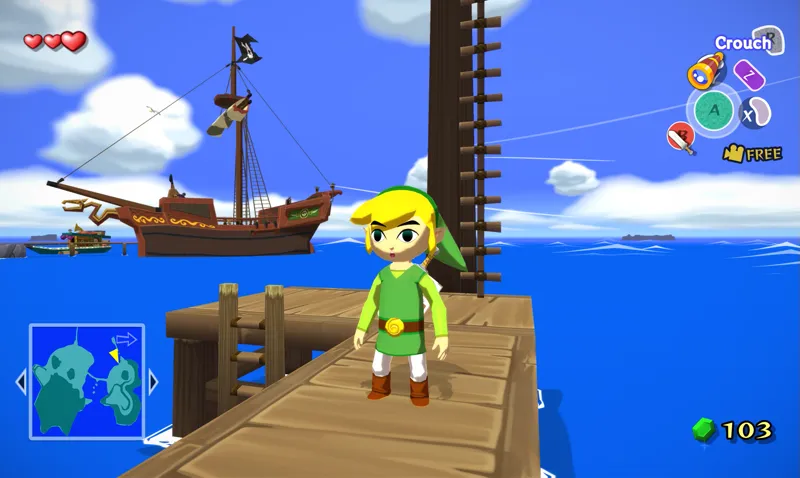


Zelda: The Wind Waker 4K Texture Pack 1.0.0
Good evening! 🎃 I'm really excited to finally announce, after months of work, my next HD texture pack project: Zelda: The Wind Waker 4K!
Update 2026-03-25: Another patch, 1.0.0d, has been released to address an issue with grass transparency not displaying correctly.
Update 2025-08-01: Two small patches, 1.0.0b and 1.0.0c, have been released to address some issues found. This includes a fix for a slight seem visible in some ocean waves, and a fix for the ammo counter not displaying correctly when the number "6" should be displayed.
Update 2024-11-17: A small patch, 1.0.0a, has been released to fix an issue with incorrect water rendering inside of the Tower of the Gods.
Good evening! 🎃
I'm really excited to finally announce, after a long time in the making, my next HD texture pack project: The Wind Waker 4K!
This project is a complete overhaul of the Wind Waker for GameCube, and includes over 500 unique remade HD textures. Currently, they cover most of the main islands, most main characters and the whole user interface, but some locations such as some interiors, minor islands or dungeons are not yet fully covered. Of course, this project is a work in progress still. So expect many more textures to get added, as well as other improvements in future updates to the pack!
New shaders and visual enhancements!
Several new shader presets have been created for this pack, and are included with it. The "Henriko_WW_Balanced" and "Henriko_WW_Ultra" shaders try to strike a balance between enhancing the visuals without looking too different from the original style. The two other shaders are the "Henriko_Balanced_DoF" shader, which is the "Henriko_Balanced" shader plus a slight touch of depth of field, as well as the "Henriko_WW_Skyward" shader which tries to mimic the painterly effect from Skyward Sword, which works surprisingly great with Wind Wakers cel-shaded art style.
And like always, you can of course configure the shaders however you like, or disable them all together in the Dolphin Graphics Settings > Post-Processing tab. Go wild!
Streamlined installation method!
Starting with this project, all future updates will now include a standardised method of installation for the emulator of your choosing. From this version onward, installation will now be pretty much the same between all platforms (with some minor differences in regards to file locations). This will have the effect of greatly simplifying installation steps for users not using Windows, as well as preventing confusion regarding the various steps necessary to install the packs. From this version onward, the Dolphin Emulator will no longer be included with the texture pack by default. Instead, downloading and installing your own version of Dolphin will be necessary, and is now step 1 of the instructions. This will ensure that your emulator version is always up to date, with the latest features and bug fixes, and that you're using the appropriate version of the program for your specific device. This also means that you will be able to merge all of your texture packs into one single installation of Dolphin, without having to switch between different emulator versions just for a single game!
That's all for now, enjoy!
This update is first available to all patreon supporters here in early access, with a public release in two months from when this post was first published!
I've also made a trailer for the texture pack which you can view here!
Read more information about the texture pack on my website
Updating from an older version is really simple:
Just install the new version exactly like you would normally, and this will overwrite the old textures with the new ones from the new version. This won't touch your save data or save states at all, so you can update without fear of losing any progress.
You can find the download and more information on this page!
I am only able to make things like this thanks to your support, so from the bottom of my heart, thank you for helping me do what I love!
❤️
Comments (29)
I cannot find the shaders. I have looked through the post processing list in the settings now like 5-10 times and none of those mentioned in your post can be found.
Would it be possible for the Spanish text in the next version to be in HD, like you did in Twilight Princess?
Is a 1080p version in the works?
I haven't made a 1080p version since the 4K version is quite small in file size and there was barely any performance difference between 1080p and 4K textures in my own testing, so just using the 4K version should be fine (and look better, as well!)
Why is the zip file so bloated? Why is it packed with uneccesary stuff? Other texture packs have just gone right into the Load/Textures folder.
The 'unnecessary stuff' are controller presets, default settings, cheat codes and post processing effects to further customize and improve the visuals, and it's all optional of course. You can just copy the textures from the load > textures directory like you would with any other texture pack if you only want the textures, but the extras can be quite nice if you want to tweak the visuals even further. You can read more about Ishiiruka Dolphin and the optional effects on the info webpage here; https://www.henrikomagnifico.com/wind-waker-4k
Hi! Downloaded it as instructed, but it seems the textures for the overworld is getting loaded (ground, rocks, etc), just textures for the HUD and intro of the game.
Where can I put 60 fps?
How Can I install that with Steam Decks Emu Deck?
Follow the steamdeck installation instructions on the texture pack's info page
Do I need to unzip the file?
Yes
Where are the base textures? I can only find the updates
This version includes all the base textures as well as the latest updates
Hi there where would I find the link for the HD textures for this game just the 1080p one for the retroid pocket 5?
The mobile version is 1080p
THIS IS AWESOME! Is it possible to use this with ultrawide?
It should be possible using a widescreen patch, yes
I don't understand the new method for installing the mod, and the online guides for other texture packs don't work. Could you provide a more detailed explanation of the installation process? The files included are confusing and unclear.
Hey! I'm sorry to hear you're experiencing issues with the installation process. I presume you've already followed the steps described in the setup instructions on the texture pack information page here; https://www.henrikomagnifico.com/wind-waker-4k Please let me know which step is giving you trouble and I'll do my best to assist you!
Was hoping for this game for a while! Thanks! I don’t get it to load though. No issues with dolphin in combination with for example Mario Sunhine (loads the 4K edition of the titlescreen) but when I place the wind waker files in the same way, the titlescreen keeps giving met windwaker HD 🤔
I always love the texture packs but am I missing something to get widescreen?
There are cheat codes for widescreen included in the game settings presets included in the bundled GameSettings folder. Copy that over to your own Dolphin Emulator folder and that should do the trick!
I just subscribed to your Patreon, these 4K texture packs are awesome! 😃👍
Really appreciate the mod buddy, I was looking for a way to play WInd Waker or Twilight Princess in HD without having to connect my Wii U for my zelda month stream. Happy to support ya and looking forward to playing tonight!
This is awesome! Thank you! I just subscribed to your Patreon today. I planned on starting with Luigi’s Mansion 4K, but it appears I have to use the version of Dolphin you included in the download package. I use Emudeck on Windows for emulator installation and Steam ROM Manager. Are there any instructions/guides on how to continue to use those applications but with your texture packs? Thanks again!
Thanks for your support, I really appreciate it! Regarding installing the texture pack on SteamDeck, I do include instructions on how to do just that on the texture pack information page. Please give it a look! https://www.henrikomagnifico.com/luigis-mansion-4k Cheers
You should include an optional hylian shield overlay for the mirror shield. I think that would go a long way. There was this really cool stylized image of link with a wind waker stylized hylian shield i had years ago that I cannot find anymore. I always wished the shield was included
I love this!! Thank you !