
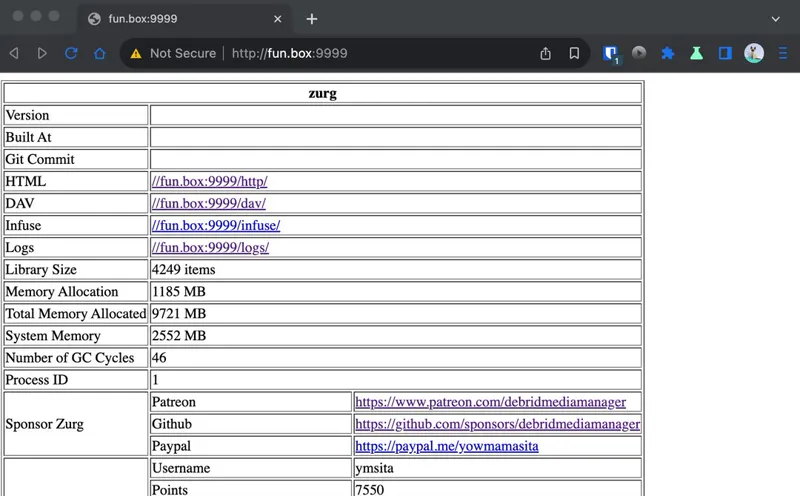

Version 0.10.0-rc.2
Here's a demo of the current features supported.
If you prefer a list:
Fix log filename issue on Windows
Fix repairing links of files in torrents
Remove download cap
Add support for rar extraction (Real-Debrid trick, all extraction happens in Real-Debrid)
Add support for non-video files (as you can see from the demo, I can play music files)
Media info filters (you can now use this in your config)
media_info_resolution (possible values: 8k 4k 1080p 720p 480p 360p 240p 144p)
media_info_bit_rate_gte (bytes per second)
media_info_bit_rate_lte (bytes per second)
media_info_video_bit_rate_gte (bytes per second)
media_info_video_bit_rate_lte (bytes per second)
media_info_audio_bit_rate_gte (bytes per second)
media_info_audio_bit_rate_lte (bytes per second)
media_info_duration_gte (seconds)
media_info_duration_lte (seconds)
media_info_with_audio_language (3 char language code)
media_info_without_audio_language (3 char language code)
media_info_with_subtitle_language (3 char language code)
media_info_without_subtitle_language (3 char language code)
Comments (11)
Guys what is the best mount command for the systemd script as my scan speeds on Plex are shockingly slow for some reason?
did you enable vfs cache? that also enables rclone chunk downloader
https://github.com/debridmediamanager/zurg-testing/wiki/Config-v0.10 config documentation updated
0.10.0-rc.2 minimal config https://gist.github.com/yowmamasita/ed1be7eff7847a19be78f98d9ea80911
I tried copying and pasting the latest config.yml on windows and it wont allow me to restart zurg after applying
What I want to know does this feature allow u to download the rar'ed torrent and after extraction it will place it in the proper folder. I use zurg to stream from my RD account on plex thats why I asked
it does
Does anything need to be added to config.yml or anything for this to happen Add support for rar extraction (Real-Debrid trick, all extraction happens in Real-Debrid)
Maybe change the auto_delete_rar_torrents: true to false if you have it set that way. Total guess mind you
Gr8 work dude ,, wdym with dump folder ?!
the dump folder in the webdav or http endpoint will contain the torrents (the *.zurgtorrent files) present in the dump folder you can think of this as an easy way to copy content from one account to another. zurgtorrent files are portable meaning any RD account will be able to use with zurg. If i give you my zurgtorrent files (found in the data folder) and you place it in your dump folder, you'll be able to play it.