


Poll Time!
Hello!
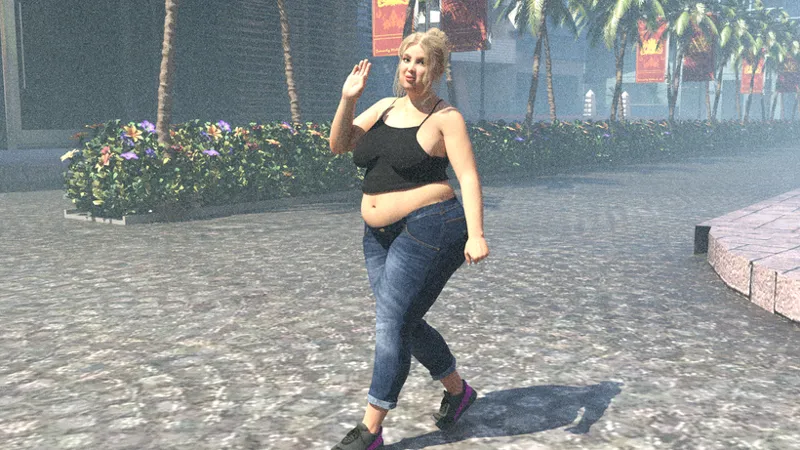
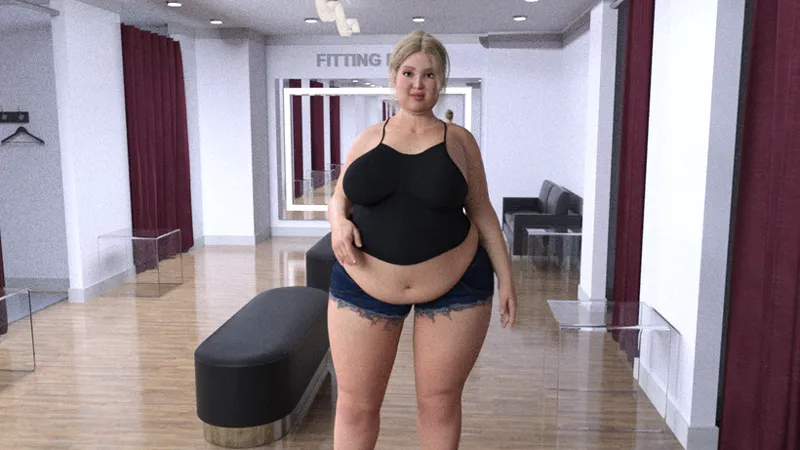
I am wracking my brain and laptops to try and figure out how to make images for the fitting room intro look less grainy in Daz. They dont look awful here, but still a bit too grainy for my liking.
So a poll is in order: Are we ok with;
Option 1, which is my standard two hour render time, pros: faster, can make more images per week. Cons: grainy af depending on scene leading to inconsistent images.
Option 2: Noise Cancellation, standard two hour render time, pros: faster, can make more images, less grainy. Cons: Comes across as fuzzy/blurry and still somehow not that much better?
Option 3: Longer Render time: Pro's less grainy, more consistent (not by much). Cons: Four hour render time means I'm making half the amount of images per week.
Secret option number 4: Scrap the intro to the fitting room and move right into the activity?
I'll leave the poll up for a bit to see what the crowd wants, in the meantime I'll keep rendering the other activities which are not having this issue.
Until next time I hope this finds you all well!
HH
(PS- As always sorry for my absence, September and October were busy months for various reasons)
^This is an example of the regular render
^This is with the noise cancellation
^This is the longer render
^This is straight to the activity, I have not the foggiest why it's clearer
Comments (7)
https://youtu.be/UiL_xIvt_II?si=M0sQzYtfr3BUflIF
Thanks for the resources!
https://youtu.be/xyyL5FDZwLw?si=6B1WzvfIXWGtvtqp
https://youtube.com/shorts/AsIvbJ4Bnqs?si=ruymaTrPaZZIJ3Sr
https://youtu.be/FCMiPutGdJU?si=bVd_IsyX6WVESfft
Regular render looks hardly any different than the longer one. Sucks that its getting in the way.
Looks good enough to me.