
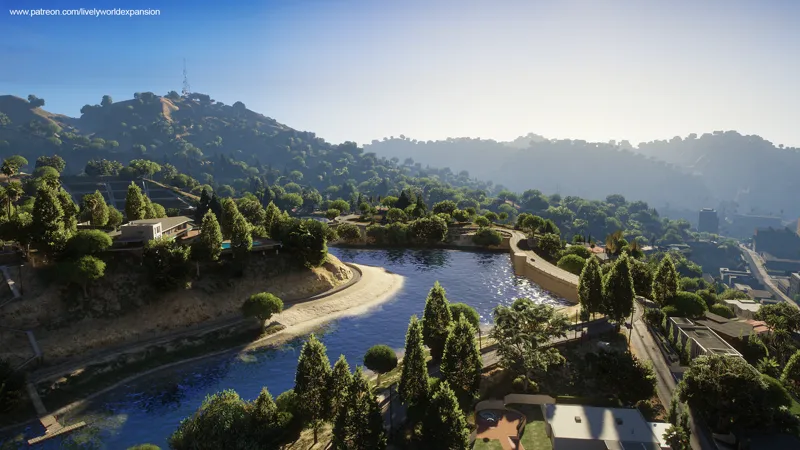


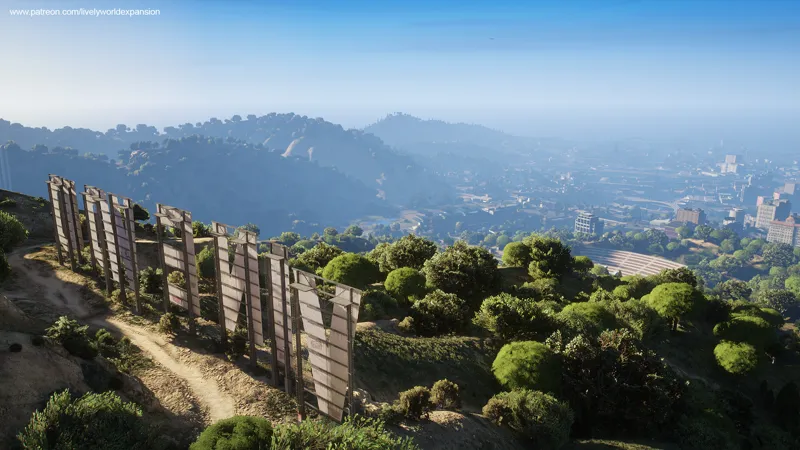

Lively World Expansion for NaturalVision Enhanced / Compatibility Update Screenshots
Update May 17th, 2025
Download
LWE Enhanced Single Player Package (NaturalVision Enhanced now Compatible)
LWE Legacy Single Player Package
LWE Legacy FiveM Client Package
LWE Legacy FiveM Server Package
This is an update patch for our recent V2.9 Enhanced release, adding optional compatibility with the new NaturalVision Enhanced while keeping the Vanilla version still separately accessible.
This version will be reintroduced as a seamless part of the LWE Enhanced edition in upcoming updates.
The installation process is simple and thoroughly explained in the download package.


Comments (23)
hi i already have DLCLIST.XML edited with other mods- what do i add from la citys one to my current one please??
Every 7 seconds the game stutters. Does anyone have any idea why this happens ?
Same.
anyone els getting "corupt game files" after they insta
The issue has been resolved in the new Patch 04 release.
Hey there, when installing it on NVE do you replace or skip files since there is already an onigiri file in the folder.
Replace the files when prompted. It won’t overlap with or replace any of the NVE files, as it is fully compatible.
my game crash ten seconds after loading screen no error message
Same here. I don't know what we've done wrong. You're using NVEnhanced as well I take it? Any other mods?
I can't load into the game with this installed. NVE installed fine and working but once I installed this, crashes loading into the game. No error message just crashes about 10 seconds after its says loading story mod.
We’ve resolved the issue. The problem was caused with the initial release of Patch 03, but it has since been corrected and the patch has been updated. We apologize for any inconvenience caused.
love the mod but i get 160fps most of the time but in some forests it goes down to 30-50 fps :(
That's strange. Could you please try the new Patch 02, which includes lower LODs? If the issue persists, feel free to contact us on Discord so we can look into it further.
Looks Amazing! The only thing I don't like is the indestructible flowers. Keep wrecking my car when trying to get to the other side of the street.
We've resolved the issue. You can proceed with updating to Patch 02 and remove the 'lweextras' DLC from the 'dlcpacks' folder.
I love this mod it looks great but maaaan... the plants close to the streets are usually invincible. I can't cut corners like I used to with this mod and usually get thrown 3 meters up in the air because I've overlooked some flowers. Other than that I really enjoy it.
The issue has been resolved. You can now update to Patch 02 and delete the 'lweextras' DLC from the 'dlcpacks' folder.
i figured out my issue, simply delete the reshader that comes with NVE, as most people have accidently downloaded both, it fixes all issues
Hello. There is a serious LOD-related bug when entering purchasable garages by any of the three playable characters in Story Mode with Natural Vision Enchanced installed. The actor squats to open the door and freezes while the simulation continues around them (the transition doesn't trigger). The main culprit is the "Extended Distance Scaling" slider in GTAVs own graphics settings. I haven't tested whether this bug is also present in a vanilla install of GTAV Enchanced. The point is, the bug can be fixed while using only Natural Vision Enchanced by turning the slider all the way back to off. However, when one also has LWE installed (even the NVE-compatible version), this problem persists regardless of whether the "Extended Distance Slider" has been turned off. Ergo, LWE must be overwriting this setting somehow, or otherwise impacting LOD levels in a way that's causing the garage bug. I've informed the NVE team about this. Please have a look on your end.
The folks at NVE were able to reproduce this bug and have forwarded it on to their devs for further investigation. Please take a look if LWE could be causing/exacerbating it as well.
To eliminate flickering with ray tracing, simply set "Ray Tracing Scene BVH Quality" to "High." This won't result in any noticeable loss of ray tracing quality. All other settings (including ray tracing) can remain at maximum graphics settings.
trees and bushes sometimes flicker back to default GTA 5 trees n bushes, and sometimes random street props like newspaper bins or trashcans completely flicker out of existence. Im using NVE and did all the recommended bug fix steps in the read me html
The issue you mentioned doesn't appear to be related to LWE, but rather a general texture conflict, as it also affects newspapers. We recommend installing the latest version of NVE on a fresh copy of GTA 5 Enhanced, and then installing LWE afterward. If the issue persists, please join our Discord server so we can help you find a solution.