
FORM BUILDER ADD-IN: EARLY ACCESS & DOWNLOADS [Silver Members]
Hello friends, great to have you here as a Silver Member. This week's training is on Form Builder Add-in.
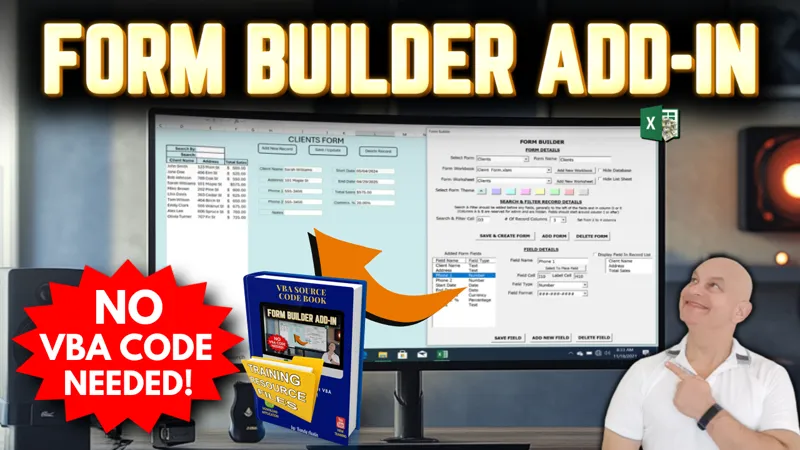
In this training video I will share with you an incredible add-in that I have developed that creates fully customizable forms Without VBA Code. The forms can work as a standalone workbook, even without the add-in. Create unlimited forms and fields with this Excel Form Builder.
▶️ Feel free to watch the full training video right here on YouTube when it goes live.
As a Silver Member, you can also participate in our Feature, Fix or Focus Program, in which each week I will add a feature, fix an issue, or focus on a specific part of the current week’s training. This Feature, Fix, or Focus will be entirely based on your requests and ideas in the comments below. Based on those suggestions, I will then create another short video, along with an updated workbook and make them available exclusively to you, right here on Patreon. I look forward to reading your comments below.
👉 Make sure you download the workbook, PDF codebook, and the training resources in the files below.
I would love to hear your feedback, ideas, and suggestions on any upcoming videos as well, so make sure to comment below as I read every comment.
I look forward to hearing from you and I hope you enjoy the training. Thank you.
Comments (2)
Hi Randy, Love your work, having problems the the Add-in as when running the code I continously get a Run-time error '1004': Programmatic access to Visual Basic Project is not trusted on the line from macro AddOrReplaceModuleInWorkbook(FormWkBk As Workbook, FormName As String) Set VBProj = FormWkBk.VBProject Hint line: FormWkBk.VBProject = I know I have some Trust center settings incorrect, and i've tried different variations with no success, can you help?
Hi Simon thanks for the message Here are some steps to enable Programmatic Access to the VBA Project Open Excel: Start Excel if it isn't already open. Go to Options: Click on File in the top left corner, then select Options from the menu. This opens the Excel Options dialog box. Trust Center: In the Excel Options dialog, click on Trust Center on the left-hand menu. Trust Center Settings: Click the Trust Center Settings... button on the right-hand side. This will open a new dialog for Trust Center settings. Macro Settings: In the Trust Center dialog, click on Macro Settings in the left-hand menu. Enable VBA Project Access: Under Macro Settings, check the box labeled "Trust access to the VBA project object model". This setting allows Excel to access the VBA project model programmatically. Click OK: Click OK to close the Trust Center dialog, and then click OK again to close the Excel Options dialog. Restart Excel: For the settings to take effect, you may need to close and reopen Excel. Additional Considerations Administrative Privileges: Sometimes, changing these settings requires administrative privileges. If you are on a corporate or restricted computer, you may need help from your IT department to enable this setting. Security Considerations: Enabling programmatic access to the VBA project object model can increase the risk of malicious code being executed. Make sure that you trust the macros and add-ins you are using before enabling this setting. Error Handling: If you still encounter issues after enabling this setting, ensure that your workbook is saved in a trusted location or that other macro security settings aren't preventing the code from running. I hope this helps and thanks so much.