
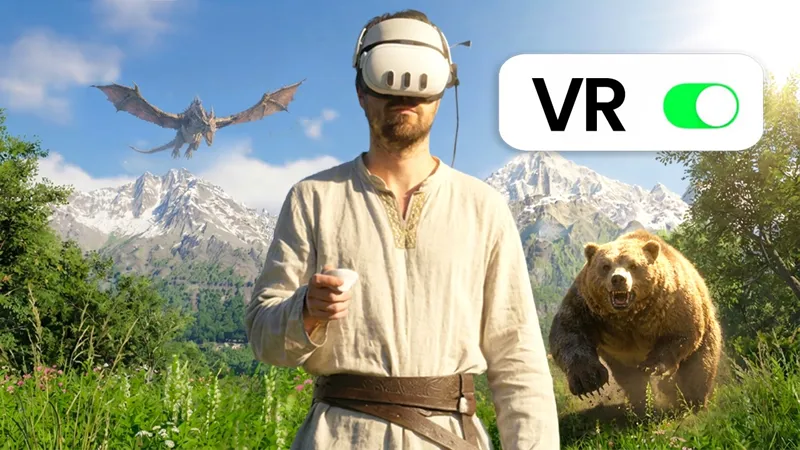
THAT's the way it's meant to be played
Thank you so much, AreanFilms, for this video []-D
Guys, you know the drill: please like and subscribe, because now more than ever VR needs enthusiastic YouTubers to remind the unbelievers (ahem) of what it means to actually be immersed in the game you're playing, instead of just watching it on a flat screen.
Now, Arean really takes things to the next level, because he throws in a huge additional challenge: during the 50 hours he spends in the marvelous world of https://store.steampowered.com/app/3321460/Crimson_Desert/ he is never allowed to take off his headset, not even for eating or sleeping. I'm not sure about toilet usage, as he never mentions that ;-)
Besides the base game and my framework for VR rendering, he's also using the third-party "TrueFirstPerson" mod, which contributes to immersion but also causes some janky behaviors, like pitch inversion, clipping, complications in platforming, and the such. But it's a very understandable choice giving the level of presence he wants to achieve.
Watch the video if you're on the brink of checking out the game in VR yourself, or if you're still trying to decide whether to commit to VR for your day-to-day gaming or whether to stay in flatland.
And if you're already a VR aficionado, show this to those friends who always say, "Mmm, what's the point of playing in VR? It's a lot of fuss and money, for what? I can play the same thing on my TV".
Arean really manages to convey the magical feeling that playing a game in true world scale gives you. Even after all these years, the experience of being able to look at everything from up close, of having to crane your neck up to stare at a giant in the face, of giving yourself vertigo from walking on a suspended bridge, of taking in the amazing vistas with the mountains in the distance while thinking "I could just go there", and then actually calling your horse and riding into the sunset to discover new lands... The combination of exploration-driven, open-world games with VR is nothing short of magical.
I hope this video becomes viral, because apart from the gimmick of never taking off your headset, which adds an interesting challenge but is probably something a normal player wouldn't want to replicate, this is truly what VR is all about.
By the way, it's safe to update https://store.steampowered.com/app/3321460/Crimson_Desert/ with the latest official 1.14.00 patch that added cross-save support to the game.
Stay tuned, because a new R.E.A.L. VR release is in testing and probably coming out next Monday, with support to the new DLC for https://store.steampowered.com/app/3017860/DOOM_The_Dark_Ages/ and with improvements for https://store.steampowered.com/app/379720/DOOM/
Happy VR'ing!!!
I Spent 50 Hours Living in REALISTIC Crimson Desert (YouTube)
Comments (47)
How and where do you download it?
ahhh, so much to play! LOL. TY
Hey , Iam using the public Version with Avatar but the game crashes imediatly after startup. I guess its becaus a patch of the game, does the newest version fix that problem?
It seems to be working fine for me. Double check that frame generation is not enabled (the NVIDIA App might have decided to "helpfully" enable it for you)
Hey any chance you will make a mod for Halo Campaign evolved?
It works with UEVR already :) Quite likely they will get motion controls working too.
Hello. I see ASW is not recommended since AER already does reprojection. Does that mean that Smart Smoothing and Motion Smoothing will also work very badly and be non-recommended?
Definitely a no go if you are using 1/2 or 1/3 rendering modes, because they have frame interpolation. Not recommended for Legacy or AER V2 but you could give it a try and see how you like it. It will introduce artifacts and latency so just going with 1/2 or 1/3 makes more sense if you can. If your headset can do 60 or 72hz using 1/2 with those is actually really solid. It really only makes any possible sense if you are using Legacy AER, but yeah, still not recommended. The most important thing is that you are enjoying the game in VR :)
Where is the download link these days?
https://www.patreon.com/realvr/posts/early-access-152734106 That is the full EA version. I recommend bookmarking it in your browser.
When is the next title out ? I thought it was ‘next Monday’ as of 18th July
You mean last Monday? That was the fix for DOOM TDA DLC update. That is still coming, hopefully soon :) No ETA on the next game.
I'm trying to play Doom the Dark Ages (it worked with an older version of the game and of real vr) but it's just giving me the force virtual 2d screen and I can't aim vertically at all, with my head or controller. Is it broken currently? Or is it just me? This happens with the Steam version of the game as well as the Microsoft/Xbox game pass version. It happens with steam vr using quest link, it happens without steam vr using Virtual Desktop. Literally every combination I can think of, I'm still stuck with the virtual flat screen and no head aiming. Meta Quest 3S. That one game we can't talk about works fine, and this is the only currently supported game I think I have in the list
It is currently broken after the DLC update. Luke should be releasing a fix, hopefully soon.
Hey team, quick question: in Crimson Desert, when I set 3200x3200 rez, the map is a bit too far in the right corner, I need to really stress my eyes to see anything there. Is there a setting where I can move it more to the center of the screen? HUD size/distance affects only menu. Any help is highly appreciated. Thank you very much, you do a great job!!!
You tried the HUD sliders in the CD tab? There is also a mod on Nexus for a bigger mini map that helps. https://www.nexusmods.com/crimsondesert/mods/275
The super shotgun in doom dark ages doesn't fire where you're aiming as well as the accelerator gun.
It would likely be pointless to go back and fix the previous version of the game since Luke is fixing the current version of the game. I'd just wait for the DLC fix at this point 😉
I hope you go for Assassin’s Creed Black Flag. Nobody except you can make this game run smoothly in VR. Don’t disappoint us and let us play an Assassin happily and smoothly on our system.
Mutar already did it.
Ubisoft overlay is disabled. I'll use one of the other options. A small price for amazing VR. Thanks!
High Brandon, I ran config.bat again but still not working. I'm using a PS5 controller over blue tooth and I purchased the game from Ubisoft so I launch it from their launcher. Then i plugged the controller into the USB port and the overlay controls worked correctly. Is their no way to get to work wirelessly?
I'm not sure, sometimes wireless can be an issue depending on the game. Do you have the Ubi overlay disabled? You could just use mouse/keyboard or use wireless once you have things set up.
Hi Brandon, First of all, thank you for all your help, and please thank Luke as well for this absolutely amazing VR mod for Crimson Desert. I played with the very first version of the mod and the original version of the game, and it was truly fantastic. At one point I ran into the horse bug where I couldn't move anymore, so I reinstalled the game, updated it to the latest version, updated my graphics drivers, and installed the latest version of the mod. Now the performance is excellent and the scenery looks even more beautiful than before. However, I've noticed one strange thing: whenever I get very close to an object in first-person view, it becomes very blurry. Is this normal? Was some kind of close-range blur intentionally introduced in the latest version of the mod, or is there a setting that should be adjusted if you have high-end hardware? Thank you very much for your reply. And once again, congratulations to all of you—thank you for all the news and the incredible work!
First of all, you are welcome :) For the blurring issue, have you checked game settings to make sure you turned "blur intensity" down? It is in the "accessibility" settings.
Hi Brandon, the REAL overlay controls are not working for Avatar. I need to move and resize overlay and the controls you sent me and nothing works. Here is what you sent. " Open or Close R.E.A.L. overlay Gamepad: There are three possible options depending on the game. But it will always be one of these options. Option 1. Both triggers together. Option 2. Both thumb sticks together. Option 3. View+Menu(Xbox) Create+Options(PS) buttons together. Us older gamers probably know these as pause and start buttons ;) Keyboard: pause/break key. It will however give you the option to change this in a pop-up the first time the REAL overlay comes up after installing. Moving the R.E.A.L overlay. Gamepad: Hold X or Square button and use left thumbstick to move/reposition overlay. Keyboard: Ctrl+Tab, let go of Tab and use arrow keys to move/reposition overlay. Resizing the R.E.A.L. overlay. Gamepad: Hold X button (Xbox) or Square button (PS) and use the Directional Pad buttons to adjust the size of the REAL overlay. If you need to adjust the actual size of the text and internal parts of the REAL overlay for readability, you can do this by holding Ctrl and scrolling the middle mouse wheel to increase or decrease size. Keyboard: Ctrl+Tab to highlight the REAL overlay, then let go of Tab and instead hold Shift while still holding Ctrl. You can now use the arrow keys to resize the REAL overlay instead of moving it around. Navigating the R.E.A.L. overlay. Gamepad: Hold X button(Xbox) or Square button(PS) and use the right and left bumper buttons to tab right or left through the overlay tabs. Dpad to navigate the current tab. A button(Xbox) or X button(PS) act as the main buttons to select UI elements. You can use the Y button(Xbox) or Triangle button(PS) to highlight a UI element if you want to enter a number there manually. Keyboard: Hold Ctrl and push Tab to move through the tabs of the overlay. Use the arrow keys to navigate the current tab you have selected. Space bar acts as the main selection or activation button for most UI elements, like boxes and dropdowns. If there is a number in the UI element you would like to change manually, use the Enter key to select it. Enter will allow you to manually input a different number, while Space Bar in this case would just highlight the element and allow you to use the arrow keys to adjust it. You can of course use your mouse to select UI elements and tabs as well."
You should be able to hold x or square and use the dpad to resize the overlay. I'll check AFOP in a sec here to make sure it still works for me in that game specifically. Sometimes Steam Input settings can have an effect on controller functions and REAL VR compatibility.
So I'm trying to run this on a PS VR2 with a PC adapter and a 5090, but the world is extremely pixelated and the quality is unplayably low. Is there a way to fix this?
Man, if only someone would get their YouTube act together and finish the video they are working on 😢 Probably, this game is really performance heavy though. Resolution and lighting quality are going to be the biggest factors for visuals in this game. Of course things like depth of field or any blurring settings in game will make things worse. Did you look over the game post and make sure you have things set correctly? What resolution are you playing at? The PSVR2 is actually pretty low res, on top of a bigger fov, so that makes things worse. It is not actually a 4k display. All that aside, what resolution are you using? Did you try the new fov sliders to lower the area of fov covered by the game? It will also increase image quality as you lower them. What kind of system are you running? What resolution are you running? Hope that helps, let me know if you have questions on specifics :)
I really want a steam frame so I can give VR another try
The frame seems like an odd design choice from Steam. It is oddly low spec compared to other headsets. But running increasingly high-res headsets means you are locked into paying a fortune for computer upgrades as well 😒
Is there a conflict with REAL VR and the steam controller? I just tried playing Cyberpunk & Avatar last night with the steam controller and it didn’t work, even though it works perfectly with the Xbox controller.
Not sure, check Steam Input options. It may need to be enabled for it to work correctly 🤷♂️
I have a 3D TV, could I use the profiles to play SBS? Or is there any trick? Or is it only for VR?
You can use https://www.mtbs3d.com/forum/viewtopic.php?t=29713 People say it works pretty well for the most part.
"TrueFirstPerson" mod causes some janky behaviors," That's why I prefer "More Fist Person" mod, a bit less immersive but less janky.
Is that one back up now? He took it down a while back. That is what I use too.
Hey luke! Im personally starting to make videos about your framework as well. Currently on tiktok but I also just started a youtube channel last night and plan to post gameplay from your framework on my favourite games! OBLIVION on tiktok and OBLIVION999 on youtube @oblivion_joshua97 on both. Thanks for all the work you do!!
I do music and recovery content as well but PCVR gaming is a big part of the content I want to make! I also tie it into recovery, I have college education in the mental health and addictions field as well as lived experience and I think VR is a great non-maladaptive coping technique people can use to help in their recovery. One of my vids on Crimson desert is just walking around in 1st person enjoying relaxing views for self care! Im slowly getting used to putting myself out there more. So its a process but i hope one day to make content without anxiety lol I love that you are supporting people making content around your framework and the community in general ❤️
I'm using REAL VR 5.2 with CD 1.14.00 but I can't get VR working. Just see a black screen on boot and it hangs forever. Any way to fix this? Quest 3 with Quest link Edit: Fixed by turning off HDR
Yes, HDR and frame generation should always be off in VR
Just as an aside, I wonder if anyone else here is playing Star Citizen in VR ( which has native support now) and is just mind blowing. Among multuple Organiztions ( In game "guilds"), I know many people who had zero interest in VR but bought a headset JUST for Star Citizen when they shadow dropped VR support last year. Pimax is working directly with CIG now developing more integration. The marketing campaign for Star Citizen's single player campaign ( Squadron 42) is close to starting and CIG has said the game will release with full native VR support. I say all this to say that there might be a mass influx of VR players in the next six months to year which could/should drive a ton of traffic here. 🤞🏻
"Squadron 42 comes soon" They've been saying that for 14 years...
Loving doom dark ages at the moment, I've given up trying to keep up with you Luke but keep them rolling in and I will keep buying them mate :)
How are you getting it to work? For some reason now it only gives me a flat screen (surrounded by black, not like the screen I see in Virtual Desktop)
its always Xmas around the corner
Wow! But could the movement be applied in Room scale mode? If so, I could do something like that with all your MODs, but unfortunately you can’t do it today! Have you ever seen something like that? https://www.youtube.com/live/ui_Lh-7k7yM?is=fW8XeRzLePuL0lUA