

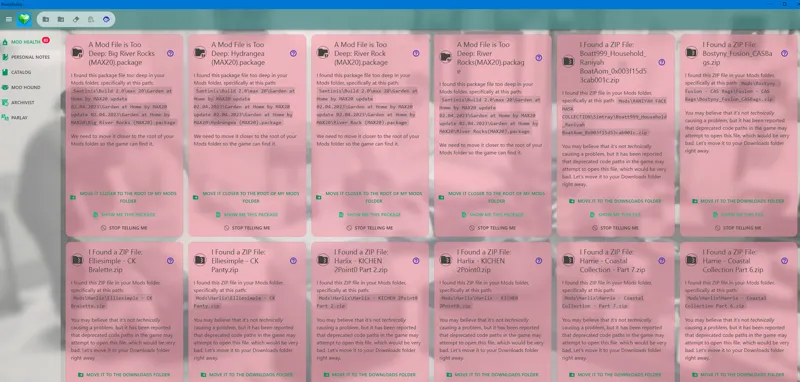
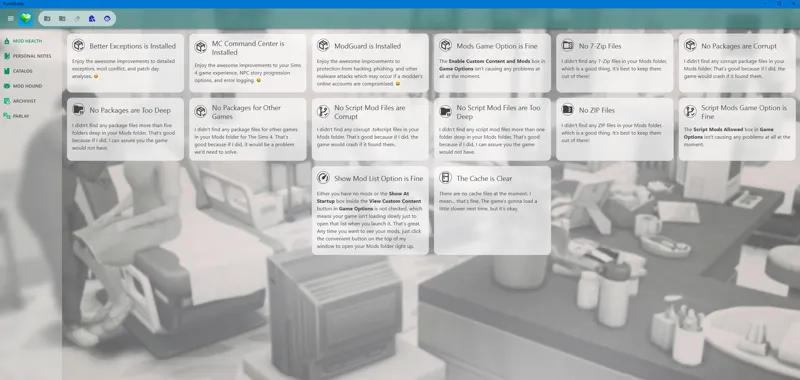

Using PlumbBuddy To Fix Your Sims 4 Game
PlumbBuddy is a free, fan-made desktop app created specifically to make life easier for The Sims 4 players and creators. Think of it as your all-in-one Sims control center 🛠️💚
Here’s what it does (and why simmers LOVE it):
🧩 Mod & CC Management (the big win)
Helps you organize, manage, and troubleshoot mods
Makes it easier to:
See what mods you have installed
Disable/enable mods quickly
Identify outdated or broken mods after updates
Pairs really well with the 50/50 method for finding broken CC
🧰 Handy Sims Tools in One Place
Quick access to:
Sims 4 folders
Saves, Mods, Tray files
Launches helpful utilities without digging through folders
Great for creators who are constantly testing mods
🔔 Update-Friendly
After game patches, PlumbBuddy helps you:
Keep track of mod compatibility
Reduce save corruption risks
Especially useful if you run a mod-heavy game (which… most of us do 😅)
💻 Clean, Beginner-Friendly Interface
No coding knowledge needed
Simple layout that’s easy to understand
Perfect for:
New simmers
Mod testers
CC hoarders (lovingly 😌)
Why it’s amazing for someone who wants to create sims 4 content?
Since you’re deep in the Sims mod space:
Makes testing mods faster
Reduces errors during updates
Keeps your workflow organized
Saves SO much time when troubleshooting for your community
Comments (7)
where do i place the folder?
You can place it in your documents and then start the application
Thank you so much, i love this! so helpful.
THANK YOU SO MUCH
after testing myself. I can confirm this is VERY beginner friendly. I will 100% be using this as a new staple for me.
I have as well as sims 4 Mod Manger. Using only them right now while I play game as I redo folder.
I used sims 4 mods manager to delete all my alpha cc, i l love it!