Updating Tips
Hey cousins....
The new pack, Adventure Awaits, drops tomorrow. This is the 1st pack I've been excited for in a loooonnnnnggggggg time. But unfortunately, along with that, there is apparently another small update..booooooo
Get prepared now, the first thing you want to do is go offline before EA rolls out the update!
GO OFFLINE (and stay offline until you are ready to update your game)
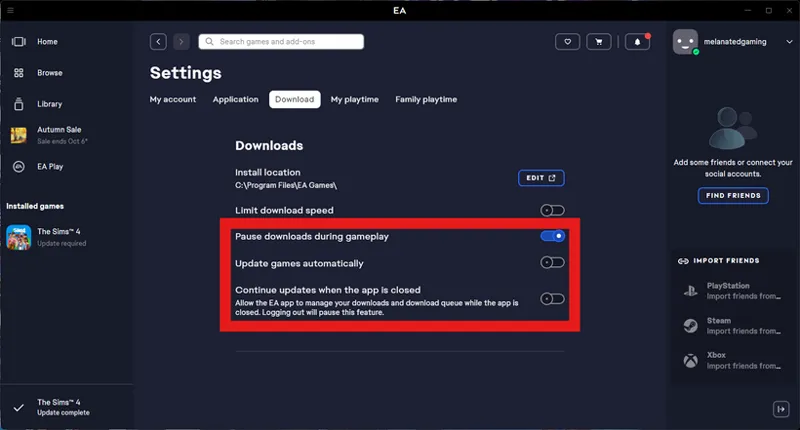
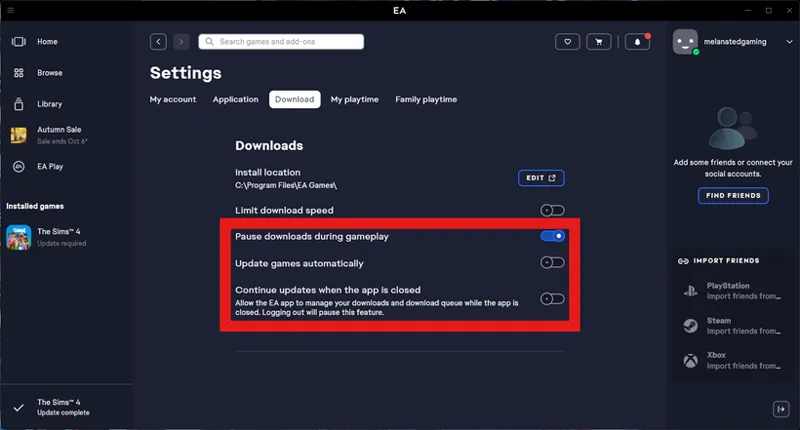
Click on the 3 bars at the top and go to your settings, and make sure the download settings look like what I have highlighted in the red box (it will help prevent your game from updating automatically. Updates will now only happen when you click the update button)
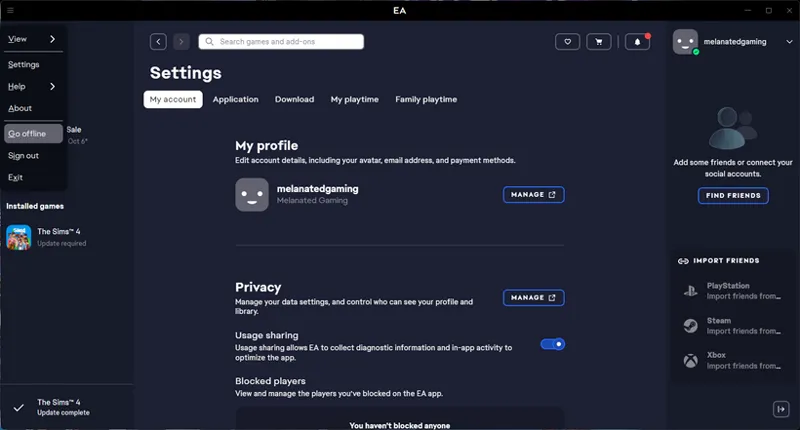
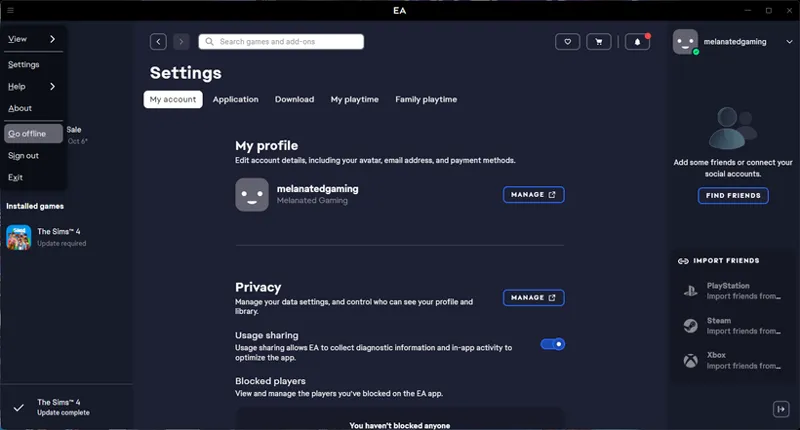
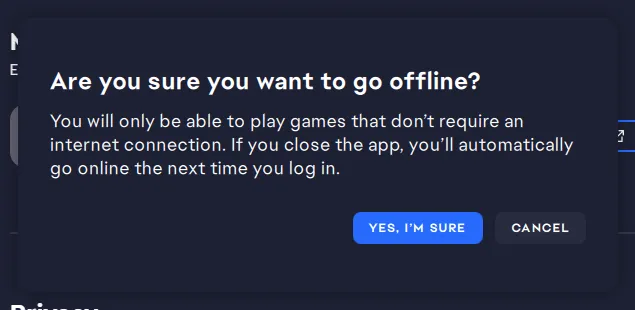
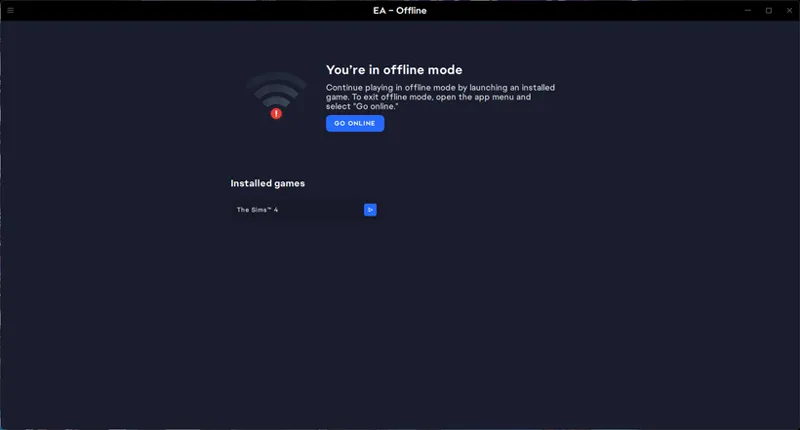
Go back to the 3 bars at the top and click Go offline. This will allow you to play your game offline until you are ready to update
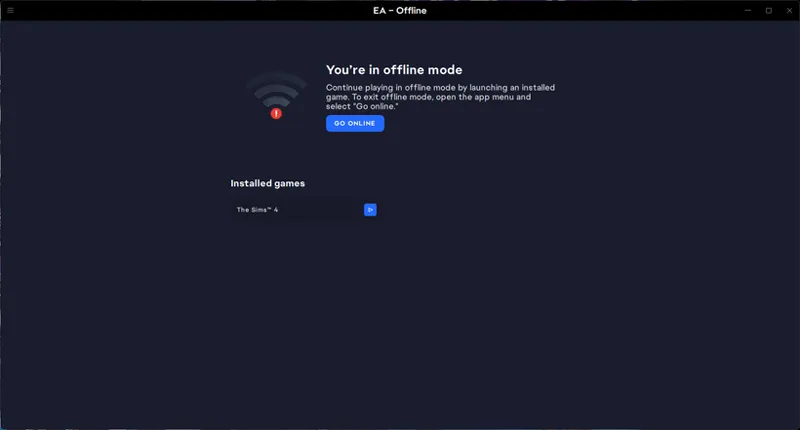
Hit the play button, and your game will load offline and allow you to play
Now before you update prepare your mods folder. Go through your mod folder and remove any duplicates!
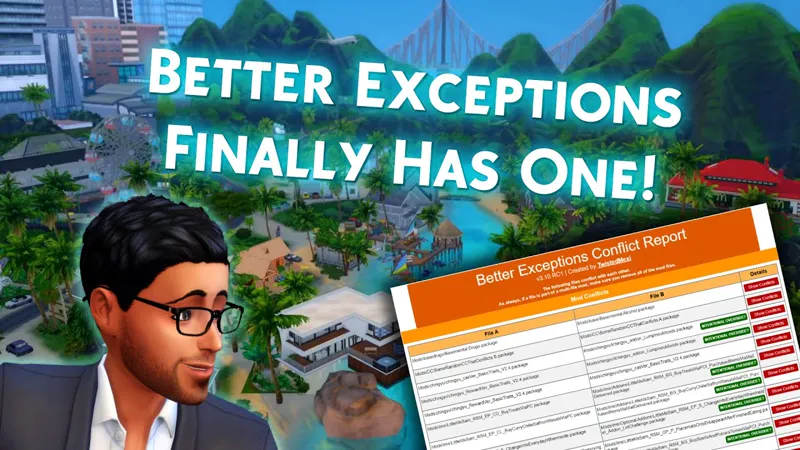
Better Exceptions Full Report will show you a list of duplicates (I suggest doing this regularly if you download a lot). Note, this will not catch all duplicates, but the majority. Also, will list any broken mods you should delete and get the updated version. Files that it may not catch, for example, if you have 2 tiles with the same name, but one file has a bracket at the end
Kiegross_Maya Lace Front
Kiegross_Maya Lace Front(1)
Also, be careful when deleting duplicates because some could be a mesh. You can use Sims4Studio to verify
Mod Manager is another tool that you can use to find duplicates, but also update some mods (I don't use Mod Manager, so I cannot provide any tips)
Next, update your mods!
I use the Sims 4 forums; it is more detailed than Scarlett's list and includes broken CC, not just mods. Broken CC can cause more harm to your game than mods, so it's also good to remove them. Note, some creators take a while to update and remember this is EA, there are always bugs, so it may take creators a couple of days to update.
Also, if you are still having issues, try using ChatGPT. It can be very helpful to read the last exceptions. It has worked for me about 98% of the time.
Go to your Sims 4 folder and open your last expectation in your notepad. (It is a text document, so double-click on it and it should automatically open in your notepad or Word)
Once you have your notepad or Word open, copy the whole thing (Go to edit and select all and then copy)
Go to ChatGPT and paste everything you copied from the notepad, ChatGPT should then tell you what the issue(s) may be and how to solve them.
Good Luck, and let's all pray this new pack doesn't break the game even more than it is already broken.