




Sugoi Manga Extension V15: Local Translation, Pixiv, Cache
Available on both Chrome and Firefox:
Chrome Extension: https://chromewebstore.google.com/detail/sugoi-manga-translator/mnimfolffnaodomamfeinlehaeifhbli?ref=blog.sugoitoolkit.com
Firefox Extension: https://addons.mozilla.org/en-US/firefox/addon/sugoi-manga-translator/?ref=blog.sugoitoolkit.com
Local Translation with Sugoi Toolkit
Open Sugoi Manga Translator
Click Test Connection
Don't forget to enable "Use Local Server"
Now use the extension like normal
Pixiv Support
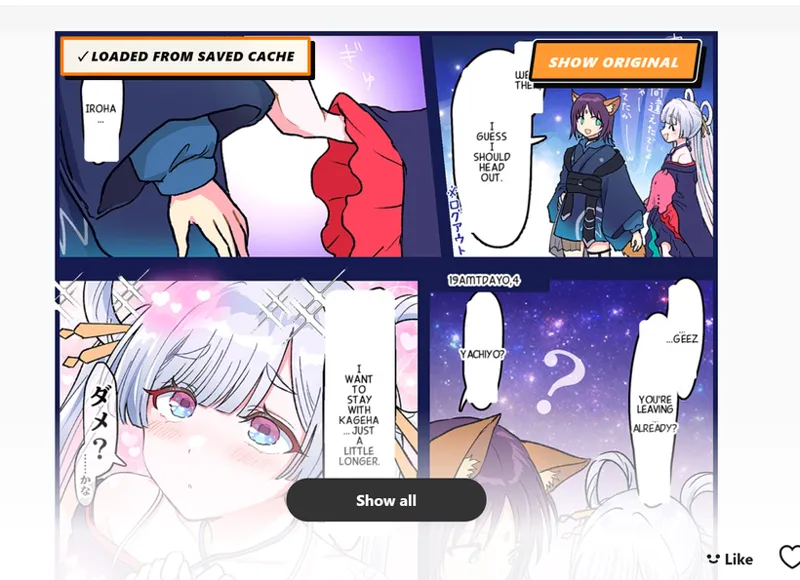
Translated images are cached
You won't have to retranslate old images anymore
Comments (2)
Oops, I just realized that I accidentally commented on a post that doesn't even relate to the extension... Anyway: I started using the Sugoi Manga Translator Firefox extension. It's a very cool, frictionless way to translate and read raws online. I'm wondering about the Read tab though. Shouldn't it provide the translated versions of the images in the gallery or overlay? It mentions distraction free reading which suggests we should be using the Read tab after the Translate tab, but it's all the original untranslated raws. Also, I get an error if I try to download a translated image on the Translate tab. Says something like: Access denied for URL: data/image and a very long id that doesn't last onscreen very long.
ah, the read tab is for reading the original images. I wanted to provide a good, distraction free reader to user as in many sites you have too many ads going on. Can you PM me on Discord a screenshot of what you see when trying to download a translated image? The default behavior is you can download a zip file of what you have translated