
Interaction With ALS - Version 1.7 (Project Files)
Important information!
In this version, not all animations will be included in the project. Animations like Stealth Finishers come from the UE4 marketplace - OpenMarketplace In order for it to look like on a video, you need this package, which must later be uploaded to the project (I will present this process in a separate material). Without these animations, the project will run normally.
Additionally, you need the 'Power IK' plugin, which is currently free on the marketplace - OpenMarketplace It needs to be installed on the 4.26 engine.
How to reimport animations form Stealth Finishers Pack to project:
https://www.youtube.com/watch?v=U9SF3dKJ8Yk
Edit: From this version, please do not edit the animation curves, now you only need to replace the damaged animations with the original ones.
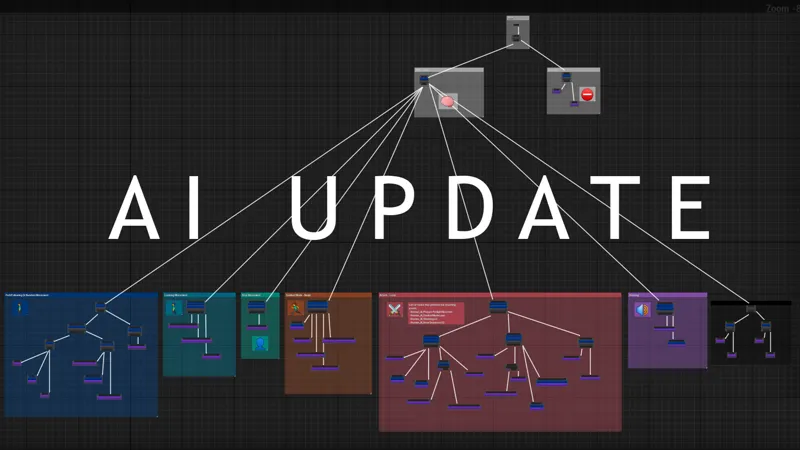
Unfortunately, not everything turned out well. I had big problems with the EQS. But in the end, I think it's much better than using the player character for AI controllers.
News in 1.7 Version:
Human AI System - New Character, Animations Logic , AI Controller:
- AI Follow path , or use random movement
- The AI reacts not only to the player but also to the Zombie controllers.
- Can Shooting, Reloading, Mantle(only PathFollowing), Vault(only PathFollowing), Jump
Down, Stealth Kill (Knife or Pistol) ,Sit and more
- Can Cover (it rarely does)
Vault System (Activated When player can Mantle and holding Sprint Input)
Pistol Changing (Working with using DataTable , but currently you can select pistol only in editor , not in game)
Keybinds:
1) Climbing Ledge
Start - Jump + input key (W,S,A,D)
Moving - A/D
Jump - Shift + direction (W,A,S,D) + Space
End Climbing - L Ctrl
2) Vehicle
Entering the Car - E
Change Gear - 1...6
Movement - W,A,S,D
Light enable/disable - F + MouseWheel Up/Down
Turn Signal - L/R mouse button
Change Camera - C
Exit Car - TP = key E | FP = Look at door and key E
3) Cover System
Start Cover - Auto (Look at wall)
Aiming Left/Up - Direction key (A,D) + Mouse Button
Aiming Stand - Mouse Button
End Cover - Hold key S or press Space Bar
Comments (5)
Very Simple ADS takes seconds to do enjoy. https://gyazo.com/381005fdc6cad78e94492e9f0af65f77
How difficult would it be to make a simple wandering civilian ai that flees on gunfire?
Will you implement weapon ADS "aim down sights" in the future?
Hello! From where do you have that stealth animations please? Link is not working :)
I've already fixed it :)