
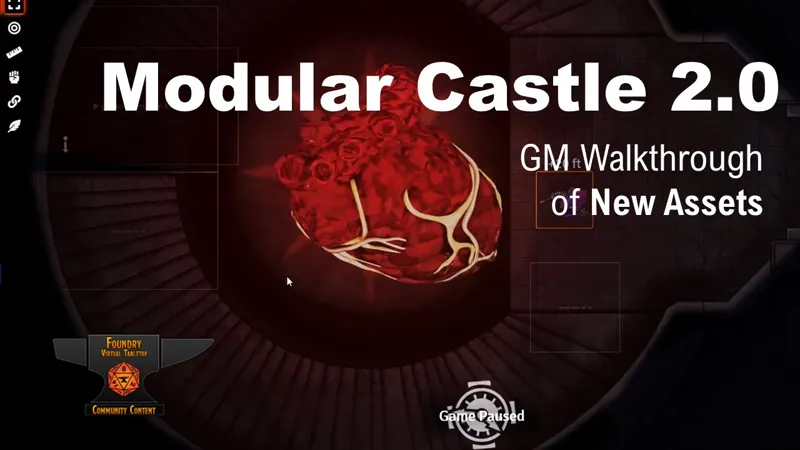

Modular System Latest Release - Modular Castle v2
##UPDATE 6/16/21## Major Release
Overview of the release here.
Modules in Use (Optional)
Whenever possible, I use the following modules. You'll want to get your hands on them for the full effect:
FXMaster: Lots of great weather and special effects for your maps.
Multilevel Tokens: I create automatic teleport points to get your players around the map. I also project players from one level so players on another level can see them.
Parallaxia: This module lets you animate tiles, like water running by or roads that scroll to simulate movement.
Better Roofs: Replaces the old roofs module in Foundry 0.8
Levels: Creates the ability to add playable levels above and below the standard Foundry single level
Token Attacher: This is required if you want to deploy prefab assets from the Actor Compendium. Things like, carts, ships, buildings and teleporters.
Token Magic FX: Special effects on some maps, including drop shadows, flames, and more.
Vehicles and Mechanisms: For making deployable assets that actually pick up and carry your tokens!
Wall Height: Makes it so you can see over walls if your token is at the proper elevation. Useful for tactical maps and elements and a requirement for Levels module.
Compendium Folders: This are used to organize some large compendiums. You don't need it, but it might help you find things.
Scene Packer: Optional if you want to automatically download relevant journal entries which can add to functionality of some maps.
Quick Encounters: Optional if you are playing dnd5e and want to leverage built-in encounters in some Baileywiki maps (requires Scene Packer to import)
About the Modular Town
The Modular Town (and Wilderness and Dungeon) is a whole system for easily creating situation-based maps for either roleplay or battlemaps, complete with tactical elements, many different store and building types, and even alternative terrains, weather and ambient loops.
Free Version:
The Free Module has just a small example of the modular town, a muddy townsquare and a snowy version of it, with deployable Christmas tree and Granaries. Find it in my free module available in the Foundry directory under "baileywiki" or here https://foundryvtt.com/packages/baileywiki-maps/
Modules in Use: FXMaster for creating lovely clouds rolling by and Roofs module to dynamically get rid of roofs when your players enter a building. Most buildings are blank with a few great exceptions.
Premium Version:
The premium Modular Town includes many building types, both low-class and middle-class (with high class buildings coming soon). There are also a lot of tactical map elements like trees, stairs, garbage cans, street lights, and much more, all pre-lit with foundry walls, lighting and sounds where applicable.
There are also Facades, which are deployable buildings that can be linked to much large maps, like the Keep, the Tavern or the Tower. Just link them with Multilevel Token and your players can teleport directly to those maps.
Sample Maps: While you can easily create your own town maps with the included elements and the "template" scenes in the compendium, you can also use pre-built 'sample' maps that are included in the Scenes compendium.
Special Use of Token Attacher: The modular town system relies heavily on the Token Attacher module. This module allows you to deploy assets from the Actor compendium complete with walls, lights and sounds, which can be rotated and moved altogether. Make your own custom assets or change the configuration of the ones I include in the pack to match your style of play.
Performance Considerations: The larger your map and the more elements you include, the more performance will suffer. Consider making a series of small maps that you link together with Multilevel Token module. Also, modules like FXMaster can be amazing for weather elements, or Token Magic FX for cool tile and token effects, but you can turn them off for immediate performance gains.
Communicate with me anytime at my Discord.
Included Assets (updated 5/15/2021... see change log for the latest)
Modular Dungeon:
- Modular tiles for Halls, Rooms, Stairs, Pillars, Walls
Motif-agnostic tactical and feature elements:
- Chasms
- Dais (circle and square)
- Bones/skeletons
- Holes
- Wells (multicolored, Token Magix FX filters enabled)
- Overlay prefabs for placing in any dungeon
* Bones 16x16
* Campsite 16x15 w/ working tents
* Crypts 11x13 w/ modular/removable lids
* Mushrooms 8x8
* Four drop-in Campsites ranging from 6x6 to 8x8
* Blood Circle 8x8
Sample Dungeon Maps
13 Throne types including Orc, Bones, Mage, Dwarf and more.
Modular Town:
NEW!! Modular Bridge System
Bridge railings and tops (stone, wood, metal and rusted)
Bridge lighting (braziers and orbs)
Bridge towers
Stairs
Railing 'gaps'
Low-Class Buildings (C3)
All C3 buildings now in "Rural" and "Snowy" motifs
Tent
Tiny Hut
Home (C1)
Inn
Undertaker
Home (C4)
Smithy
Home + Torture Room
Home + Magic Shop
Meeting Room + Bunk House
Weapons Shop + Home
Pet Shop + Hope
Provisions
Middle-Class Buildings (C2)
Weapons and home
Bordello/Inn
Apothecary and Diviner
Cartographer's Guild
Armorer
Apothecary
Various standalone homes and shops from previous releases
Jeweler
Bakery
Butcher
Wine Shop
Tavern, Home, Candlemaker, Fletcher
Tailor + Home
Guard House + Curio Shop
Bank + Home
Dojo
Center Buildings:
Granary
Christmas Tree
Park (also a snowy version)
Marketplace (all stalls in one prefab)
Basements
13 drop-in modular basements in dressed and undressed versions
Smuggler's operation prefab
Basement entrances (cellar and trapdoor) with MLT zones
Market
Baker
Butcher
Candy and confections
Seamstress and Tailor
Jeweler
Cobbler
Animals and Cages
Hay and Feed
Barrels and Beermaster
Fishmonger
Food Vendors (2)
Potions and Tinctures
Fortune Teller
Books and Scrolls
Florist
Auction Block
Mining Equipment
Storage Wagons (3)
'thatch' versions of some stalls (for use with jungle theme)
Wilderness: Regular and Snowy Versions
NEW!! Swamp biome
Cypress trees
Swamp islands
Swamp vegetation with ambient sounds
Lilypads with ambient frog sounds
Animated algae
Submerged logs and rocks
Jungle and Island Theme: Various 'growth' and 'palm' trees. L and XL sizes. Sand, ocean and shoreline tiles path: /maps/wilderness/terrains.
Bushes 5, small and large
Rocks 5, small, large and XL
Cave , small and large
Ridges 2 , small and large
Fallen Tree , small and large
Logs 2 , small and large
Stumps 3, small and large
Pine trees 2, small and large
Fallen tree base (snowy only), small and large
Light wood fence (short and long)
Facades: (requires main Baileywiki Premium module to integrate)
Manor walls (ivied and ruined, large and small)
The Church (front and full facades, 3 motifs)
Mage Tower with Crenals
Mage Tower with Roof
Tavern (Fighting, Stage and Yawning)
The Keep
The Keep Infested
Tactical Elements:
An entire modular sewer system with animation, sounds and more.
Arrow towers (fort and town versions)
Bedrolls. 3 varieties for camping or dungeon use
Benches
Blood stains
Boats: Row Boat and Small Barge
Bridges and spans
Canal pieces
Crane 02
Crates
Damage Tiles and prefabs
Elevation (high)
Elevation (low)
Fences (log, wood, concrete, palisade, bush)
Ladders
Lean-tos: 4 varieties for camping or dungeon use
Lighting: Mounted torches, campfire, and brazier
Manhole w/ Teleport
Rubish / Garbage can
Sewer Grates
Signs
Street Lamp (lighting)
Tent
Trees
Trench system and pit
Terrains (grass, mud, cobble) plus "Terrain Spots"
Working traps
Wagons
Walls: City Walls, Town Walls and Fort Walls with gates with teleport points and open/close function and sound
Well (with sound)
Customizable Terrain System
Special Dungeondraft file included in the module. Requests Dungeondraft and Forgotten Adventures assets to use.
Tips
Don't delete multiple control tokens at once. Do it one at a time or you'll get artifacts.
Hold CTR when rotating assets or use the arrow keys to quickly rotate them
If after placing an asset the image is laying on top of another image, use the Tile tool to move it to the back. it won't hurt anything
There are many ambient sounds and some loops included in the module files. Check em out.
Instead of using the Actor assets, you can deploy images directly from the module files
When you are done setting up your scene, "select all" actors and then right click one of them to make all of the control tokens invisible to your players
Use walls to close off parts of the map to your players
Have a Problem or Questions?
Communicate with me anytime at my Discord.
These maps and map elements were made by myself with Dungeondraft software (www.dungeondraft.net) which are also available to my Patreon to customize and design their maps even further.
The artwork is from Forgotten Adventureshttps://www.patreon.com/forgottenadventures ... with special use of these magical packs....
Krager's Shadow and Light packhttps://cartographyassets.com/assets/kragers-shadow-light-pack/AoA's
Clouds and Water packhttps://cartographyassets.com/assets/aoa-fx-clouds-and-water-2/
Baileywiki Modular Castle for Foundry VTT, Release v2.0 (YouTube)