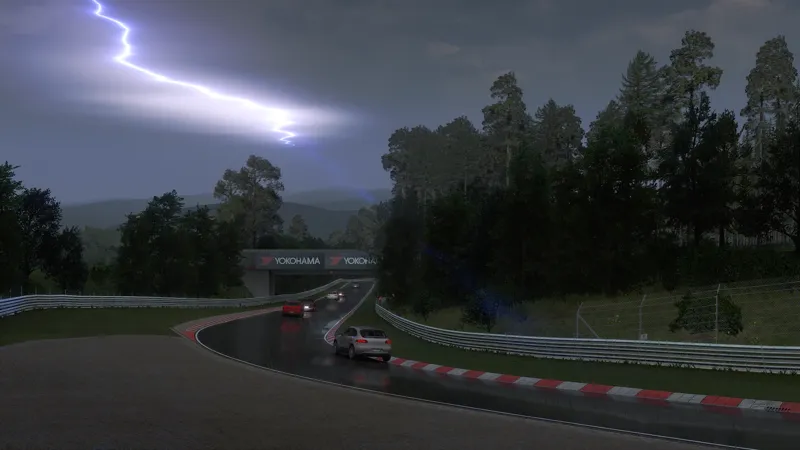
If you want to install the Lowres packages, please go to Pure's Discord. Link your Discord account in Patreon settings - More - Connected apps. You will be automatically connected and you get a role to access the Pure content.
But I do have an issue, I've been updating the whole system after getting back to sim racing after a shutdown due to an operation. I have put in the updates for Content Manager, CSP, and Pure. On the Drive Screen in Weather, it is greyed with no drop down to choose Pure, it is set in Weather style under CSP. Planner says "Pure controller is not running!"
P
Peter Boese · July 5, 2024
Don't select ideal or real condition...
D
Darrell Hice · July 5, 2024
Thanks Peter for a great program. I have had it working and enjoyed it!!!
R
Richard Bernal · May 12, 2024
i joined and the i still dont have access to the download links
P
Peter Boese · May 12, 2024
Did you watch the install video! If you are able to comment here, you have access to the update post and so you should be able to see the post and also the links in the post! Also there is a new update Pure 0.271!
M
Melle Tollenaar · May 10, 2024
I installed Pure using the install video, and I used ligths patch 0.230 as CSP, but when i start up the game The screen is extremely dark and i can't open the SOL planner, it's saying: 'please select SOL 2.5' is there any fix for this?
P
Peter Boese · May 12, 2024
Did you watch the install video? You use Pure Planner now? Also if you use the last CSP 0.2.3p211 there is a bug if you use extraFX. You need to have MSAA to 2x or more and don't use the "Custom" screen resolution!
P
PrintCorner3d · May 6, 2024
i followed the install video and manually installed csp preview and Pure but in weather FX i only have "Default" option. No Pure Option ?
D
Drake · May 7, 2024
same here
J
JosaFPV · May 6, 2024
what should be the right far plane setting? its 200000, 30000. And what CSP do you recommend for the latest Pure? Thanx for your great work.
P
Peter Boese · May 6, 2024
The first value must be lower than the second one! Right click and reset it.
J
JosaFPV · May 6, 2024
im on csp 0.2.3-preview1 and pure and Pure 0.254 and i get some flicker in the sky?
P
Peter Boese · May 6, 2024
As always, please open the Pure Config app and watch the settings check on the main page. Also install the new version, it has a change in the settings check. You probably have wrong far plane settings in CSP's graphics adjustments!
D
Diogo Paulico · May 6, 2024
i cant use pure config its completly blank im trying to fix it for about 2 hours did everything and already installed the csp you recommend and still on pure planner it says CSP 0.1.80p346 or higher needed
P
Peter Boese · May 6, 2024
Which CSP version do you use?
W
Wojciech B · May 3, 2024
I installed everything manually but when I start race I see nothing (everything black) except for some white shadow on drivers left window and a bit of smoke from exhaust. Even reinstalled AC.
P
Peter Boese · May 3, 2024
That's a bug in the newest CSP with extraFX. Set MSAA to 2x and don't use "Custom" as video resolution.
S
Spooky · May 1, 2024
i need help im new to everything and i cant get it to work i have the audio and clouds but no rain
T
Trackademickz · May 1, 2024
The Youtube video he listed goes over everything and is pretty straight forward to follow.
T
Trackademickz · May 1, 2024
I actually found out the issue if you are having no rain but sound & clouds. In your CSP preview download you need to change out the dwrite.dll from the lastest update. If you do the extension folder it will not work.
P
Peter Boese · May 1, 2024
You always need to replace BOTH (write.dll AND extension folder)!!! So I described it on the install video. Both contain the updated data! And you always need to do it manually, not via Content Manager.
J
James Lazaro · April 28, 2024
I have download it but it wont let me open the file i think the download link has a problem hope it get fix
P
Peter Boese · April 28, 2024
There is nothing to fix! The links are working. Please use the links here in the Patreon post and not from the email.
j
jake wright · April 28, 2024
have the same problem not an online session and i am using pure planner
P
Peter Boese · April 28, 2024
Please for the chat here, comment in the same post and please don't create new posts for the same issue. You need to install CSP manually and you need to have a CSP preview version. RainFX is part of CSP. Pure can just control it. Just check your version in CM settings CSP about & info. And in-game if you have a rain debug in the weatherFX debug app.
W
Wiretap · April 28, 2024
Ive installed correctly and have csp, yet only the sound of the rain works and the clouds, no rain.
P
Peter Boese · April 28, 2024
You need a CSP preview version for rainFX! Install it manually! It's shown in the video.
j
jake wright · April 28, 2024
i have csp preview but cant get rain to work only the sound of the rain works
T
Trackademickz · May 1, 2024
I'm having the same issue :(
M
Mega Flipers · April 27, 2024
I dont get any rain sounds?
P
Peter Boese · April 27, 2024
Idk. Just install it like it is shown in the install video. You could try to reset to defaults in Pure Config app. Also have a look in the CSP sound app if your weather sound are on.
N
NarcisSPT · April 26, 2024
i'm stuck on "installing skydomes"
P
Peter Boese · April 27, 2024
Install it manually. Open the zip, go into the Pure folder and extract the 4 folders apps, content, extension and system to AC root folder (steamapps/common/assettocorsa)
J
Jayden Guppy · April 26, 2024
yeah i have the pure 0.254 folder is on desktop. i open that then click install pure .. follow the steamapps etc.
P
Peter Boese · April 26, 2024
Try to install it manually. Open the zip, go into the Pure folder and extract the 4 folders apps, content, extension and system to AC root folder (steamapps/common/assettocorsa)
J
Jayden Guppy · April 26, 2024
Hi i am following instructions on how to install Pure. (steamapps/common/assettocorsa) its just saying file not found when i go to install
P
Peter Boese · April 26, 2024
Did you extract it to your Desktop before you run the installer in the folder on your Desktop then?
A
Aniket Ramgi · April 25, 2024
Hi there, I am just trying to install from the links provided however it just says site can't be reached? Anyway you can help. Thank you
P
Peter Boese · April 25, 2024
Do you use the links from the email? Always use the links from the Patreon post here!
R
Realisticer · April 25, 2024
I have installed it, worked fine, but now the weather does not load correctly with a white tripe horizontally across the sky with no sort of clouds, no matter what version of pure. Sol works fine, do you possibly know the reason for this issue? (my profile picture shows the issue, this should be night with clouds)
P
Peter Boese · April 25, 2024
I guess its still not installed properly. Install it manually. Open the zip, go into the Pure folder and extract the 4 folders apps, content, extension and system to AC root folder (steamapps/common/assettocorsa)
x
xqeezy · April 24, 2024
it wont let me click on the link, can someone maybe help
B
Buurs · April 24, 2024
it wont let me open the install pure bat file
P
Peter Boese · April 24, 2024
Install it manually. Open the zip, go into the Pure folder and extract the 4 folders apps, content, extension and system to AC root folder (steamapps/common/assettocorsa)
A
Adam BERTRAND · April 23, 2024
hello, for me it's not working could you help me pls
C
Caden Figgins · April 24, 2024
hes gonna need a more specific explanation
K
K L A Z ツ · April 23, 2024
Keeps teeling me that This is not an AC folder when i try to install pure and uninstall sol from command prompt. Help Please??
P
Peter Boese · April 23, 2024
Did you watch the install video?
D
David Djp · April 21, 2024
Hello dans drive et météo j'ai pas l’onglet Pure, normal ou ? merci https://youtu.be/fN2gc2BPkFI?si=gnX8pH1NOCa5--hb
P
Peter Boese · April 21, 2024
What do you mean?
s
sfa · April 20, 2024
is there a way that i can use the cloud presets from the game before without having to set it up manually?
P
Peter Boese · April 21, 2024
You mean you want to load the last used plan in Pure Planner?
R
RadoBG · April 19, 2024
Great mod! Worth it!
a
awake · April 19, 2024
where is download link i dont see it on this post??
P
Peter Boese · April 20, 2024
Really??? There is a big big "Download Links" sign!!!
S
Salman · April 19, 2024
the place where i have the asetto corsa root folder is not showing up when i try to download pure
P
Peter Boese · April 20, 2024
That makes no sense! Please watch the install video and follow the steps!
م
محمد العجمي · April 16, 2024
why i cant see pure in ppfilter
P
Peter Boese · April 16, 2024
Please watch the install video and follow the steps exactly.
B
Beaker · April 12, 2024
I sorted it, for some reason the install batch procedure hadn't instaled 40 of the "Encrypted" skydome texures, so I've copied them manually from the zip to fix, i.e. Copied contents of... Pure_0.254 Highres\Pure_0.254 Highres.zip\Pure 0.254\extension\config-ext\Pure\Skydome_sets\default_16k\textures\encrypted\ Into the appropriate Assetto Corsa game directory (which in my case is)... C:\Program Files (x86)\Steam\steamapps\common\assettocorsa\extension\config-ext\Pure\Skydome_sets\default_16k\textures\encrypted Hopefully that helps anyone else who might experience the same issue. P.S.. AMAZING MOD PETER, THANK YOU !
B
Beaker · April 12, 2024
Downloaded Highres version (16k skydomes set) but in game Pure Config says I'm missing 40 Skydome Textures?
P
PAKS · April 10, 2024
amazing bro i love your work
S
Saimon Houatchanthara · April 10, 2024
getting only 17 fps, i got a 3080, 32 gb ram, i7 11700f
P
Peter Boese · April 10, 2024
Sounds like a failed install. Please watch the install video and follow the steps.
s
sfa · April 9, 2024
Can someone help i have it installed and everything works but when i go to the pure planner i cant adjust the wetness it just shows me alot of other thing and it shows rain wetness but when i put it at 100% it doesnt change anything
P
Peter Boese · April 10, 2024
You can't change rain in online sessions btw.
Q
Quentis Gillispie · April 6, 2024
Any ideas why I'm getting track flickering during the day on mod tracks? Mostly only on the racing line. i5-10600K CPU @ 4.10GHz 32.0 GB Win 11 RTX 3090 Ti Nvidia Driver 552.12 Pure 0.254 CSP 0.2.3 preview211
P
Peter Boese · April 7, 2024
Just try to use to CSP versions between 0.2 and 0.2.3p1. It could be that it is a bug with the new CSP version.
Z
Zeyad Hani · April 4, 2024
Download always getting stuck at the end when it's done it never actually finishes, anyone faced this problem?
K
Kuba Szczur · April 4, 2024
i cant find the pure script in weather fx what can i do to fix this
L
Love rly · April 4, 2024
i cant find it either in my settings
D
Daniel O'Dowd · April 3, 2024
hey, using Pure for the first time and it looks/works great, except that tyres have a rainbow effect/glitch texture when moving. For example, on the Formula Hybrid RSS, the Pirelli logo turns rainbow/glitched once the wheels are rolling. Do you know why/how to fix?
R
Robert jan · April 3, 2024
Thanks for the great video!!
R
Rainer Musch · April 1, 2024
sorry for the wrong language. I'll reinstall CM, maybe that will help.
R
Rainer Musch · March 30, 2024
C13Aegis nicht, aber zu viele andere. Habe pure uninstalliert und von Hand Überreste gelöscht. Alle filter bis auf default gelöscht. Alle Scripts gelöscht. Dann wieder Pure 254 installiert, ändert sich nichts, für AC und CSP ältere Konfigurationen geladen, auch nix. Pure und CSP deinstalliert, mit älterem Pure und CSP geht auch nichts. Es ist halt so, AC macht einige nicht nachvollziebare Dinge. Danke dir trotzdem für deine Bemühungen.
P
Peter Boese · April 2, 2024
Kannst du das bitte im Pure Discord posten. Dazu bitte die Lua Debug app öffnen. Da müsste dann ein roter Punkt sein. Da auf den Tab mit dem roten Punkt wechseln und "expand error" drücken und einen Screenshot machen ..
R
Rainer Musch · March 30, 2024
Hi Peter, suddenly I can no longer select different exposure settings in your PP filters. Only Hybrid is possible, the other buttons turn red when selected. What could that be? Latest CSP and Pure.
P
Peter Boese · March 30, 2024
I guess you use a third party PPfilter called C13Aegis??? If so, there is already an update for it on their discord or Patreon.
L
Lezax · March 29, 2024
How do I get added to the discord?
P
Peter Boese · March 30, 2024
Link your Discord account in Patreon settings - more - connected apps. You will then be automatically connected to Pure Discord Server. You need to be subscribed with a tier to my Patreon.
a
alex · March 28, 2024
When I'm trying to set the weather to pure it just show me in the section "dynamic" "rain" but not pure and in the settings i just can set the filter on pure HDR or pure VR. What can i do to fix it?
P
Peter Boese · March 28, 2024
Please install it properly! Please watch the install video and follow the steps.
Z
ZeyRabbit · March 27, 2024
very weird hard to explain but there is this weird bug where when i change the time with the slider the time/day moves with the slider its very hard to explain it just happened out of no where after my game crashed and cant fix it plz help
P
Peter Boese · March 28, 2024
Please install the latest Pure 0.254! This bug is fix with it!!!
M
Mauro Prelli · March 27, 2024
Is it possible to run pure on ac online server? I don-t understand which settings choose to start a pure online session...
P
Peter Boese · March 27, 2024
Pure is just on the client side. The server needs to setup the weather. Pure just shows what the server sets as weather. Pure has an override mode, where you can force a weather look on you client side, but that's not for time, date and rain. So there is NO Pure online session. Pure is like a graphics mod. If the server sets the weather broken clouds, Pure will show it's broken clouds graphics.
K
Kaleb Dailey · March 27, 2024
just tried to install... both links are dead in my email?
P
Peter Boese · March 27, 2024
Yes, I need to change them constantly because of pirates. Please use the links in the update post here!!!
K
Kata Totoro · March 27, 2024
There is sound, but there is no thunder animation.
P
Peter Boese · March 27, 2024
Like it is shown in the install video, you need to open Pure Config app after the installation to agree a consent for stroboscopic effects.
O
Olly G · March 25, 2024
Hey pete need help downloading this one everytime i install pure 0.254 it says You chose C:\Program Files (x86)\Steam\steamapps\common\assettocorsa ### - Uninstalling older Pure version - ### - removing skydome set default_16k - removing Pure Config app - removing Pure Planner app - removing PPFILTERs ### + Installing Pure + ### + installing weather script File not found - pure + creating folders + installing skydomes + installing weather controllers File not found - pureCtrl File not found - pureCtrl static + installing ppfilters and scripts File not found - ppfilters + installing Pure Config app + installing Pure Planner app + installing AC weather presets Installation complete. Press any key to continue . . . And when i do click continue the mod is not there anymore this didnt happen with 0.238 that one works fine,also made sure sol was uninstalled Pls help out!!!
P
Peter Boese · March 25, 2024
Don't extract it in the AC root folder! Please watch the video. You extract it on the desktop and start the installer there!!!
J
Josh Durran · March 23, 2024
Im having an issue where the skybox and lighting is flickering every couple of seconds and in pure config when it happens it says "pp filter deactivated". Seems like its resetting every couple of seconds, any idea how to fix. I have a video of it but dont know where to send it.
P
Peter Boese · March 23, 2024
Uninstall Microsoft OneDrive if you don't use it. Otherwise deactivate the sync for the Documents/Assetto Corsa folder
b
b5gt28rs · March 23, 2024
Is openvr broken? Pimax crystal using pimaxxr and game crashes 10 seconds into loading. Also noticed the screen reprojection is super washed out, like the contrast is maxed out. Disabling open xr and it doesn't crash.
M
Michel · March 29, 2024
Same for me other games works on pimax crystal. If i started a game in ac it crahed out in 10 sec
K
Kraye Tan · March 23, 2024
Anybody had any problems with having time and weather not syncing? Mine only happens when I have Weather Fx "on" And only on downloaded tracks like Melbourne and Suzuka where 14:00 is night time when its supposed to be bright When I turn Weather Fx "off" everything works perfectly
P
Peter Boese · March 23, 2024
Maybe for those tracks the world coordinates and Timezone are missing. You can add those in CM in the track settings. Just add a track location there.
R
Roger Tregelles · March 21, 2024
I installed the latest version of Pure per your excellent instructions. However, when I click on Drive in CM the Weather drop down is grayed out and I can't get to pick Pure. In CM under Weather Style I have selected Pure 0.254. What am I doing wrong here?
P
Peter Boese · March 21, 2024
Don't select "real condition" or "ideal condition" if you want to have a custom condition!!!
A
Ameer Rameer · March 20, 2024
Hello. I followed along flawlessly but for some reason my pure config is blinking and I cannot click anything on the seizure warning page. My Lua Debug is saying my weatherfx are bugged but I dont even know where to start. Can anyone help?
P
Peter Boese · March 21, 2024
Install manually. Open the zip , go into the Pure folder and extract the 4 folders apps, content, extension and system to AC root folder.
s
steve dyer · March 20, 2024
that did the trick pete thanks very much
s
steve dyer · March 20, 2024
i install with the install pure batch file tried it a few times still wont work so i have 2 go back 2 251
P
Peter Boese · March 20, 2024
What does not work? You can also try to install it manually! Just open the archive and go into the Pure folder. Then extract the folders apps, content, extension and system to AC root folder. That's it...
m
msrtin collins · March 19, 2024
The pure planner won't let me save Timed or staped settings. when I left click save as, it just shows folders but no way to save as and then it just locks to that page . can't go back, only have to reboot game. any fix for this. Thanks
P
Peter Boese · March 19, 2024
Try to make the window bigger
J
Joaquin Juarez · March 19, 2024
Can someone give me the discord link?
P
Peter Boese · March 19, 2024
You need to link your Discord account in Patreon settings - more - connected apps. You will be automatically connected.
G
GaelLazerYT · March 19, 2024
this is awesome bro keep up the amazing work
s
steve dyer · March 19, 2024
sorry pete but 252 and 254 wipeout pure out of the game it goes back 2 default weather
P
Peter Boese · March 19, 2024
Can't be. It's not Pure's problem. How do you install it?
s
steve dyer · March 19, 2024
sorry 2 say but the last 2 updates totally wipe out pure i know that some dick head is hacking your account that is why nothing is working check into it thanks
P
Peter Boese · March 19, 2024
What do you mean? No one was hacking my account! There are just some additional fake accounts. What do you mean with the last 2 updates?
V
Vincent Scellini · March 18, 2024
So I ran this today on Career mode [Novice Series 1, Giullieta QV Time Attack] with CSP 0.2.3 and everything worked fine, however when I tried to play the next race in the series, (Giullieta with AI opponents) AC would crash. Rolling CSP back to 0.2.2 seemed to make everything work again so not sure if this is related to Pure or CSP but wanted to point it out. Will also make a post there and have a few crash logs if they would help.
E
Einar Bjørnen · March 18, 2024
Everytime there is a new version to Pure I hope for realistic sparks from the F1 cars. I am stil disapointed!
P
Peter Boese · March 18, 2024
Pure has nothing to do with sparks! This is CSP related.
t
thamagana · March 18, 2024
I ran installpure.bat and a window popped up saying it was successful with it's installation, but nothing seems to have been unzipped/relocated to my ac root folder.. I had Norton security that would block the install but uninstalled that and the issue persists.. I went into the zipped file properties and marked it as "trusted" and still nothing
P
Peter Boese · March 18, 2024
Did you extract the Pure folder to Desktop before you run the installer, like shown in the install video?
t
travis lollis · March 18, 2024
Both links for the downloads are not working
P
Peter Boese · March 18, 2024
Please always use the links in the update post here on Patreon and not from the mail.
A
AndyWhipThat · March 18, 2024
Hi Peter, I don't know if it's a "pure" bug: when I start a session in track day mode, even if I have deactivated the "turn headlights on and off automatically" feature, when I turn on the car's headlights both during the day and at night, the high beams tend to turn on by themselves even if I keep turning them off continuously, it only happens in track day mode, while in practice mode it doesn't happen, I apologize for my bad English, I hope I was clear
P
Peter Boese · March 18, 2024
I tested it with the latest CSP 0.2.2 and 0.2.3p1 and it works. What CSP do you use?
J
Jukka Makitalo · March 18, 2024
So is there something special when upgrading from 0.251 to 0.254? I guess you just run the installpure.bat and it removes the old version and installs the new one? Guess the settings also stays the same?
P
Peter Boese · March 18, 2024
Yes you can also just extract the 4 folders apps, content, extension and system to AC root folder. That will do it too....
B
Brian · March 18, 2024
Rain was also broken for me going from .251 to .254. I have followed the install video directions to the letter with no results. Can you please provide a .251 link?
P
Peter Boese · March 18, 2024
Pure has nothing to do with rain!!! It just controls it. Please install CSP versions manually!
R
Random Stuff · March 18, 2024
Hi rain no longer works for me
d
dylan keenan · March 18, 2024
That's not an issue with Pure.
F
Flavio Cardoso · March 17, 2024
Thanks for the work! With this version im have problems with weather plans. Even clicking play button they wont start at all. I have some le mans weather plans that were working perfectly before. Now they dont play at all.
P
Peter Boese · March 18, 2024
Is there a red dot if you open the in-game Lua Debug app?
J
Joaquin Juarez · March 17, 2024
Hello, I have a problem when entering the weather, which is why the puree does not appear. I show a photo https://imgur.com/a/5tkWYWl. I installed it and did it like in the last video, if someone helps me I would appreciate it very much
P
Peter Boese · March 17, 2024
Just try to install Pure manually. Open the pure archive and go into the Pure folder. Extract the 4 folders apps, content, extension and system to AC root folder.
T
Tahj · March 17, 2024
why am i not seeing anything to download
P
Peter Boese · March 17, 2024
Don't you see the links for Pure Highres under the BIG "Download Links" picture?
J
Jakub Matunak · March 17, 2024
hey , i have problem my pure show up in wheater fx but not when i go to the drive menu? could you help me
P
Peter Boese · March 17, 2024
Do you have 2 pure folders on /assettocorsa/extension/weather-controller/2 ?
h
harry kidd · March 17, 2024
why does it make me run 15 fps whenh it normally runs 450 on sol
P
Peter Boese · March 17, 2024
Install it properly! Watch the install video and follow the steps exactly.
C
Carl Dean · March 17, 2024
Car*
C
Carl Dean · March 17, 2024
Hi, when I select the lightning . It restricts my cat speeds to about 30mph , like having pit limiter on .
P
Peter Boese · March 17, 2024
Maybe because of the rain. Idk.
I
Ivan Sanchez · March 17, 2024
Same problem here, i can´t see the "Pure" as an script option on Weather FX.
P
Peter Boese · March 17, 2024
Please install it properly! Watch the install video and follow the steps exactly!
Z
Zena Sanett Cosplay · March 17, 2024
I have followed the instructions in the installation video but I can't see "Pure" in the Weather Style of the Weather FX
P
Peter Boese · March 17, 2024
Please install it properly! Watch the install video and follow the steps exactly!
E
Elliot Faggetter · March 16, 2024
Since installing this today... ALT+TABbing out of AC... FFB lost?
P
Peter Boese · March 16, 2024
That's not caused by Pure. Pure has no influence on FFB.
A
Andrew Tsousis · March 16, 2024
it complains about 1 file only
A
Andrew Tsousis · March 16, 2024
CRC failed : Pure 0.252\extension\config-ext\Pure\Skydome_sets\default_16k\textures\encrypted\196200739.dds
A
Andrew Tsousis · March 16, 2024
When unpacking compressed folder i get this error. Even after re-downloading file.
M
Mk Lorent · March 16, 2024
Merci Bcp Peter, Génial sa tourne a Merveille sur Ma 4090 RTX
e
edvin · March 15, 2024
Pure does not show up for me in weather Fx i am using the 0.2.3 preview of csp x4ab
e
edvin · March 15, 2024
only Sol shows up
H
Huskey editz · March 15, 2024
how do I get the vao patches??
P
Peter Boese · March 15, 2024
They come with the tracks or they are downloaded by CM!
J
Jeff Jaskowiak · March 15, 2024
I can't get the version to update. I tried downloading a couple times. Used the uninstaller, and used your installer. I also tried copying the files a put them in the root directory. Do you have any suggestions?
P
Peter Boese · March 15, 2024
Please make a new post at Pure's Discord Server in the pure support channel
A
Andrew Tsousis · March 15, 2024
CRC failed :
P
Peter Boese · March 15, 2024
What do you do exactly? Maybe try to redownload it!
A
Andrew Tsousis · March 15, 2024
i get this when copying folder to desktop
R
Reece Knowles · March 15, 2024
graphics look amazing now but cant see rain particles or puddles. any suggestions?
P
Peter Boese · March 15, 2024
Suggestio: please read the Pure update post till the end. There you find the disclaimer about rain! Also please watch the install video. There you see how you need to install CSP preview versions!
S
Siempre Callado · March 14, 2024
Got it running but what do I click on to see what color of dot I have?
P
Peter Boese · March 14, 2024
Please use Pure Discord
S
Siempre Callado · March 14, 2024
I updated everything already though and still have this issue
P
Peter Boese · March 14, 2024
Maybe you did not update it right. If you open the in-game Lua debug app and there is a red dot, then you did not update properly.
S
Siempre Callado · March 14, 2024
does this fix the whole not being able to click through various exposure settings when using other ppl's ppfilter's because the was the only issue I came acrossed with the new version of pure. Everything was perfect except when I would click on my pure config and try to adjust the exposure setting profiles it wouldn't let me.
P
Peter Boese · March 14, 2024
Idk what you mean. Please report that at Pure Discord Server and provide some screenshots.
M
Micka Tayenne · March 14, 2024
merci Peter
G
Greezy Weezy · March 14, 2024
2.52 worked today managed to download and install. thank you.
T
Tony W · March 13, 2024
HDR seems to be limited to 60 fps :(
P
Peter Boese · March 14, 2024
No, it's not limited! It depends on your video settings!
D
Donald Jordan · March 13, 2024
I'm having the same issue, Virus Detected via the DL Site. Unfortunate.
P
Peter Boese · March 14, 2024
When did you try downloading it? I already reuploaded it. Should be ok now!
A
Andrii Kryvytskyi · March 13, 2024
vacatack threat, don't think its worth it
P
Peter Boese · March 13, 2024
Don't use Windows Defender. Use a serious virus programm! Its a false alert by Windows Defender. There is no virus in it! You can check yourself at VirusTotal.com
H
Hans Schneider · March 13, 2024
I'm not going to disable virus protection for downloads from these terrible download sites that are just full of scams. PURE is NOT scammy of course but going on these sites without protection is insane. They might very well inject some kind of trojan into the executables... Sorry, not going to touch this.
P
Peter Boese · March 13, 2024
Don't use Windows Defender. Use a serious virus programm! Its a false alert by Windows Defender. There is no virus in it! You can check yourself at VirusTotal.com
C
CHEESE · March 13, 2024
If y’all getting the virus notification turn off windows defender and download it from Microsoft edge browser and it should work
O
Oldtimer1961 · March 13, 2024
Thank you very much for the detailed and quick answer
O
Oldtimer1961 · March 13, 2024
The question is why there were/are no problems with 7ZIP containers in my other versions of Pure... only the 252 is a bitch! I don't really want to do without Windows Defender, as it is well integrated into Windows and doesn't require as many resources as other virus protection tools and is free.but I have solved my problem!
P
Peter Boese · March 13, 2024
There is no question why it happens now. It could be there is a simple sequence in the code, which fits with a signature. It also happened before and it will happen more often in the future. Windows Defender is hyper sensible and sure its free, but its also useless, if ALL other virus and trojan tools don't report anything. So the fault is on Windows Defender side and it was just a question of time when this happens. Maybe its the 7zip archiver maybe its some other thing. You can just search for that trojan signature and you will get thousands of false reports by Windows Defender. It will happen to other apps and packages in the future too. Defender is machine learning and it will take some time to relearn that this is not right. So why it happens now - it came with an update of sigantures or a windows update...
H
Holger Tebeck · March 13, 2024
What is the right Thing? Fullscreen or Not? Looks complete different? Sorry If this is a silly question.
P
Peter Boese · March 13, 2024
If you use HDR then yes. Like written in the included HDR tutorial - AC's HDR does not work in fullscreen mode! If you don't use HDR - there will be no difference!
E
EJ · March 13, 2024
Going to ignore it as it seems here that the consensus is that it is safe, but the Windows Security Protection History states (just in case it's useful): Trojan:Script/Wacatac.B!ml If you are having difficulties, try whitelisting your "Downloads" folder. Virus & Threat Protection > Manage Settings > Exclusions > Add or Remove Exclusions. Don't forget to set it back after the DL.
P
Peter Boese · March 13, 2024
Or you can use a serious antivirus programm and deactivate allergic-behaving Microsoft Defender. There are thousands of false reports of Microsoft Defender in the Internet with this signature. Even Microsoft's own apps can be affected. Defender just uses AI learning and it seems that's not the best strategy. So imo it is already allergic and will not properly respond to normal things. There is already a common Google entry that tells about that this can be a normal behavior for compressed files downloaded from hosters. So the best is, get rid of Microsoft Defender and use a serious virus protection tool.
K
Kat · March 13, 2024
Is it worth going from .251 to .252? I see the only change being made to DST.
P
Peter Boese · March 13, 2024
If you are in a country where DST is no thing, then you don't need it. But if your country change the DST soon, Pure Planner will have a bug with its time indicator bar.
J
Jason Wells · March 13, 2024
When crew chief bitches at me for track limits, I see Peter's disapproving scowl. :) Thanks for the great software, Peter!
F
Fred Schriks · March 12, 2024
Deleted 7zip and now everything is ok. I'm sorry Peter.
P
Peter Boese · March 13, 2024
I would not recommend to delete 7zip app. Just don't use Microsoft Defender!
D
David Manole · March 12, 2024
Im sorry to bother but i tried to install this new update and my windows defender keeps blocking the file bc it finds some trojan script, can u do something about it or should i just allow it on my pc
D
David Manole · March 12, 2024
Trojan:Script/Wacatac.B!ml this is what it found btw
R
Robert Pratt · March 12, 2024
I tried downloading it properly through the AC folder and for some reason the controller for the weather disappears in settings and the pure app flickers and won't allow me to access pure any help be .much appreciate...
P
Peter Boese · March 12, 2024
Please watch the install video and follow the steps exactly.
N
Normality · March 12, 2024
This is pure eyecandy, I absolutely love your work
P
Peter Boese · March 12, 2024
Thank you!
E
Eduardo Garcia · March 12, 2024
I have not problems with the new pure, it is amazing!!!!! I love it. Peter go on, you are the best!!!!
T
Tom · March 12, 2024
followed install tutorial and checked my process 3 times and still cant get pure in weather FX. Help?
P
Peter Boese · March 12, 2024
You can also install it manually: open the 7z file with 7zip app, go into the Pure folder and extract the 4 folders apps, content, extension and system to AC root folder.
R
RiZou71 · March 12, 2024
Regarding the so-called virus detected by Windows Defender the solution is simple, you deactivate Windows Defender, you download the file, without any problem and you reactivate it, just after downloading. No Virus with Peter ! En ce qui concerne le soi-disant virus détecté par Windows Defender la solution est simple, vous désactivez Windows Defender, vous téléchargez le fichier, sans aucun problème et vous le réactivez, juste après le téléchargement.
G
Greezy Weezy · March 12, 2024
same cant download virus detected. tried several times with malware bytes off. same DEAL
P
Peter Boese · March 12, 2024
Don't use Windows Defender. Use a serious virus programm! Its a false alert by Windows Defender. There is no virus in it! You can check yourself at VirusTotal.com
T
Thierry Thima · March 12, 2024
malware dl 2x Seven zip W11
P
Peter Boese · March 12, 2024
Don't use Windows Defender. Use a serious virus programm! Its a false alert by Windows Defender. There is no virus in it! You can check yourself at VirusTotal.com
N
NonLogicalDD · March 12, 2024
Comfirmed false positive malware. I tried a free trial pro Total Anti-Virus and checked and there's no Trojan. I apologise in advance towards peter. Thanks
G
Guy DeVivo · March 12, 2024
I also pay $2 a month do I need to pay more for the rain visual?
L
Lone · March 12, 2024
Do you have CSP 0.2.3 preview also installed? Pure itself alone doesn't give you rain effects, you need x4fab's CSP preview for it.
G
Guy DeVivo · March 12, 2024
Greetings peter everthing is working except rain visual not sure what I have done wrong. I still have SOL and your prev rev?
F
Fred Schriks · March 12, 2024
Downloaded 4 times. Still virus. Mediafire and Mega.
P
Peter Boese · March 12, 2024
Don't use Windows Defender. Use a serious virus programm! Its a false alert by Windows Defender. There is no virus in it! You can check yourself at VirusTotal.com
P
Peter Boese · March 12, 2024
There is no virus inside the downloads! You can check yourself at VirusTotal. This is an online virus tool. You will see there is no virus. Windows Defender became super sensible in the last time. So it can cause false positive reports. Here is some more interesting about it: https://www.reddit.com/r/antivirus/comments/14bhb6u/trojanwin32wacatacbml_trojanscriptwacatacbml/
M
Michael Talbot · March 12, 2024
same here wont let me download as virus found
P
Peter Boese · March 12, 2024
THERE IS NO VIRUS IN IT! Please use a serious virus programm. Windows Defender got too sensitive and reports safe apps as virus.
p
peter mcmullan · March 12, 2024
Sorry if answered but same as above windows defender deleting file as Trojan Took a screen grab will post on discord
P
Peter Boese · March 12, 2024
You can check it yourself on online virus detection sites. There is no virus in it. It is a false positive by Windows defender.
N
NonLogicalDD · March 12, 2024
Just wanted to say that it was weird that my computer detected a trojan horse malware from this. ofc I tried again now it works. Just very concerning on my end
P
Peter Boese · March 12, 2024
Windows defender became super sensible and often reports falsely. I can only recommend to use a better virus software.
P
Peter Boese · March 12, 2024
Its reuploaded. I also checked with online virus detection tools and they don't report anything. I now used 7z "Fastest" packing mode.
t
thamagana · March 18, 2024
Yes
P
Peter Boese · March 12, 2024
I'm trying to upload with other settings. I think Windows Defender just can't read the ultra packed 7z files.
G
Gary NeoGunzeus Malmgren · March 12, 2024
I'm getting a virus detected and cannot install the latest update windows defender is doing it's thing
P
Peter Boese · March 12, 2024
Please download again...
A
Antonio B · March 12, 2024
its detecting it as a virus when downloading and is deleted by windows defender :(
P
Peter Boese · March 12, 2024
Please download again...
M
Massimo Russo · March 12, 2024
Me too I download the file but the system detects a virus. Solution
P
Peter Boese · March 12, 2024
Please download again...
M
Marwah Sundaya · March 12, 2024
Hi Peter, is this the latest update from Pure 0.250?
D
Delta · March 12, 2024
Thank you , fantastic work.
t
t_0_b_y_0_0 · March 12, 2024
yes peter boyo wsg, my game keeps crashing for some reason and it's only statred happening since like an hour ago. do you know a solution?
P
Peter Boese · March 12, 2024
What happens an hour ago?
x
xemmos · March 12, 2024
Hi Peter, I have a problem. When I open acc evoluzione (no matter which version) everything is normal. As soon as I go into a race I get a negative picture of the car and the track. The menus are fine. Assetto Corsa is also ok. I have found the reason, but unfortunately no solution yet. When I deselected the actually pure in weather fx in the "custom shaders patch" ACEvoluione works fine. If I activate pure in weatherfx again, I have the overexposed initial image. Do you have a tip? What could be the problem? Greetings
P
Peter Boese · March 12, 2024
What ppfilter do you use?
G
Gord Sankovic · March 12, 2024
I just played in VR using a Quest 3 with the latest update at 120Hz, I used an open wheel racing car in heavy thunderstorm at night, the lightning and thunder blew my mind!! Dazzling brightness and gorgeous patterns in the distance, I was looking up and around shitting my pants! Superb work Peter, thanks!
W
Wiizers · March 11, 2024
my weather FX page only shows default, ive installed it how the video says, ive installed it by manually putting in the files, but i still wont show up. help?
P
Peter Boese · March 12, 2024
What do you mean with you putting the files manually?
T
TheeMid · March 11, 2024
for some reason everytime i use pure my fps goes from 150 down to 25, and the epilepsy display keeps flickering and i cant click on any of the 3 options.
P
Peter Boese · March 11, 2024
Please watch the install video and follow the steps exactly!
w
wilfredo carlo · March 11, 2024
My pure conf settings says 39 skydime textures missing, how do I fix it, when I change weather patters from clear to scattered clouds it stays clear, bur when i put the rain it changes, but if I put scattered clouds it goes clear.
P
Peter Boese · March 11, 2024
Please watch the install video and follow the steps exactly!
R
RyGuy · March 10, 2024
pure config is bugging out when i try to choose the epilepsy setting when i first click on pure config
P
Peter Boese · March 10, 2024
Please watch the install video and follow the steps exactly! If an error happens due to a not proper install, the Lua system will break.
H
Harry Power · March 10, 2024
Pure wont show up in weatherfx when trying to change the style
P
Peter Boese · March 10, 2024
Please watch the install video and follow the steps exactly!
H
Holger Tebeck · March 9, 2024
Hello Peter. Great Work. Thanks a lot for your Work. I have one Problem, Not Sure how Long going on.... My Skydomes are flickering What can i do?
P
Peter Boese · March 9, 2024
Are there any warnings in Pure Config app "main" page?
B
Brandon M · March 9, 2024
Hey All once i have installed pure followed the guide video , keep getting completely grey screen ingame
P
Peter Boese · March 9, 2024
Imo that can't be Pure. If you switch to default style in weatherFX settings, is it gone?
L
Lefty_AC · March 9, 2024
is there any way to get thunder more often or get more visible cause i get a lightning bolt like every 1/6 chance and itll make my vids way more beautifull
P
Peter Boese · March 9, 2024
Maybe with the next version i'll build in a config parameter for this.
c
cmbaileytstc . · March 9, 2024
I am having a problem. Recently certain cars, ONLY certain car's tires have been flashing in and out rapidly when moving and become invisible at a distance. These cars have not given a problem before. I'm sure it is a setting I've switched on in either CM/CSP or Pure, but I don't have any idea what it is and where to shut it off.
C
Corsica Modding · March 8, 2024
great job Peter! not only is it even more realistic but it is also less resource intensive. I gained more than 30 fps so thank you Peter
M
Marian-Claudiu Culea · March 8, 2024
I love your work man, do you have any references on how I can create my own custom sky domes?
P
Peter Boese · March 8, 2024
It's a question of what is your source then. In the scripting pdf I describe it a bit, but there are many new functions added. It's not the easiest way to do it, but if you seriously want to do it, maybe open a new post in the Pure Discord Server. I could explain you the first steps.
a
aXe_9119 · March 8, 2024
why is the pure config blank when trying to open it
P
Peter Boese · March 8, 2024
Please watch the install video and follow the steps exactly!
M
Mathias Benedicto · March 8, 2024
should i uninstall the previous version before installing this one ?
P
Peter Boese · March 8, 2024
Just install it like shown in the install video!
k
keith phillips · March 8, 2024
Peter, your work is amazing. The celestial model is accurate enough to see a solar eclipse... that is seriously impressive. April 8th 2024 at Circuit of the Americas.
M
Martijn Kuijpers · March 7, 2024
Hi Peter, should the CSP option ‘use compatible sky shaders’ be enabled to enjoy your full work? Disabled should give more FPS but I don’t wanna lose anything of your great work. Cheers
P
Peter Boese · March 8, 2024
To be honest, i don't see any difference in performance if this is active or not. In Pure i force the sky shader to a certain mode, so this option should not make a difference.
L
Luis Martínez · March 7, 2024
awesome job, as always
A
Andres Afanador · March 7, 2024
rain only sound..... help
P
Peter Boese · March 7, 2024
Please look at the post and scroll down. THere is the link to the CSP preview version which you need for rainFX! Install it like shown in the install video...
M
Mazinho · March 7, 2024
I managed to solve it...
M
Mazinho · March 7, 2024
Good evening Mr. Peter, with this new Pure the sky in my game turned black, what do I do? From 130 fps it dropped to 17fps
P
Peter Boese · March 7, 2024
Please install it correctly. Watch the install video and follow the steps exactly.
D
Daniel Sneddon · March 7, 2024
Thanks so much!! this is the best
d
driftboy · March 6, 2024
Hi the Pure 0.251 link does not seem to work. It says the site maybe temporary down. any advise?
P
Peter Boese · March 7, 2024
Always use the link in the post and not from the email
j
jelly · March 6, 2024
Thank you again for this pure gold
D
David w · March 6, 2024
Hi Peter,just installed this update and my sound has gone all buggy in all cars,any ideas how to fix it?
P
Peter Boese · March 6, 2024
Idk. Pure does not influence it. What does the Pure Config app says?
T
Thak Oni · March 6, 2024
my pure config just shows gray no settings
P
Peter Boese · March 6, 2024
Then an error happens. You see it if you open the Lua Debug app in-game. There will be a red dot. So it means that the install is not done properly. Please follow the steps in the install video exactly. You can also install Pure be extracting the 4 folders apps, content, extension and system to AC root folder.
D
DoBB · March 6, 2024
where can i find the decryption key for the mega download?
P
Peter Boese · March 6, 2024
There is non - please click the link again. Always use the links here in the post...
F
Foxiol · March 6, 2024
Amazing work man. I was testing and did my own custom HDR config and the game looks incredible. The rain looks complete now with the lightning and the sounds. Imagine now with proper volumetric clouds...;)
S
Savage_ Gamer · March 5, 2024
Hey did anyone have a problem were with some cars, pure works and others it activates then deactivates over and over again preventing me from using all my cars.
P
Peter Boese · March 6, 2024
What do you mean? What let's you think Pure does not work with certain cars? Pure is just a Lua weatherFX mod. It is not related to cars! Maybe just try to reset your CSP settings.
J
Jeffrey Benson · March 5, 2024
Got it! I had a big lightning flash surprise me, LOL! Very cool! Great job, again!
J
Jeffrey Benson · March 5, 2024
I'm not getting any lightning. I'm using 0.2.3 preview. I get the rain and thunder, but no lightning. Is there a setting somewhere I'm not seeing?
P
Peter Boese · March 5, 2024
Open Pure Config app after installing Pure!
J
Jvliminha · March 5, 2024
As always, your work is amazing. Also, I'd be willing to help translate the mod to portuguese. :)
N
Nick Conner · March 5, 2024
Never had this before any help would be appreciated
N
Nick Conner · March 5, 2024
Mediafire is being blocked by my ISP "Oh no! This page is blocked. We're looking out for you. We have identified that this website has malicious content and have blocked it for your protection."
N
Nick Conner · March 5, 2024
Mega returns this "Your connection is not private Attackers might be trying to steal your information from mega.nz (for example, passwords, messages or credit cards). Learn more NET::ERR_CERT_COMMON_NAME_INVALID"
N
Nick Conner · March 5, 2024
Hi, I am getting the downloads blocked for some reason at the moment. never had this before any ideas?
C
CM R · March 5, 2024
Just perfect thanks you
P
Pierluigi Esposito · March 5, 2024
come imposto gli effetti stroboscopici completi?
E
Edwardas · March 5, 2024
Decryption key?
P
Peter Boese · March 5, 2024
Pure has no decryption key!
C
Christopher Dorey · March 5, 2024
Thanks again Peter ! Question I don't have water spray from the cars on track is that just a setting ? Again thanks for all the work
G
Grandmaquil · March 5, 2024
peter i can help you with turkish translation of the pure planner if you want
t
tuto · March 5, 2024
I somehow never actually made the rain fx worked somehow , I have the rain fx thing activated , the CM version of the other guy , I hear the rain , but never saw it
G
Grandmaquil · March 5, 2024
do you have a preview version of custom shaders patch (you have to support x4fab on patreon to get them)
H
Hannes Swart · March 5, 2024
You chose C: \Program Files (x86) \Steam\steamapps \common \assettocorsa ###- Uninstalling older Pure version - ### - removing PPFILTERs ### + Installing Pure + ### + installing weather script File not found - pure + creating folders + installing skydomes File not found - Skydome_sets + installing weather controllers File not found - purectrl File not found - purectrl static + installing ppfilters and scripts File not found - ppfilters + installing Pure Config app File not found - PureConfig + installing Pure Planner app File not found - PurePlanner + installing AC weather presets File not found - content Installation complete: Press any key to continue . • • I
P
Peter Boese · March 5, 2024
Please watch the install video! Extract the Pure folder to your Desktop before you run the installer!!!
H
Hannes Swart · March 5, 2024
Hi Peter, I installed the latest CHP, then downloaded your pure 2.50 and installed it exactly like your video. Clicked on uninstalled sol, install pure. And it’s not working, saying it can’t find files. Then I did the manual install coping the folders into the root folder and still not working.
P
Peter Boese · March 5, 2024
Please watch the install video! Extract the Pure folder to your Desktop before you run the installer!!!
U
Urushimanyan · March 4, 2024
Hi the executable just deleted my old pure but couldnt reinstall the new version, is there a reason why? i tried running the executable multiple times but the same thing happens
D
David Farrell · March 4, 2024
What's the difference between the pure ppfilters?
M
Max Hilton · March 4, 2024
hi, cant get past the lightning warning on pure config, will be using older version until this is fixed
P
Peter Boese · March 4, 2024
Actually the problem is on your side. It works for thousands of people. Please install it like it is described in the install video and it will work.
G
Gustavo Alencar · March 4, 2024
Hi Peter, the rain is not working after I installed it, I already installed the csp manually and it still doesn't work, is there anything else I can do? the sound effects continue, but the rain does not
P
Peter Boese · March 4, 2024
Try to delete the dwrite.dll in the AC root folder and install it manually again.
Q
Quetho · March 4, 2024
thanks for your work
s
swag man · March 3, 2024
is the thunder summonable. i would like to strike down on my enemies
M
Mason · March 3, 2024
I'm getting no frames with the new pure when on 0.238 I was getting hundreds of fps, and the skyboxes are really weird, help??
P
Peter Boese · March 3, 2024
Please watch the install video and follow the steps exactly. If the install is not done properly an error happens and will slow down the system.
N
Nikita · March 3, 2024
Hey Peter! I just tried it for the first time, have been using sol before. It looks great, I love it. Just one thing for me: the virtual mirror is way too bright in sunny weather. In heavy clouds it's alright. Is there a way to adjust this myself? I haven't found anything.
P
Peter Boese · March 3, 2024
Not a Pure thing. There is a CSP setting to deactivate Postprocessing for the virtual mirror. It needs to be active!
C
Crossfade · March 3, 2024
Hi Peter, cannot see the new lightning effects is there a box need ticking?
P
Peter Boese · March 3, 2024
Open the Pure Config app!
y
yawood W · March 3, 2024
Report an issue with the new "photo-realistic" function in the PPfilter: every time I load in a map, that option text displays as "color grading" instead of "photo-realistic." When I [LOAD config + script set] it becomes "photo-realistic" again. Also, the "photo-realistic" adjustment cannot be saved; it will go back to 0.500 the next time I load the map.
P
Peter Boese · March 3, 2024
Maybe try to delete the script settings in the bottom of the PP tab.
B
Brady Logan · March 3, 2024
Should pure .238 be uninstalled prior to installing .250?
P
Peter Boese · March 3, 2024
No, like always, just use the installer, it will remove the older version
S
Sander de Valk · March 3, 2024
Please help me... still got the green surface when it rains. if i debug the puddles its gone. but i still see green brakelines etc.... and of course I want the puddles.
P
Peter Boese · March 3, 2024
Don't activate things you don't know. Deactivate the racing line option in rainFX.
L
Luxi001 · March 3, 2024
Where can I join Discord?
P
Peter Boese · March 3, 2024
Love no your Discord account in Patreon settings - More - connected apps. You will be autoconnected then...
L
Luxi001 · March 3, 2024
I can't find Pure planner and Pure config, what to do?
P
Peter Boese · March 3, 2024
Please watch the install video and follow the steps exactly!
M
Mark Dresslar · March 3, 2024
I have CSP preview version 0.2.3 and still no rain :(
P
Peter Boese · March 3, 2024
Install it manually like it is shown in the install video!!!
H
Holger Tebeck · March 3, 2024
Great Work Peter, thanks for this great Work. What will come next?
V
Valdemar · March 3, 2024
loving it!!!! thank you peter!
V
VØǏÐ · March 3, 2024
I’m confused , I redownloaded this version and it’s saying version 0.249 for me still and my rain or thunder isn’t working. I’m on 0.2.3-preview1 CSP.
V
VØǏÐ · March 3, 2024
Unless rain and changing weather doesn’t work in replays no more ? Ima try it in offline single player.
J
Jason Gerard · March 3, 2024
OMG, VR is very immersive with lightning, a bit of mist and light rain, unreal! Only thing missing is water drops on my head! Lol. Thank you Peter for the awesomeness.
s
sstoness · March 3, 2024
This is very nice! Thumbs up Pete!
D
Delta · March 2, 2024
External repetitions with a TV camera make you hear the rain as if it were inside the car.
P
Peter Boese · March 3, 2024
Please reset you audio settings in CSP general settings. Don't use the "add audio delay with distance" option!
m
matt matula · March 2, 2024
when i go to run the install_pure.bat i get this message in cmd 'powershell' is not recognized as an internal or external command, operable program or batch file. You chose C:\Users\mmatu This is not AC's install folder Press any key to continue . . . i get that it's not the right folder but it won't give me the option to select the right one
P
Peter Boese · March 2, 2024
Then install it manually. Open the 7z file with 7zip app and go into the Pure folder. Then extract the 4 folders apps, content, extension and system to AC root folder.
R
RainmakerQC · March 2, 2024
missing some pure files in both the version low and high res after pressing Y in the console.
P
Peter Boese · March 2, 2024
Did you run the installer or what do you mean?
C
Crash Sim Dummy · March 2, 2024
I am getting a crash every time I change to heavy thunderstorm, either loading with the weather or changing it in the planner, strangely the crash always says it's a problem with the AI spline even when I am already in the game and change to it. Very strange
P
Peter Boese · March 2, 2024
That's a track issue then. Did you try another track?
T
Tim Carter · March 2, 2024
Hi Peter, I have a small problem that overcast clouds and scattered clouds are not selectable from within the planner. I have done reinstalls of pure and latest csp, both using the installer and manually, but c cant select them even though they are listed. Any ideas?
P
Peter Boese · March 2, 2024
What do you mean exactly? Maybe better you go to Pure Discord Server and show a screenshot.
A
Ash · March 2, 2024
What is the difference between Pure, and running Pure VR filter for VR? What does it turn on or off etc. to be useful, or help with frames?
P
Peter Boese · March 2, 2024
I lower some distracting things in the pureVR ppfilter, like godrays or I made special sunblinding settings. I tried to make a very comfortable filter for VR. The pure filter also works in VR, but it's used post processing effects can be distracting in VR.
D
Dietmar de Groot · March 2, 2024
Thank you, this new Pure 0.250 looks realy great
j
jose crespo · March 2, 2024
Sorry Peter, for VR, what do you recommend?
P
Peter Boese · March 2, 2024
Just try the "pureVR" ppfilter
j
jose crespo · March 2, 2024
peter para vr que me recomiendas???
K
KS · March 2, 2024
i dont see lighting when i change weather whenever to every thunderstorm weather?
P
Peter Boese · March 2, 2024
like shown in the new features or install video, you need to open Pure Config app!
D
David Fitzhenry · March 2, 2024
Peter, pure is gorgeous and a god send! Thank you so much for your hard work, and I hope you earn enough in Patreon, and our collective happiness to keep contributing this artistry!! The fact is, it helps keep this game relevant in a way that makes it feel like the open sim market of a game that it has become, and now it's truly special in comparison to other popular sims in the market.
P
Peter Boese · March 2, 2024
Yes, I'm happy to be a part of this open sim universe which Kunos made possible! They created a very unique software...
P
Perc Nowitzski · March 2, 2024
im not seeing the photorealistic option under the pp tab is there something i need to activate
P
Peter Boese · March 2, 2024
You need to use the "pure" ppfilter. Its only with it! Every ppfilter has a different script and different UI elements there. So it is a unique feature of the default pure ppfilter.
B
Baileyyy · March 2, 2024
id actually like to take back my previous message. i watched a different tutorial to the one linked which messed up my fps. everything is fine now thanks
J
Jude · March 2, 2024
which toutorial, i have the same problem
B
Baileyyy · March 2, 2024
bro my pc cant run pure and i have a 3060ti and intel i7 11700k even with the low res pack. i have used pure before and its ran fine but not now. and when I install pure it only works when I put the file into content manager and not install via the pure_bat install method.
M
Marco Fabro · March 2, 2024
Amazing work! It's finally here. Looks so good in VR. I actually wish the flashes were a little brighter like they were in SOL. But it does look amazing. Thank you!!!
P
Peter Boese · March 2, 2024
You can gain those in the shaders settings. Pure Config app - shader tab
E
EDN · March 2, 2024
Big Thanks, I'll try this update
E
Eskar Ev · March 2, 2024
Thanks for the update the lightning looks great. Is there any way to turn on the wipers in replays tho?
P
Peter Boese · March 2, 2024
No. Not possible in CSP right now
L
Les Young · March 2, 2024
thank you Peter, it looks fantastic
C
Christopher Dorey · March 2, 2024
Thank You.
S
Sebastian · March 2, 2024
Do I have to delete old version first?
P
Peter Boese · March 2, 2024
Just install the new one with the installer like shown in the install video. It will remove the old one but leave your settings.
S
STAFTURBO · March 2, 2024
Just keeps getting better, makes AC sing.
R
R M · March 2, 2024
I have an issue. I have lightning, but no sounds from the lightning. Also, if the weather is raining, if it stops raining, I still have audio of it raining. And if I start the session in non-rain conditions, and switch to rain, I will get the rain sound. But if I turn off the rain, still rain sounds.
R
Rian syah · March 2, 2024
same problem
i
inoxe06 · March 2, 2024
thx again for your work . but for once , i have a problem. i install new version , and i have 8fps . i was 110fps with 0.238 version. i uninstall 0.250 and reinstall , always 8fps . reinstall at this time , annd 110fps. must i put settings down ? what do you need for help me plz thx before
P
Peter Boese · March 2, 2024
Just installed it like it is shown in the install video. If the install is not properly done an error happens and slows down the system. You can also install it manually by opening the Pure 7z file with 7zip app and extract the 4 folders apps, content, extension and system to AC root folder.
l
loudesbois · March 2, 2024
I have a question Does anybody know how to have a time multiplier of for example 15 and have less low multiplier like 2 or 3 for data like the wetness of the road . to be more clear i want the day and night cycle to be quick and the effect of the weather or the weather transition to be normal. thanks in advance
P
Peter Boese · March 2, 2024
The weather data progression is not linked to the time multiplier by default. You can active and deactivate this link in Pure Planner settings - dynamics tab.
l
loudesbois · March 1, 2024
hi all the update is amazing as usual
M
Muhammet Goodman · March 1, 2024
i had rain when i use sol. when i installed pure rain was gone. there was no rain debug option in weatherFX. when i turn on rain on pure whether controller, it still doesn't exist. just sound of it. and i have full version cm. can someone help?
P
Peter Boese · March 2, 2024
Install CSP preview versions manually. Open the zip and extract the write.dll and the extension folder to AC root folder.
K
KaneOG · March 1, 2024
Works great, Amazing Work as Always, it keeps getting better and better 😁
T
Tiana RAMARO · March 1, 2024
Thanks Peter , je vois beaucoup de changement niveau texture d'image bon courage pour la suite
f
frami cordero · March 1, 2024
brutal fantastico
w
wilfredo carlo · March 1, 2024
Pregunta, a ti se te tardo 4 horse? PQ el mio dice casi un dia
w
wilfredo carlo · March 1, 2024
Why does it take so long, says 4 hrs to copy to assetto corsa
P
Peter Boese · March 1, 2024
Maybe try to use "extract" then and don't drag it.
C
Casey Erhart · March 1, 2024
Peter! Love the lightning! Is there any way to pause the lightning or to force it? I do a lot of photo mode in AC
P
Peter Boese · March 1, 2024
Sure, use the debug options in the lightning shader settings.
E
E. · March 1, 2024
I'm not noticing any lightning
P
Peter Boese · March 1, 2024
Please always open the Pure Config app after an install.
C
Crash Sim Dummy · March 1, 2024
Download links are not working, files not present when I click the links? 16k versions, not checked the others
P
Peter Boese · March 1, 2024
Please always use the links here to n the post and not from the email. I constantly change them.
D
DingerMan69 · March 1, 2024
Why can’t I play online with this graphics mod?
P
Peter Boese · March 1, 2024
This mod is only on the client side. So it does not matter if it's online or offline!
L
Lucas Martins Bündchen · March 1, 2024
How I change auto wipers to turn off on pure?
P
Peter Boese · March 1, 2024
In weatherFX settings
M
Mickey · March 1, 2024
The pure setting is 0.249, but is it the same as 0.250?
P
Peter Boese · March 1, 2024
Please download again. Its just a typo. I already fixed it in a new upload.
A
Algir2liz Nwm · March 1, 2024
3840x2160x60hz i have 7800x3d with 17 % usaage and 4070ti with 80 90% usage and vrams 12 gb and its full :D so i have stutters ;) I need more vrams :D or less usage of it.
A
Algir2liz Nwm · March 1, 2024
nice and thanks ;) i Have a q: what settings use the most of rams becouse i have gpu 4070ti with 12 gb ram ant asseto corsa use all of 12gb rams but gpu utilization are about 80% or 70%. what would you advise in this situation?
P
Peter Boese · March 1, 2024
VRAM is not like GPU consumption. You need to put all the texture in the VRAM so the GPU can access it quickly. If you have big big tracks and alot of highres skins for the cars, sure your VRAM is full. But it has nothing todo with GPU usage. AC is mostly CPU limited. If you crank up CSP with extraFX you will see your GPU is mostly used at 100%, but CPU has the biggest influence in AC. So if you are just hotlapping with no AI, then your GPU will get used the most. The more things are calculated in the CPU, the higher the resulting frame time is and the lower your GPU is used while the frame.
F
Florijn Klein · March 1, 2024
Hi Peter, as always, great work! Will test as soon as possible. Thanks
C
CM R · March 1, 2024
Excellent work Peter
A
Adrian K · March 1, 2024
For errors to correct, it tells me to change reflections to static. When I did, it asked me to change it to 1 face per frame. Then asked me to change to static.
P
Peter Boese · March 1, 2024
It will never ask you to change to static. Can you make a screenshot of it?
M
Mika Saari · March 1, 2024
my cm shows pure version v0.249
T
TIResArpi · March 1, 2024
still can`t see any lightnings. any idea why? should be enabled ?
P
Peter Boese · March 1, 2024
Open Pure Config app. Always open it after an install!
K
Karu77123 · March 1, 2024
I'm at school, I can't wait!!!
S
Seounghyub Lee · March 1, 2024
I can't hear the rain. Is it just me?
s
sun · March 1, 2024
me too...
М
Маркіян · March 1, 2024
Woah, this is sick!
D
Damon Meheux · March 1, 2024
looks brilliant but agree with hanocq..pure showing up as 0.249!
P
Peter Boese · March 1, 2024
i already fixed it, please redownload. its just a typo....
h
hanocq · March 1, 2024
0.249 ????
P
Peter Boese · March 1, 2024
i already fixed it, please redownload. its just a typo....