







Pure 3.59 (3.50 + 9 hotfixes)
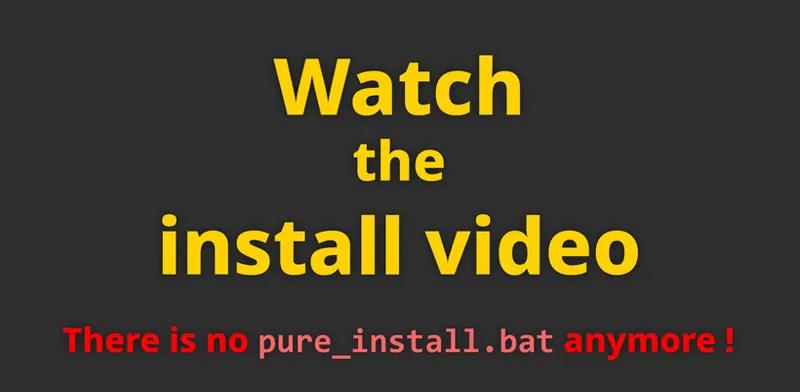
INSTALL VIDEO (Windows):
Youtube | Vimeo
Install AC + CM + CSP + Pure on Linux Bazzite:
Youtube
NEW FEATURES
Pure 3.50 introduces volumetric clouds and local weather in Pure LCS.
Please notice, that volumetric clouds are only part of Pure LCS for now.
I'm trying to get them also running in Pure Gamma, but that will be in a future update of Pure!
Please note that volumetric clouds have a much higher impact on the GPU than skydomes!
Entry-level GPUs won't be powerful enough to handle this rendering. If you still want to try, select the “Low” quality preset in the Main tab of the Pure Config app.
The new feature video is recorded with "Medium" quality preset. Please start with this preset and see how much impact volumetric clouds will cause on your GPU!
To learn about volumetric clouds and local weather, please watch the Pure 3.50 video:
The volumetric clouds are currently generated only via a sky shader. It is currently not possible to have the clouds obscure the track's geometry. However, I am working on making it possible for clouds to obscure things like mountains in future versions of Pure.
BUGFIXES
ppfilter: "pure", some tweaks on the exposure with low sunangles with lowered "photorealistic" slider, more natural
ppfilter: "pure", fixed some Glare issues in VR script
sunblinding: Pure LCS, added a new slider veil, to customize a pedestal coloring
sunblinding: Pure LCS, fixed the sun recognition in VR - SPS mode
Pure Planner: fixed a typo "INFINTE"
Pure LCS: added missing default_script.lua, Pure PP app works again if PPfilter is not made for Pure LCS
Pure LCS: further fixes with config parameter problems
Pure LCS: fixed SRGB-conversion parameter readout, deactivating SRGB conversion works again
Pure Gamma, fixed wrong exposure in virtual mirror
Pure Gamma, exposure: some fixes with YEBIS camera exposure, fixing OBS car + track cameras brightness
basic functions: Pure Gamma + LCS, removed while loops in some very old but often used functions (a probable reason for hangs and slow downs)
raymarching clouds: added an optional extended reprojection
raymarching clouds: added an optional economic weather definition
raymarching clouds: some bufixes and optimizations of the internal TAA
config: fixed a bug when UI element values are initialized
config: some fixes with missing values
raymarching clouds: fixed visible reprojection if camera direction is quickly changing
Pure Config: some more troubleshooting tips, if Pure is not active
Pure PP app 0.55, fixed a bug where Spice LDR checkbox is not saved properly
Pure Planner: generated live weather slots will use the dynamic options from the previous slot
Pure Planner: fixed the weather transition page with RM-clouds
Pure Planner: resetting weather defaults, setting rain amounts to new CSP defaults
Pure Planner, fixed a bug with restarting plans with big time multipliers
pp: added pure.pp.isInternalVirtualMirrorShader() and pure.pp.useInternalVirtualMirrorShader(false/true) to control the internal Virtual Mirror shader usage
filter: pure HDR ppfilters, added virtual mirror shader override
Highres - 3.5 GByte
mega: Pure 3.59
mediafire: Pure 3.59
(right-click the blue download button and select "save link as". You will bypass the ads then and it directly downloads the file!
As always, you need a CSP preview version to get rain and snow !!!
Like the most recent one (0.3p622)
https://www.patreon.com/x4fab/posts/bunch-of-tiny-169844857
CSP is the work of Ilja Jusupov. I'm Peter Boese the creator of Pure (a weather and graphics mod for CSP). Pure also works with the free public version of CSP. If you want rain, you also need to be subscribed to Ilja Jusupov!
Comments (262)
yo how do i fix it saying pure is not enabled when it is enabled ive tried all the steps it says to do but none of them work
You must use 7-zip app and you must use the "Extract" button to extract the 4 folders to your used AC root folder. Also check your used AC root folder in CM - settings - Content Manager - general!
How do I download LCS if I have the ChromaDusk PP filter?
What do you mean with: “How I download LCS” ? Do you mean an LCS compatible variant of this specific PPfilter? If so, please ask the PPfilter creator himself…
anyone have link, from there is imposiblle to download
At Patreon you must click on the post title or the "show more" link to read a post! Please read the post and watch the install video! In the bottom of the post you will see the links…
Can you help me with this? My download file did not contain the install pure folder or whatever is it supposed to install the pure in the ac folder game there's only the 2 file with uninstall pure thing. Thank you.
Please just watch the install video! The first big advice at the update post is to watch it, because there is no installer anymore!
been a little while since i updated, was still on 2.51 lol
Hello, amazing work thank you! Have a question about HDR, in the HDR guide it says you can adjust tone mapping with the "PP Tonemapping control" but that tab isnt showing up for me in the Pure Config App
All PP related settings are available in the Pure PP app! There you have all the tonamapping and all other PP settings.
man i wonder how much of his monthly income he actually gets, either way what a legend
BRO YOU ARE THE BEST
is there anywhere i can get support? mine looks nothing like this and is super blown out and looks miles worse than default assetto
Sounds like something is not set right! Please use the community chat and also post screenshots if you report a problem! Show the ingame Pure Config and Pure PP app!
light patch dont come with the 1 dollar a month??
Sorry, what do you mean. Ilja's Patreon also has a 1$ tier. If you subscribe to some creator and you don't cancel it, sure you have a monthly payment then...
absolutely beautiful graphics sir! makes a night and day difference... pun intended lol
I'm racing at night in a thunder storm. The pouring rain, lightning & thunder made the game rather unique. Incredible. Windshield whippers, slippery tires, headlights. Wow!
Ok Peter, do I need to remove anything to do another clean install ?
Just use 7-zip app and its Extract button to extract the 4 folders and overwrite existing files!
Hi guys, I just downloaded Pure 3.59 and I've noticed that when I get into Drive Pure Config isn't their & also the weather planner isn't their. If anyone can help that would be much appreciated
It is not installed properly then! Please be sure you install Pure exactly like shown in the install video! You must use 7zip app and you must use the "Extract" button to extract the 4 folders to your used AC root folder. Also check your used AC root folder in CM - settings - Content Manager - general!
What version of pure works with the weatherpreset sliders(i have CSP)
Sorry, but what do you mean exactly? CSP is mandatory for Pure anyway!
The Weather controller selection in "Drive" is greyed out in content manager. I am unable to select "Pure" as the controller. Any advice? i have CSP v.0.2.11
Do not select ideal or real condition there! This blocks the weather menu!
before installing pure thought it wasnt gonna make much of a diffrence but man it changed my whole experience best dollar i spended on a mod
high res download link doesnt work it shows up as regular text for me :')
Sorry, maybe it is something with your browser. Maybe try another one…
eh feck i cant find my Content Manager key
Sorry, I have nothing to do with Content Manager! I’m Peter Boese the creator of Pure. Ilja Jusupov is the creator of CM and CSP.
im doing somethng wrong when installing, in weather fx i cant see anything but default and also cant see pure in filters and thats the steps where i just got. i used to have sol, but i deleted the whole game and reinstalled it, btw i dont use official content manager, can that be an issue, pls help i want to play asseto in high quality
It is not installed properly then! Please be sure you install Pure exactly like shown in the install video! You must use 7zip app and you must use the "Extract" button to extract the 4 folders to your used AC root folder. Use CM to setup everything like shown in the official install video! Also check your used AC root folder in CM - settings - Content Manager - general!
can pure made it to richard burns rally daddy?
it seems in photomode that the leave headlights option is a little glitchy, it either selects yes or no and not leave headlights
You can also control it in Pure Config app AI tab. Maybe it makes a difference then.
rain doesnt work i got the other guys stuff and it still dont work
If you have a preview version of CSP, better install it manually: Delete the dwrite.dll in AC root folder. Open the CSP preview zip file and EXTRACT the "dwrite.dll" and the "extension" folder to your AC root folder (Steam install folder of AC "common\assettocorsa").
if i click filter at post processing nothing shows up...
Please use the community chat to post some screenshots. And btw: You must use 7zip app and you must use the "Extract" button to extract the 4 folders to your used AC root folder. Also check your used AC root folder in CM - settings - Content Manager - general!
Hi Peter. Äll types of weather work perfectly except for the tornado. Does it take some time to appear or maybe something went wrong?
There is no tornado effect in Pure, i switched it off because it does not mix very well with the skydomes or raymarching clouds. In the "default" weatherFX style it should work.
i love mr boese
pb de telechargement
At Patreon you must click on the post title or the "show more" link to read a post! Please read the post and watch the install video!
how can i cancel the payment
You manage your memberships in Patreon settings - Memberships. Click on the creator you want to cancel and cancel your subscription there.
Isn't there a Pure 3.59 Lowres version? Im not sure if my pc runs the highres version smoothly.
There is no difference in performance between the lowres and highres version! Just use the highres version…
Thoughts/would it be possible to have a 3rd option for cloud rending to be raymarching + skydome?
not really, it will not fit together. The skydomes are just photos of real clouds with a steady perspective. If you project 3d raymarching clouds over them, you will see that it is just a big billboard around you. The skydomes alone can create the illusion of steady clouds, because you don't think of seeing a billboard. But if you project some real 3d object over it, you actually see the "fake". And that can never mix well. The raymarching clouds are real 3d renders with a real distance. The skydomes are a far projection with the same distance at your camera. So if you would mix it, it will look like a visual failure. Near and far clouds will overlap the skydomes, which are showing near and far clouds, but not on a real distance level. Farer 3d clouds will overlap "nearer" photo clouds. For now i just decided that skydomes are like a very performant way to draw clouds, esp if you want photo-like clouds. So you get a very low impact on the GPU and really nice clouds. The raymarching clouds are there, if you want real 3d clouds, but you have enough GPU headroom to do that and than you can have all advantages of 3d clouds like local weather. But additional showing a skydome will make this worse again, because it can't move...
I currently have a 4060 geforce. with 32 gb ram and an amd ryzen 7 processor. Will pure work fine with my set up? also im really sorry for barging in with a bunch of questions, but does PURE handle almost all of the "graphics" tweaks and settings I need to make my AC much better? Im reallly drowning with all these settings etc in CSP inside content manager
For now just use the default settings in CSP and install and setup Pure like shown in the install video. That would be enough as a start. Later you can dig into the numerous settings of CSP and you can also try other ppfilters for Pure. There are a lot of settings and mods you can try to advance your look. But just start with Pure and default settings and slowly dig into this little univers. Your hardware will be enough for Pure and great graphics! Just use the default settings for now!
Hi GUYS! I wanna why my weather presets are not working??? can u pls help
Please read the text there! Those are not meant to change the weather!
top
I like using random weather slots, but in rain it also applys snow to it, which is odd in summer ;) Can this be exlcluded from random-rain-slots?!
Just set the air temperature higher than 3°C in the slots! You can set any parameter in the weather slots manually by removing the checkbox in front of them...
Amazing job as always thanks Peter
vous conseillez quoi comme meilleur PPfilter pour pure ?
when i switch to gamma by weather i get strobing colours as the clouds and as parts of my car. When i switch to pure lcs nothing happens
Maybe it is not installed properly or it is caused by the PPfilter! Please use the “pure” PPfilter and always install Pure like that: You must use 7zip app and you must use the "Extract" button to extract the 4 folders to your used AC root folder. Also check your used AC root folder in CM - settings - Content Manager - general!
what is the best pp filter every one using ?
I'm using AEGIS filter at the moment, looks more realistic at night especially more contrast
Hi Peter. It is now very dark with Pure Gamma. I had to move back to 3.20.
Maybe try to reset your settings in Pure PP app and use the pure PPfilter. Maybe use the community chat and post some screenshots of Pure Config app and Pure PP app after you install Pure 3.59…
Do I need to change a setting in CSP to get custom tonemapping working while using Pure Linear PP? It works with 0.2.11 but not any of the recent 0.3 previews.
Sorry but what do you exactly mean. Could you please use the community chat and post some screenshots?
INANSE WORK . Just set mine up and its amazing!!!!!!
Nice one as always
grazie per il tuo lavoro. quindi chi mi piega cosa è CSP?
CSP is short for Custom Shaders Patch or aka lights patch. This is the base of all new modding in AC. The creator called Ilja Jusupov. CSP contains many modules to add new content to AC. Like Pure adds realistic weather look and weather effects.
Hello Peter, your latest Pure version lacks the new rain sounds developed by Ilia in CSP. Also, it lacks the fog the rain adds in his implementation, and the rain drops are not much visible. If you could take a look into this, I would greatly appreciate it.
Yes, i will try to update Pure LCS with the latest changes in the default wfx.
i have installed pure 3.50 but there is no pure, pure candy etc on video filter settings, only default, photographic etc
It is not installed properly then! Please be sure you install Pure exactly like shown in the install video! You must use 7zip app and you must use the "Extract" button to extract the 4 folders to your used AC root folder. Also check your used AC root folder in CM - settings - Content Manager - general!
On Hotlap I have weather on broken clouds, pure 3.51 runing, PP filter on Pure, CSP 0.30 prev595, reshade 6.8, DLSS 5. In hotlap on monitor weather works fine but on quest 3s sky is one colour and it seems like i am running rhouygh a mist bank and then it becomes again sky same coulpour any idea what this is?
Maybe use the community chat and post a screenshot. Please open the ingame LUA Debug app. If there is a red dot, please switch to that tab and expand the error. Also show Pure Config app and Pure PP app…
great
Hi, do you have a low-res version so I don't lose performance in online competitions with many vehicles?
Did you ever experience a better performance with the lowres version of Pure? You get it at the Pure Discord: Link your Discord account in Patreon settings - More - Connected apps. You will be automatically linked with Pure Discord Server and get a role to view the Pure channels.
giood work daddy petter
Having the worst issues can’t even read its own ui scripts when installing and loading the game just blank windows
Please use the community chat and post a screenshot. Also try this: Reset CSP settings completely! Goto /Documents/Assetto Corsa/cfg/ rename the "extension" folder to something different. Restart CM. It will create a new "extension" folder. You can restore it later. Select Pure as weather style again in CSP weatherFX settings.
from where can i get low res version? my pc is stuttering with 8gb vram
That is totally enough and the lowres version will not change that. But you can try it anyway: you can download the lowres version at Pure Discord server. Link your Discord account in Patreon settings - More - Connected apps. You will be automatically linked with Pure Discord Server and get a role to view the Pure channels.
You're the best! that's it!!
Hi i dont know where else to ask, but i just bought both pure and the rain csp, but i cant change the weather, i can make it night time and such, but the only way i see rain is when i turn on the manual debug
Where are you trying to change to rain? If you are trying to change rain on the Pure Planner weather presets, please read the text there! You change the weather in the weather slots. Just watch the install video. In its last chapter, you see how you do it!
hey for some reason on the preview version my points are not being registered in no hesi im new so is there a fix to this?
Why don’t you ask the No Hesi people? I have nothing to do with No Hesi! They provide a product, so they are responsible for it!
when does the volumetric clouds for gamma come? btw, any recommendations for graphics setting? when i try to run the volumetric clouds my fps just drop a lot in big maps
Idk, i'm trying to integrate them into Gamma. Yes, the volumetric clouds have a decent impact on the GPU, esp. if you are on big maps. Maybe lower their resolution in Pure Config app clouds tab. With the latest hotfix of Pure, you have some more performance options there too. Maybe just try to lower the sky samples a bit. Or use the "economic definitions".
once i download pure and lights patch to my root folder they still dont show up in content manager
It is not installed properly then! Please be sure you install Pure exactly like shown in the install video! You must use 7zip app and you must use the "Extract" button to extract the 4 folders to your used AC root folder. Also check your used AC root folder in CM - settings - Content Manager - general!
Hi Im getting no option on weather fx for pure when installed any help? thanks
It is not installed properly then! Please be sure you install Pure exactly like shown in the install video! You must use 7zip app and you must use the "Extract" button to extract the 4 folders to your used AC root folder. Also check your used AC root folder in CM - settings - Content Manager - general!
So I'm racing at Tokyo Bay in the daylight, as the race progresses the sun goes down, blocks my vision, it gets dark and the lights come on. Incredible!
Im new to all of this but i can say that pure is great and so cheap. From Artin
how do i revert back? it broke my game
Please use the community chat! There you can also post screenshots. Please describe there what you did and how it behaves now!
bro my game keeps freezing after 2 secconds
Please use the community chat! There you can also post screenshots. BTW Pure does not crash AC! Mostly crashes happen due to wrong CSP settings or a mod like a track or car is not compatible with it! So please try this first: Do an offline session like hotlap with standard Kunos car and Kunos track.
Amazing thank you
Had to sub....THANKYOU!!!I LOVE IT
Thank you.
Hey Peter i love pure so much and i am currently into drifdting. Ik there is a extra heating slider to increase smoke but i personally dont like the look of that and i have all other smoke sliders maxed out that increase density and size but for me it still isnt enough is there a way you could do something like you did in sol to crank up the smoke to 11? if you could that would be much appreciated thanks.
Idk if you already tried to gain the "extra heating" slider in CM settings CSP ParticlesFX under "New smoke and dust".
do i tried installing it but for some reason when i get to the in game session i get the pure config menu it says "pure weather script is not running" i have done everything to try and fix it, i have been at this since 1 a.m last night its 8:04 pm of the next day im want to give up someone please help me. chat gpt is making me do file file diagnosis and im just going in circles. they sky stays dark grey ish blue. and the weather effects dont work other than the wind
It is not installed properly then! Please be sure you install Pure exactly like shown in the install video! You must use 7-zip app and you must use the "Extract" button to extract the 4 folders to your used AC root folder. Also check your used AC root folder in CM - settings - Content Manager - general!
Hi Peter. Thanks for all your work loving it. Not specific to this release but I just switched to using Pure ppfilter and the godrays are not really showing. I tried adjusting the slider to increase godrays but this has no effect. (No such issue on other ppfilters). Any ideas please? Thanks
Please use the community chat and post a screenshot with Pure Config app Main tab and Pure PP app script tab.
Where is the install video for PURE not the fucking rally driver
The install video is literally the first thing that is linked in the post! What are you clicking then? Just click the post title or the show more link to get into the post! I guess you open something different, but NOT the Pure update post!!!
Bro, I'm so confused on this page. Why tf do you have me downloading a RallyCo driver? Where tf are the graphics, and how do I set those up? And why does your Mega link have download speed restrictions on a paid mod?
Sorry but what do you mean??? Idk something about a speed limit with the mega download. I pay for the pro account and so you should have unlimited speed for the download! Maybe just try the mediafire link. And what about the RallyCo driver thing???
wow dont even work and i hit the Activate Pure button nothing happens
It is not installed properly then! Please be sure you install Pure exactly like shown in the install video! You must use 7-zip app and you must use the "Extract" button to extract the 4 folders to your used AC root folder. Also check your used AC root folder in CM - settings - Content Manager - general!
love it bro
Hello, I am having troubles with the graphics. The lighting is too bright. So far, I tried to reset CSP, reset Content Manager, Uninstall csp and re-install it, I also re-installed pure, and I removed sol using the sol uninstaller and also I manually removed all of the sol files. I am using pure ppfilter and purelcs. Please help. Thanks.
Please use the community chat to post screenshots! Use the “pure” ppfilter. Also have a look into Pure Config app Main tab if there are any errors.
will skydomes be compatible with these?
In Pure LCS you have now 3 render methods for clouds: billboards, skydomes and raymarching clouds. You can only set one. If you select the new raymarching clouds, you don’t have skydomes! But you can still select skydomes, but then you have no raymarching clouds.
What filter should we be using for Pure LCS with VR? (Specifically Quest 3)
You could use the “pure” ppfilter in Pure LCS. It will handle the screen modes like HDR or VR automatically!
Do we need to have lights patch with this one?
You always need CSP (custom shaders patch aka lights patch) for Pure! But it works with the free public versions and with the paid preview versions!
I downloaded this a week ago. Wow! This is exceptionally good content. Amazing work. :)
hello, is it normal that the changelog only goes to 3.27?
Sorry no, maybe i forgot to add it! Here is the full list till the latest hotfix: Pure 3.54 - basic functions: Pure Gamma + LCS, removed while loops in some very old but often used functions (a probable reason for hangs and slow downs) Pure 3.53 - raymarching clouds: added an optional extended reprojection - raymarching clouds: added an optional economic weather definition Pure 3.52 - raymarching clouds: some bufixes and optimizations of the internal TAA - config: fixed a bug when UI element values are initialized Pure 3.51 - raymarching clouds: fixed visible reprojection if camera direction is quickly changing - Pure LCS: fixed SRGB-conversion parameter readout, deactivating SRGB conversion works again - Pure Planner: generated live weather slots will use the dynamic options from the previous slot - Pure Planner: fixed the weather transition page with RM-clouds Pure 3.50 - raymarching clouds: introduced raymarching clouds So actually 3.50 just introduced the volumetric clouds...
Youre a Goat peter, honestly for creating such a complex weather system it's just awesome :D
For me ambient lighting is not working, does anybody have the same issue? I toggle the sliders on pure config and nothing happens (already tried the newest paid csp, older ones, installed everything like shown on a video)
Please use the community chat and post a screenshot of the page in Pure Config. Please also open the "Lua Debug" app ingame and see if there is a red dot. If the slider is orange, your currently used ppfilter is blocking those sliders. Please try with "pure" ppfilter then...
This is really impressive, the rendering is very beautiful, i'm fairly impressed by the quality of your work, the game is so alive with these skies. I wish more games could have them. The stormy weather, with the lightnings and the sound is so yummy i wanted to stop my car just to watch the sky. Great work.
I need help on the 7-zip part when I download the first one in 7 zip I can't choose open with there isn't an option can someone help me or join a discord call with me?
Please use the community chat for further help. You can also just open 7-zip and then it already shows you the Download folder and there you can open the Pure zip.
My wheels and mirrors stopped working in replay mode has this happened to anyone else?
Sorry, never heard of this before but you could try this: Reset CSP settings completely! Goto /Documents/Assetto Corsa/cfg/ rename the "extension" folder to something different. Restart CM. It will create a new "extension" folder. You can restore it later. Select Pure as weather style again in CSP weatherFX settings.
Please moderate your comment section because these bots have sexual theme in profile picture
Everything is moderated every day! And I don’t see any. Which channel, which user?
When he says use 7 Zip do it, does not install correct using windows extract.
Thanks for the feedback and yes, Windows nowdays has some serious issues in terms of script files. There is a high chance Windows Defender will block them. If you are using any copy method like by Windows Explorer or even if you are using WinRar it will not work. Windows Defender is like hyper allergic due to its AI learning. 7-zip app has its own copy method and does not use the Windows Explorer functions. BTW, if you are using a decent AntiVir suite, Windows Defender is shut off by it and then a normal extraction is working again. There is also no issue on Linux. You can use the native OS functions there...
hola , alguien que me ayude por favor , tengo la version lights-patch-v0.3.0-preview445-full siempre se me crashea el juego tengo todas las versiones todas me hacen lo mismo ! ahora aver con el pure 3.50 estoy descargandolo , muchas gracias
Sorry i don't know what you mean! Maybe try this: Reset CSP settings completely! Goto /Documents/Assetto Corsa/cfg/ rename the "extension" folder to something different. Restart CM. It will create a new "extension" folder. You can restore it later. Select Pure as weather style again in CSP weatherFX settings.
Fantastic update as always! Sad to say I'm having what seems like a very specific issue. I've been trying to play in VR using OpenComposite. The issue I'm having is that when I'm using the 360 skydome textures, a blue polygon is projected onto the skybox and follows my head movement. It goes away when I set the Cloud Type to 1 or 3. When I switch back to SteamVR, it also goes away. Not that I have an issue with using SteamVR, but I've been getting better performance through OpenComposite. Any fixes I could try?
Please reset your far and nearplane settings in CSP - graphics adjustment. Please use the community chat to post screenshots of those settings.
Where do i get the base Pure 3.5 download?
Exactly here in the post! When I say you need Pure 3.50 as a base for its hotfixes, then I mean you need the complete package, which you find in the update post, so here in this creator post…
im new to this and i followed the install video. but when try to activate the shaders, its will work for a second then fade out and look lie default. what could it be?
Please use the community chat and make a post and show some screenshots of Pure Config app Main tab and Pure PP app Script tab
can you add gddrive? this 2 site very slow speed for my network
So I tried this out again today. Set weather to have a quick storm roll in and then the sun came back out. Beautiful work!
Thanks for u hard work!! shotout from brazil!
Hi team, I can't seem to get the rain working in the game, even though I followed the procedure exactly. The result looks amazing, but that's the one thing missing.
You always need a CSP Preview version for Rain! Please notice the rain disclaimer in the Pure update posts! If you have a preview version of CSP, better install it manually: Delete the dwrite.dll in AC root folder. Open the CSP preview zip file and EXTRACT the "dwrite.dll" and the "extension" folder to your AC root folder (Steam install folder of AC "common\assettocorsa"). and please don't spam the comments. You can continue with further comments in the thread...
Unfortunately going from 360 degree skydomes to raymarching shader (volumetric clouds) I am getting 47 vs 70 GPU usage, which is a percentage increase of 48.93% vs skydomes. This is with zero cars other than mine, so with a grid full of cars and triple monitors this is quite a big performance hit and would surely result in lowered FPS. While this is an impressive technical demo, I don think the end result is visually worth it. Still thankful for all your work Peter ❤ Oh, I forgot to ask! Will transitional weather still work without volumetric clouds? It would be cool to keep that even if you use skydomes
Are you using the "Medium" quality preset in Pure Config app Main tab? If you are using the "Very High" preset or the highest resolution in the Clouds tab, then it will cause a very high impact on the GPU!
wow my fps dropped from 180 to 90. i had to go back to 3.21
Please use the community chat and post some screenshots when you use the Pure 3.50 version! Thats not normal. Please show the Pure Config app Main tab and Pure PP app Script tab! If you are using a 3rd party ppfilter, please always try with "pure" ppfilter if you experience problems...
amazing graphics as always
Nice!
when i run no hesi it crashes but its fine on 4real servers. any tips peter ?
Sorry, this is not related to Pure. It could be related to CSP: Reset CSP settings completely! Goto /Documents/Assetto Corsa/cfg/ rename the "extension" folder to something different. Restart CM. It will create a new "extension" folder. You can restore it later. Select Pure as weather style again in CSP weatherFX settings.
where the hell is the install_pure file??
Literally the first big message is: “Please watch the install video. There is no install_pure.bat anymore”! Don’t you see this? You must use 7-zip app and you must use the "Extract" button to extract the 4 folders to your used AC root folder. Also check your used AC root folder in CM - settings - Content Manager - general!
will this be coming to gamma aswell?
I’m trying
do i have to change to 0.2.11 for the new one to apply?? i am on 0.3.0
No
Peter I can’t seem to leave my sim rig now thanks 🤣🍻
thanks a lot
whats the difference between gamma and lcs ?
This looks amazing!! Peter you've done amazing work. Keep going.
Mais quel travail!!!! Magnifique!
hey peter, im having a thing where in singleplayer everything works fine, but in a server the clouds are rather bright, the server is using weather fx which i have set to pure lcs, if i can send a picture somehow i can show you what i mean
Yes please use the community chat, there you can post screenshots. And please test with “pure” ppfilter!
I am sorry if this is a bad question but am i supposed to uninstall SOL before using Pure? I did not and have had some glitches etc but when i try to find this information, i am finding mixed results. Some say Pure needs SOL, some say Uninstall it because it conflicts. I really tried looking around your discord and patreon but i do not see a "FAQ" or anything that answers it for me. Thank you.
No, Sol and Pure are 2 completely different things. Pure does not need Sol! But you can have both installed in parallel. The only thing you must do is to deactivate the Sol app, because they have their own wiper control, and if you are using Pure, they will block the wipers then, because Pure will use the built in CSP wiper control.
Incredible work.
King of all
This is wonderful!! Hats off to you!! Fantastic work as always!!
Hi Peter, I want to congratulate u for your amazing job! But, why I can't select all possibly wheather on Pure Planner? P.e. can't choose snow or thunderstorm, but I don't understand why... tnx a lot
What do you mean??? Please use the community chat and post a screenshot!
can you send to me your discord and is there way to get best setting i can putt for get Real way
Link your Discord account in Patreon settings - More - Connected apps. You will be automatically linked with Pure Discord Server and get a role to view the Pure channels.
Hello, I play in VR. Could you tell me the difference between the "Pure" filter and the "Pure VR" filter? I can't see any difference. Thanks.
With Pure LCS please also use the “pure” ppfilter in VR. In the VR variant of the filter I make some optimizations and I’m trying to reduce artifacts in VR.
Good work as always Peter🤗
Do i just overwrite old Pure? Just drop it into AC folder? Tnx.
Literally the comment before you…
I already have Pure 3.21 installed. How does the installation process work for the new version of Pure?
Open the ZIP file with 7-zip app!!! You must use 7-zip app and you must use the "Extract" button to extract the 4 folders to your used AC root folder. The Pure install is always the same!
Why is it that rendering 2 is more blurry then one im using exilitay skydomes V2
skydome are photos of clouds and "cloud rendering 2" is volumetric clouds rendering. Photos will always be sharper and more detailed then renders. But If you want more sharpen clouds, maybe gain the sharpening in the Raymarching clouds settings.
Significantly reduces the frame rate in VR, and shows how good job just the simple skydome does.
Yes, skydomes are the real deal for VR. Those pictures are taking nearly no fps...
thank you!
Fantastic work! Thank you!
When I switch the clouds to raymarching. I just get a black screen. Is there anything I can do?
How did you install Pure?
hey, im not sure if your the same person as the csp, but i only have your patreon, do u know why the extrafx take so much performance? i usually get like 30% more fps when its inactive
No we are not the same person. I'm Peter Boese. I do Pure. Ilja Jusupov is the man behind CSP and CM! And ExtraFX takes so much fps because it is a complete additional render pass adding alot of computation to the GPU. So it is usually taking 30% to 50% of additional GPU. If you just want to use the new scalers like FSR3 or DLSS, for them you need to have extraFX active, just deactivate any single module in extraFX. Like SSLR or Ambient Occlusion will eat most of your fps. But just deactivate all of them, if you only want to use the new scalers!
Just played for an hour w/ the new Pure. All I can say is "Congratulations"
Gonna try in my custom weather where I 24h cycle with all kind of weather options, including thunderstorm and where I already have the wind direction set from where it should come. I'm anxious. Hope it will work like a charm.
Hope you like it!
Mate, you smashed it with this one :D Fantastic work! Best yet!
Pure insanity! All puns intended! Mega work Peter! Just some massive fps drops in rt_barthurst but every other track looks fine with raymarching clouds
I will check this track, Thanks!
Peter - is it worth installing this update on an older system that probably can't use the volumetric clouds (1660ti, i7 2600)? Currently with Pure running and several cars on Nords I am using about 50-70% CPU and 80-90% GPU, with about 90% vram and system ram memory used.
You should stay at skydomes then.
Hey, does anyone have any performance reports for this on a 1070? Im currently getting 60fps on mid settings
Hello, thanks for you job !
Great clouds and skies,good for single screen but not vr even with rtx 5080.I have a question-why can't I select high or very high pure setting in vr?I am not using those volumetric 3d clouds in vr but can't still select anything higher than low or medium?
Those settings are just there for the ground fog effect and for the volumetric clouds. So also in the groundfog shader it will cause higher impact. But just leave it at medium. No other things are set with those quality settings. You will not loose something if you set it at medium and using the skydomes!
🐐
the trees have this weird rectangle looking lighting when i have raymarching clouds on, and some other shadows also has this problem, any way to fix that?
Please use “pure” for now. If you are using filters like C13, they must be adapted for the raymarching clouds!
Thanks for the update but not looking good or working properly for me in VR. Almost like they are out of focus or poor quality. I’ve reinstalled pure and csp a number of times correctly using 7zip app. Tried using the pure filter and others. No error in lua and I’ve tried playing with the cloud settings but nothing looks good. Any else have the same in VR? Thanks
Please post a screenshot of in the community chat. But maybe just use skydomes in VR
Just yesterday I was checking for this update. Thanks for the email!
An incredible piece of work, it turned out amazing! I have a question though: since pure planner doesn't work when we want to add it to our own online server, what kind of approach should I follow?
There is something called like AC Server Manager which can do weather changes
Hi, is it possible to estimate how much this feature affects VR and overall system resources? How resource-intensive is this feature? Are there any tests, benchmarks, or reports available on its performance? Thanks in advance to everyone!
No sorry, there are too much variables in that chain. But for VR skydomes are still the most resource friendly clouds. But maybe just try it. You can also reduce the resolution of the raymarching clouds. I also built in many optimizations into them. They also work in every VR mode in CSP. So you can use SPS and VRS.
Sorry if this should be obvious, but is 'localised weather' dependent upon the volumetric clouds? I assume it must be, but just to check... looks amazing thanks - I'll have to test if my GPU can take it without me compromising too many other settings, but spectacular and much appreciated.
Yes this is a direct feature of the raymarching clouds. It is realized inside a shader and so this transition can be part of a 3d system. It is not possible with skydomes and billboard clouds. For easy switching performance options, just use the quality settings in Pure Config app Main tab.
fantastic job as always
For some reason I'm not getting the RayMarching Clouds option, I only have Options 0 and 1. Did I do something incorrectly upon install?
Found it, NVM. It was my mistake, I was still on Pure Gamma.
Only weird thing is I had to drag and drop in content manager after I exported the files….. rather peculiar
You must use 7zip app and you must use the "Extract" button to extract the 4 folders to your used AC root folder. Do not extract and then drag'n'drop it to AC root folder or CM! Windows will block script files then!
amazing thanks friend cinema absolutey.
You are a genius i have no words just thank you for everything you do for this community
Well, that did not went so well for me in here: i just installed the new pure as allways and tested onte time with one car: works perfectly! The clouds are amazing. BUT the FPS hit is imense. Loose almost 20fps using CSP DLSS!! (i9 12900k + 32gb + 4060ti) Tried another time now with a full set of f1 2026 cars in miami. AC waited a looooot of time to initialize. Almost didint initialize at all. And when it came i had just a white screen. And the NOPURE flag just appeared. Now im fighting to make it work again reinstalling CSP + configs + pure. Not so good for me at the moment. Going back to skydomes. But to be clear: Peter work is amazing!! Cant wait to see what can be done to make it work here.
But with skydomes it works again? If you are running in this trouble again, please open the ingame LUA Debug app and see if there is an error and please post it then in the community chat. Thanks...
awesome!
Ace has support to transfer mods over from ac to ace, its time to make ace the new playground, i think its got the graphics just needs the content
AC EVO has no interface to do additional modding on the graphics.
Thanks a lot, just fantastic!!
So one part of a track can be dry while other part of track is wet? Is this already supported by current version of CSP? Is the online/server handling of dynamic weather getting some upgrades at some point? AFAIK the current system doesn't really allow to control individually the parameters to have dynamic weather like the drying line etc.
Currently there is no rain map in CSP which fulfills such feature. But on a big track you can already have such effect with Pure setting the weather transition according to the player position. So with Pure's raymarching clouds shader the weather transition is local across the track. That means, that Pure Planner can use your position within this weather transition to do a real transition according to your position. Then you can actually make a weather transition in Pure Planner and set it to 50% mix. And on a big track like the Nordschleife you can travel in and out of weather A and B. If you are using nice and rainy weather, you will travel between rain and sunshine. But for such effect the rain parameters of the weather must be static. So they are directly dependent on the cameras weather transition. Maybe use the community chat if you want to know more about this, or just try it. It is pretty easy to do that. In Pure Config Clouds tab, you see the real weather transition at the camera position (at the bottom)
I can’t wait to test when I get back from vacation!
insane
does it work with 0.3 preview version of csp?
Sure i test it continuously with the development versions of it!
Thank you for testing on Linux as well! I'm running CachyOS on my new PC that I built and I'm not going back to windows but some parts are still buggy especially with content manager. Like I can't load some tracks cuz there's some problem with "wintrust" idk. But thanks for all the work for trying to make it better for us, Linux users. <3
I can't wait to try it. It looks magnificent. I wonder if they are much heavier on resources than original 3D clouds I currently use.
Yes
Whoaa looking forward to see this in VR! ☁️☁️☁️
Just Copy n paste ? How to update ?
You must use 7zip app and you must use the "Extract" button to extract the 4 folders to your used AC root folder.
kinggg
raymarching clouds made my jaw hit the floor, the way the sun peeks through the clouds omg!
This sounds amazing. Shame I have a potato for a graphics card
Sorry about that, but they are kind of complex for a GPU. But you can lower the resolution of those clouds. Maybe it will not bother you then this much so you maybe can use them too. But skydomes are the best win/win feature for potato GPUs.
amazing work. i cant think of a game that has dynamic weather that realistic :D
Absolute cinema as always
THX! love it!
Man its been a WHILE since i updated my Pure. Still on 2.0
you gonna love this one :D pay attention to sky :P or use Pure Planner in single mode to mess with clouds and rain and wind, its really good :D
Yessss! Thank you